Unused Code
The Unused Code window finds every callable the workspace never reaches, from any program, service or test. Here tidy.ek9 declares two functions: greeting, which the Greet program calls, and forgottenHelper, which nothing calls at all. To play it in the IDE: Help > Lessons > Refactoring…, or ek9 -ide -lesson unused-code.
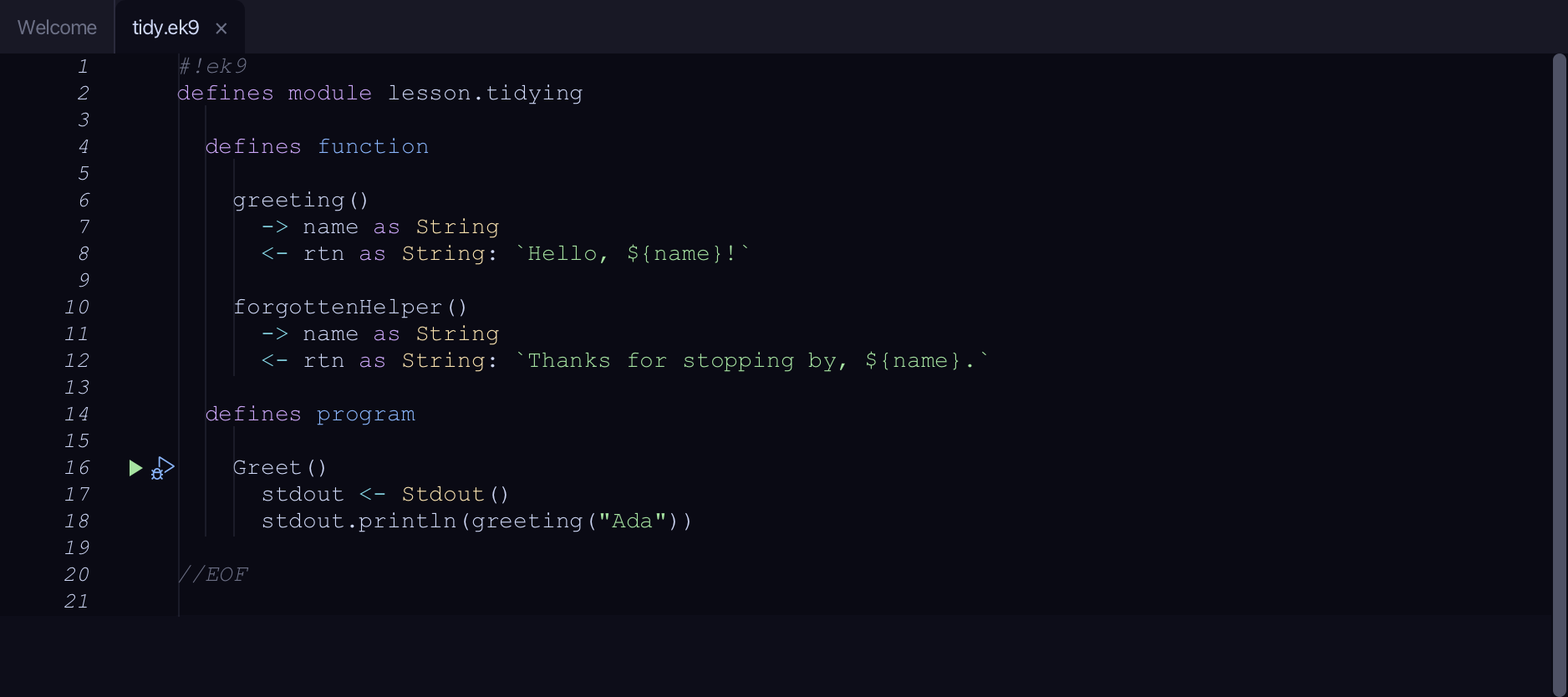
Start from
The code the lesson starts from: copy it into a file of your own and follow the steps.
#!ek9
defines module lesson.tidying

  defines function

    greeting()
      -> name as String
      <- rtn as String: `Hello, ${name}!`

    forgottenHelper()
      -> name as String
      <- rtn as String: `Thanks for stopping by, ${name}.`

  defines program

    Greet()
      stdout <- Stdout()
      stdout.println(greeting("Ada"))

//EOF
Step 1: Open the window
Choose View > Tool Windows > Unused Code.
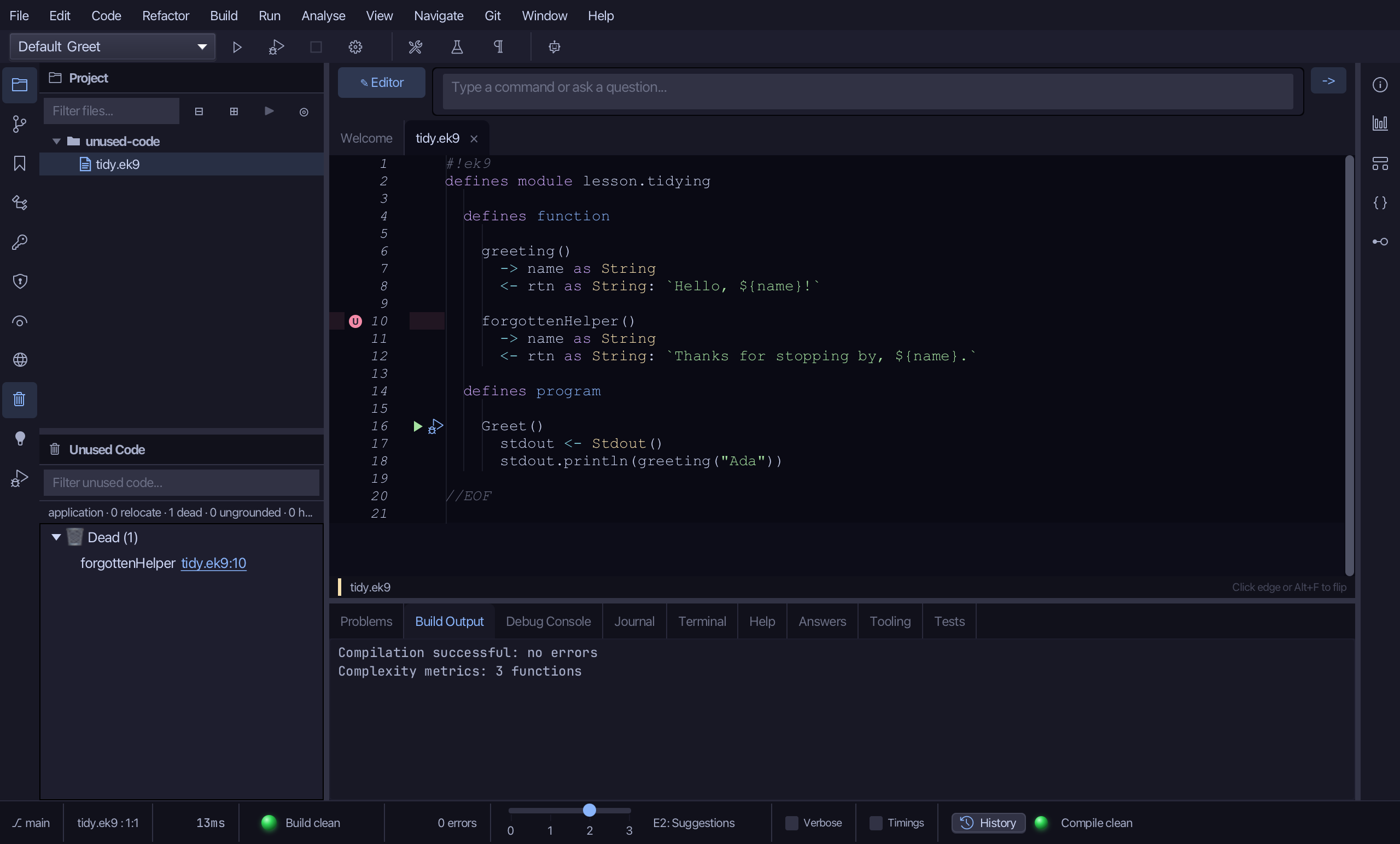
Step 2: The findings
forgottenHelper is listed under 🗑 Dead - reached by nothing, so it is safe to remove. greeting is not listed at all: the Greet program calls it, so it is live.
Step 3: Delete it safely
Right-click forgottenHelper and choose Delete safely…
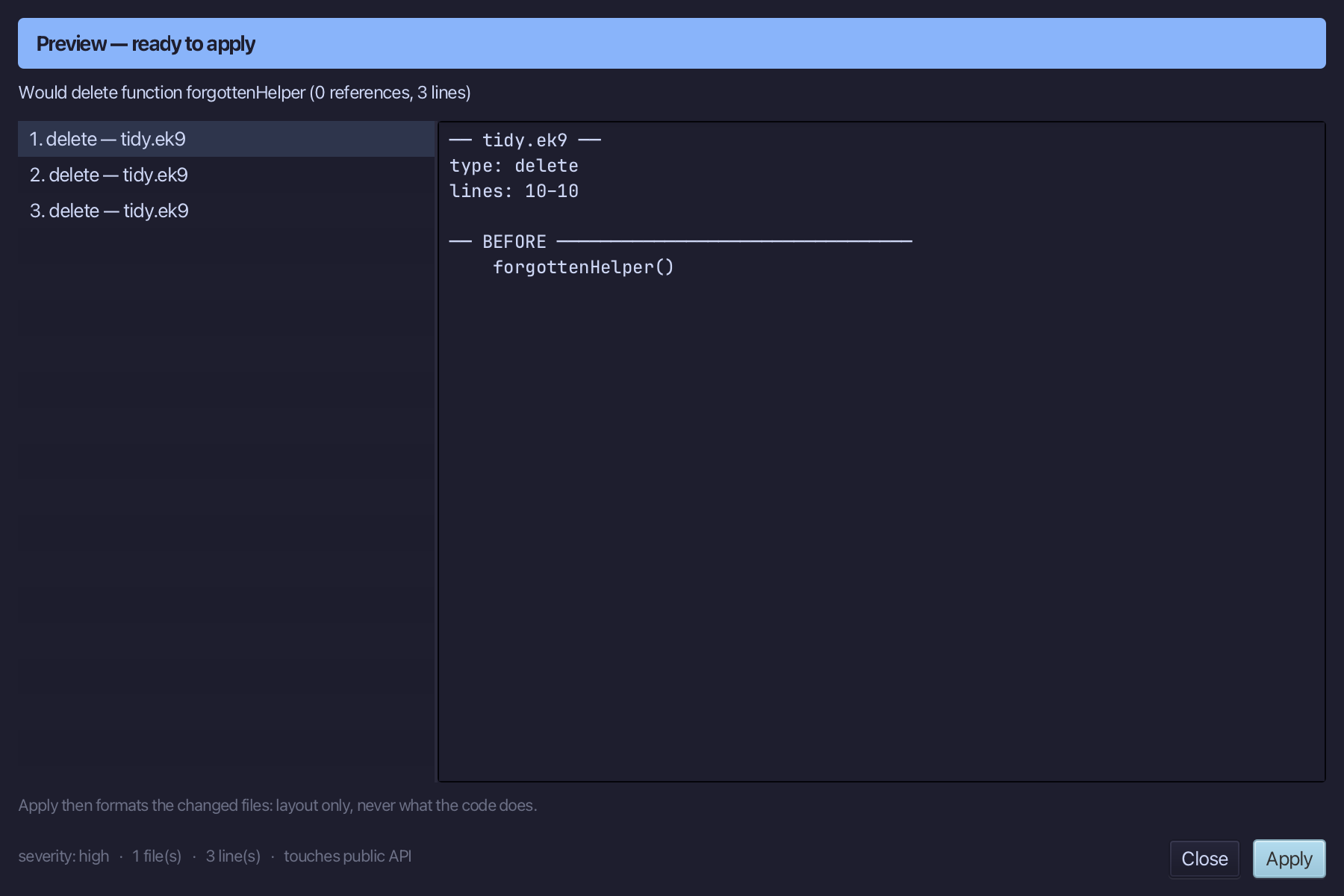
Step 4: Preview and apply
The preview shows forgottenHelper's declaration gone, with nothing else to change - nothing else used it. Choose Apply.
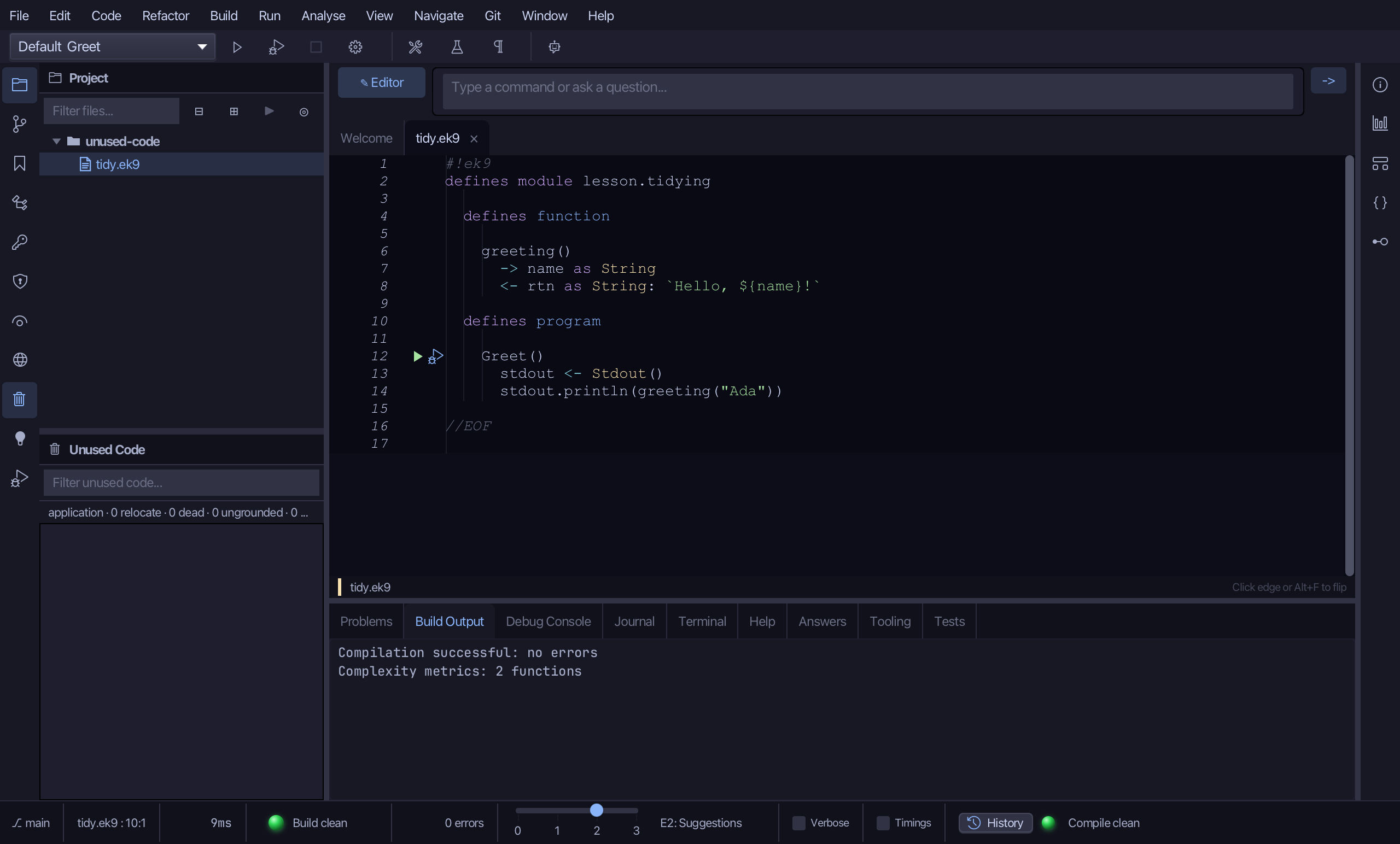
The result
That is the Unused Code window: forgottenHelper is gone - nothing called it, in production or test code - and greeting, which the program does call, was never listed at all. Delete safely… on a finding reaches the SAME preview as Safe Delete from a declaration's own right-click menu, so a finding the scan missed something about - still used from outside its own reach - surfaces as a conflict instead of a silent deletion. The window defaults to the active file (cheap) - a Module toggle scans the whole module instead. View > Tool Windows > Unused Code (Cmd+9, Ctrl+9 elsewhere) opens it; AI assistants use ek9_find_unused_code to list findings and ek9_safe_delete to remove one.
Where this lesson comes from
- For AI assistants - the MCP tool
ek9_find_unused_code,ek9_safe_delete.