Capabilities
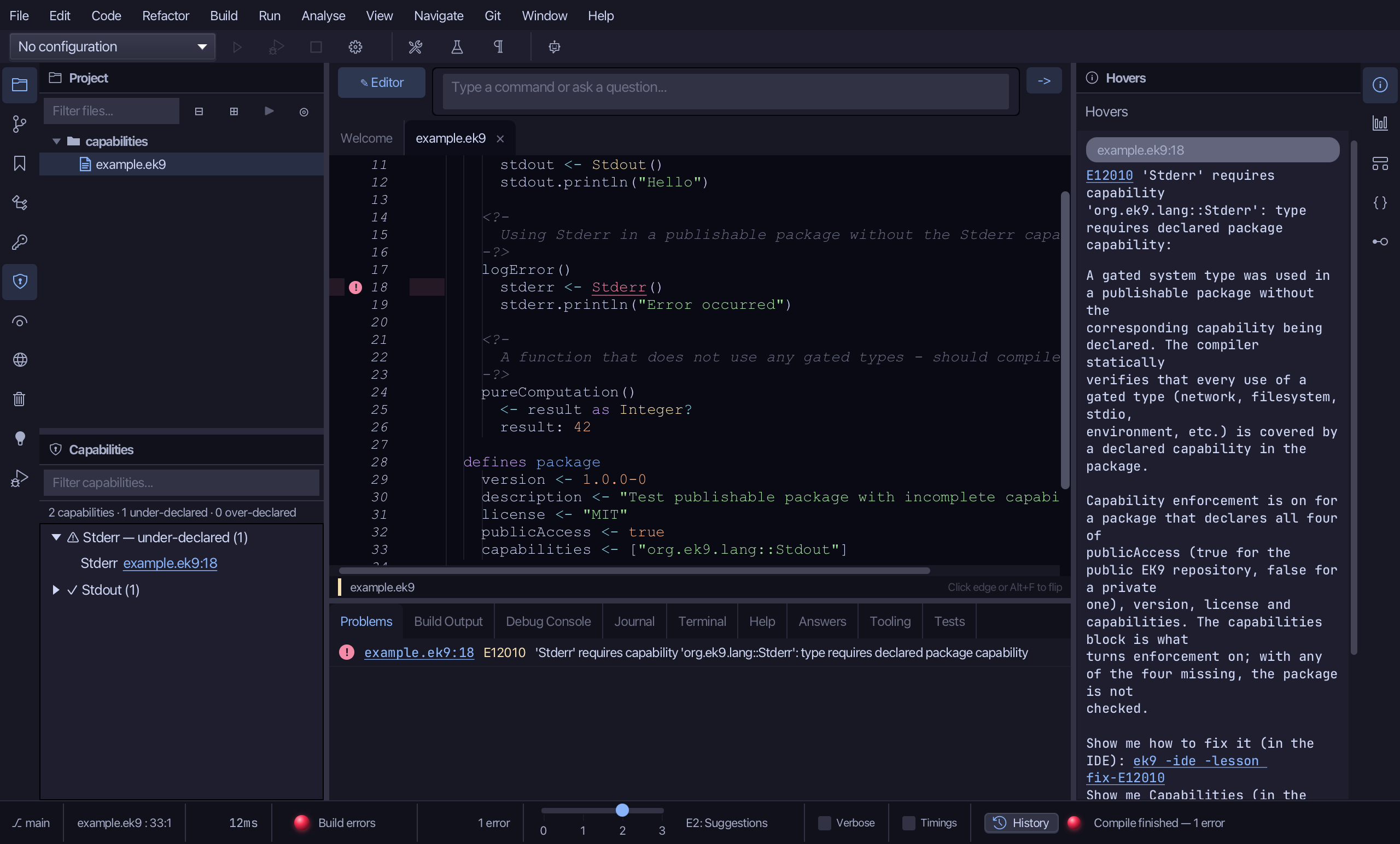
The Capabilities window audits every gated system type the code uses against what the package declares. Here printMessage uses Stdout and logError uses Stderr - neither declared, each its own E12010, explained in the Hovers panel - while the package declares TCP, which nothing ever uses. To play it in the IDE: Help > Lessons > Security, packages and Git…, or ek9 -ide -lesson capabilities.
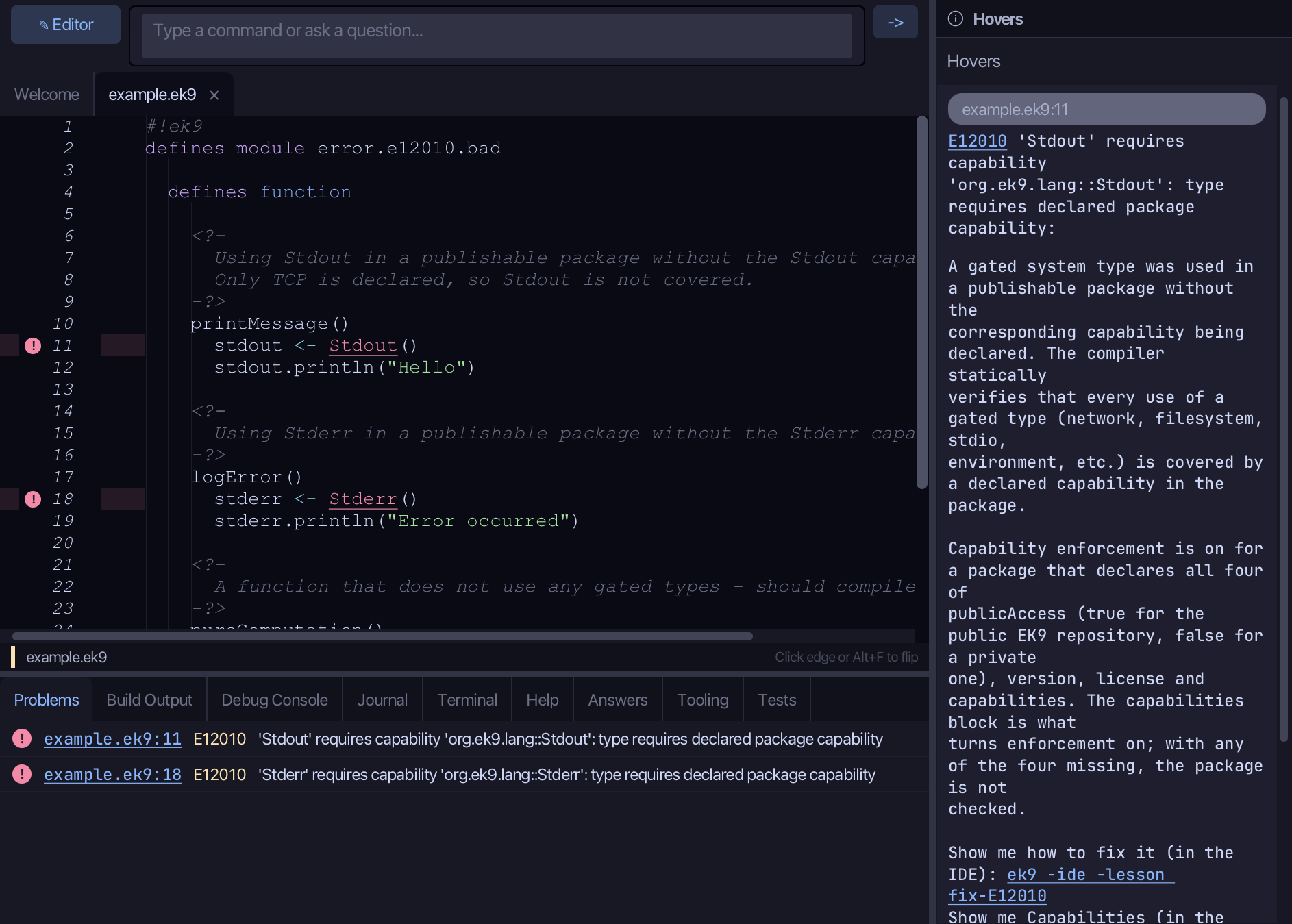
Start from
The code the lesson starts from: copy it into a file of your own and follow the steps.
Fails with E12010: type requires declared package capability
#!ek9
defines module error.e12010.bad

  defines function

    <?-
      Using Stdout in a publishable package without the Stdout capability declared.
      Only TCP is declared, so Stdout is not covered.
    -?>
    printMessage()
      stdout <- Stdout()
      stdout.println("Hello")

    <?-
      Using Stderr in a publishable package without the Stderr capability declared.
    -?>
    logError()
      stderr <- Stderr()
      stderr.println("Error occurred")

    <?-
      A function that does not use any gated types - should compile fine.
    -?>
    pureComputation()
      <- result as Integer?
      result: 42

  defines package
    version <- 1.0.0-0
    description <- "Test publishable package with incomplete capabilities"
    license <- "MIT"
    publicAccess <- true
    capabilities <- ["org.ek9.lang::TCP"]
Step 1: Open the window
Choose View > Tool Windows > Capabilities.
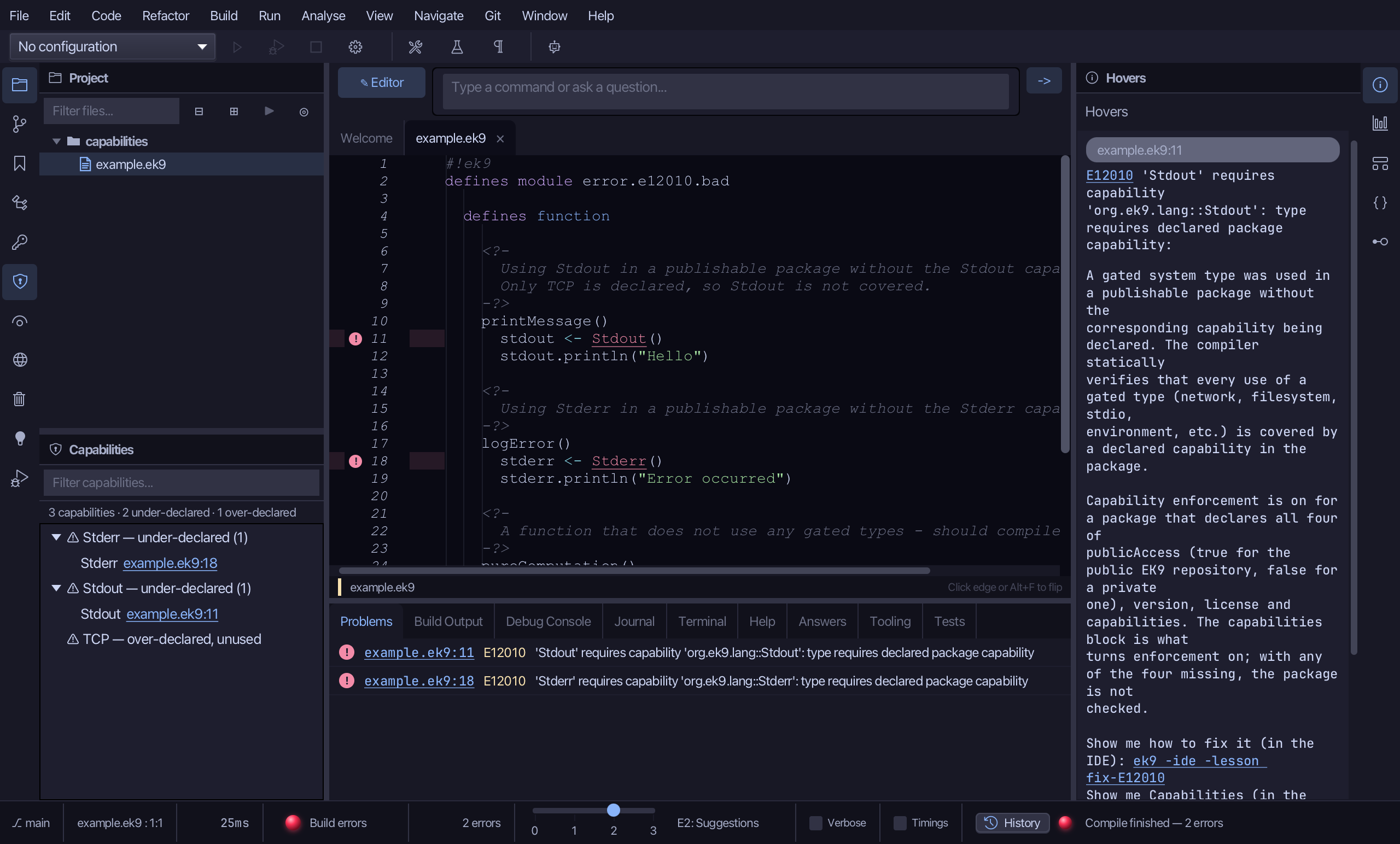
Step 2: The audit
Stdout and Stderr are both listed under ⚠ under-declared - used but not declared, the E12010 set. TCP is listed under ⚠ over-declared, unused - declared but nothing ever calls it.
Step 3: Add a capability
Right-click Stdout and choose Add capability 'Stdout' to package.
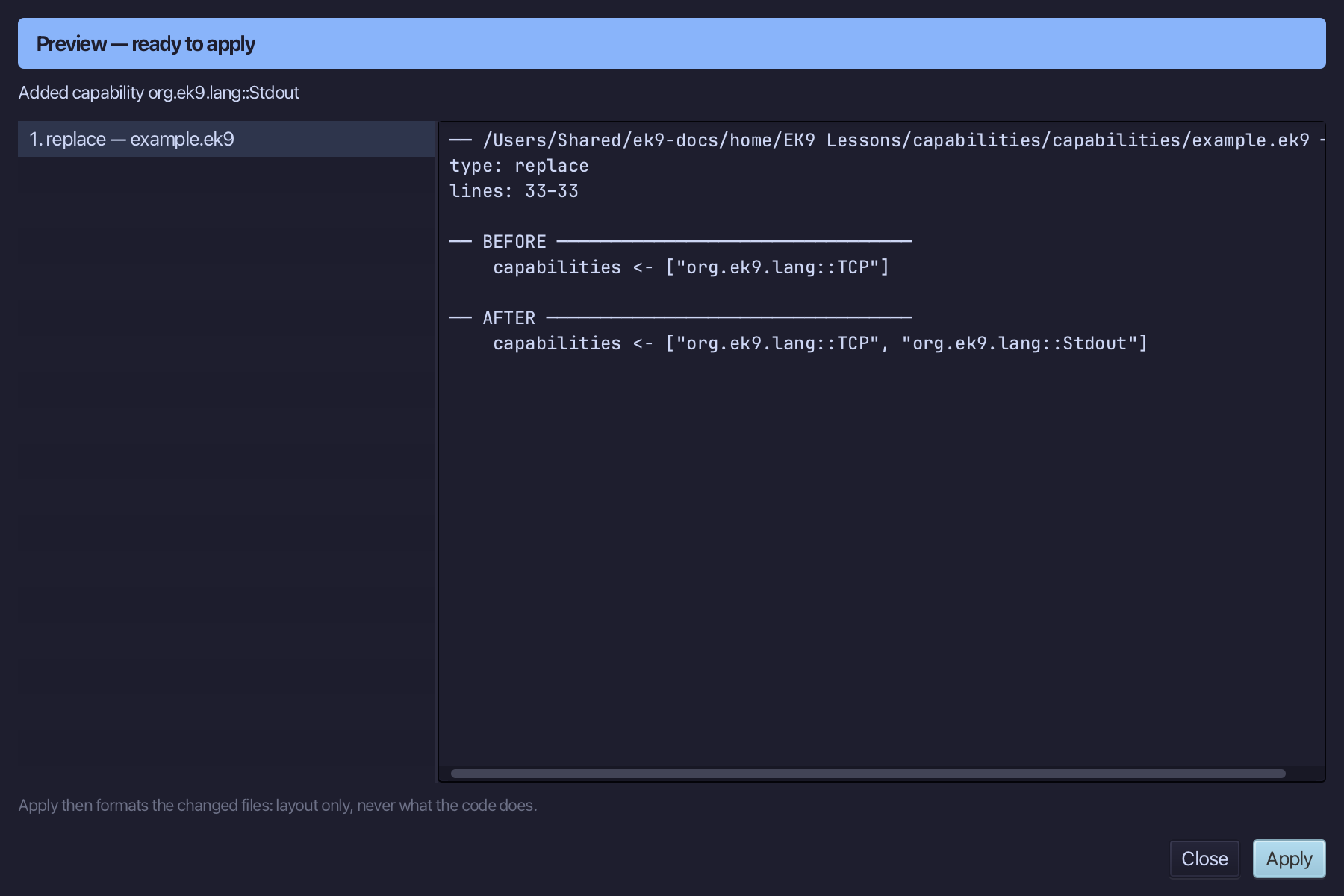
Step 4: Preview and apply
The preview shows Stdout added to the capabilities list; then the IDE formats the file. Choose Apply.
Step 5: Remove an unused capability
Right-click TCP and choose Remove unused capability 'TCP'.
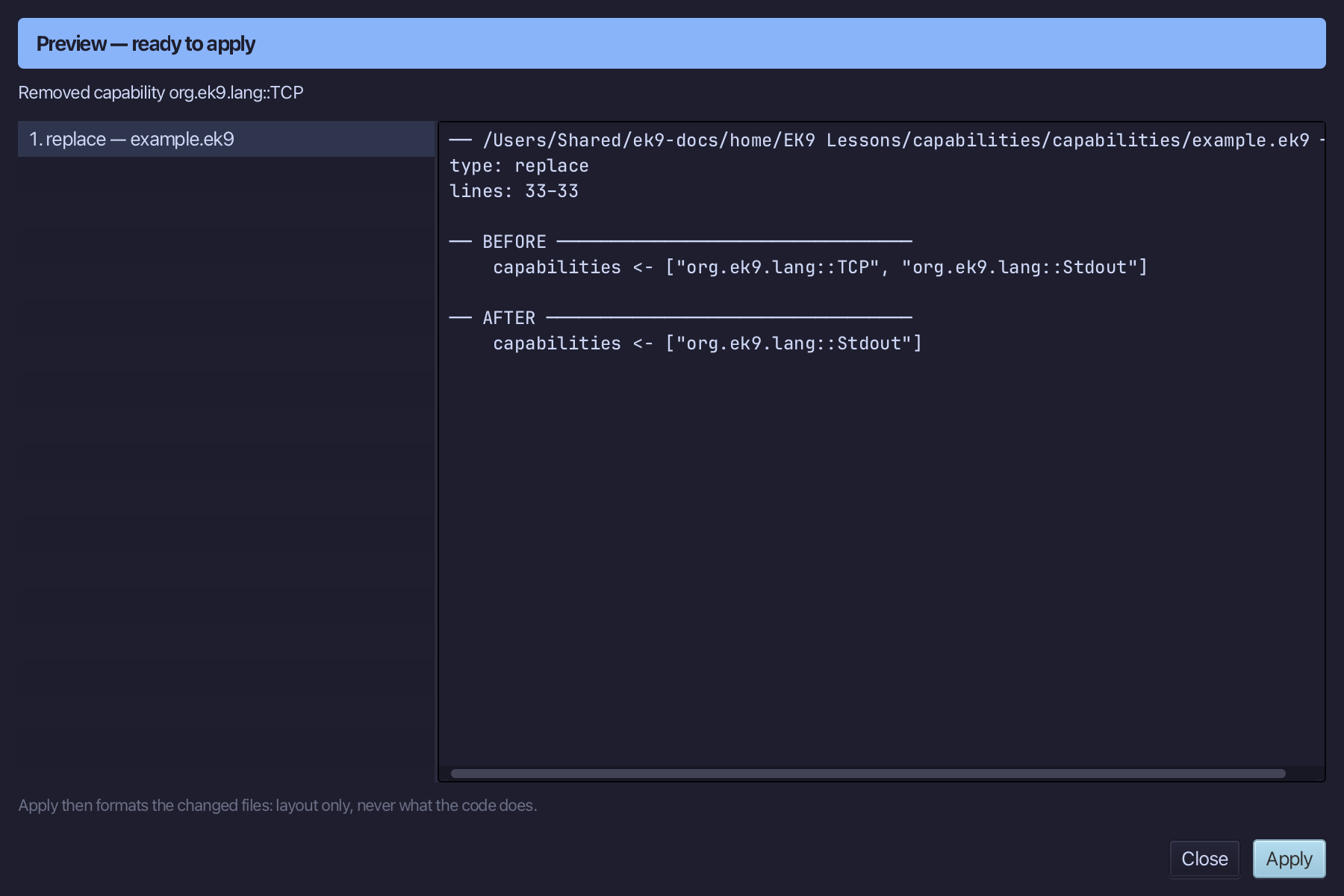
Step 6: Preview and apply
The preview shows TCP removed from the capabilities list; then the IDE formats the file. Choose Apply.
The result
That is the Capabilities window: Stdout is now declared, so printMessage's own E12010 is gone; TCP is gone from the capabilities list entirely, since nothing ever used it. Stderr's own E12010 - the same fix, one finding down - is left for you to try. Under-declared is the compile-blocking set (E12010); over-declared is a security smell, not an error, the audit's other half. View > Tool Windows > Capabilities opens it; AI assistants read the same audit with ek9_query_capability_usage and act with ek9_add_capability / ek9_remove_capability.
Where this lesson comes from
- The errors it fixes - each one's explanation offers this lesson: E12010.
- Answers -
ek9 -qand the IDE's Answers tab: 1271, 1277, 1275. - For AI assistants - the MCP tool
ek9_query_capability_usage,ek9_add_capability,ek9_remove_capability.