Seal Type
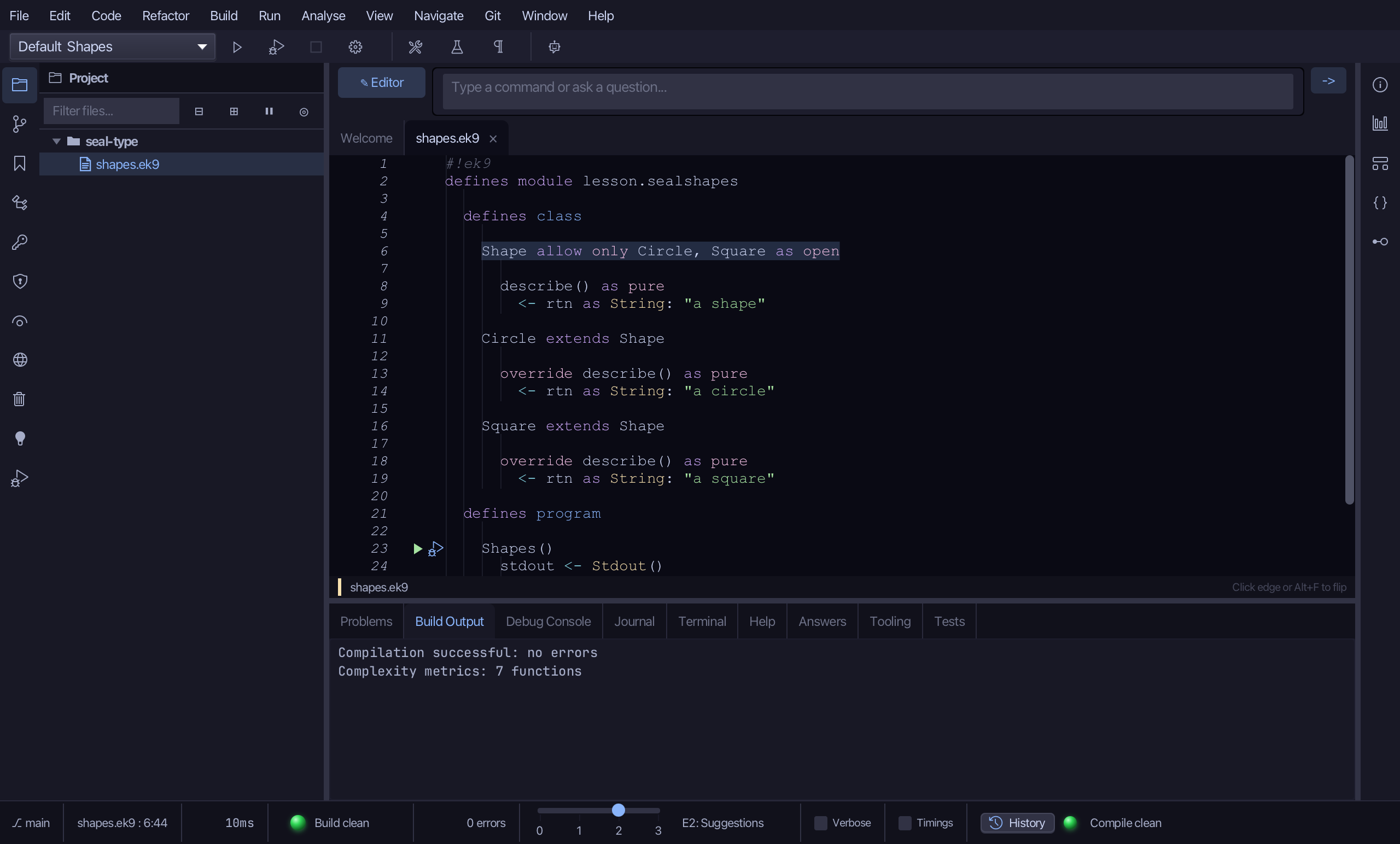
Change Modifier > Seal Type adds an 'allow only A, B, C' clause to a class or trait, restricting extension to exactly the subtypes listed - the compiler then knows the hierarchy is complete, so a switch over it can be exhaustive. Here Shape is open to anything; Circle and Square are its only two subtypes, and the design calls for no more. To play it in the IDE: Help > Lessons > Refactoring…, or ek9 -ide -lesson seal-type.
Start from
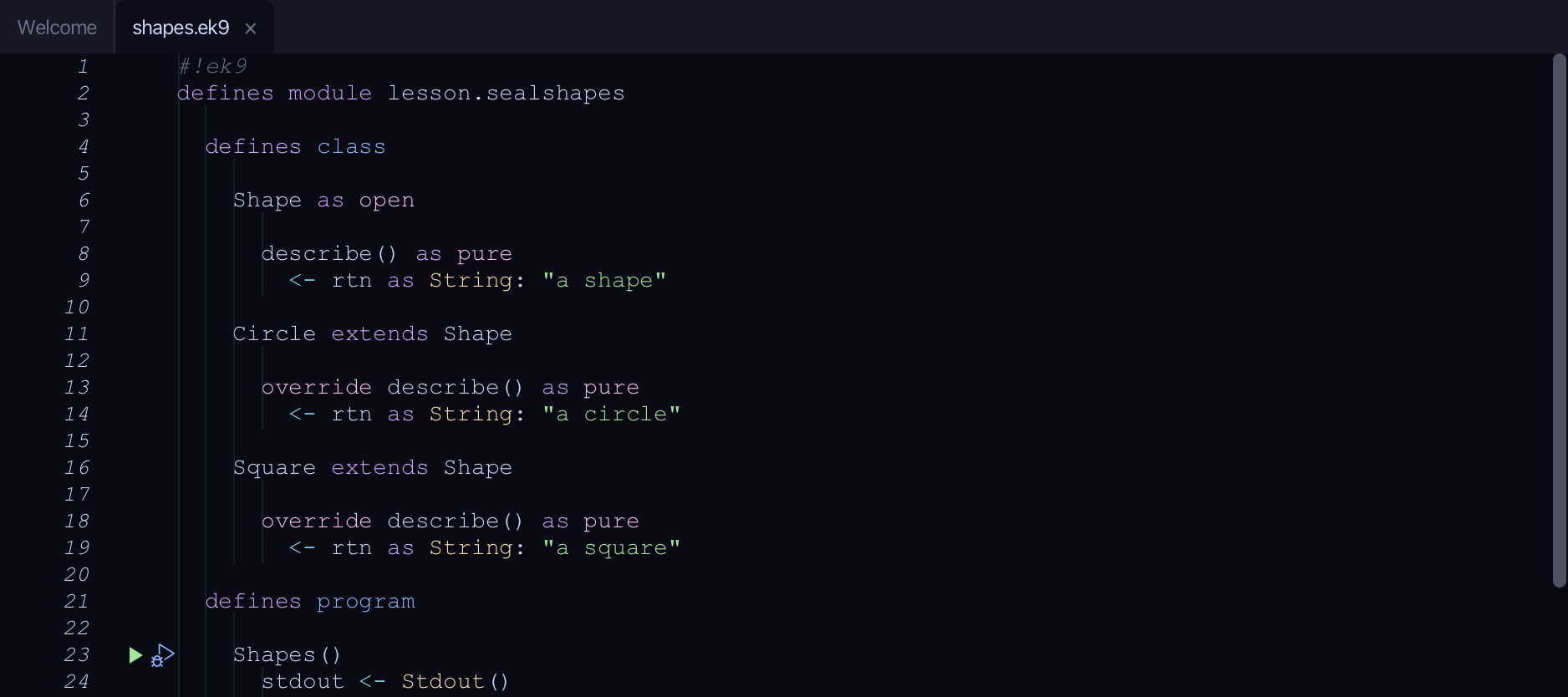
The code the lesson starts from: copy it into a file of your own and follow the steps.
#!ek9
defines module lesson.sealshapes

  defines class

    Shape as open

      describe() as pure
        <- rtn as String: "a shape"

    Circle extends Shape

      override describe() as pure
        <- rtn as String: "a circle"

    Square extends Shape

      override describe() as pure
        <- rtn as String: "a square"

  defines program

    Shapes()
      stdout <- Stdout()
      circle <- Circle()
      stdout.println(circle.describe())

//EOF
Step 1: Where it is
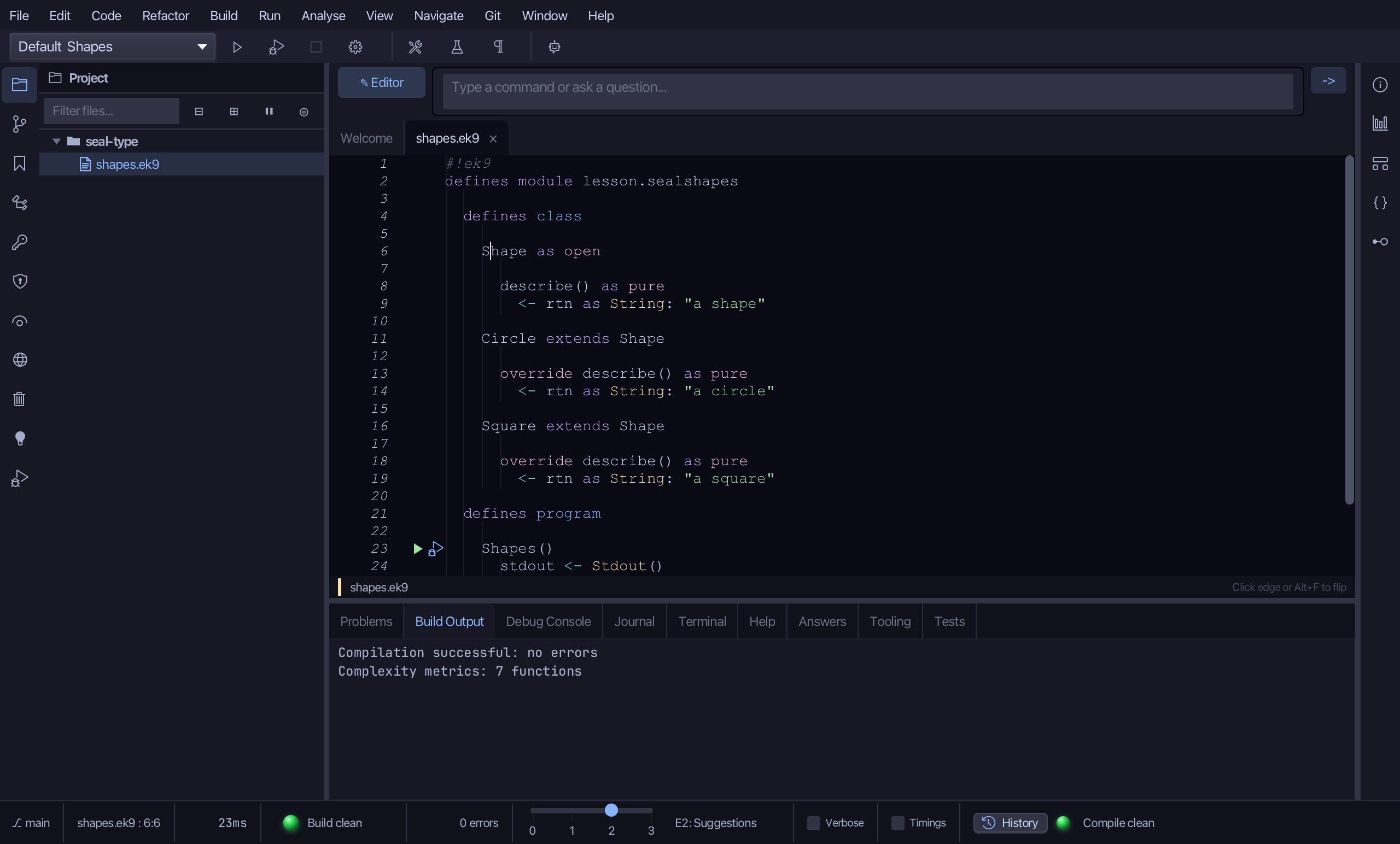
Put the caret on Shape, on line 6.
Step 2: Seal Type
Right-click it - or choose Refactor > Refactor This… - and choose Change Modifier > Seal Type…
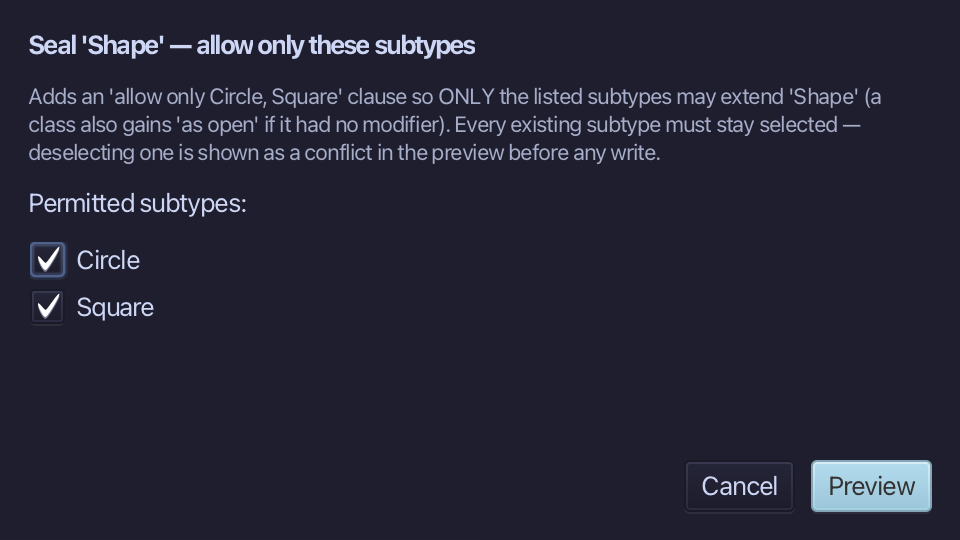
Circle and Square are already ticked - every existing subtype must stay listed. Choose Preview.
Step 3: Preview and apply
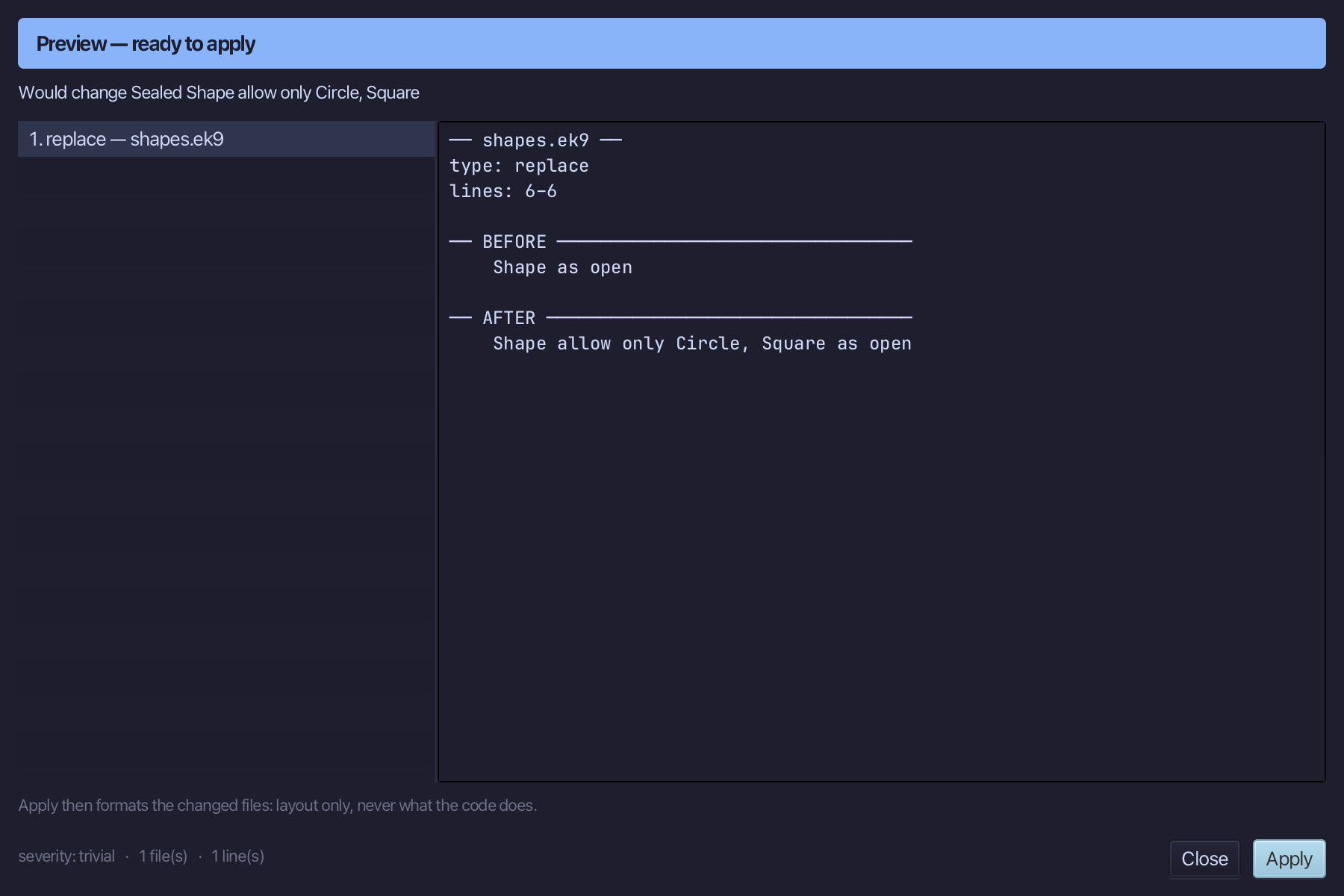
The preview shows every change the refactoring makes; then the IDE formats each file it changed. Choose Apply.
The result
That is Seal Type: Shape now reads 'allow only Circle, Square as open' - only those two may extend it, and a third attempt is refused (E05240) until it is added to the list. Unseal Type removes the clause again; Add to Allowlist… adds one more name without starting over - both sit beside it in the same right-click Change Modifier submenu. It is on that menu wherever the caret is on an unsealed class or trait's own declaration line with at least one subtype; AI assistants use the ek9_seal_type tool.
Where this lesson comes from
- Answers -
ek9 -qand the IDE's Answers tab: 1171, 301, 608. - For AI assistants - the MCP tool
ek9_seal_type.