Adopt Trait
Adopt Trait adds 'with trait of' and a trait's name to a class or component's declaration and, implementing, an override stub for every one of the trait's abstract methods - or, delegating, forwards them all to an existing field instead. Here Greeter declares one abstract method, greet(); Robot does not adopt it yet. To play it in the IDE: Help > Lessons > Refactoring…, or ek9 -ide -lesson adopt-trait.
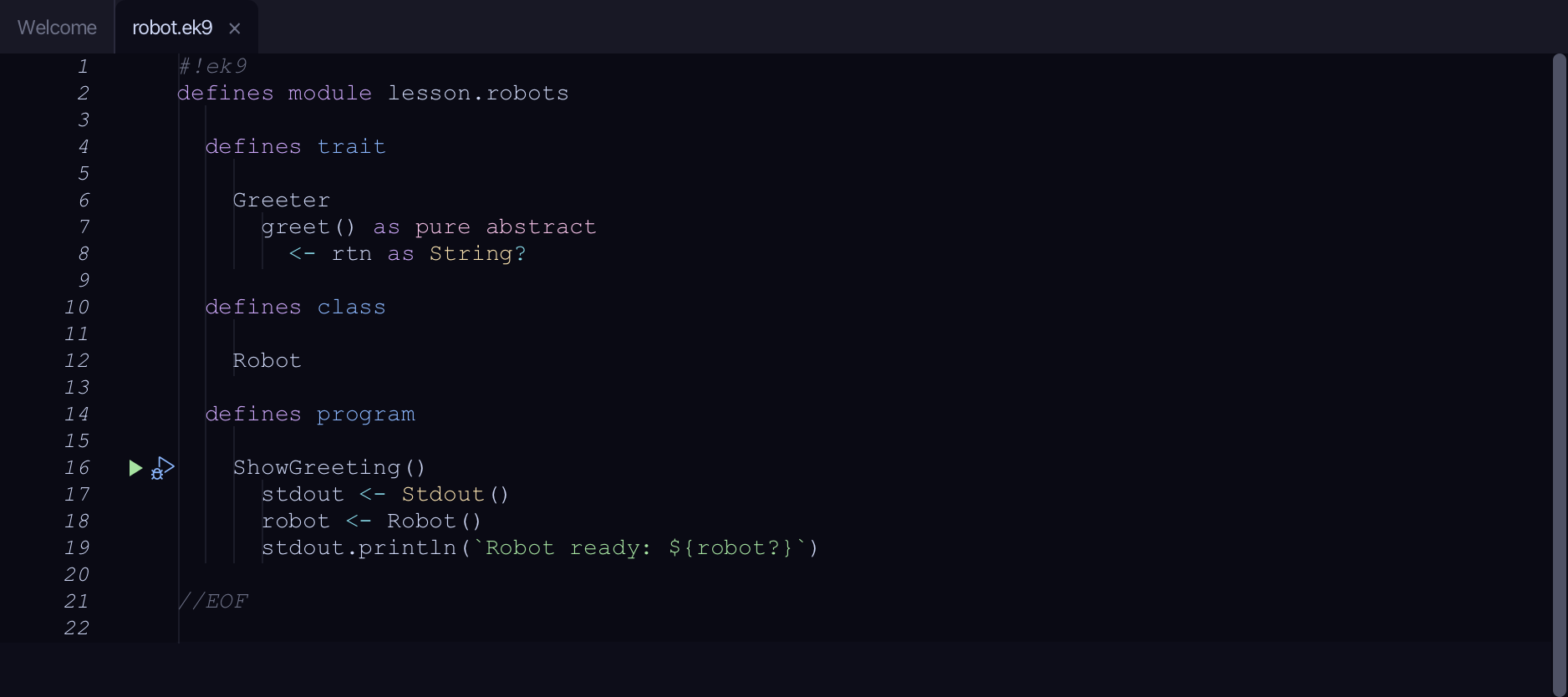
Start from
The code the lesson starts from: copy it into a file of your own and follow the steps.
#!ek9
defines module lesson.robots

  defines trait

    Greeter
      greet() as pure abstract
        <- rtn as String?

  defines class

    Robot

  defines program

    ShowGreeting()
      stdout <- Stdout()
      robot <- Robot()
      stdout.println(`Robot ready: ${robot?}`)

//EOF
Step 1: Right-click Robot
Right-click the Robot line and choose Adopt Trait…
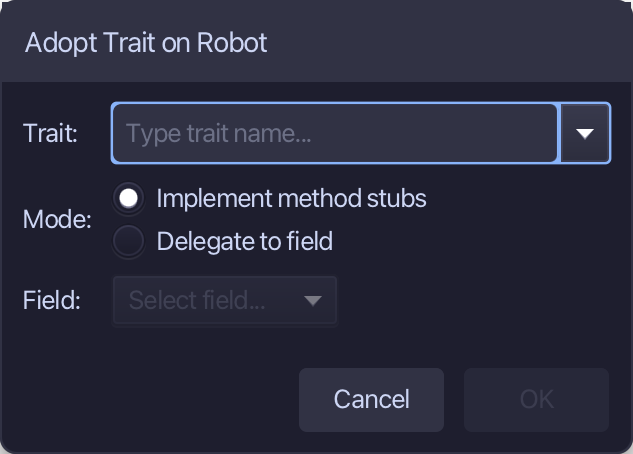
Step 2: Name the trait, and OK
Greeter is the trait - Implement method stubs is already chosen, the other way being to delegate to a field. Type Greeter and choose OK.
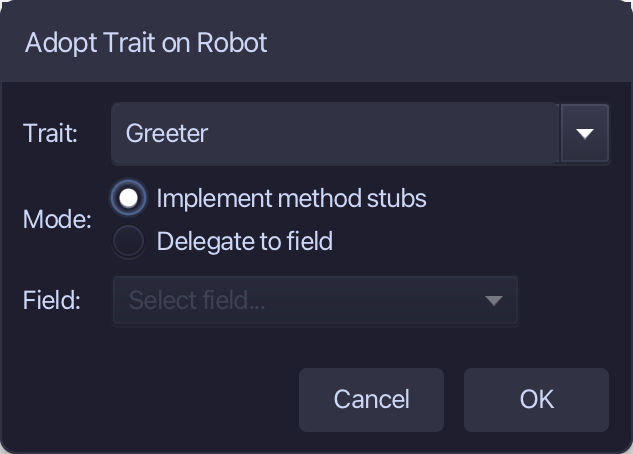
Adopt Trait changes the open file in the editor, not yet saved. Choose File > Save.
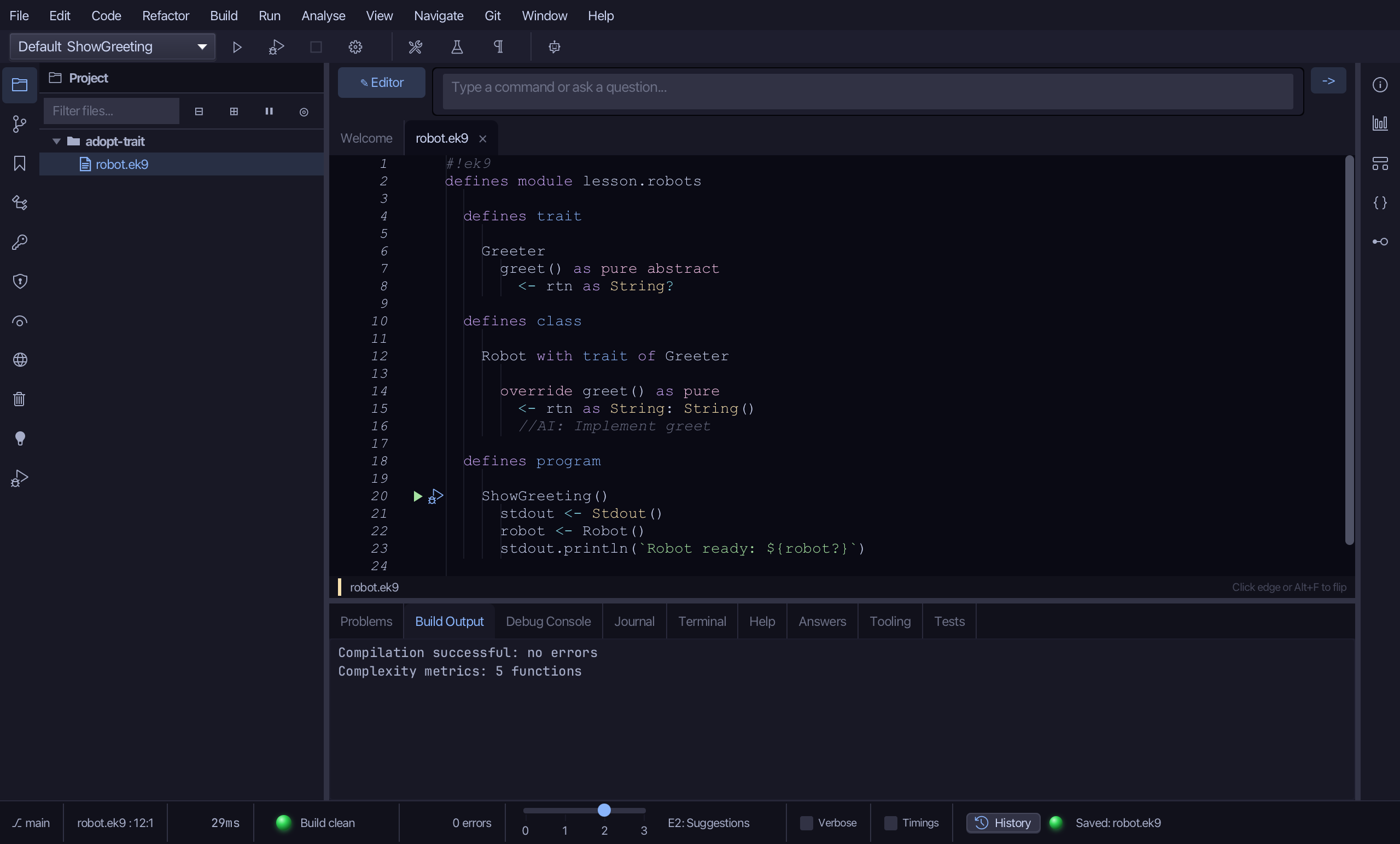
The result
That is Adopt Trait: Robot now says 'with trait of Greeter', and carries an override stub for greet() - the trait's one abstract method - with a //AI: Implement greet lead where the body goes. Delegate to a field instead and the compiler forwards every trait method for you, with no stub to fill in. It is on the right-click menu wherever the caret is inside a class or component's own area (not inside a member body); AI assistants use the ek9_adopt_trait tool.
Where this lesson comes from
- Answers -
ek9 -qand the IDE's Answers tab: 108, 210. - For AI assistants - the MCP tool
ek9_adopt_trait.