Five views, one construct
Readings is a small class, built only to give the Analyse menu's first five views something real to show: a header and its members (Construct), what names are visible at one point (Scope), everything you can call on it (Effective API), how one method branches (Flow Analysis), and what each stage of a stream pipeline does (Pipeline). The same five items sit on the editor's own right-click menu too, under Inspect. Read the class - two fields, a method that mutates, one that branches, one that streams - then start when you are ready. To play it in the IDE: Help > Lessons > Understanding a codebase…, or ek9 -ide -lesson one-construct.
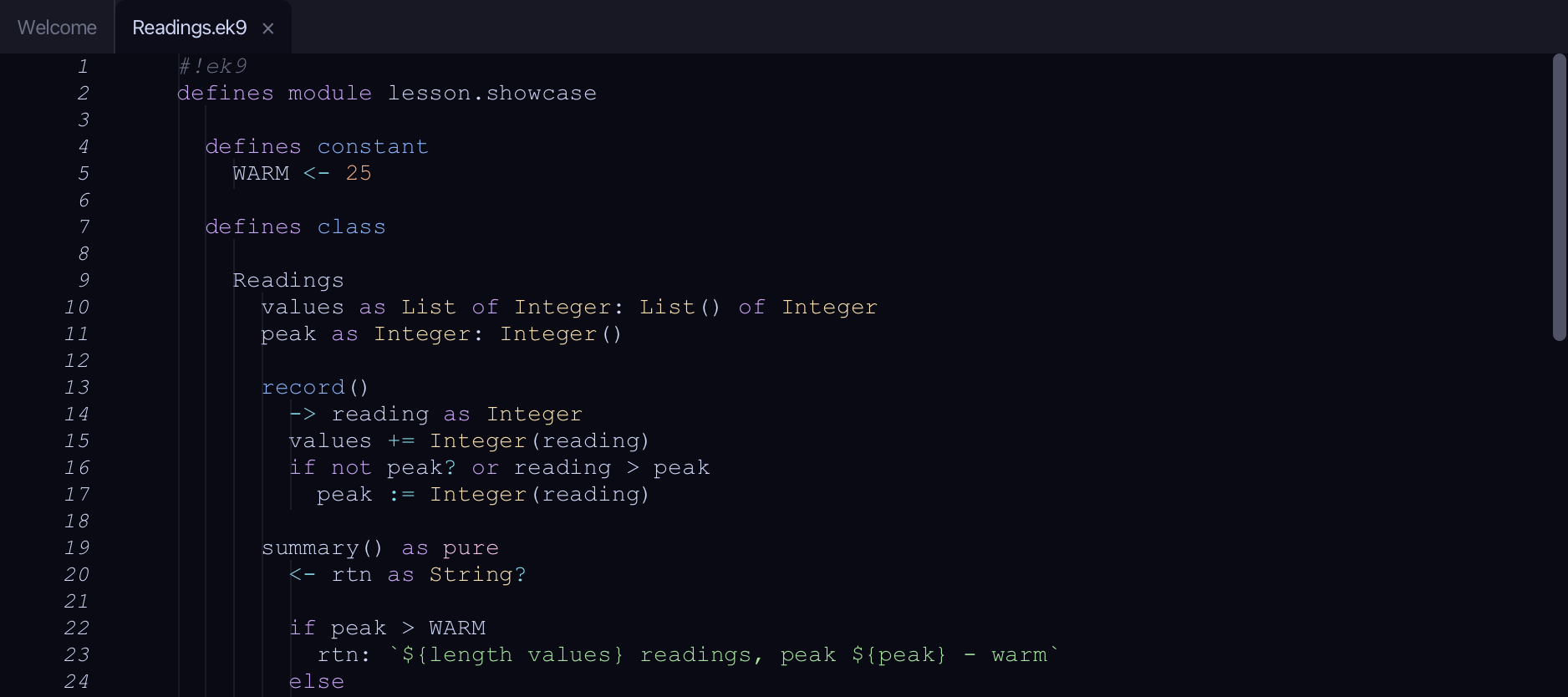
Start from
The code the lesson starts from: copy it into a file of your own and follow the steps.
#!ek9
defines module lesson.showcase

  defines constant
    WARM <- 25

  defines class

    Readings
      values as List of Integer: List() of Integer
      peak as Integer: Integer()

      record()
        -> reading as Integer
        values += Integer(reading)
        if not peak? or reading > peak
          peak := Integer(reading)

      summary() as pure
        <- rtn as String?

        if peak > WARM
          rtn: `${length values} readings, peak ${peak} - warm`
        else
          rtn: `${length values} readings, peak ${peak} - mild`

      warmReadings()
        <- rtn as List of Integer: cat values | filter by isWarm | collect as List of Integer

      operator $ as pure
        <- rtn as String: `Readings: ${length values}, peak ${peak}`

      default operator ?

  defines function

    isWarm() as pure
      -> reading as Integer
      <- rtn as Boolean: reading > WARM

  defines program

    ShowReadings()
      stdout <- Stdout()
      station <- Readings()
      station.record(18)
      station.record(27)
      station.record(30)

      stdout.println(station.summary())
      stdout.println(`Warm readings: ${station.warmReadings()}`)

//EOF
Step 1: The construct
Put the caret on Readings' own declaration line, then choose Analyse ▸ Construct (⇧⌘S) - or right-click the same line and choose Inspect ▸ Construct instead.
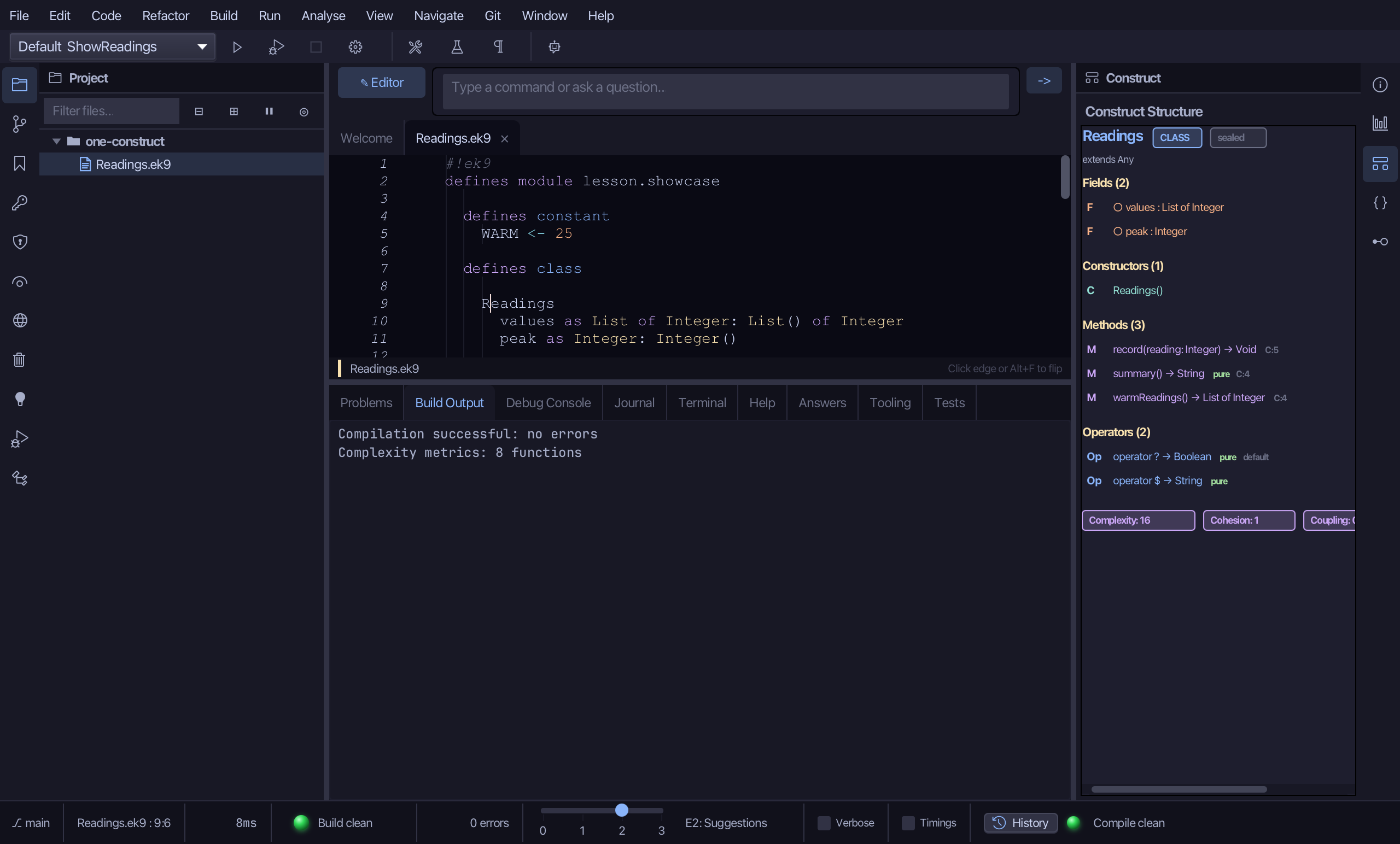
The pane draws Readings as a header - its name, a CLASS badge, and sealed in grey (Readings is not written as open) - with extends Any underneath: every EK9 class has a super, even one you never wrote. Below that, four counted sections: Fields (2), values and peak, each marked F in peach with a hollow circle, since both can change; Constructors (1), Readings(), which the compiler made because none was written; Methods (3), record, summary and warmReadings, each marked M in mauve with a small grey C: count, its complexity - summary also marked pure in green; Operators (2), $ and the defaulted ? with its own grey default badge. A row of badges along the bottom gives Readings' overall metrics, starting Complexity 16, Cohesion 1, Coupling 0 - it scrolls sideways for the rest.
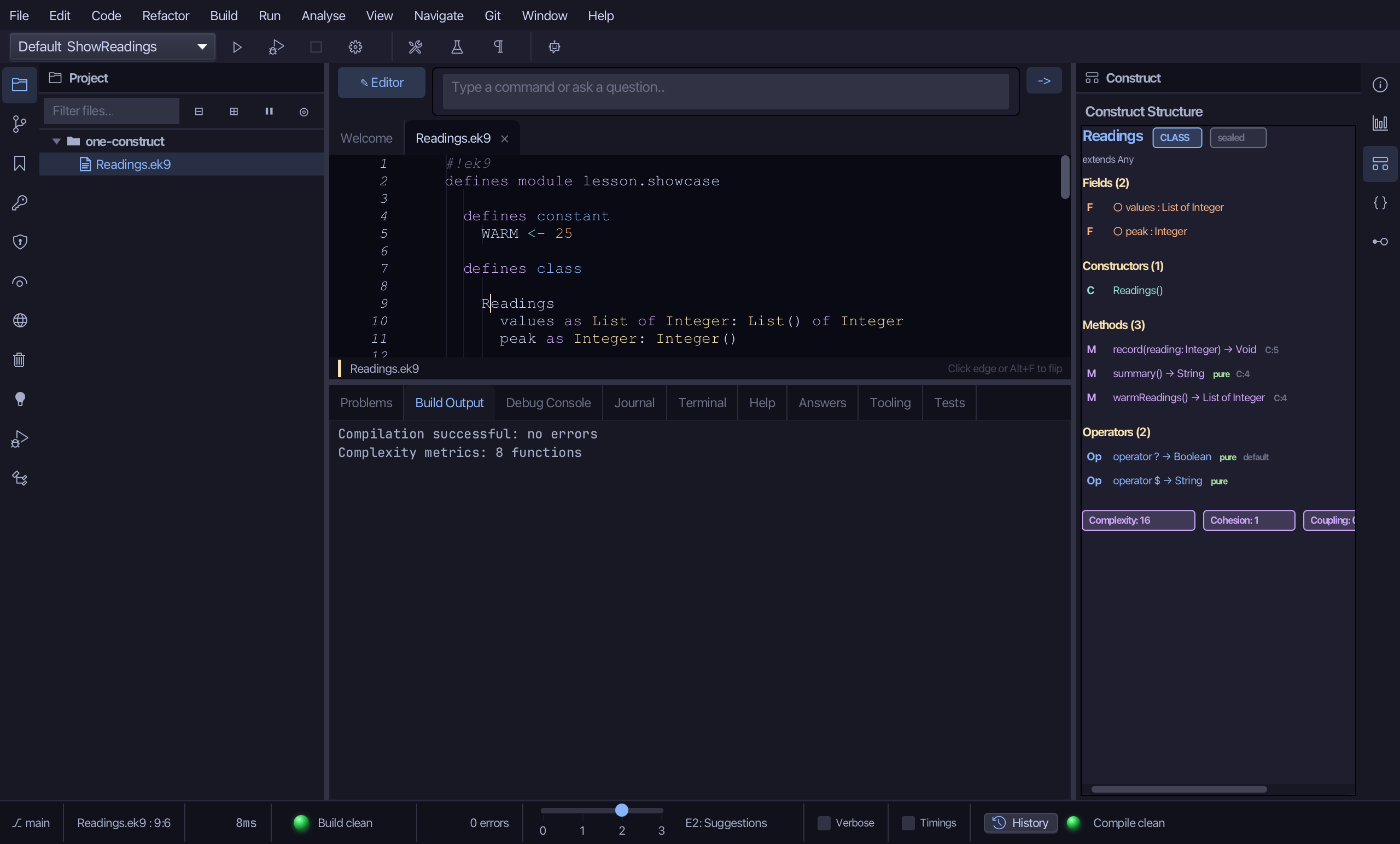
Step 2: What's visible here
Put the caret on summary()'s own declaration line, then choose Analyse ▸ Scope (⇧⌘I).
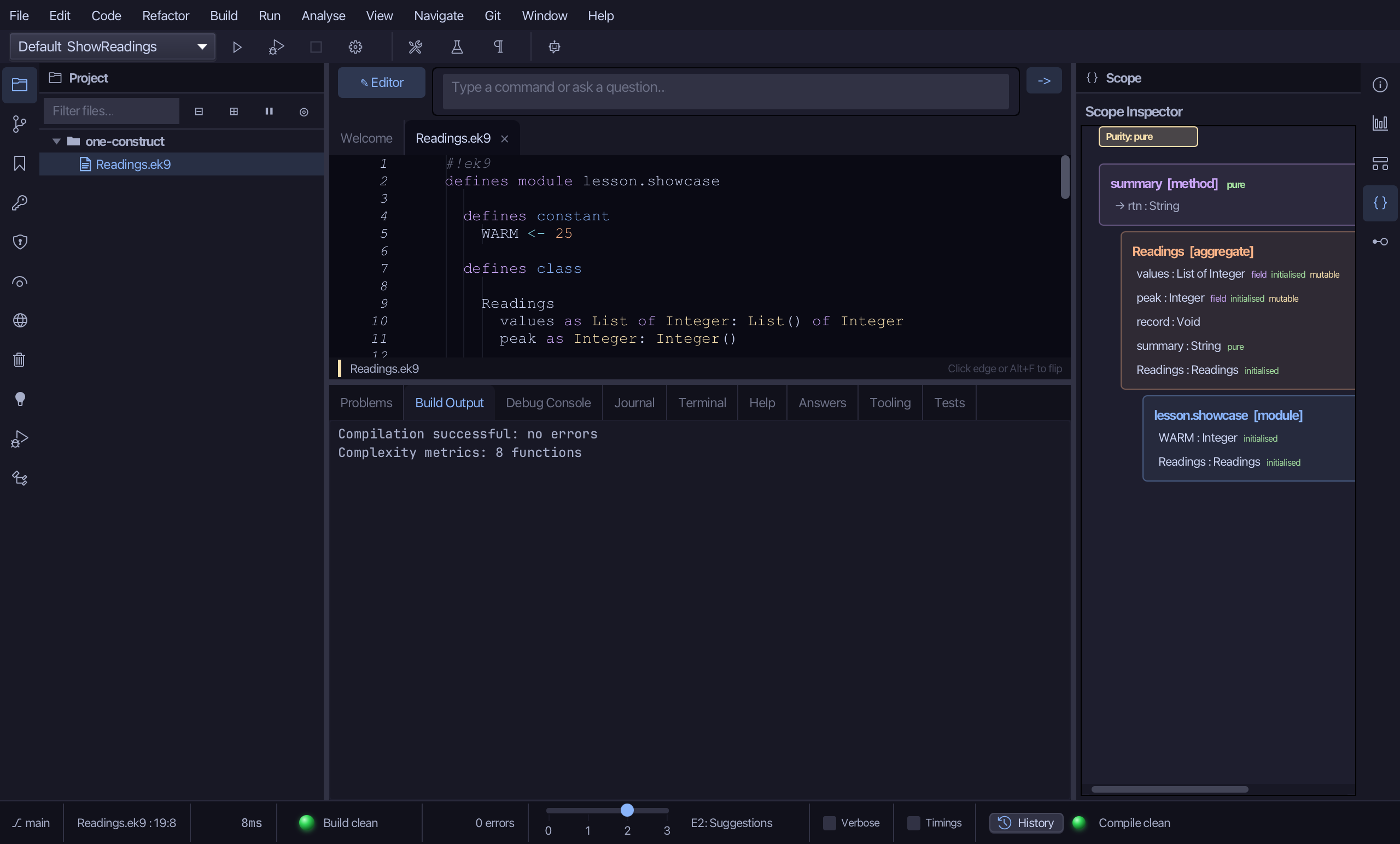
A yellow badge at the top reads Purity: pure - the innermost pure scope wins, here summary() itself. Below it, three boxes, top to bottom, each a little more indented than the one above: summary - mauve, marked pure in green - with its own return variable, rtn : String, drawn as an arrow; Readings - peach - listing its fields values and peak, each marked field, initialised, mutable, then record, summary and its constructor Readings; and lesson.showcase - blue - the module: WARM and Readings itself. Each name sits in the box it comes from.
Step 3: Its effective API
Put the caret back on Readings' declaration line, then choose Analyse ▸ Effective API (⇧⌘E).
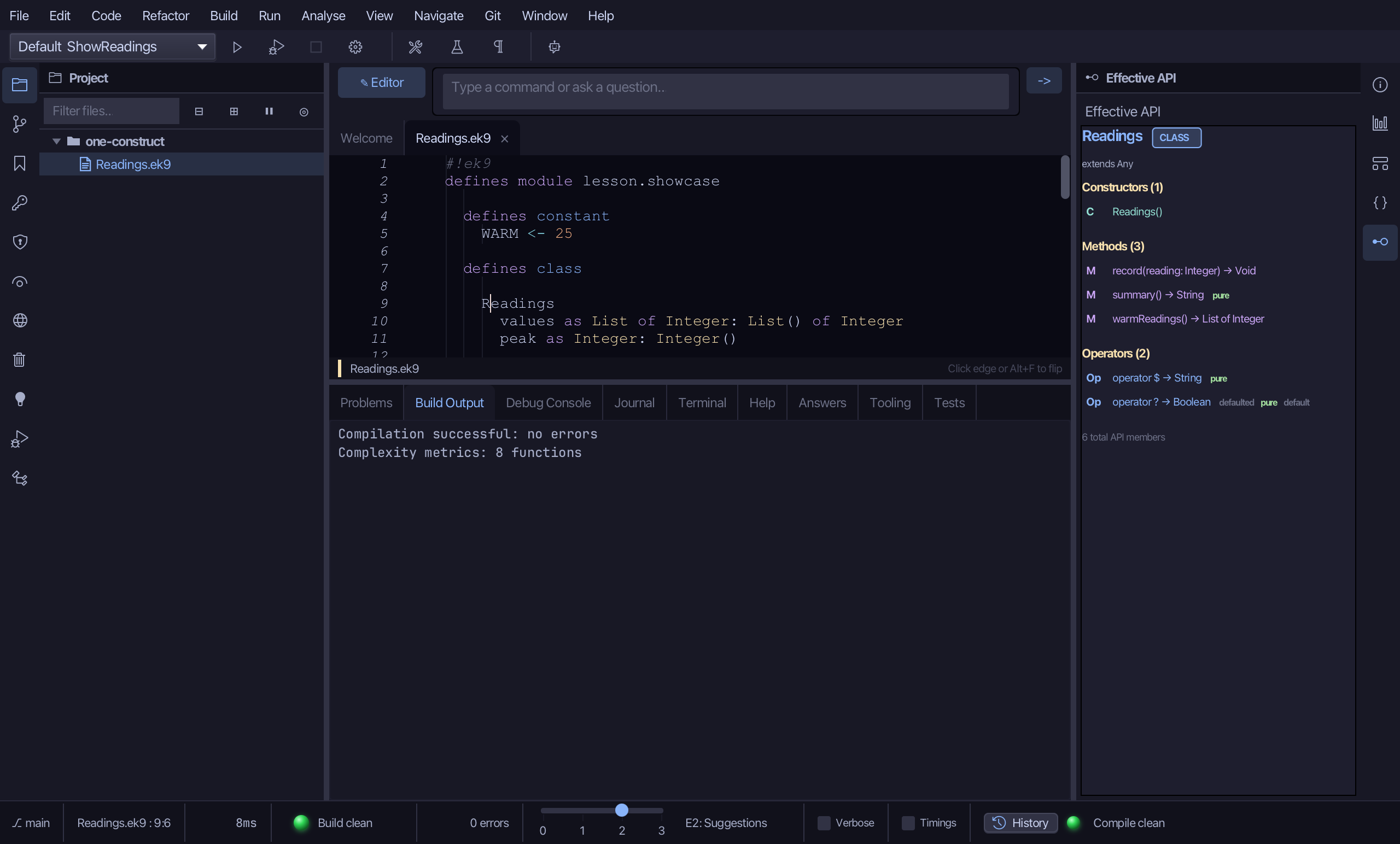
The same kind of picture Construct drew, but for what you can actually CALL: Constructors (1), Readings(), then Methods (3, each one click through to its line) and Operators (2). Extends Any sits underneath the header here too; Readings adopts no trait and overrides nothing inherited, so no member carries a source badge - 'declared' is the one case the pane leaves unmarked, reserving a badge for a member that is inherited, comes from a trait, or was defaulted. A '6 total API members' line closes it: 3 methods, 2 operators, 1 constructor.
Step 4: How it branches
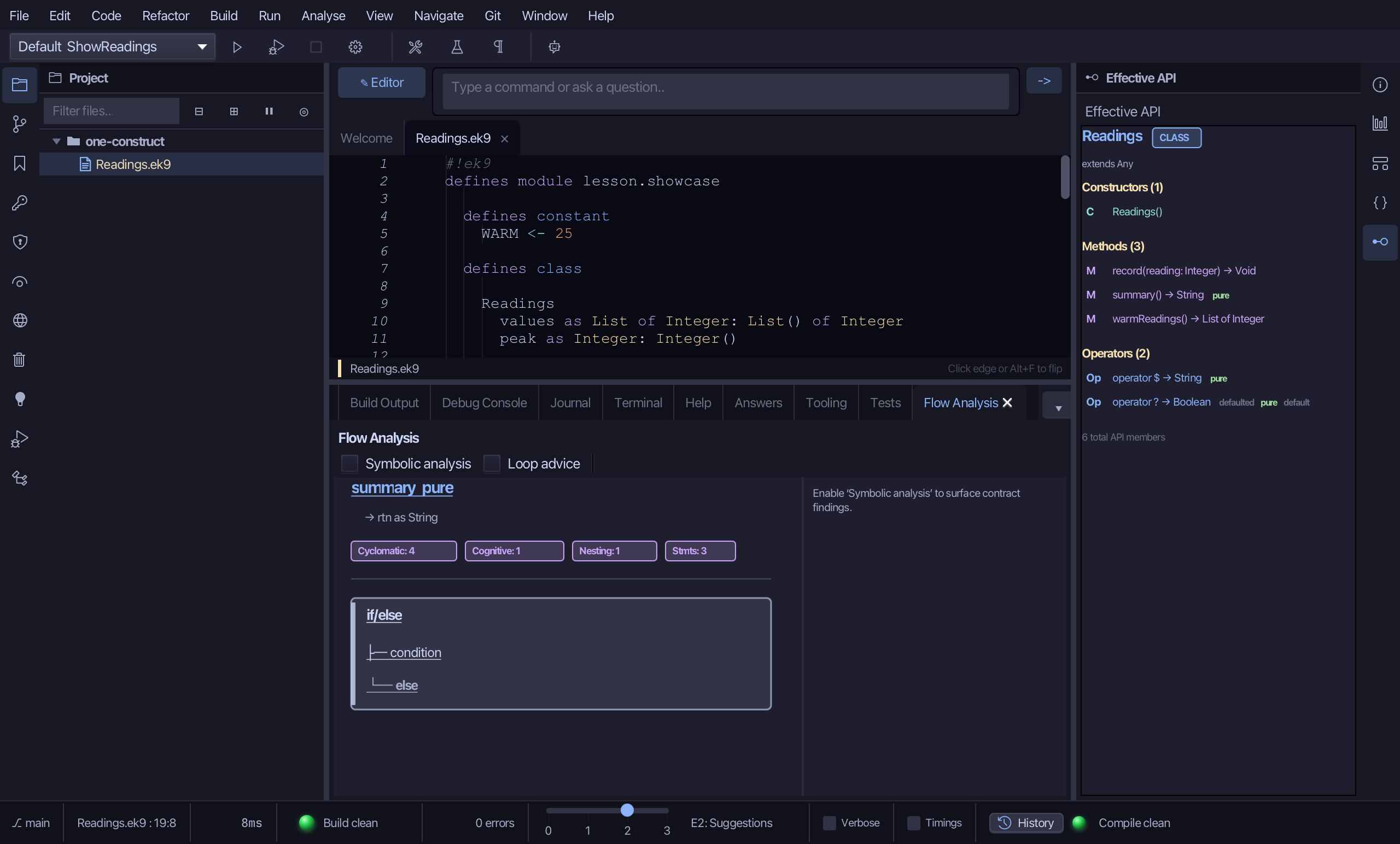
Put the caret back on summary()'s declaration line, then choose Analyse ▸ Flow Analysis (⇧⌘G).
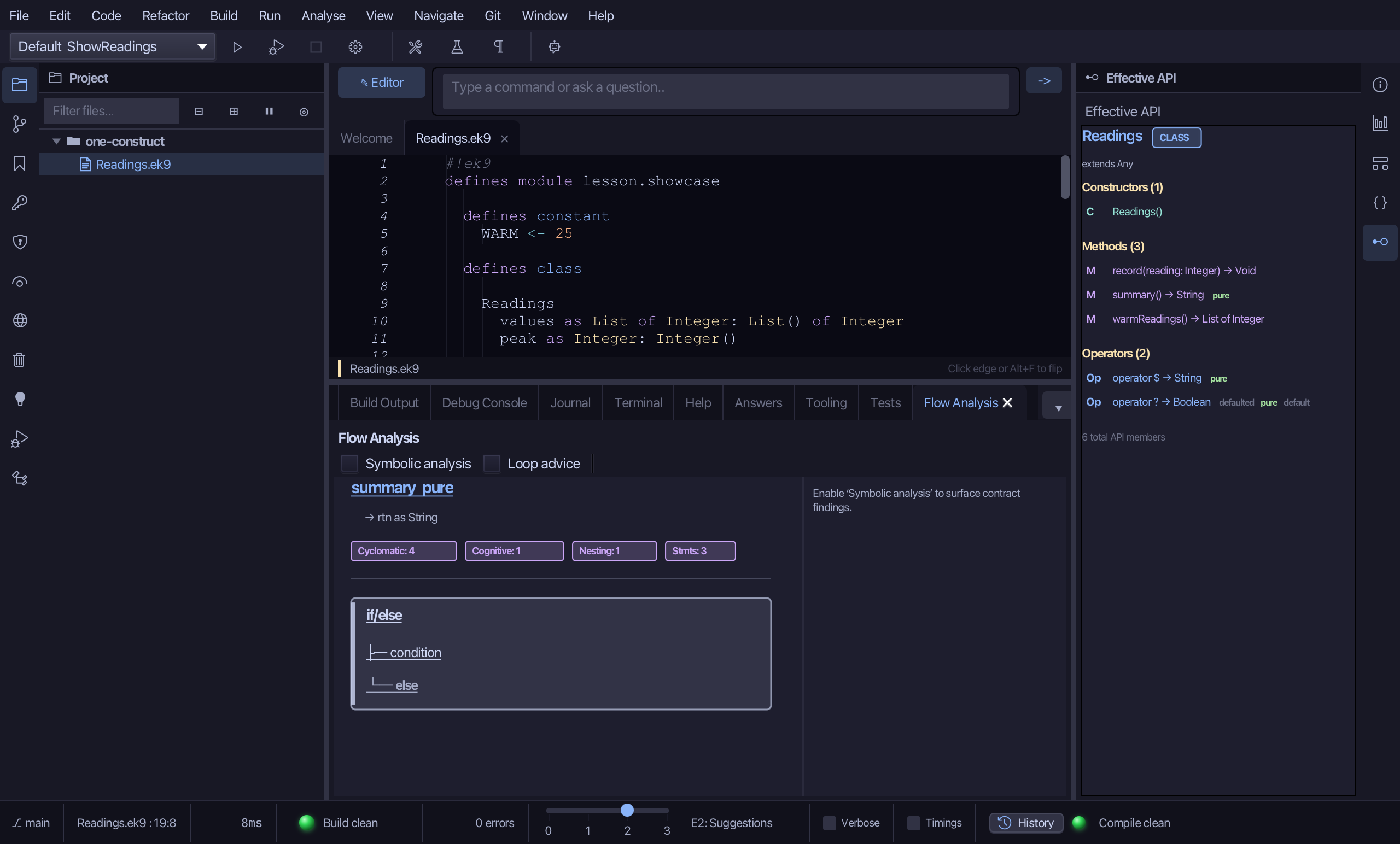
The pane heads with summary, marked pure, and a row of small badges giving its measured complexity - Cyclomatic 4 and Cognitive 1 here. Below that, one box: if/else, holding a condition branch - in the source, peak > WARM - and an else branch: the whole of summary's body, in the shape the compiler actually built it, not just read off the source text. A Symbolic analysis toggle sits above the diagram for a deeper, contract-checking read; left off, as it is by default, this is the plain picture.
Step 5: The pipeline, stage by stage
Put the caret on the pipeline line inside warmReadings - anywhere between cat and the end - then choose Analyse ▸ Pipeline (⇧⌘L).
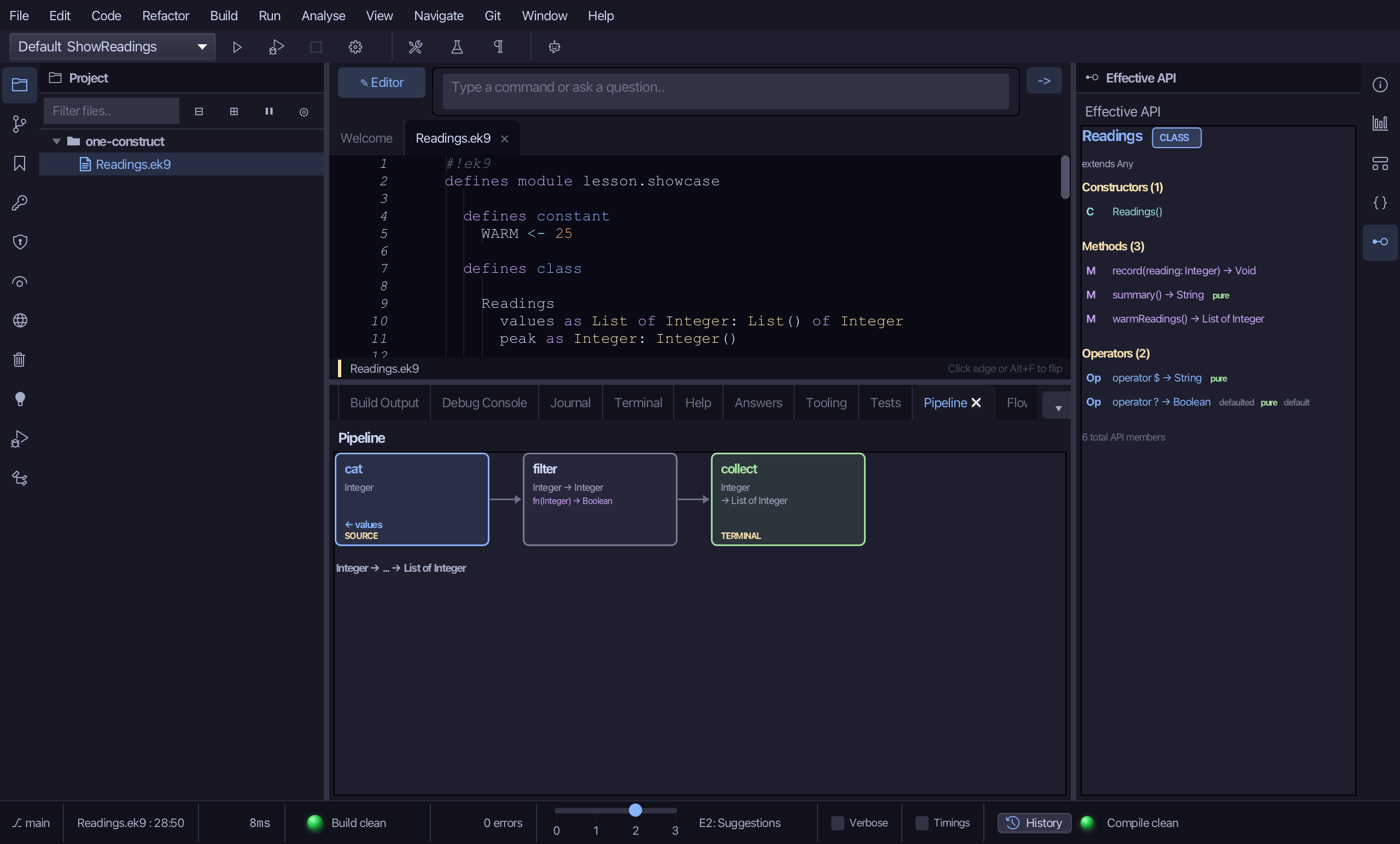
Three boxes, left to right, each one click from its own line: cat - blue, marked SOURCE, with ← values at its foot (click through to where values is declared) - sends out Integer; filter keeps Integer -> Integer, with isWarm's own shape, fn(Integer) -> Boolean, written in a second line beneath it - another click-through, to isWarm's declaration; and collect - green, marked TERMINAL - turns Integer into List of Integer. One line underneath sums up the whole chain: Integer -> ... -> List of Integer.
The result
Five lenses, one construct: Construct showed Readings' own shape, Scope showed what summary() can see from where its caret sits, Effective API showed everything you can call on Readings, Flow Analysis showed how summary() branches, and Pipeline decomposed warmReadings' stream chain stage by stage. The same five answers an AI assistant gets, a cursor position traded for a file and a line: ek9_query_construct, ek9_list_visible_symbols, ek9_query_effective_api, ek9_query_flow and ek9_query_pipeline.
Where this lesson comes from
- For AI assistants - the MCP tool
ek9_query_construct,ek9_list_visible_symbols,ek9_query_effective_api,ek9_query_flow,ek9_query_pipeline.