Change Visibility
Change Visibility narrows or widens a method's access modifier - public, protected or private - and the submenu only ever offers the moves that are actually legal for the method under the caret. Here decorate is a helper describe alone calls; nothing outside Order uses it, so it can be private. To play it in the IDE: Help > Lessons > Refactoring…, or ek9 -ide -lesson change-visibility.
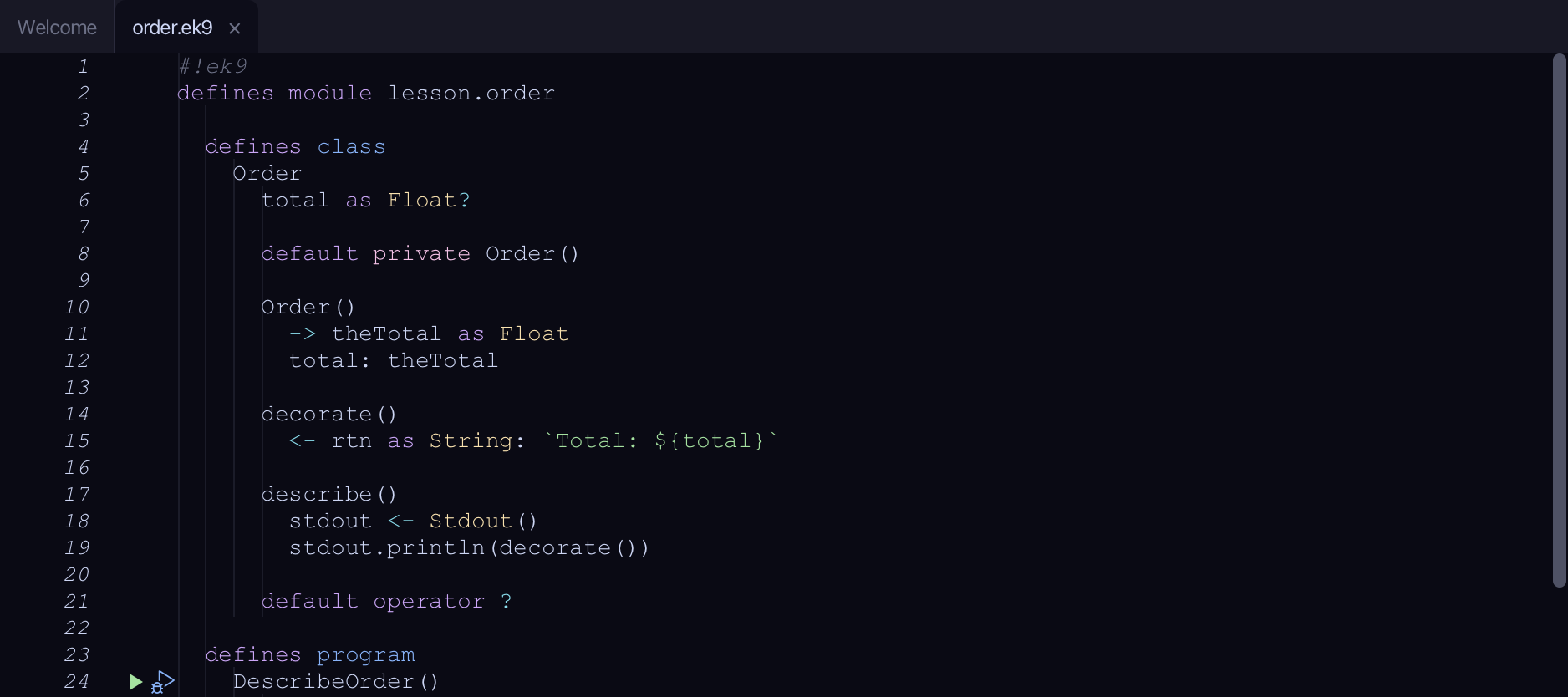
Start from
The code the lesson starts from: copy it into a file of your own and follow the steps.
#!ek9
defines module lesson.order

  defines class
    Order
      total as Float?

      default private Order()

      Order()
        -> theTotal as Float
        total: theTotal

      decorate()
        <- rtn as String: `Total: ${total}`

      describe()
        stdout <- Stdout()
        stdout.println(decorate())

      default operator ?

  defines program
    DescribeOrder()
      order <- Order(42.5)
      order.describe()

//EOF
Step 1: Where it is
Put the caret on decorate, on line 14.
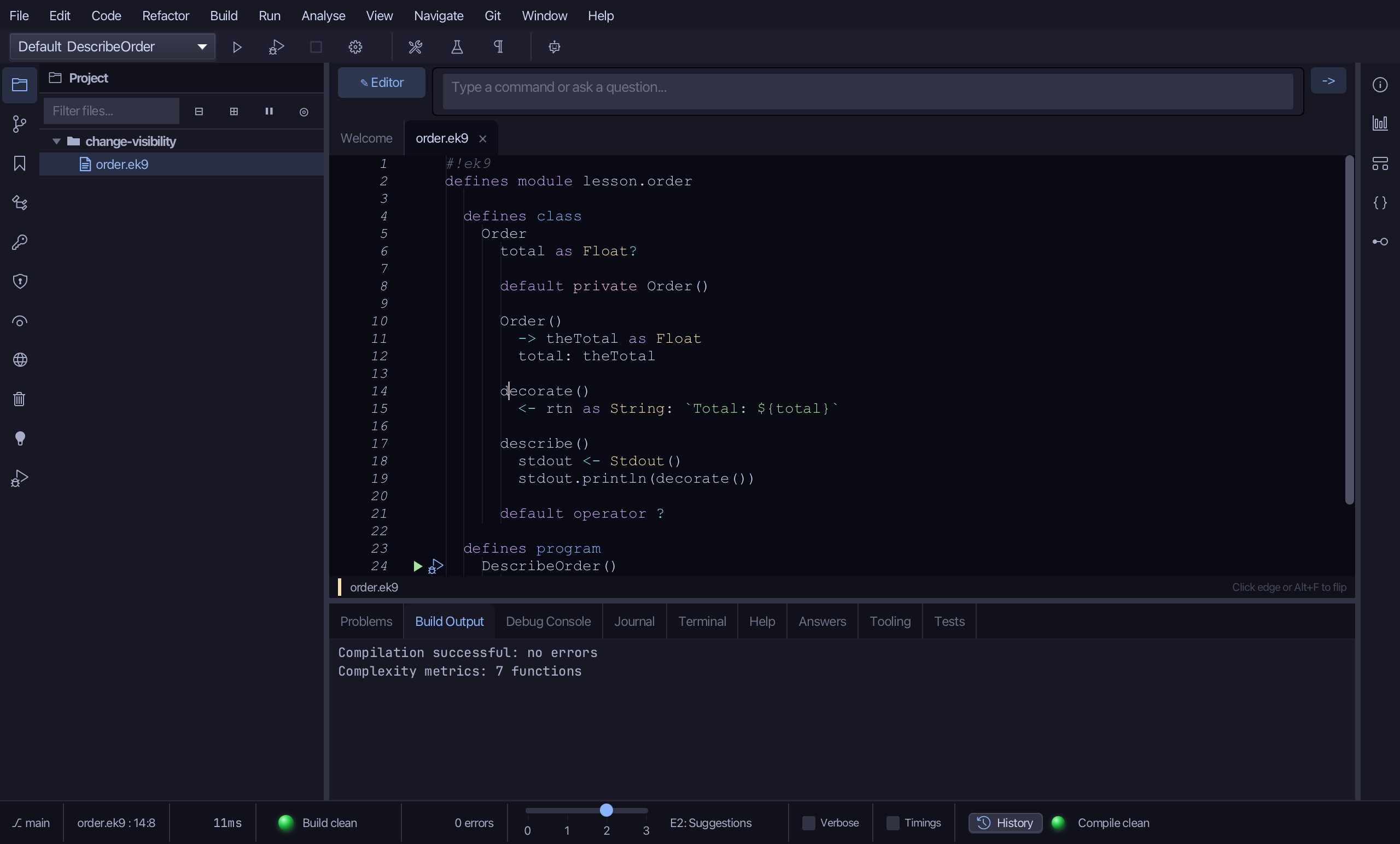
Step 2: Change Visibility
Right-click it - or choose Refactor > Refactor This… - and choose Change Visibility > Make Private.
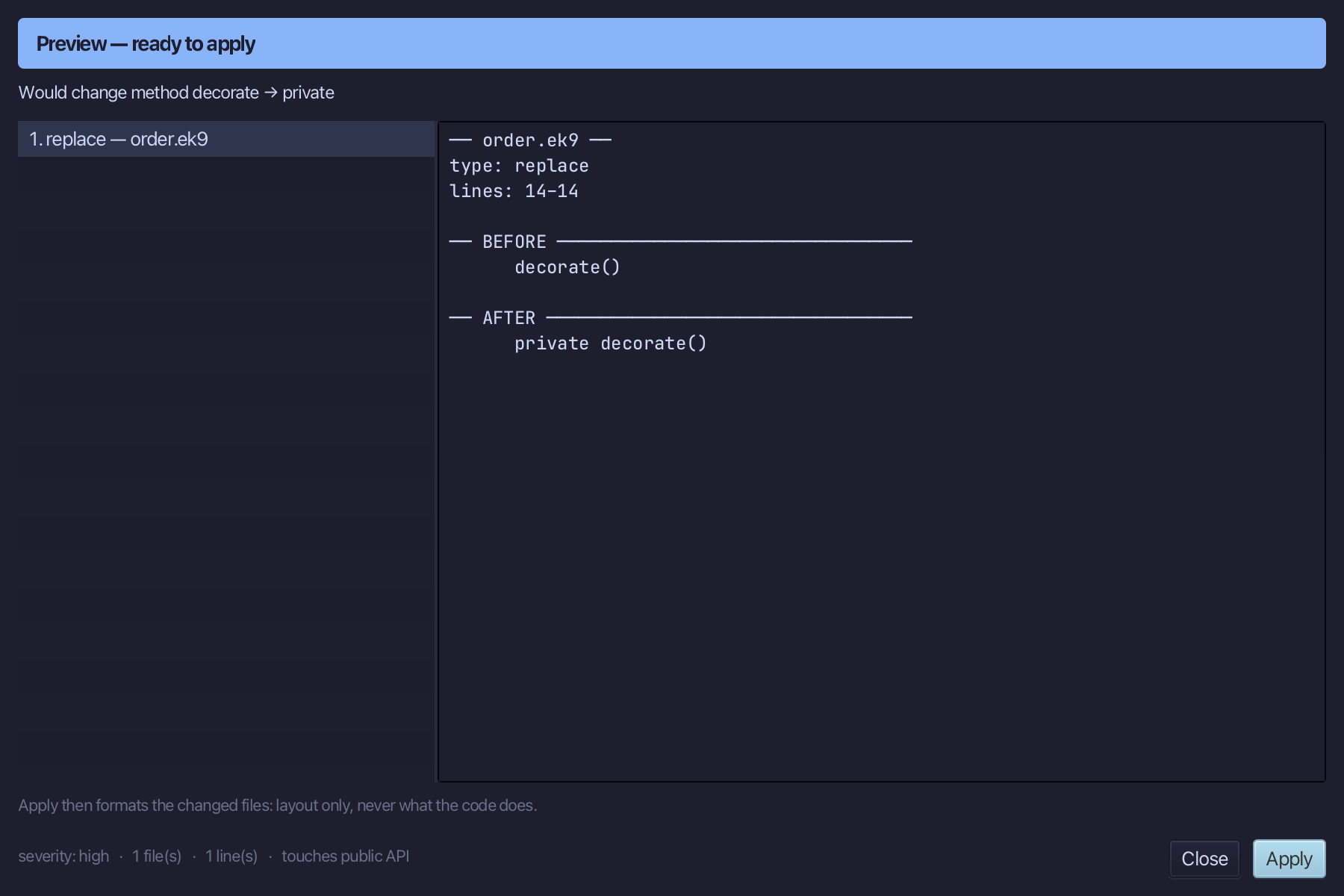
Step 3: Preview and apply
The preview shows every change the refactoring makes; then the IDE formats each file it changed. Choose Apply.
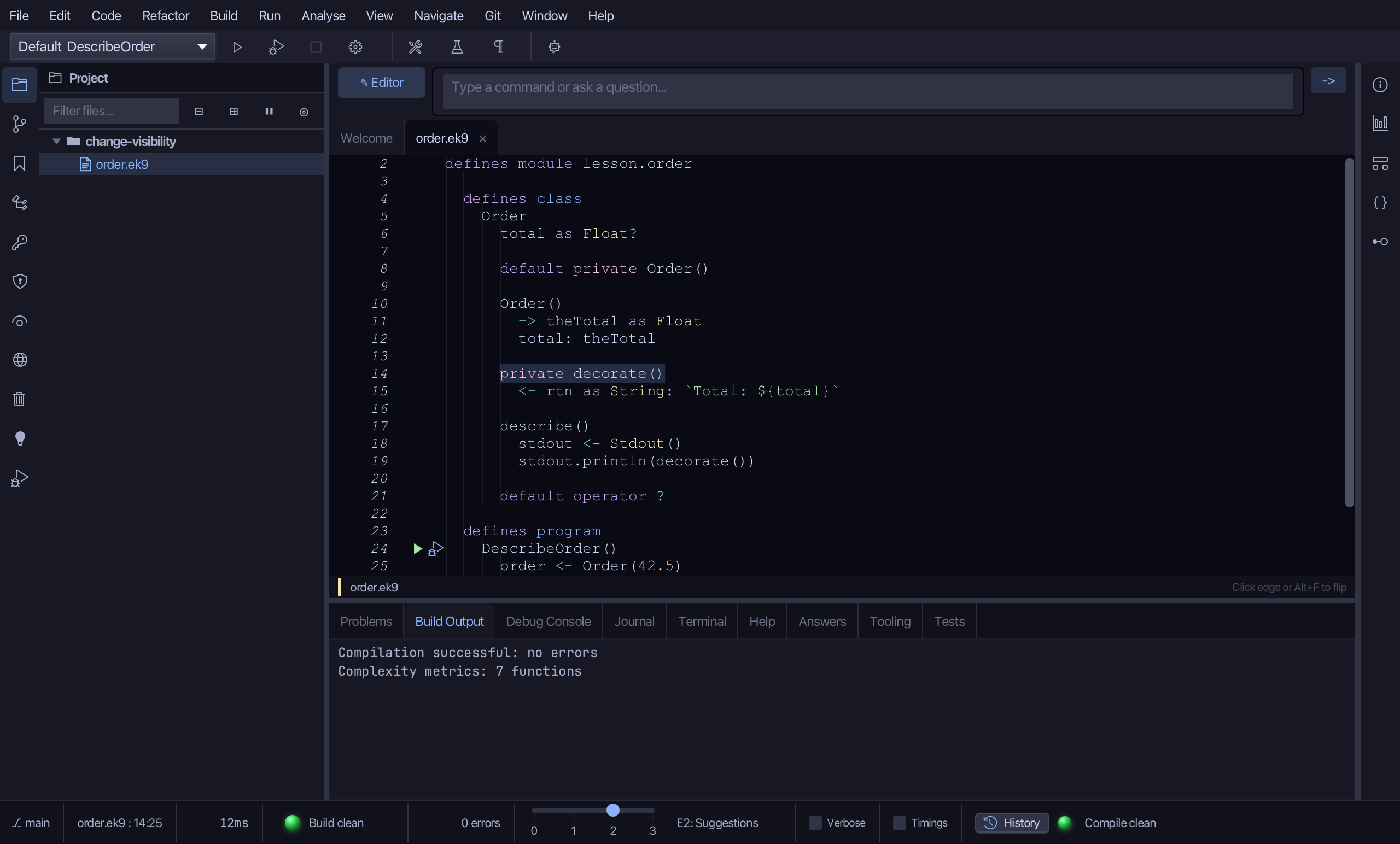
The result
That is Change Visibility: decorate is private on Order - describe still calls it from inside the class, but nothing outside Order can. Make Public, Make Protected and Make Private sit together in the same submenu, and a narrowing that would strand an outside caller surfaces as a would-fail (E06180) in the preview instead of a silent break at runtime. Fields, operators and trait methods have fixed visibility in EK9, so this submenu only ever appears on a method. AI assistants use the ek9_change_visibility tool.
Where this lesson comes from
- For AI assistants - the MCP tool
ek9_change_visibility.