Inline Variable
Inline Variable puts a local's value where the local is used, and removes the local - the reverse of Extract Variable. Here total is set once and read once, on the very next line: the name says nothing that price * quantity does not. To play it in the IDE: Help > Lessons > Refactoring…, or ek9 -ide -lesson inline-variable.
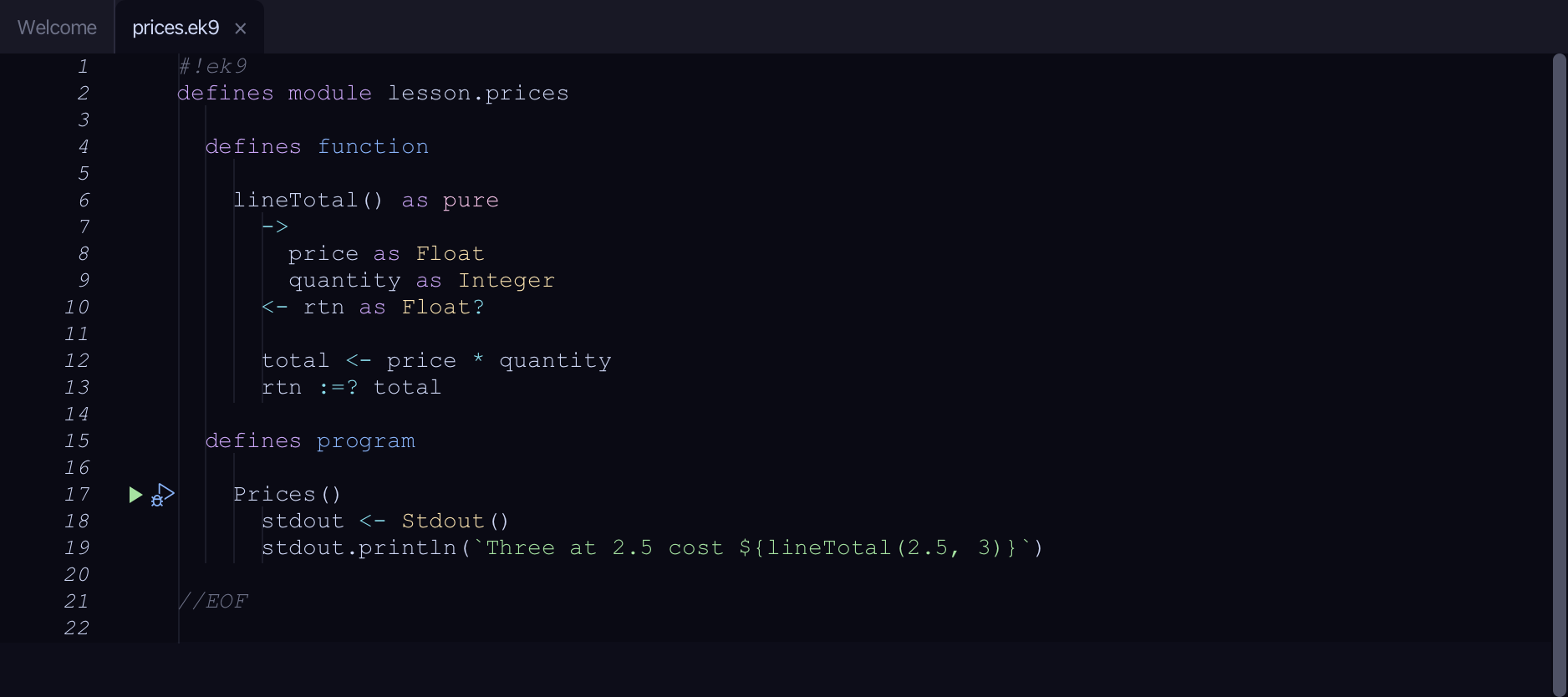
Start from
The code the lesson starts from: copy it into a file of your own and follow the steps.
#!ek9
defines module lesson.prices

  defines function

    lineTotal() as pure
      ->
        price as Float
        quantity as Integer
      <- rtn as Float?

      total <- price * quantity
      rtn :=? total

  defines program

    Prices()
      stdout <- Stdout()
      stdout.println(`Three at 2.5 cost ${lineTotal(2.5, 3)}`)

//EOF
Step 1: Where it is
Put the caret on total, on line 12.
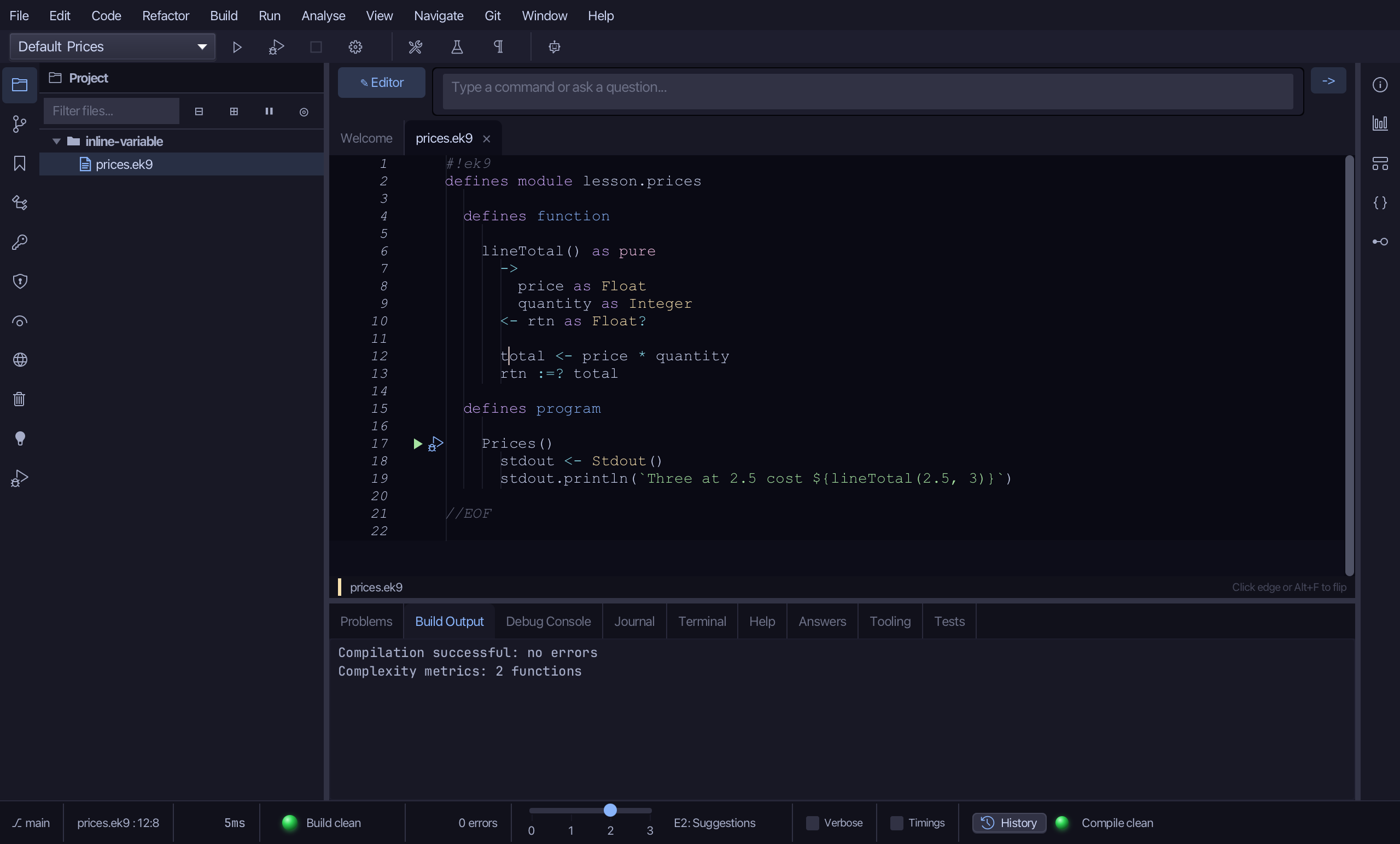
Step 2: Inline Variable
Choose Refactor > Inline Variable.
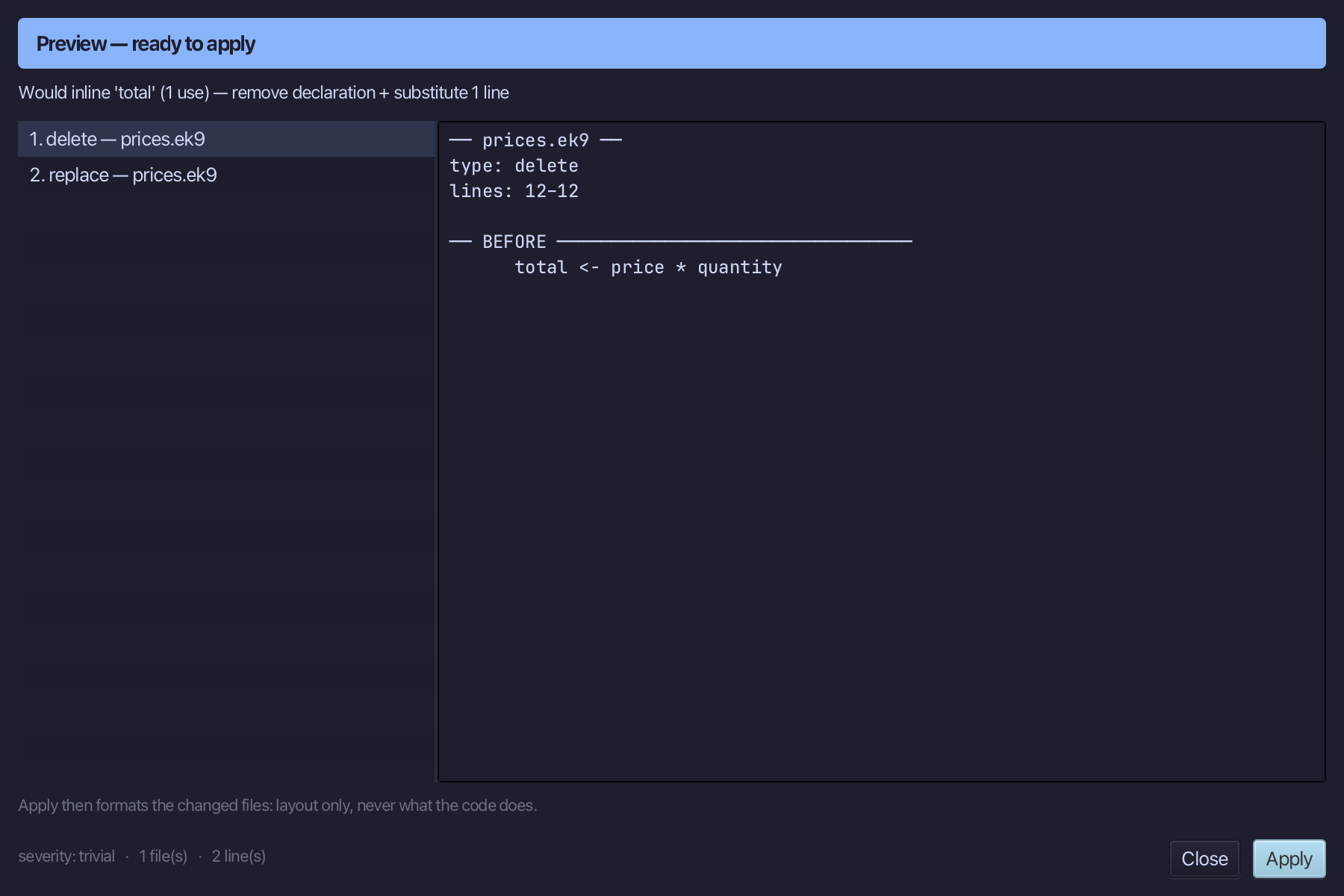
Step 3: Preview and apply
The preview shows every change the refactoring makes; then the IDE formats each file it changed. Choose Apply.
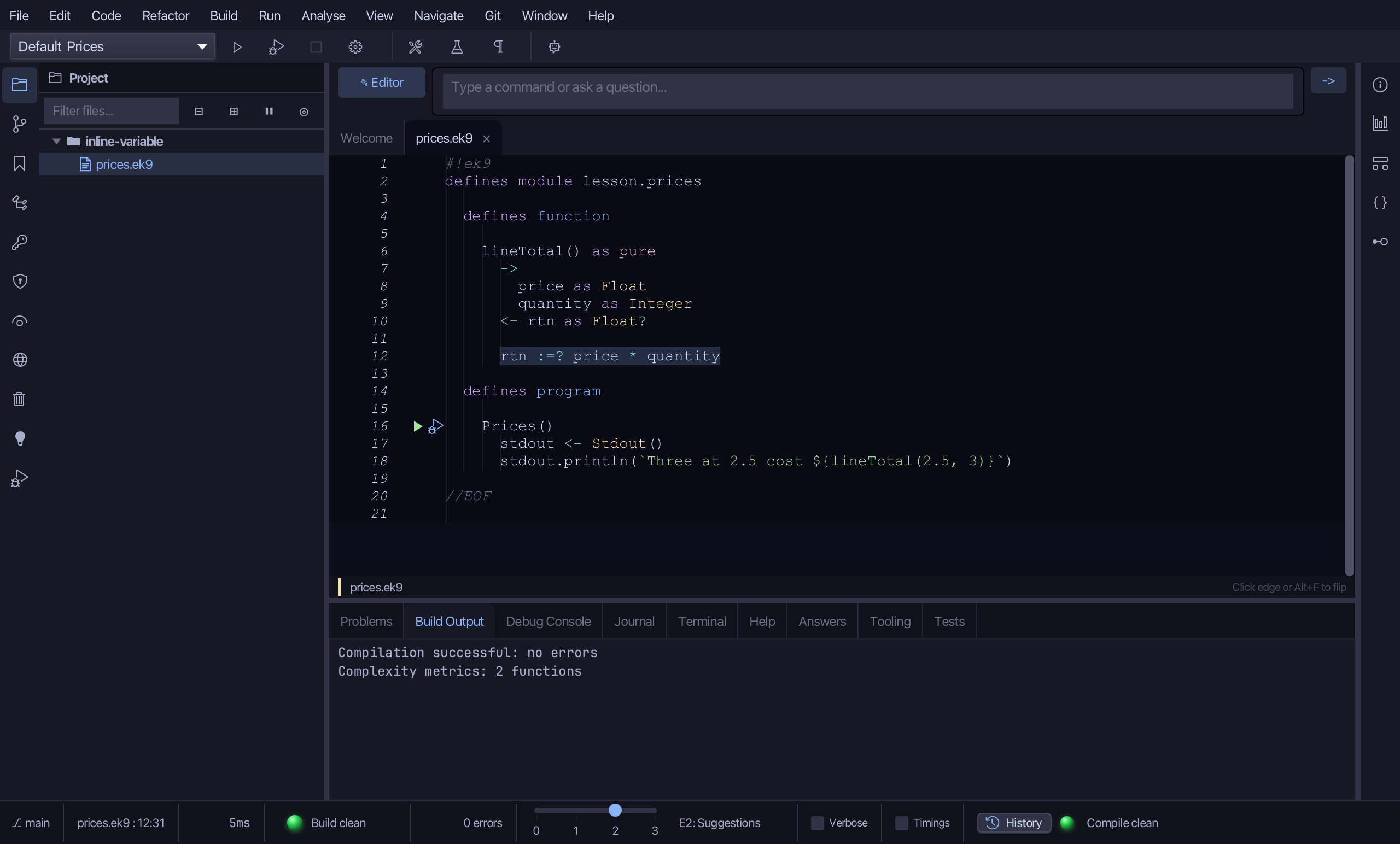
The result
That is Inline Variable: total is gone, and rtn takes price * quantity itself. Where inlining would change what the code does - a local assigned again, or a call that would then run twice - the preview says so instead of offering Apply. Cmd+Option+N opens it (Ctrl+Alt+N elsewhere), the Inline Candidates navigator lists the locals it suits, and AI assistants use the ek9_inline_variable tool.
Where this lesson comes from
- For AI assistants - the MCP tool
ek9_inline_variable.