Make Concrete
Change Modifier > Make Concrete removes 'as abstract' from a class, record, component or function whose abstract members are all implemented, so it can be instantiated directly - keeping 'as open' unless told otherwise. Here Shape says 'as abstract' but has no abstract member at all: describe() is its own, fully implemented. To play it in the IDE: Help > Lessons > Refactoring…, or ek9 -ide -lesson make-concrete.
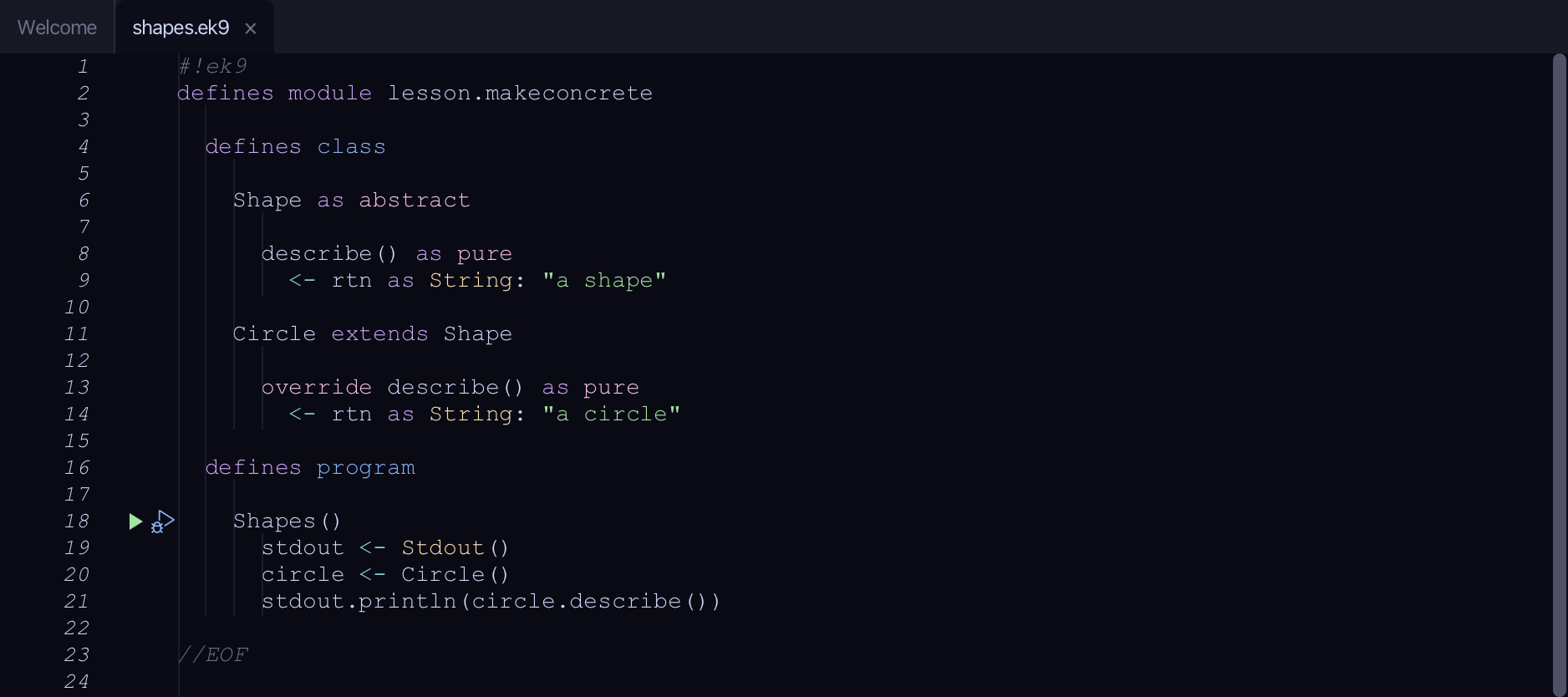
Start from
The code the lesson starts from: copy it into a file of your own and follow the steps.
#!ek9
defines module lesson.makeconcrete

  defines class

    Shape as abstract

      describe() as pure
        <- rtn as String: "a shape"

    Circle extends Shape

      override describe() as pure
        <- rtn as String: "a circle"

  defines program

    Shapes()
      stdout <- Stdout()
      circle <- Circle()
      stdout.println(circle.describe())

//EOF
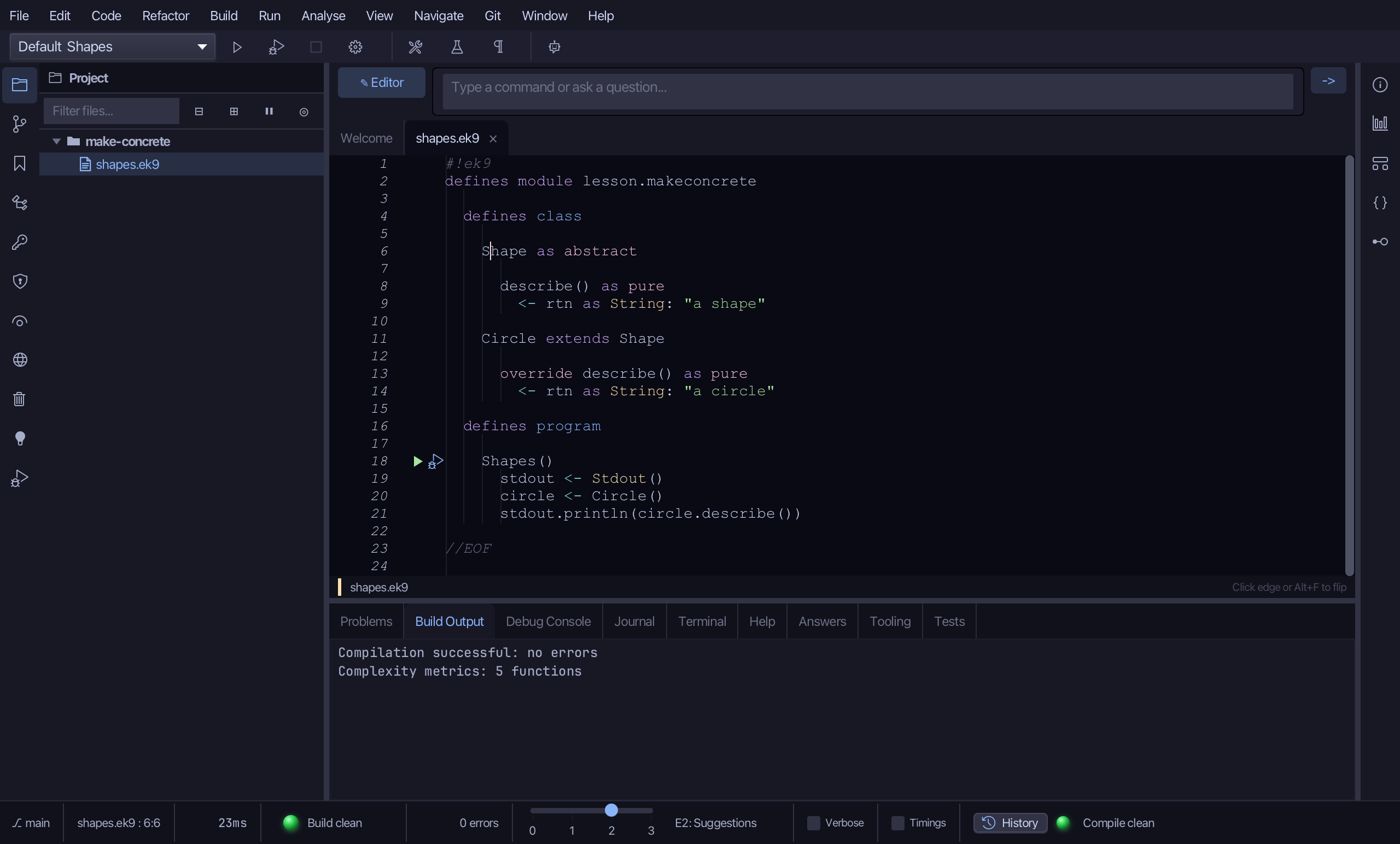
Step 1: Where it is
Put the caret on Shape, on line 6.
Step 2: Make Concrete
Right-click it - or choose Refactor > Refactor This… - and choose Change Modifier > Make Concrete.
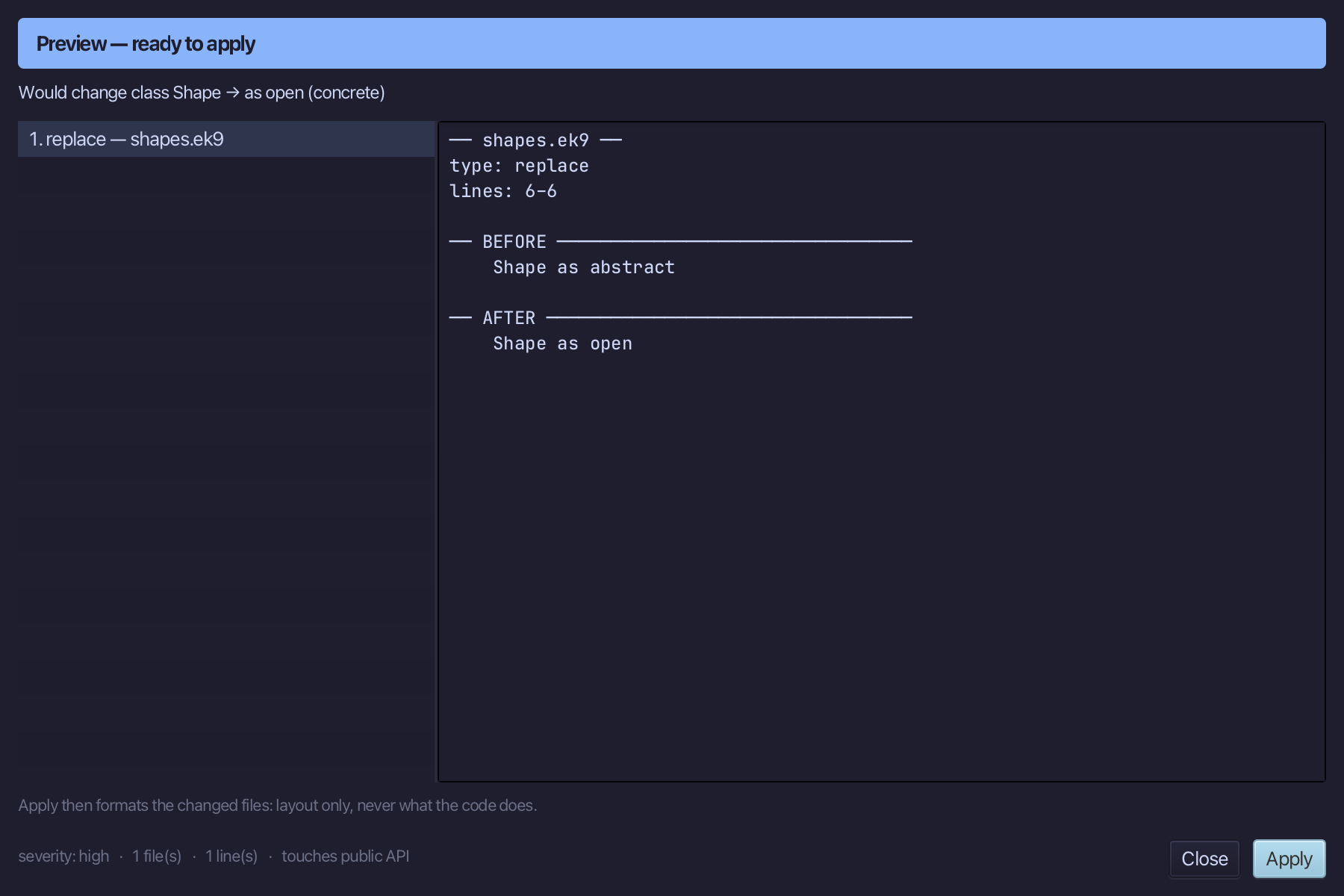
Step 3: Preview and apply
The preview shows every change the refactoring makes; then the IDE formats each file it changed. Choose Apply.
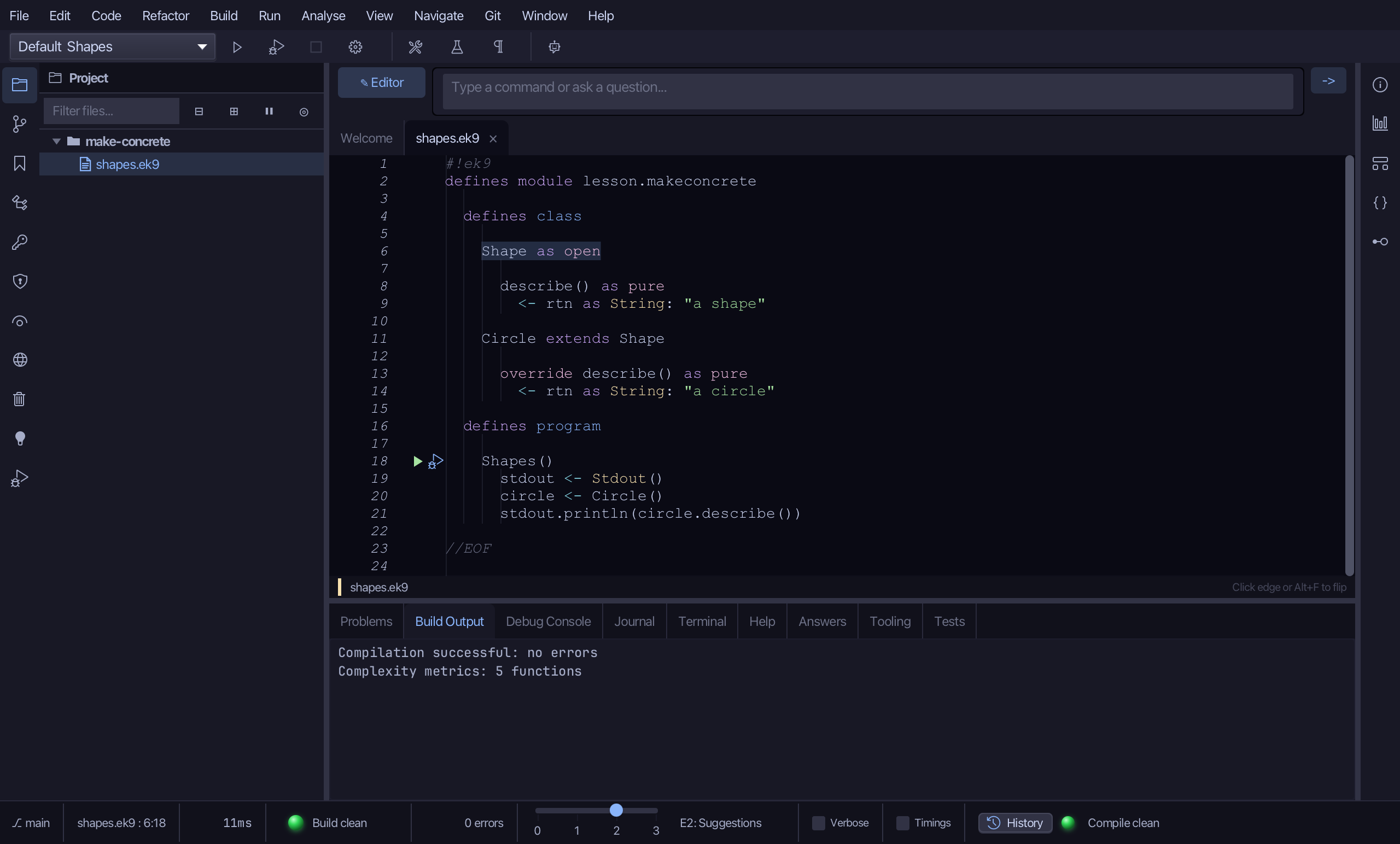
The result
That is Make Concrete: Shape now says 'as open' instead of 'as abstract' - Circle still extends it, and Shape itself can now be constructed too. Had an abstract member remained, the preview would have listed it instead of offering Apply. Make Abstract reverses it; Make Open and Make Closed sit beside it in the same submenu. AI assistants use the ek9_make_concrete tool (keepOpen:false closes it outright instead).
Where this lesson comes from
- For AI assistants - the MCP tool
ek9_make_concrete.