Chapter 6: reading errors
Three small programs, each with something wrong - two of them broken forms from chapter 6, Reading the Compiler's Guidance. The compiler has found one error so far, in greeting.ek9: the Problems tab lists it, and the editor underlines it. Read the code and find the underlined word. To play it in the IDE: Help > Lessons > Getting started…, or ek9 -ide -lesson fixing-errors.
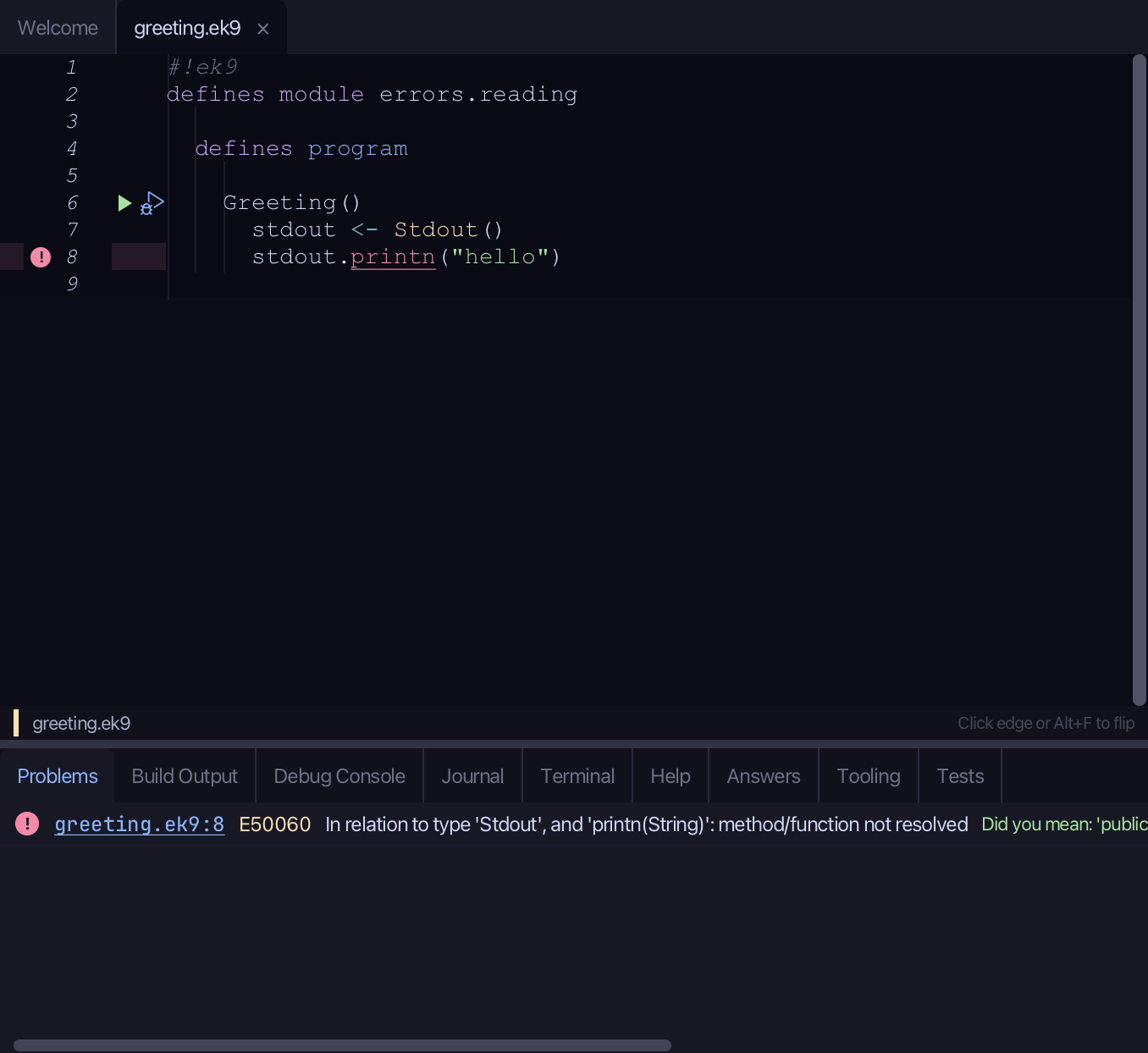
Start from
The code the lesson starts from: copy it into a file of your own and follow the steps.
greeting.ek9
#!ek9
defines module errors.reading

  defines program

    Greeting()
      stdout <- Stdout()
      stdout.printn("hello")
check.ek9
#!ek9
defines module errors.reading

  defines program

    Check()
      -> score as Integer
      stdout <- Stdout()
      if score > 50
        stdout.println("pass")
weather.ek9
#!ek9
defines module errors.reading

  defines program

    Weather()
      stdout <- Stdout()
      temperature <- 14
      if temperature < 18
        stdout.println("Bring a jacket")
Step 1: Where an error shows
Click the error in the Problems tab. The editor opens that place.
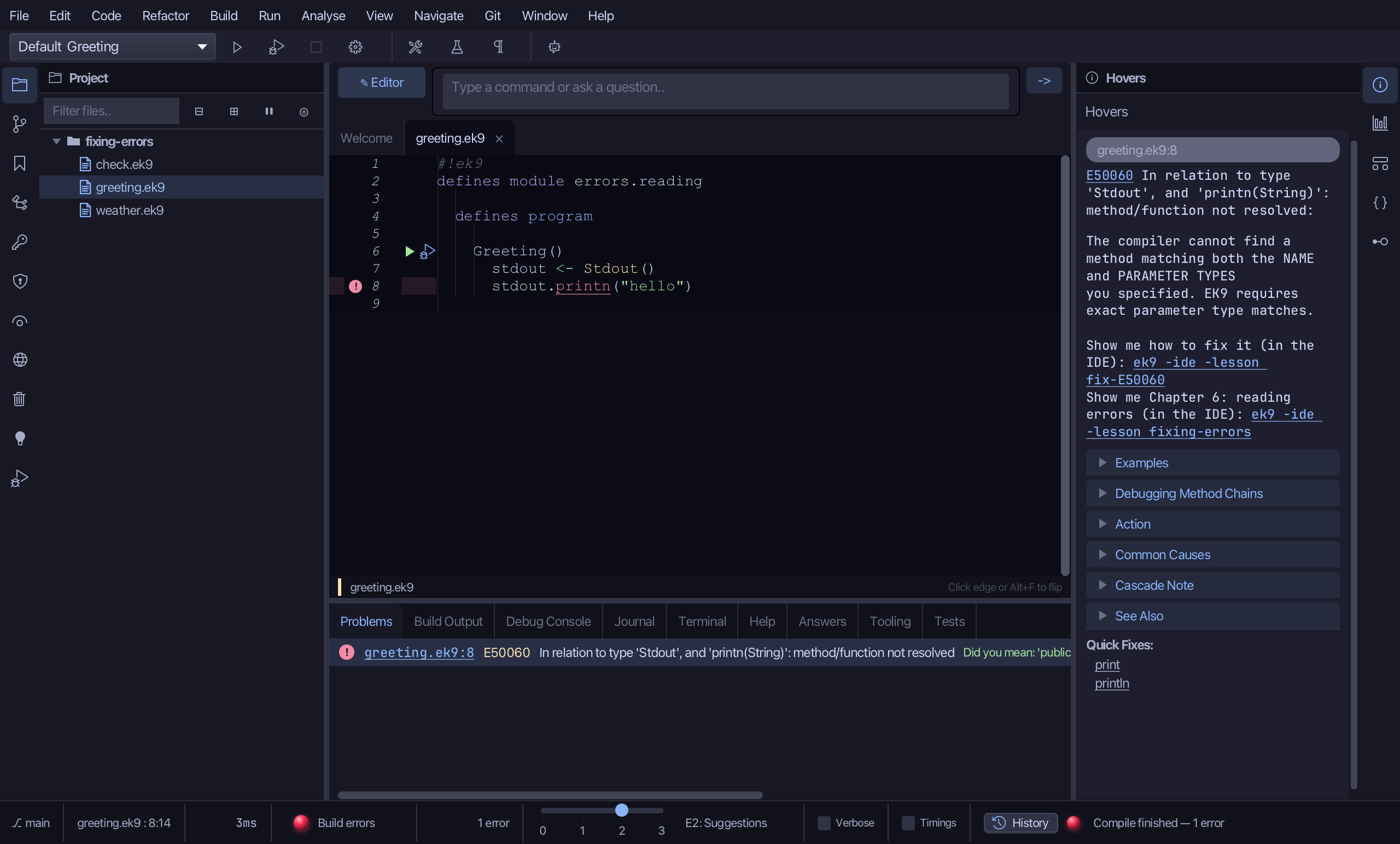
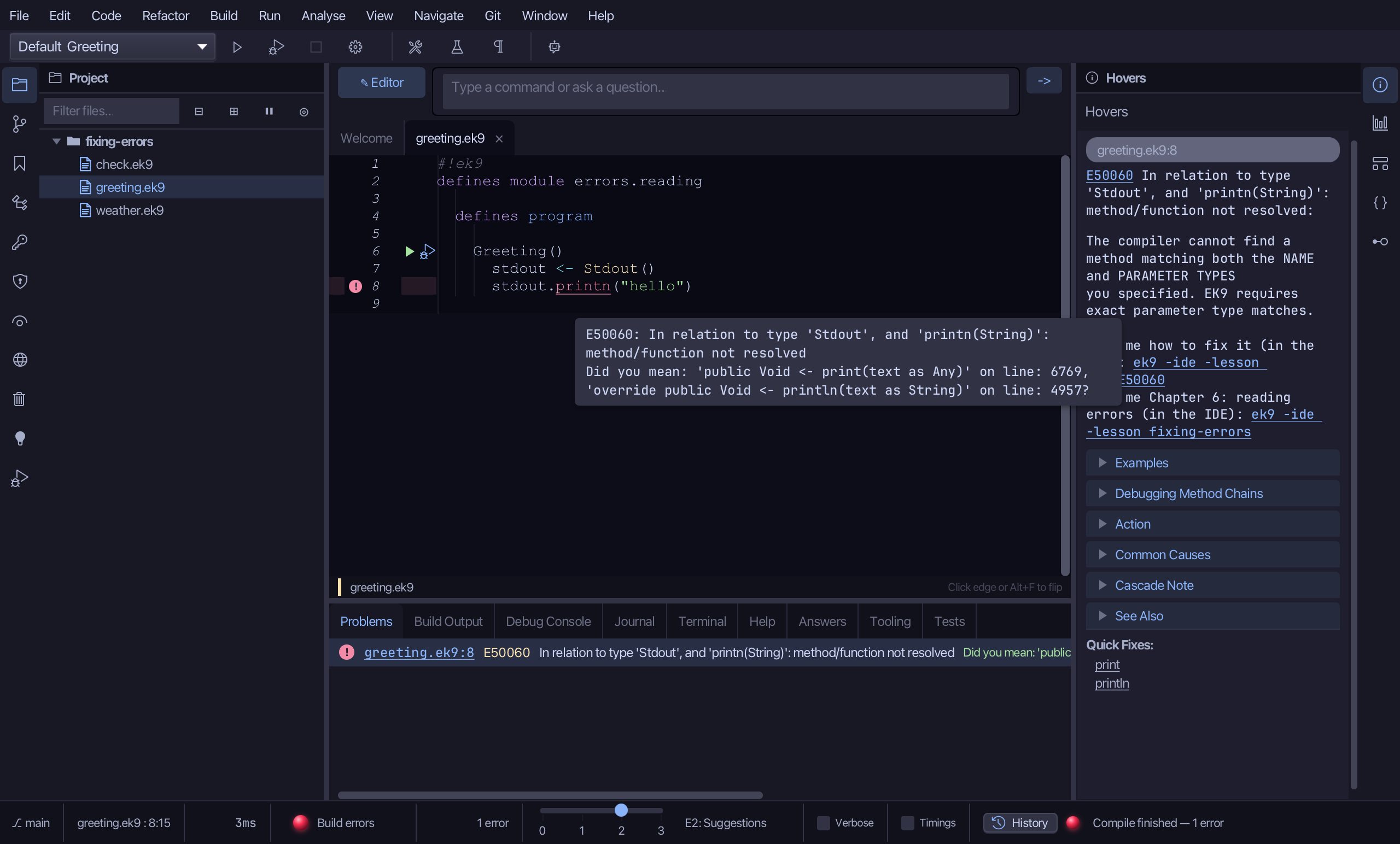
The editor marks the same place: a red circle in the margin beside line 8 and a red underline under printn. Rest the pointer on printn and a tooltip gives the code, E50060, and what the compiler thinks you meant.
Step 2: The quick fix
Click on printn and leave the pointer there a moment, then press Tab. The compiler offers the names that fit - print and println; Tab again moves to println and Enter takes it. (Clicking println under Quick Fixes in the Hovers panel does the same.) Then choose File > Save.
Step 3: The next errors
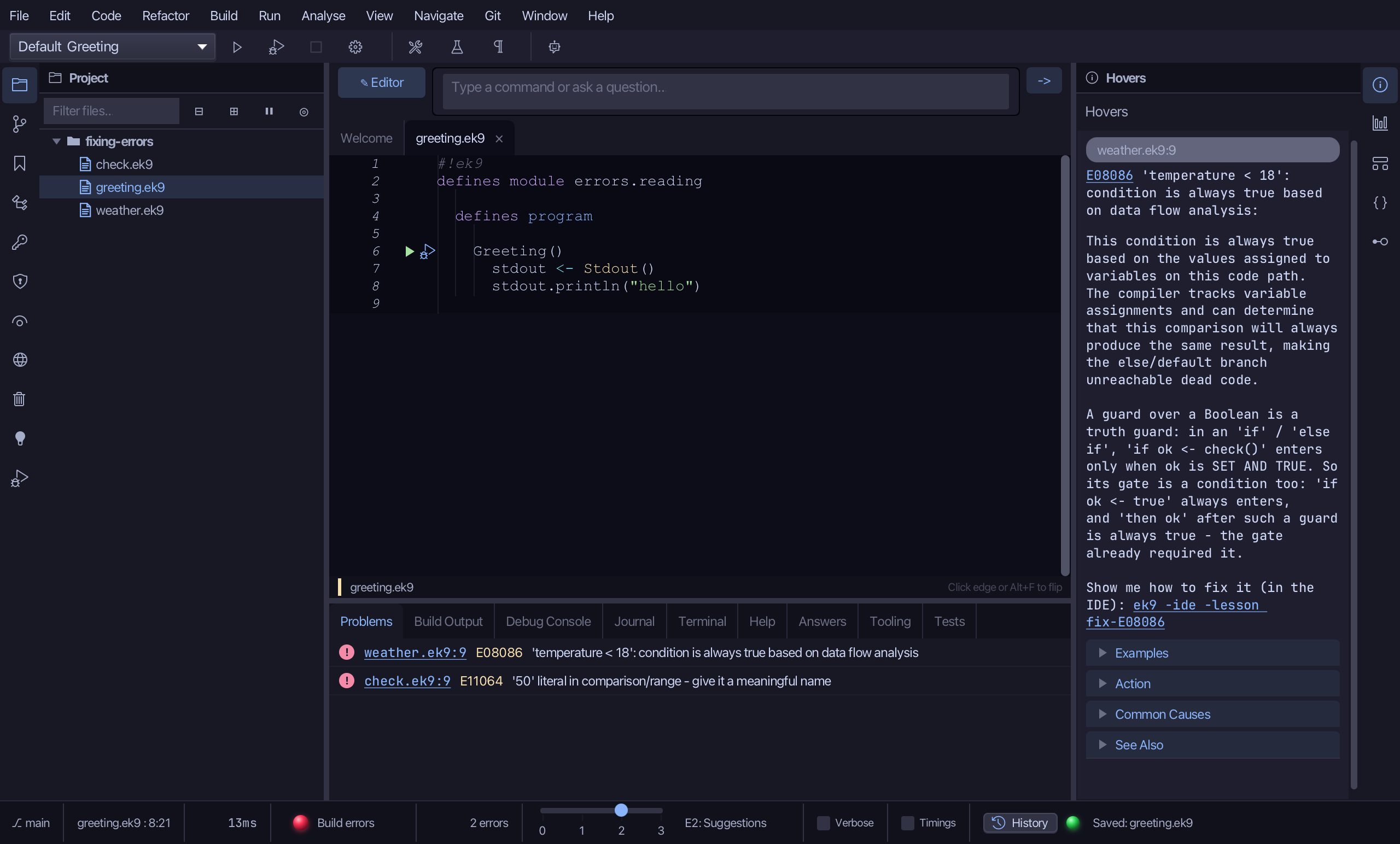
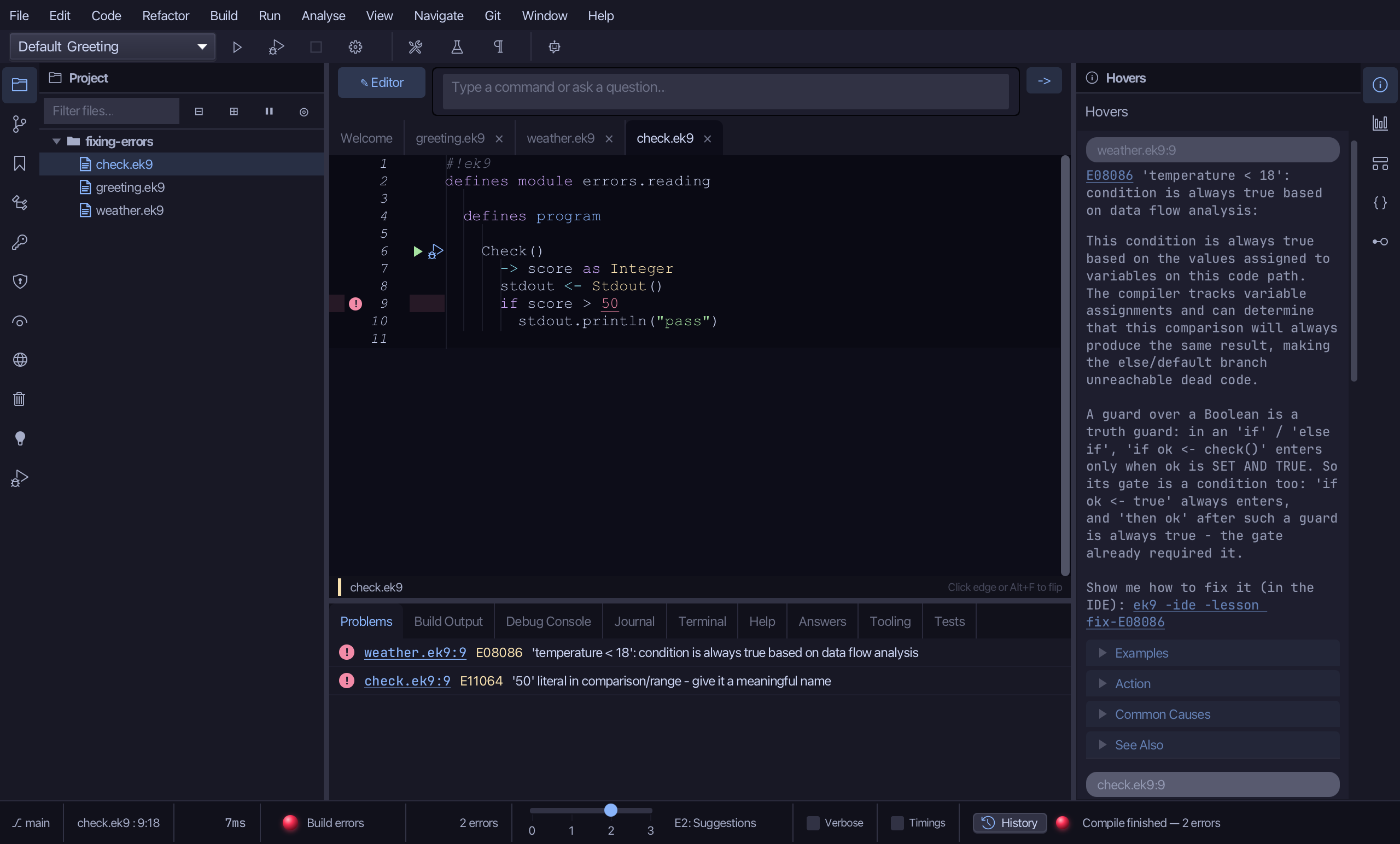
The compiler checks in stages and reports one stage's errors at a time. Names it cannot find come first; the later checks run once they are fixed. Now they have run: two more errors, in two files - a condition that is always true (E08086) and a bare number in a comparison (E11064).
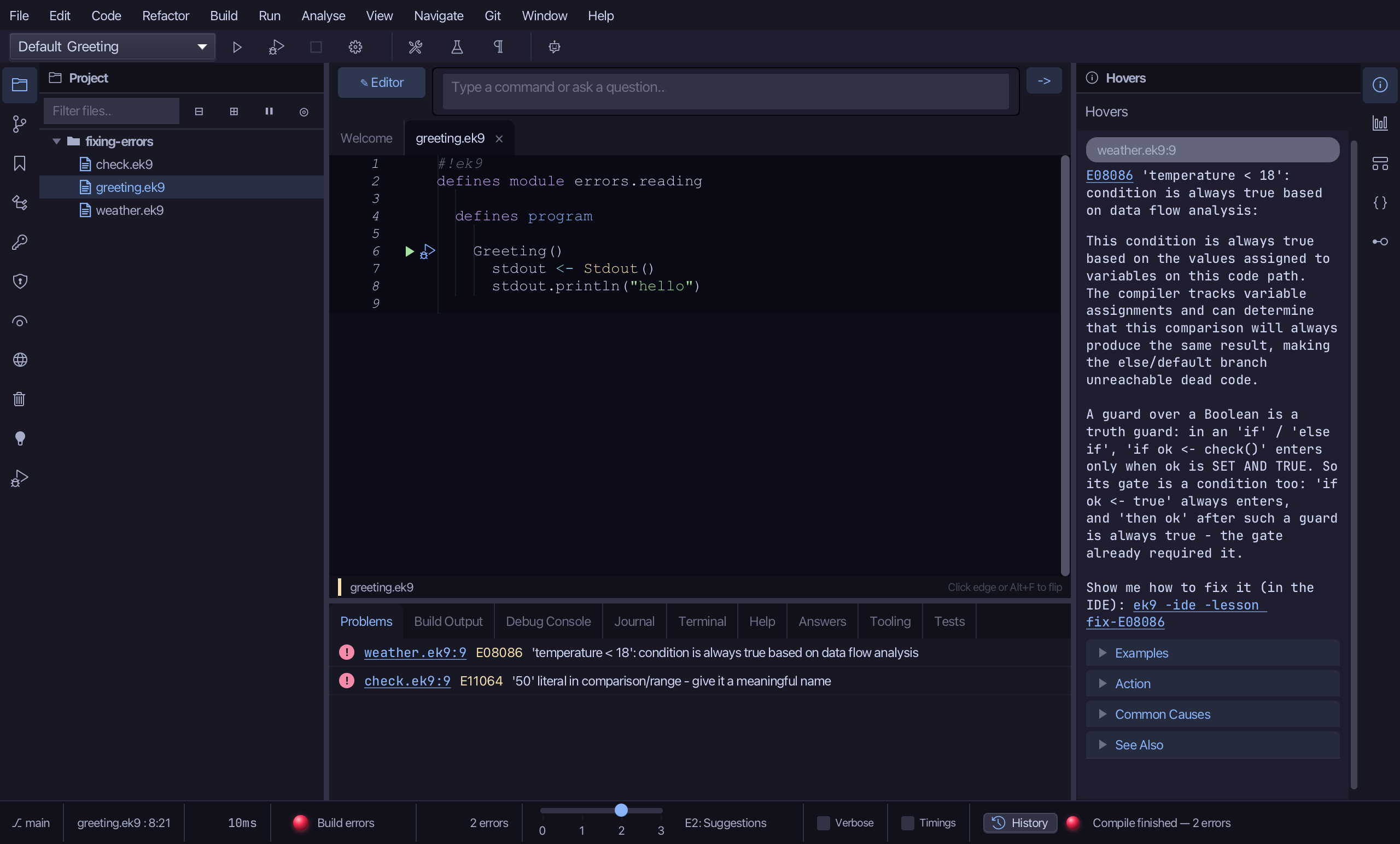
Choose Navigate > Next Error, or press F2. The editor jumps to the next error - in weather.ek9, the next file.
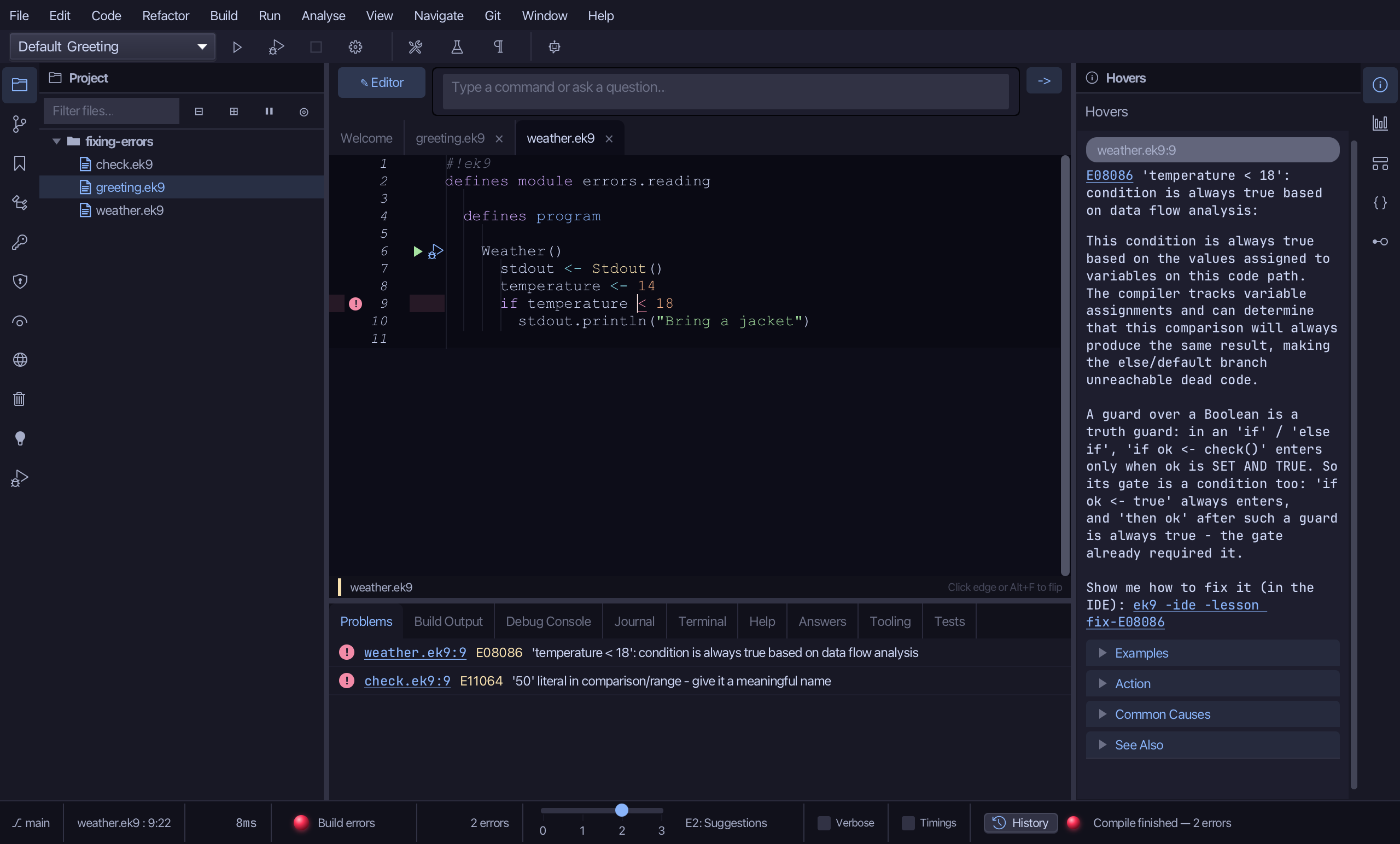
Choose Next Error again. After the last error it starts again from the first, in check.ek9; Previous Error (Shift+F2) goes the other way.
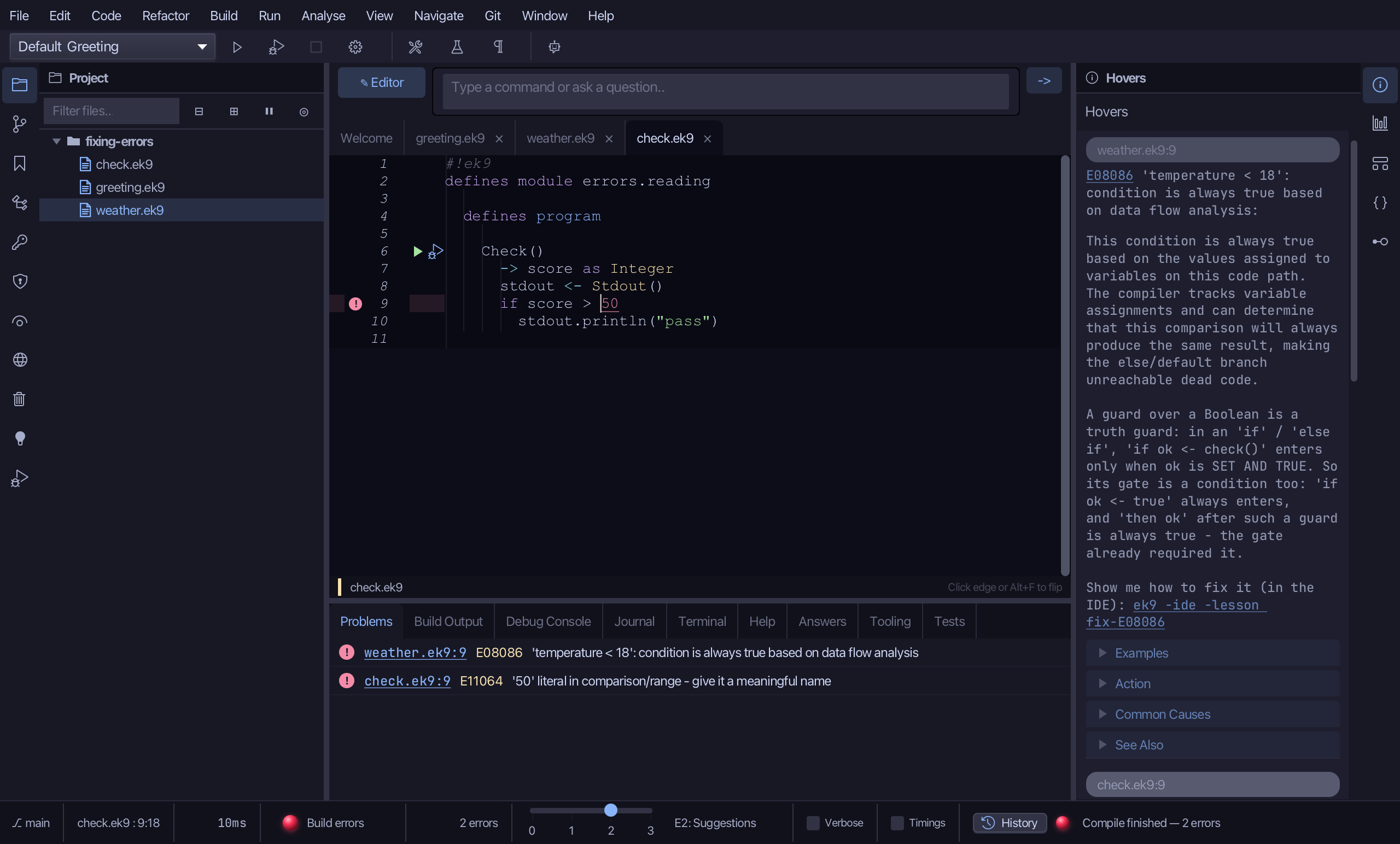
Step 4: How much it says
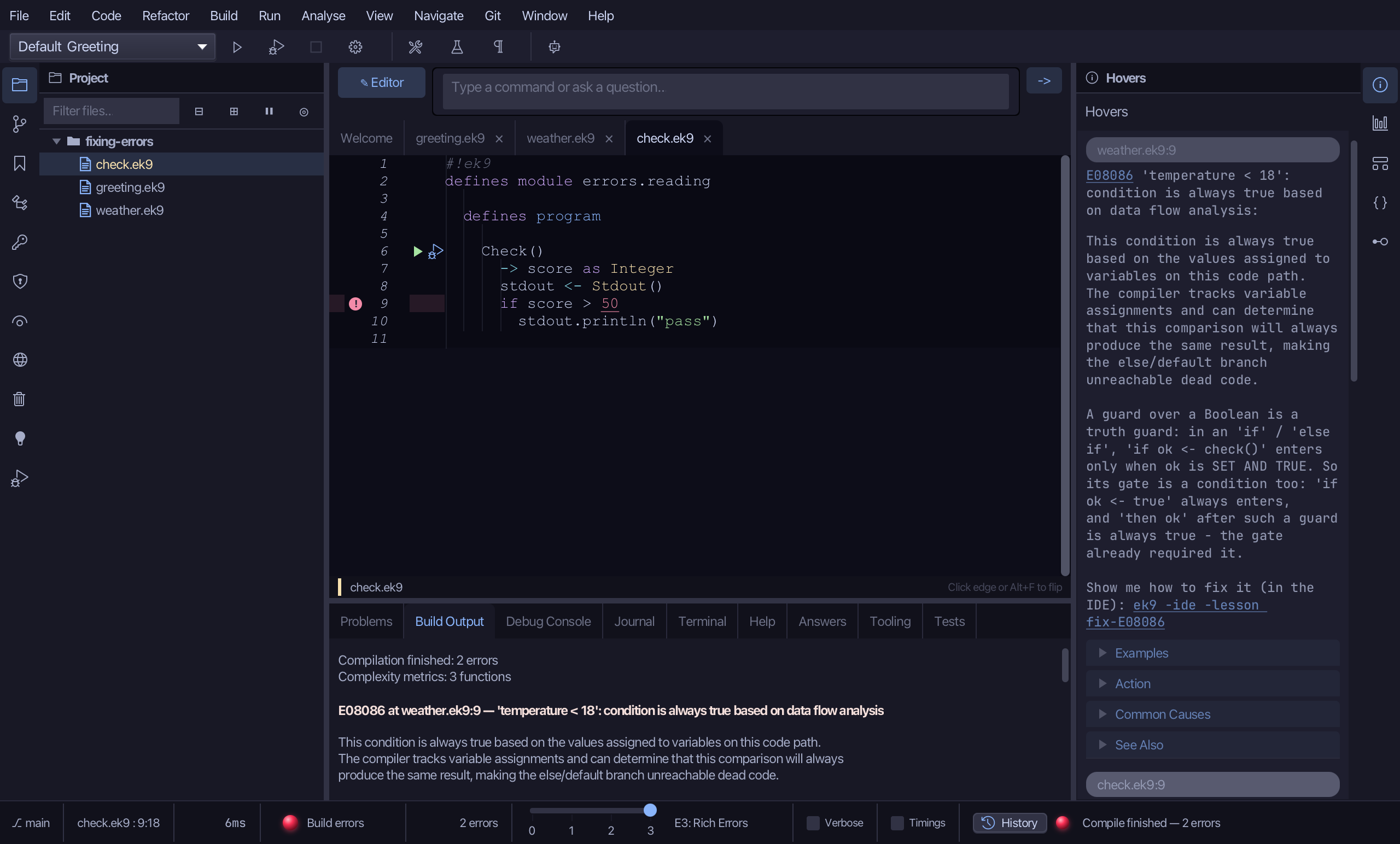
Move the error-detail slider, at the right of the status bar, to E3.
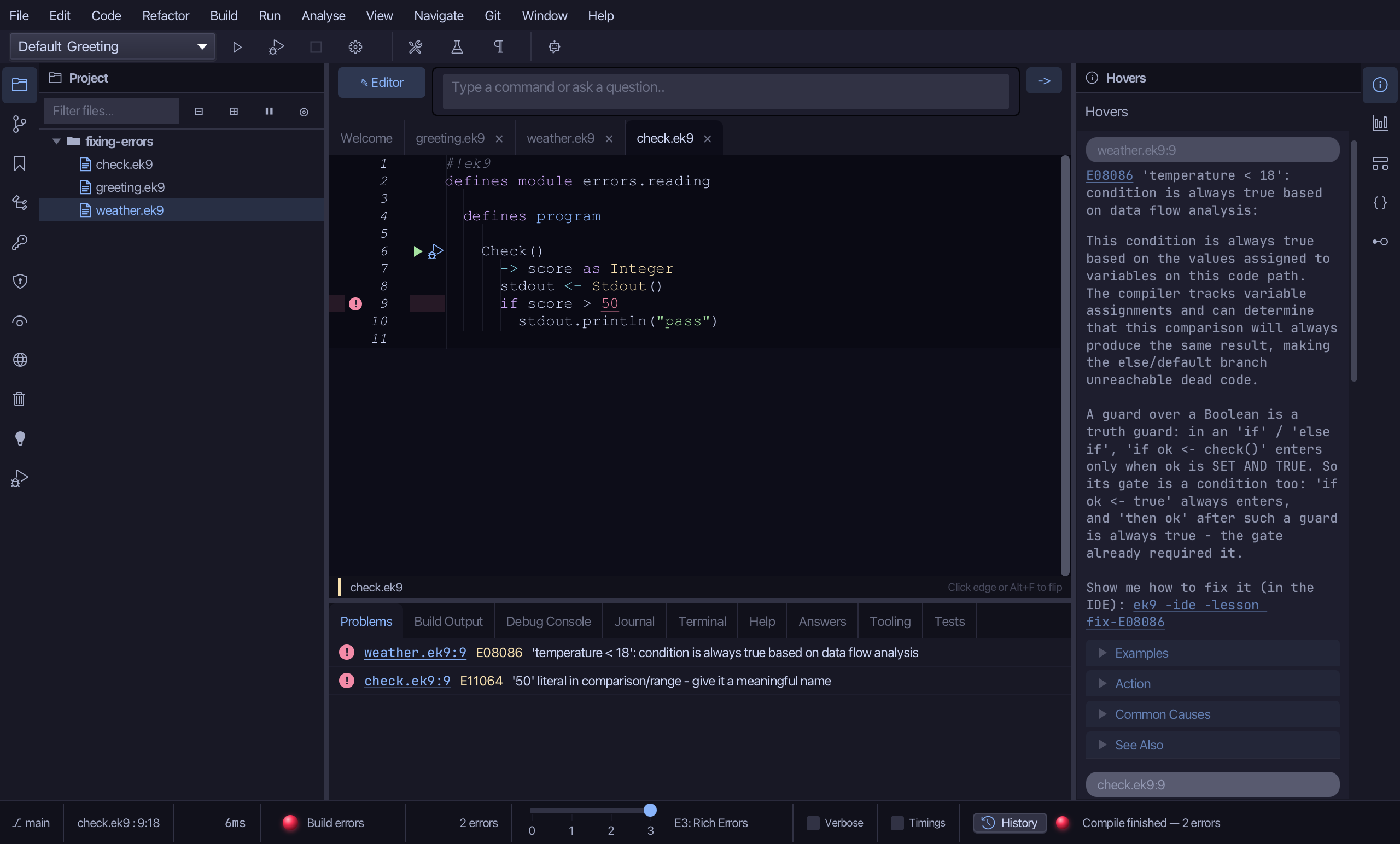
At E3 the Build Output tab explains every error in full - what is wrong, why, and how to put it right. E0 is the bare minimum, E1 adds a picture of the place and E2, the usual, adds suggestions.
Move the slider back to E2.
Step 5: The full explanation
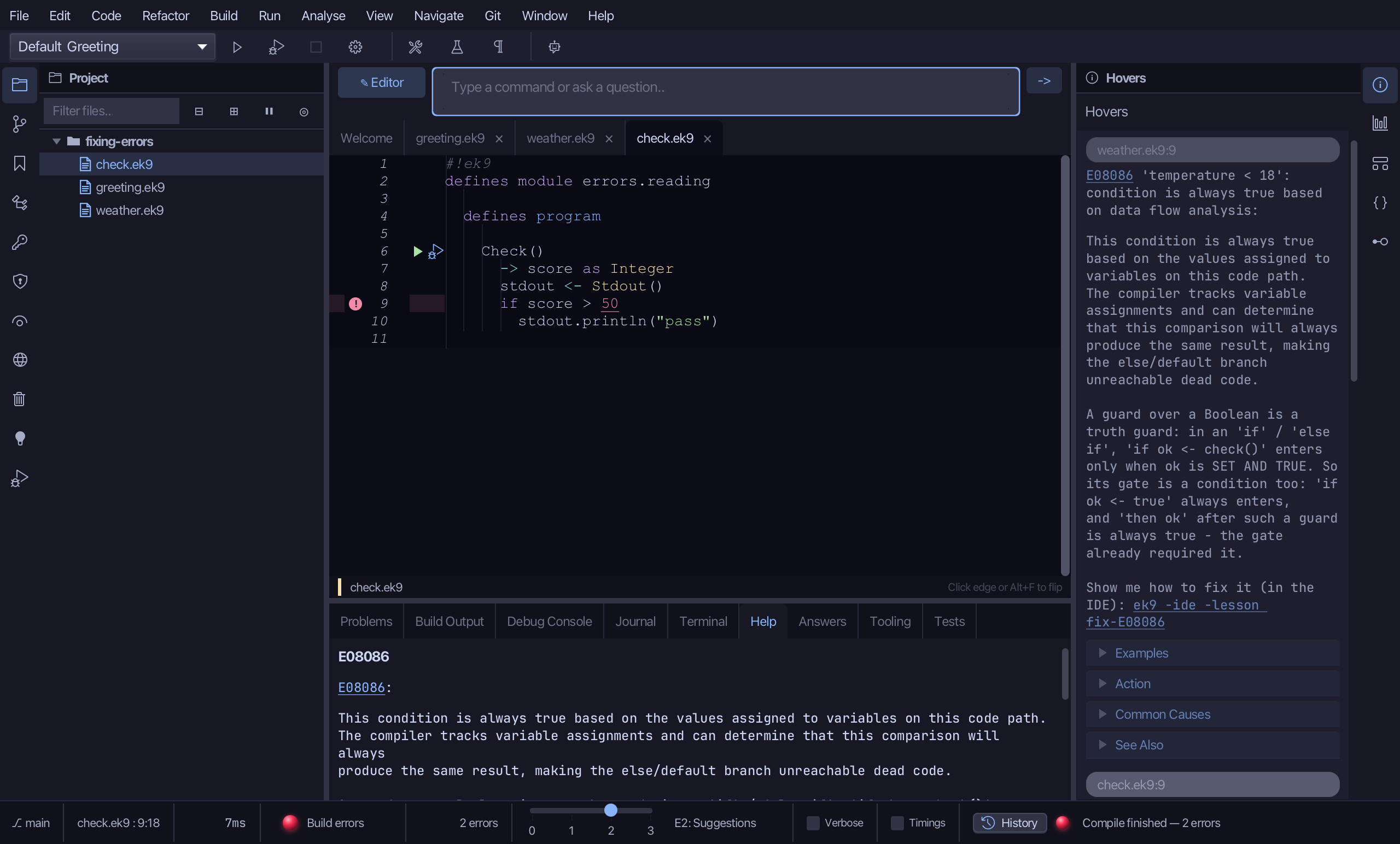
Type /h E08086 in the input bar at the top and press Enter. The Help tab explains the error in full - the same text as ek9 -h E08086 in a terminal.
The result
That is how to read the compiler: where an error is (the Problems tab, the margin, Next Error), a quick fix when the compiler can name the answer, as much detail as you want (E0 to E3), and /h with the error's code for everything it knows. The other two errors are still here - E08086 and E11064 - and each has a lesson that fixes it: ek9 -ide -lesson fix-E08086.
Where this lesson comes from
- The errors it fixes - each one's explanation offers this lesson: E50060.
- Answers -
ek9 -qand the IDE's Answers tab: 247. - For AI assistants - the MCP tool
ek9_compile,ek9_explain_error.
In the EK9 reference: Design note: errors, not warnings