Type Hierarchy and Dispatcher
Type Hierarchy reads what a type extends and implements, and what extends it in turn; Dispatcher reads which concrete type resolves to which handler. Here Notification is an abstract base with three subtypes - EmailNotification, SmsNotification, PushNotification - and EmailNotification alone implements the Loggable trait. NotificationRouter dispatches on Notification, with handlers for only two of the three. To play it in the IDE: Help > Lessons > Understanding a codebase…, or ek9 -ide -lesson type-hierarchy.
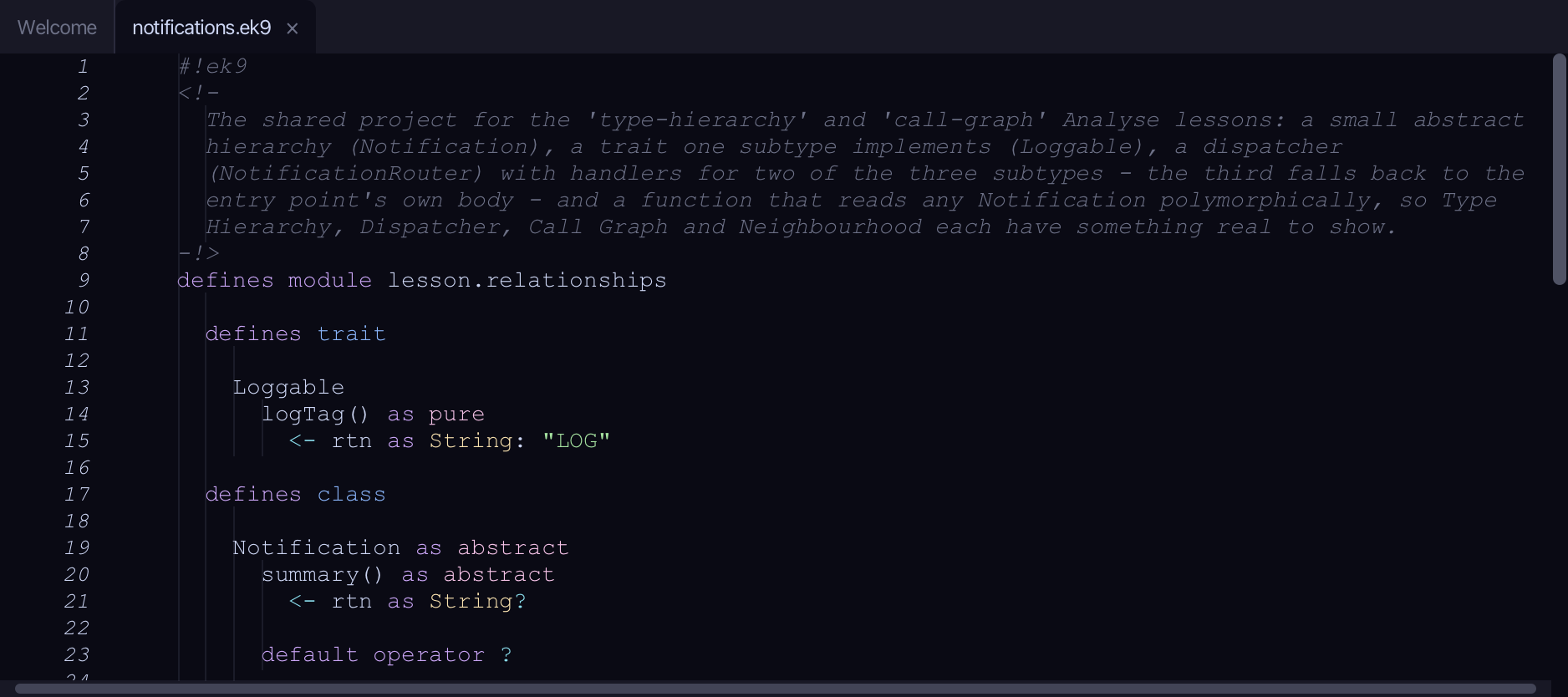
Start from
The code the lesson starts from: copy it into a file of your own and follow the steps.
notifications.ek9
#!ek9
<!-
  The shared project for the 'type-hierarchy' and 'call-graph' Analyse lessons: a small abstract
  hierarchy (Notification), a trait one subtype implements (Loggable), a dispatcher
  (NotificationRouter) with handlers for two of the three subtypes - the third falls back to the
  entry point's own body - and a function that reads any Notification polymorphically, so Type
  Hierarchy, Dispatcher, Call Graph and Neighbourhood each have something real to show.
-!>
defines module lesson.relationships

  defines trait

    Loggable
      logTag() as pure
        <- rtn as String: "LOG"

  defines class

    Notification as abstract
      summary() as abstract
        <- rtn as String?

      default operator ?

    EmailNotification extends Notification with trait of Loggable

      override summary()
        <- rtn as String: `${logTag()}: emailing the customer`

      default operator ?

    SmsNotification extends Notification

      override summary()
        <- rtn as String: "texting the customer"

      default operator ?

    PushNotification extends Notification

      override summary()
        <- rtn as String: "pushing to the app"

      default operator ?

    NotificationRouter

      route() as dispatcher
        -> n as Notification
        <- rtn as String: "unrouted"

      private route()
        -> n as EmailNotification
        <- rtn as String: `sending by email: ${n.summary()}`

      private route()
        -> n as SmsNotification
        <- rtn as String: `sending by sms: ${n.summary()}`

  defines function

    describeNotification()
      -> n as Notification
      <- rtn as String: `notice: ${n.summary()}`

//EOF
delivery.ek9
#!ek9
<!-
  The second file of the shared 'relationships' project: functions that call across both files -
  buildNotifications constructs the three subtypes, deliverAll calls describeNotification
  (notifications.ek9) and NotificationRouter's dispatcher for each one.
-!>
defines module lesson.relationships

  defines function

    buildNotifications()
      <- rtn as List of Notification: List() of Notification
      rtn += EmailNotification()
      rtn += SmsNotification()
      rtn += PushNotification()

    deliverAll()
      -> notifications as List of Notification
      stdout <- Stdout()
      router <- NotificationRouter()
      for n in notifications
        stdout.println(describeNotification(n))
        stdout.println(router.route(n))

  defines program

    Deliver()
      deliverAll(buildNotifications())

//EOF
Step 1: A subtype's own hierarchy
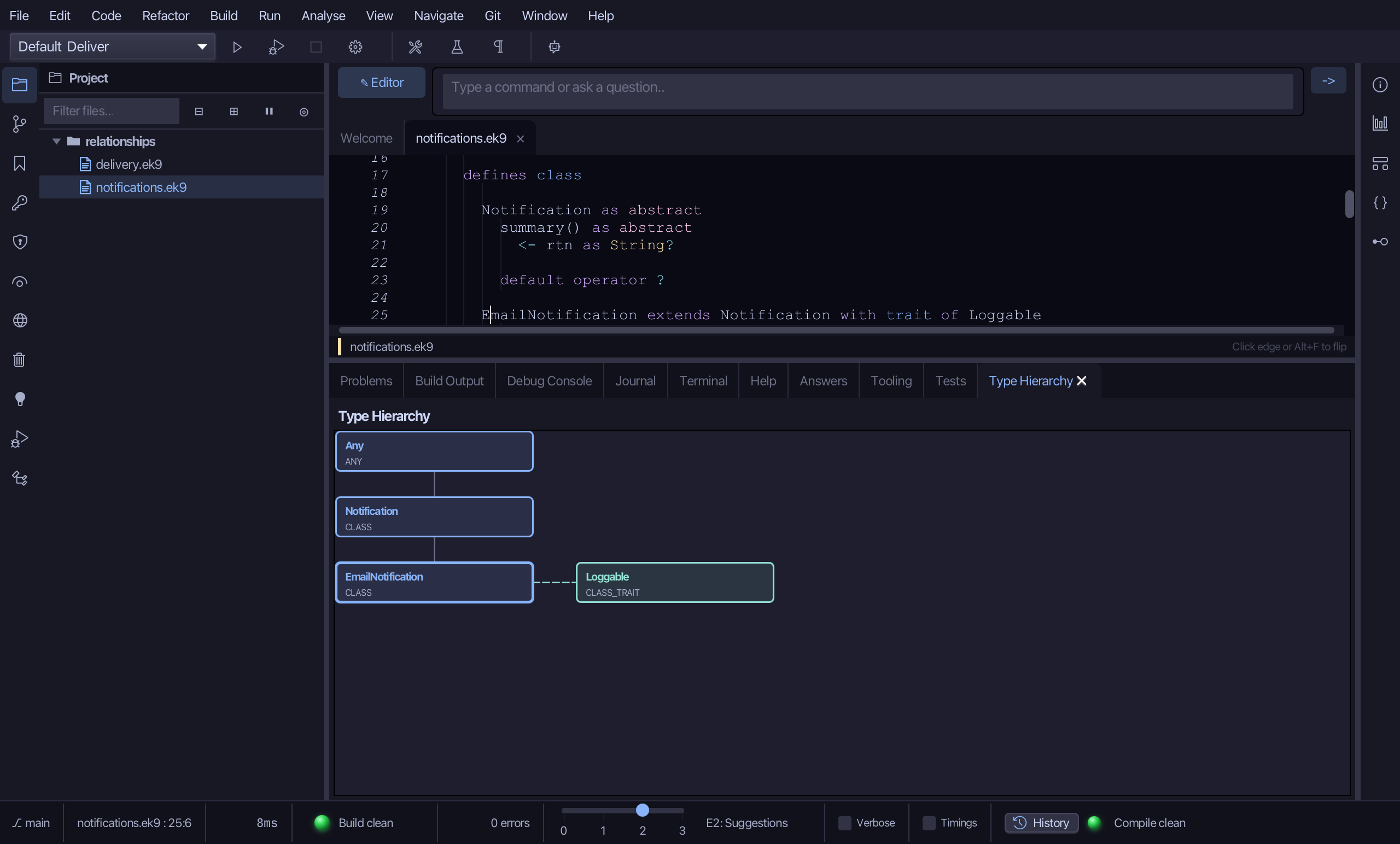
Put the caret on EmailNotification, in notifications.ek9, then choose Analyse > Type Hierarchy.
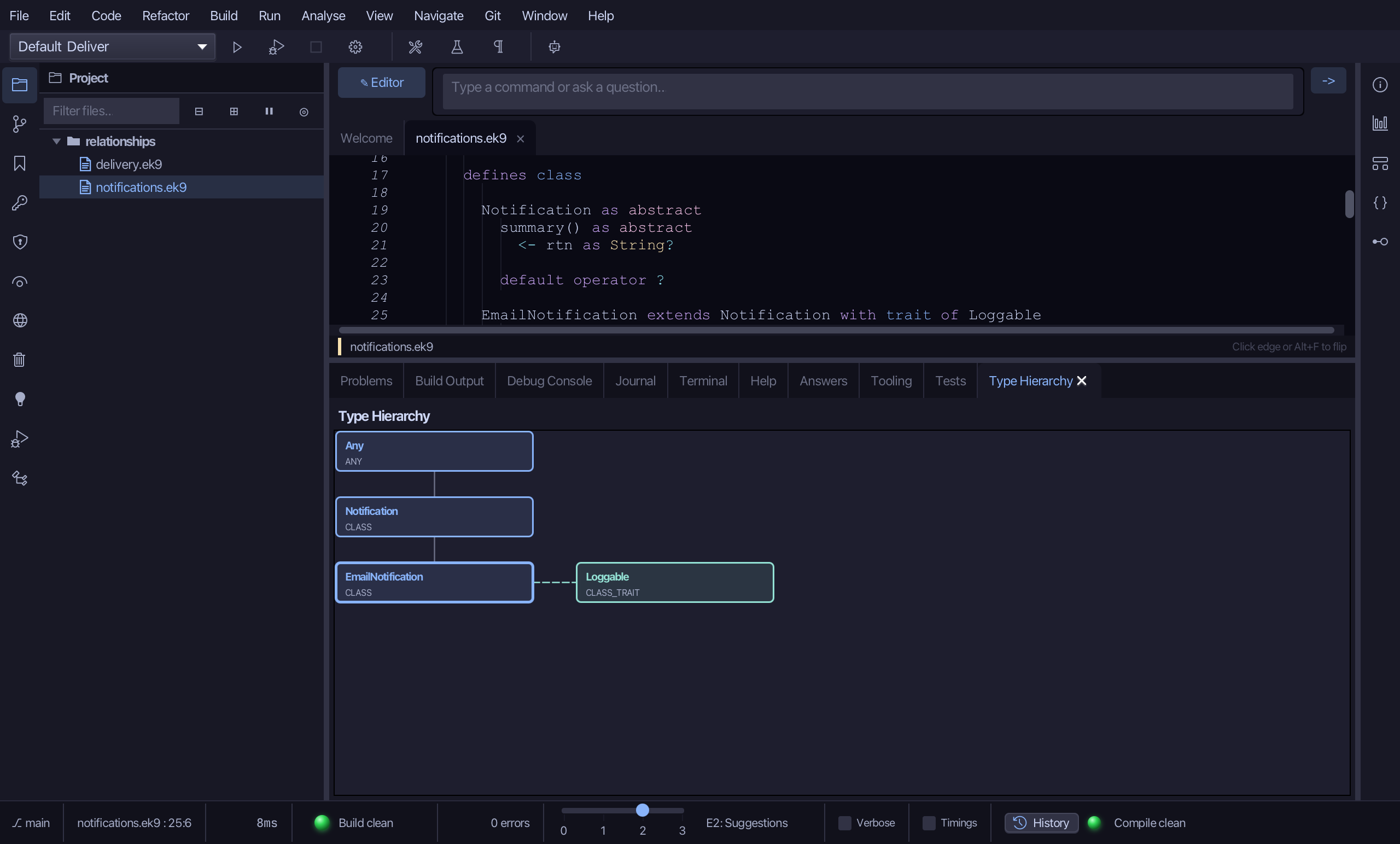
Step 2: Reading the diagram
EmailNotification sits in the middle with a thicker border; Notification shows above it, joined by a solid grey line - extends; Loggable shows to its right, joined by a dashed teal line - implements. Every box's border colour is its genus: blue for a class, teal for a trait. Click a box's own name to jump to its source.
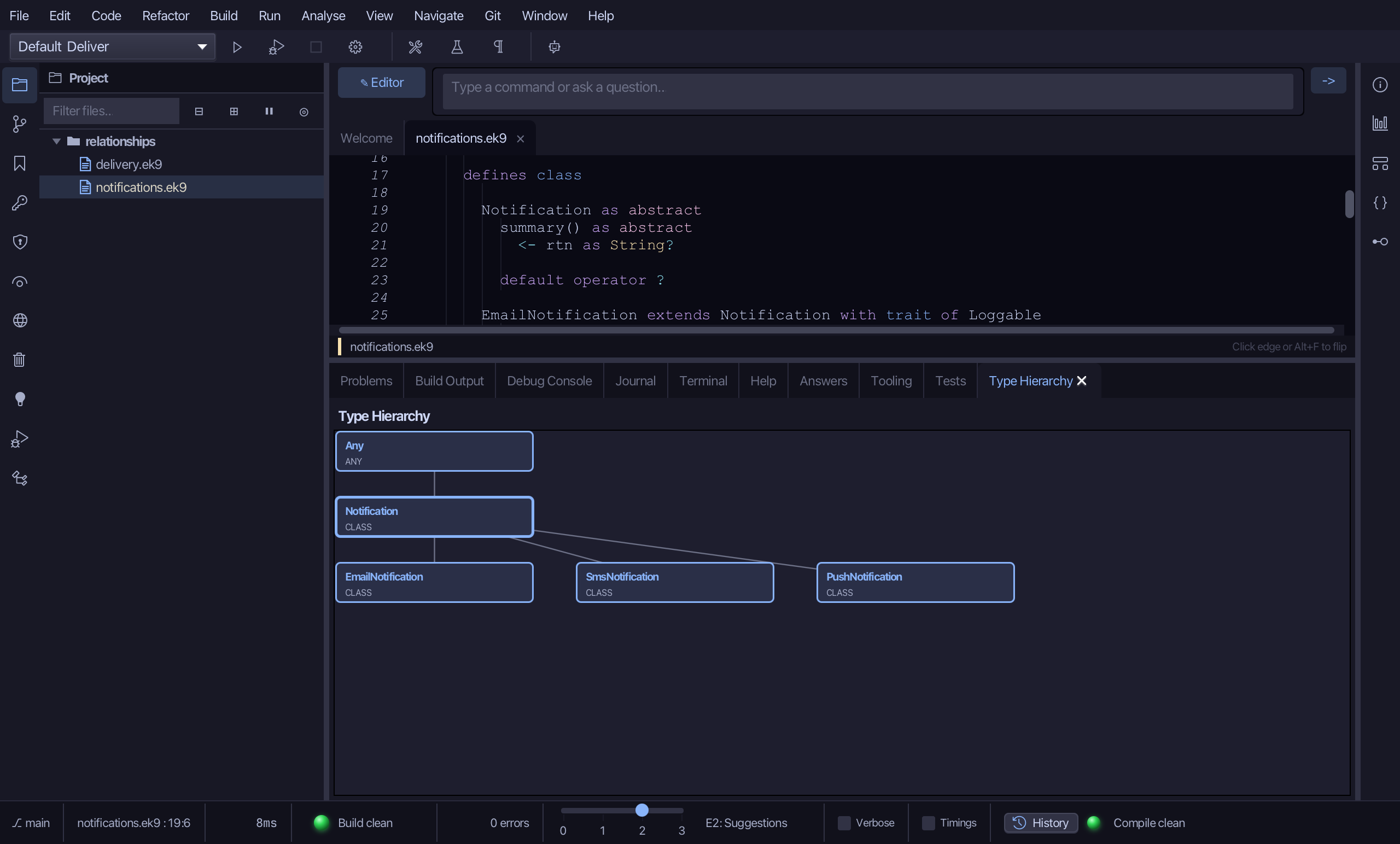
Step 3: From the base, looking down
Put the caret on Notification instead, then choose Analyse > Type Hierarchy again - the same menu item, reading whatever construct the caret sits on now. With the caret on the base itself, the diagram turns round: Notification sits at the top this time, with all three subtypes below it, each joined to it the same way EmailNotification was.
Step 4: Who handles each type
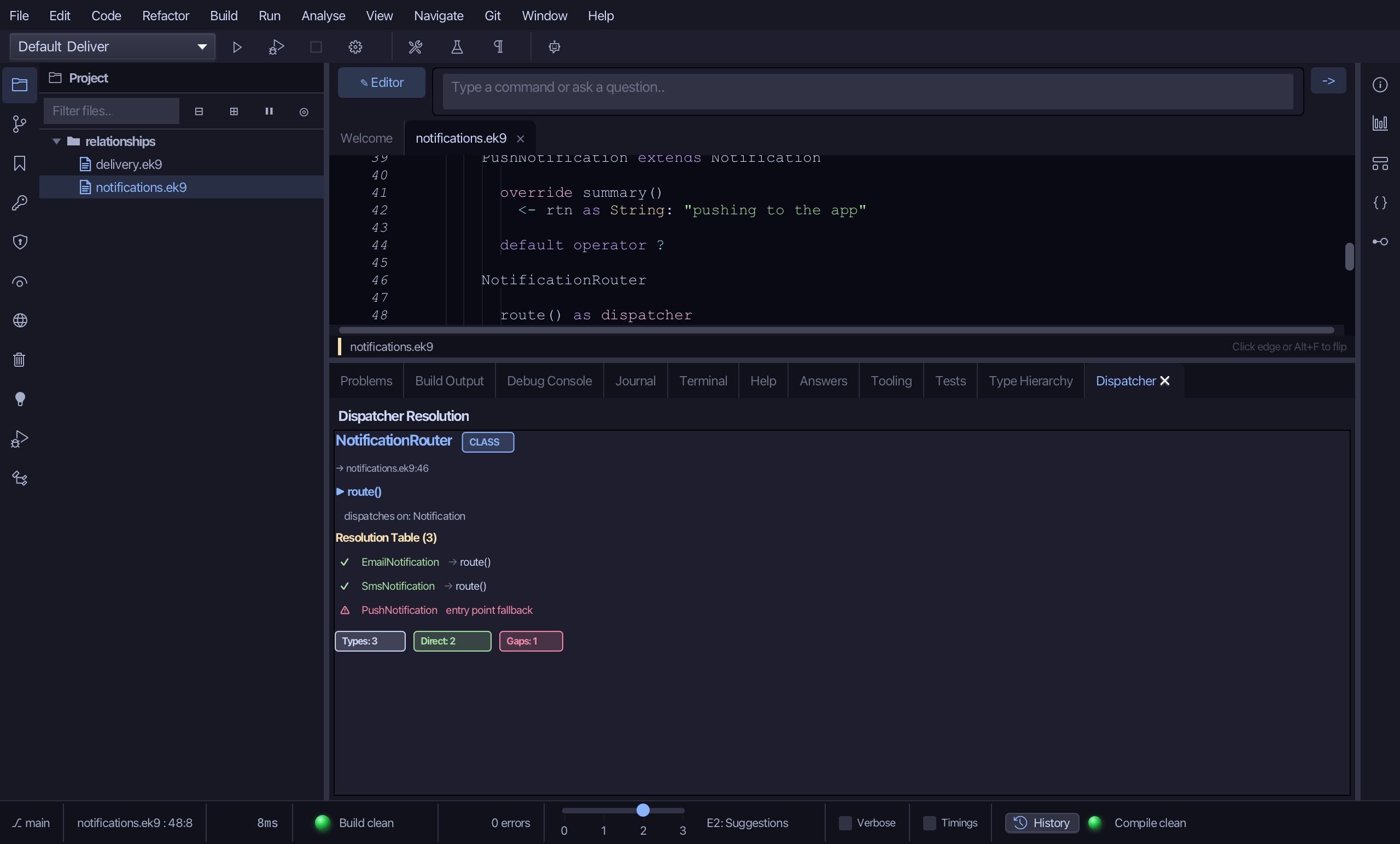
Put the caret on route() as dispatcher, in NotificationRouter, then choose Analyse > Dispatcher.
Step 5: Reading the resolution table
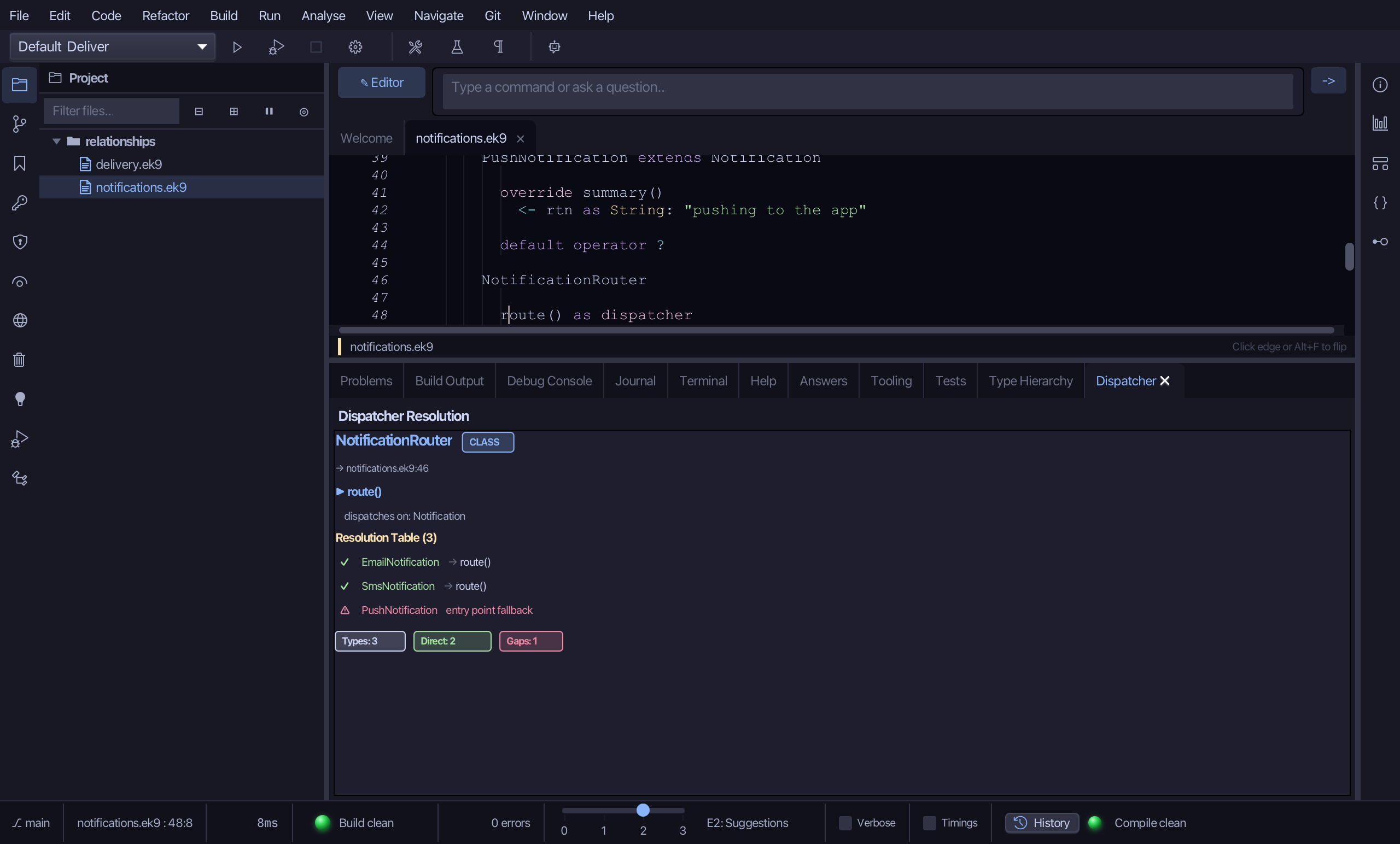
The resolution table lists all three concrete types route() could be called with. EmailNotification and SmsNotification show a green checkmark - DIRECT - each with an arrow to its own handler; PushNotification shows a red warning - FALLBACK - routed to route()'s own entry-point body instead, since nothing handles it directly. The badges below count it: Types: 3, Direct: 2, Gaps: 1.
The result
That is Type Hierarchy and Dispatcher: EmailNotification's own view showed Notification above it and Loggable beside it; Notification's own view showed all three subtypes below it. NotificationRouter's dispatcher resolves EmailNotification and SmsNotification directly to their own handlers, and falls back to its entry point's own body for PushNotification, which has none - the gap a non-exhaustive dispatcher leaves. Analyse > Type Hierarchy (⇧⌘T) and Analyse > Dispatcher (⇧⌘D) read the caret's own construct; AI assistants get the same data from ek9_query_type_hierarchy and ek9_query_dispatchers.
Where this lesson comes from
- For AI assistants - the MCP tool
ek9_query_type_hierarchy,ek9_query_dispatchers.
In the EK9 reference: Inheritance in EK9