Modules and Packages
A module is one defines module name, and a project can have many - here a small shop in six: core holds Price and Item, pricing and orders build on it, app is the program on top, and stock and shipping each refer to the other. The code does not draw that; the Analyse views do. Read the files, then start when you are ready. To play it in the IDE: Help > Lessons > Understanding a codebase…, or ek9 -ide -lesson modules.
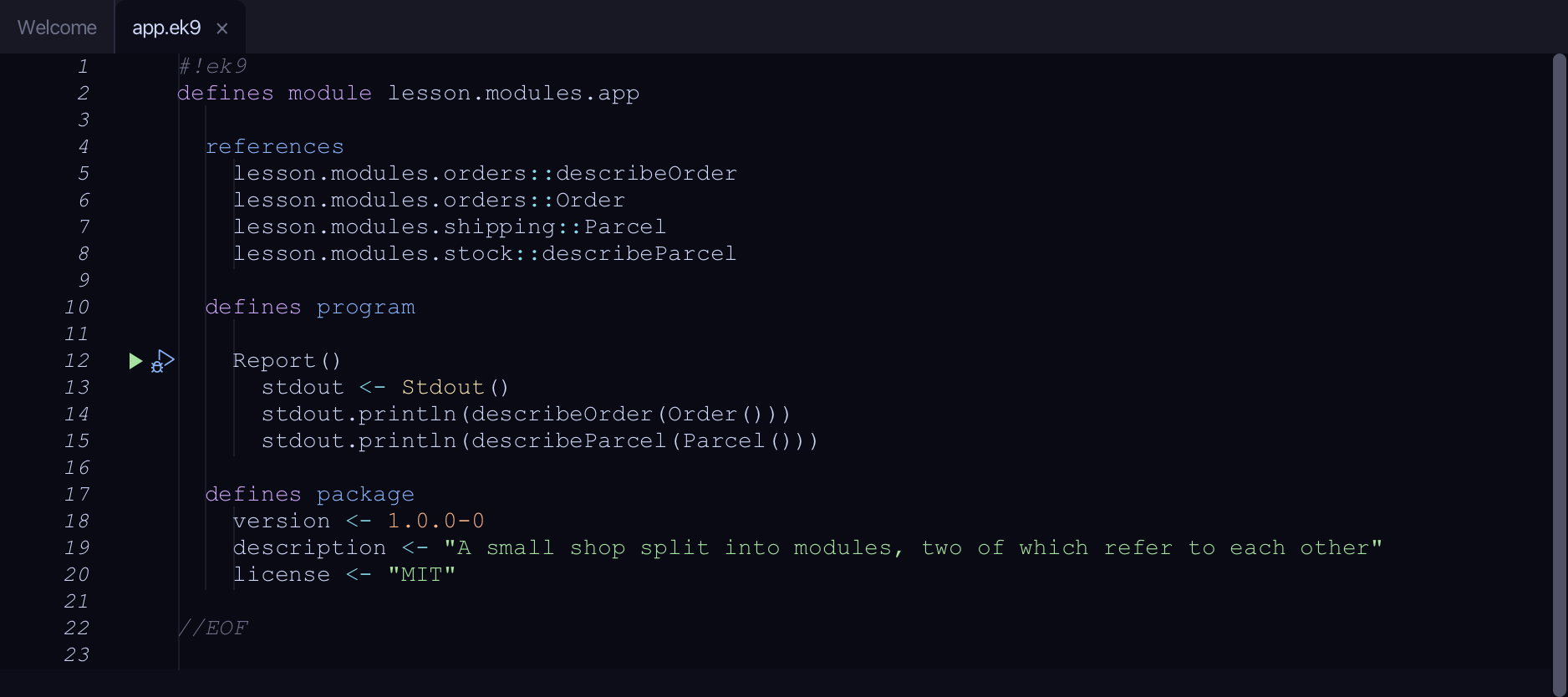
Start from
The code the lesson starts from: copy it into a file of your own and follow the steps.
app.ek9
#!ek9
defines module lesson.modules.app

  references
    lesson.modules.orders::describeOrder
    lesson.modules.orders::Order
    lesson.modules.shipping::Parcel
    lesson.modules.stock::describeParcel

  defines program

    Report()
      stdout <- Stdout()
      stdout.println(describeOrder(Order()))
      stdout.println(describeParcel(Parcel()))

  defines package
    version <- 1.0.0-0
    description <- "A small shop split into modules, two of which refer to each other"
    license <- "MIT"

//EOF
core.ek9
#!ek9
defines module lesson.modules.core

  defines record

    Price
      amount as Float: 0.0
      default operator

    Item
      name as String: String()
      price as Price: Price()
      default operator

//EOF
pricing.ek9
#!ek9
defines module lesson.modules.pricing

  references
    lesson.modules.core::Item

  defines function

    describePrice() as pure
      -> item as Item
      <- rtn as String: `${item.name} costs ${item.price.amount}`

//EOF
orders.ek9
#!ek9
defines module lesson.modules.orders

  references
    lesson.modules.core::Item
    lesson.modules.pricing::describePrice

  defines record

    Order
      item as Item: Item()
      default operator

  defines function

    describeOrder() as pure
      -> order as Order
      <- rtn as String: describePrice(order.item)

//EOF
stock.ek9
#!ek9
defines module lesson.modules.stock

  references
    lesson.modules.shipping::Parcel

  defines record

    StockLine
      sku as String: String()
      default operator

  defines function

    describeParcel() as pure
      -> parcel as Parcel
      <- rtn as String: `parcel for ${parcel.destination}`

//EOF
shipping.ek9
#!ek9
defines module lesson.modules.shipping

  references
    lesson.modules.stock::StockLine

  defines record

    Parcel
      destination as String: String()
      default operator

  defines function

    describeStock() as pure
      -> line as StockLine
      <- rtn as String: `stock line ${line.sku}`

//EOF
Step 1: The landscape
Choose Analyse > Module Landscape.
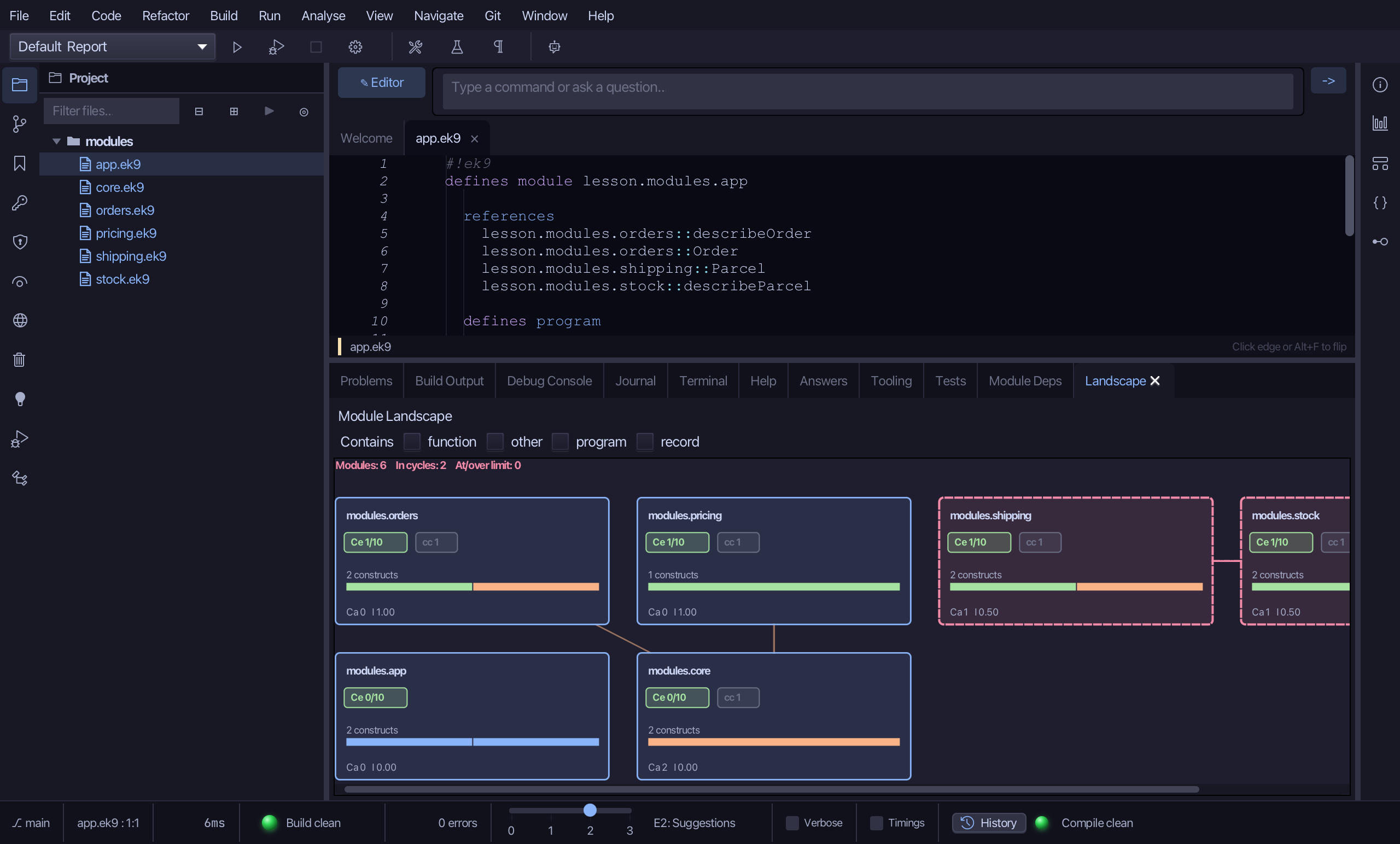
The summary line reads Modules: 6, In cycles: 2 - red, because two modules are in one. Each card is a module: its name, Ce (how many other modules it reaches out to, against the limit of 10), the number of constructs it holds with a bar coloured by kind, Ca (how many modules reach in to it) and I, its instability. The cards are sorted most-coupled first; shipping and stock have dashed red borders and a line between them - each refers to the other - and core, which pricing and orders build on, has Ca 2 and I 0.00: it depends on nothing. Scroll right to see stock; drag a card and its lines follow; click a name to drill into that module's coupling.
Step 2: Who depends on whom
Choose Analyse > Module Dependencies.
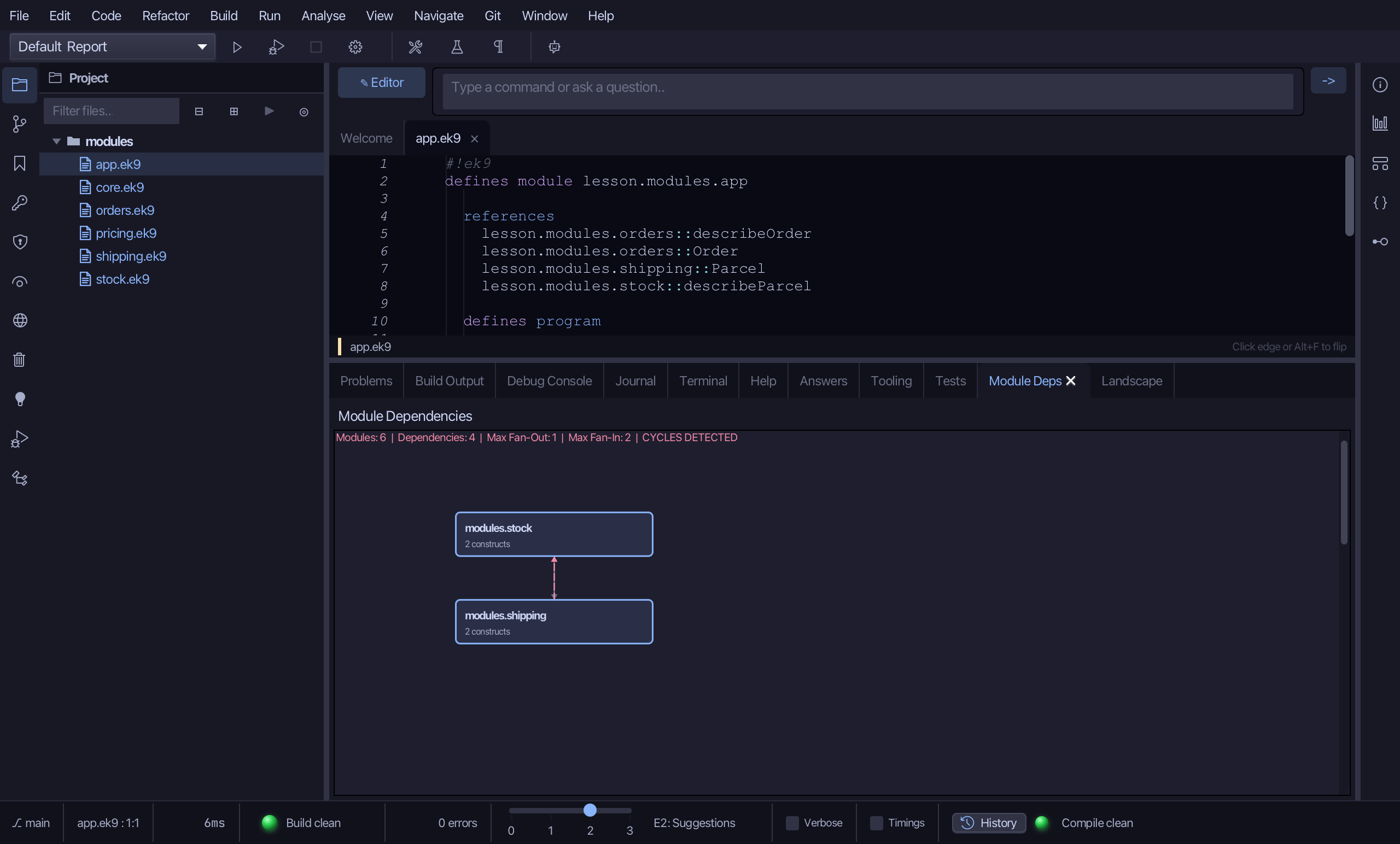
The same six modules, this time as layers: a module sits above the ones it depends on, and every dependency is an arrow. The header counts them - Modules, Dependencies, the largest fan-out and fan-in - and ends CYCLES DETECTED in red. stock and shipping sit one above the other with a dashed red arrow each way: neither can be placed above the other. Scroll down for core and the modules built on it, where every arrow points the one way a healthy layering does. Drag a box to lay the picture out as you would draw it.
Step 3: Packages
Choose Analyse > Package Dependencies.
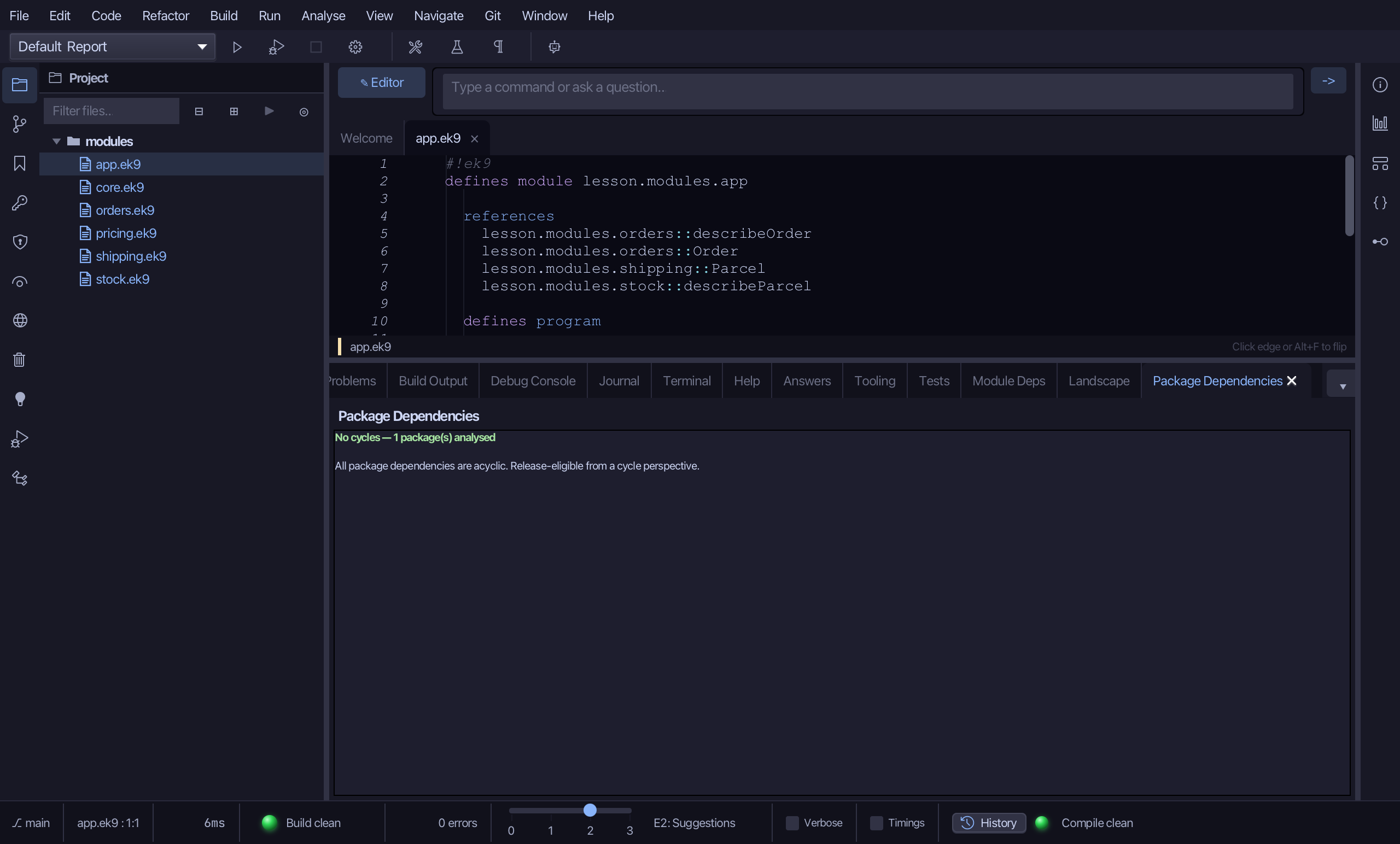
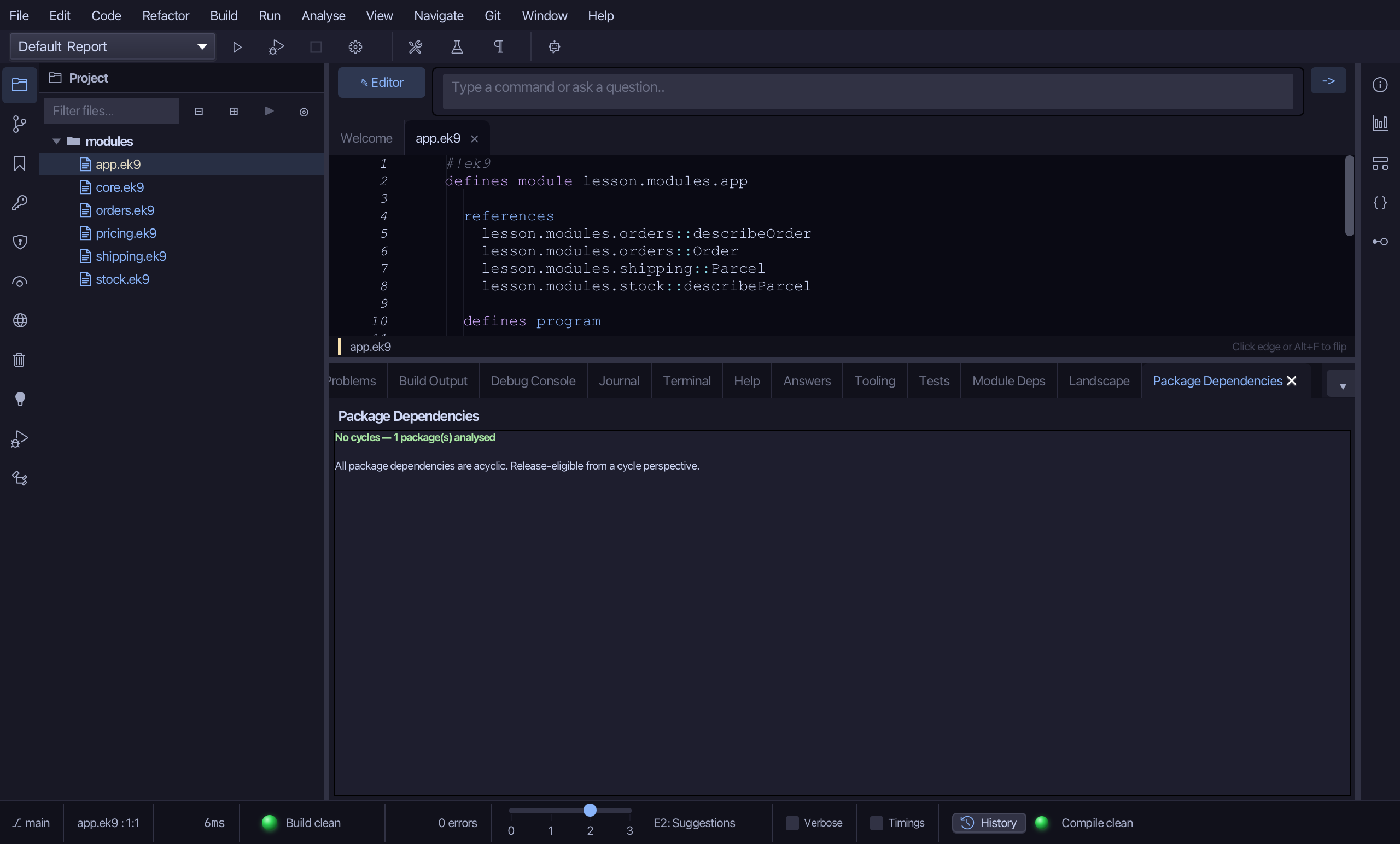
Package Dependencies asks the same question of packages - the project's own defines package block and the packages it names under deps. This project has one package and depends on none, so the header reads No cycles - 1 package(s) analysed, in green. Two packages that each listed the other in deps would be listed here instead, one line per edge, in red.
The result
That is the project from above, three ways: Module Landscape (⇧⌘Y) a card per module with its coupling, Module Dependencies (⇧⌘M) the same modules in layers with every dependency drawn, and Package Dependencies, which asks the same question of packages. stock and shipping refer to each other, so both module views drew them in red - the compiler accepts a cycle between modules, these views are where you see it. AI assistants get the same data from ek9_query_module_landscape, ek9_query_module_dependencies and ek9_check_package_dependency_cycles.
Where this lesson comes from
- Answers -
ek9 -qand the IDE's Answers tab: 766, 7. - For AI assistants - the MCP tool
ek9_query_module_landscape,ek9_query_module_dependencies,ek9_check_module_cycles,ek9_check_package_dependency_cycles.
In the EK9 reference: Packaging in EK9