Surround With
Surround With folds a selection of whole statements under an if, try/catch, for-range or while head - EK9 has no braces, so the tool re-indents the lines for you rather than leave it to be mis-typed by hand. Here warnLowStock always prints, even before stock is actually low. To play it in the IDE: Help > Lessons > Refactoring…, or ek9 -ide -lesson surround-with.
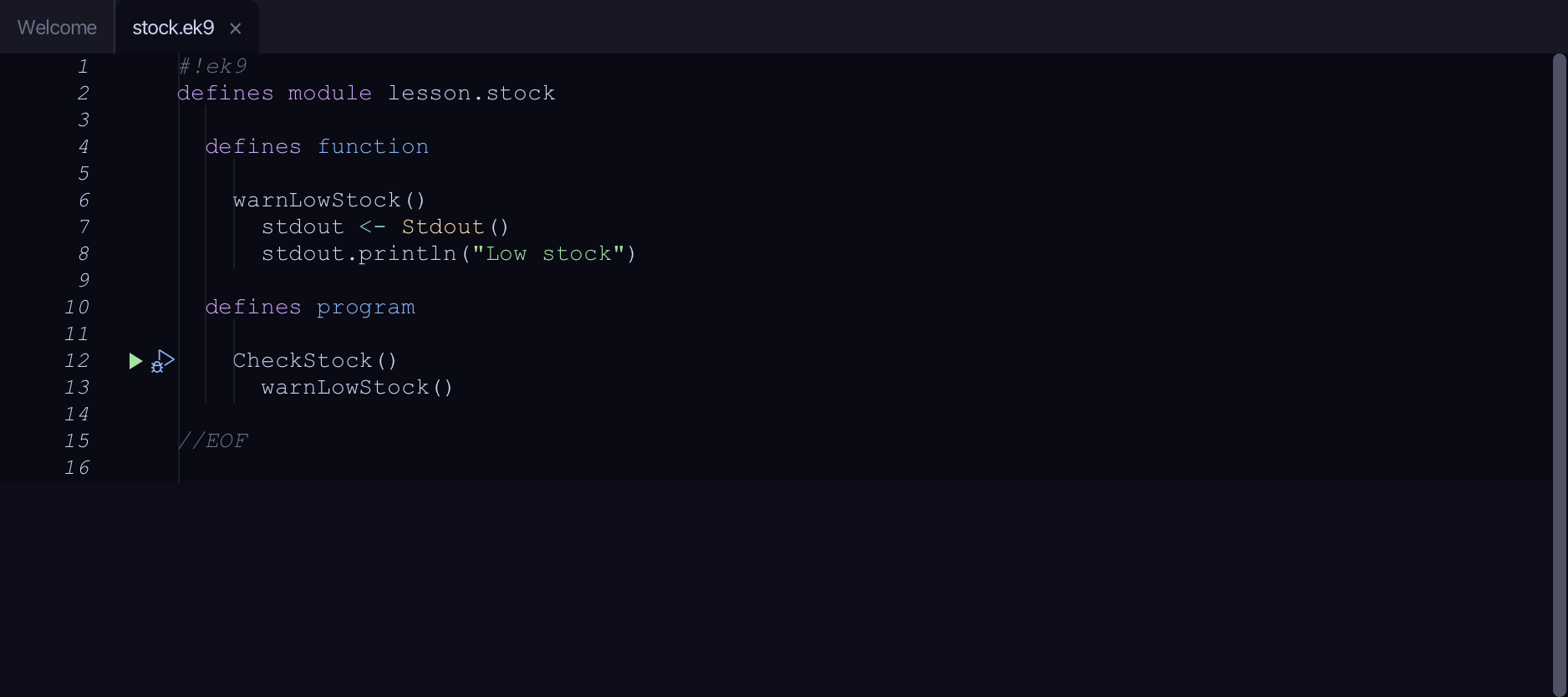
Start from
The code the lesson starts from: copy it into a file of your own and follow the steps.
#!ek9
defines module lesson.stock

  defines function

    warnLowStock()
      stdout <- Stdout()
      stdout.println("Low stock")

  defines program

    CheckStock()
      warnLowStock()

//EOF
Step 1: Surround it with if …
Put the caret on the stdout.println line, right-click it - or choose Refactor > Refactor This… - and choose Surround With ▸ if ….
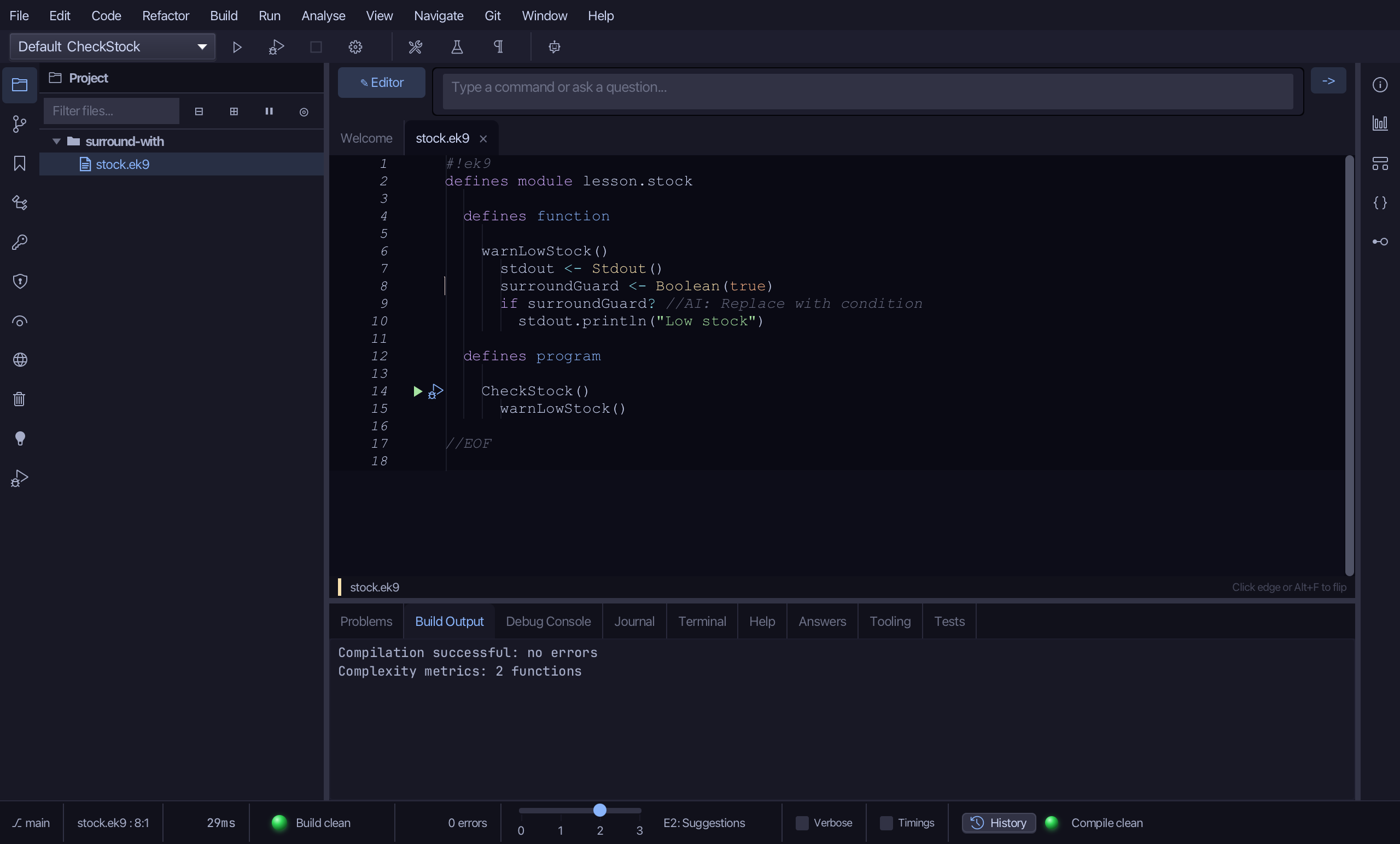
The change is in the open file, not yet saved. Choose File > Save.
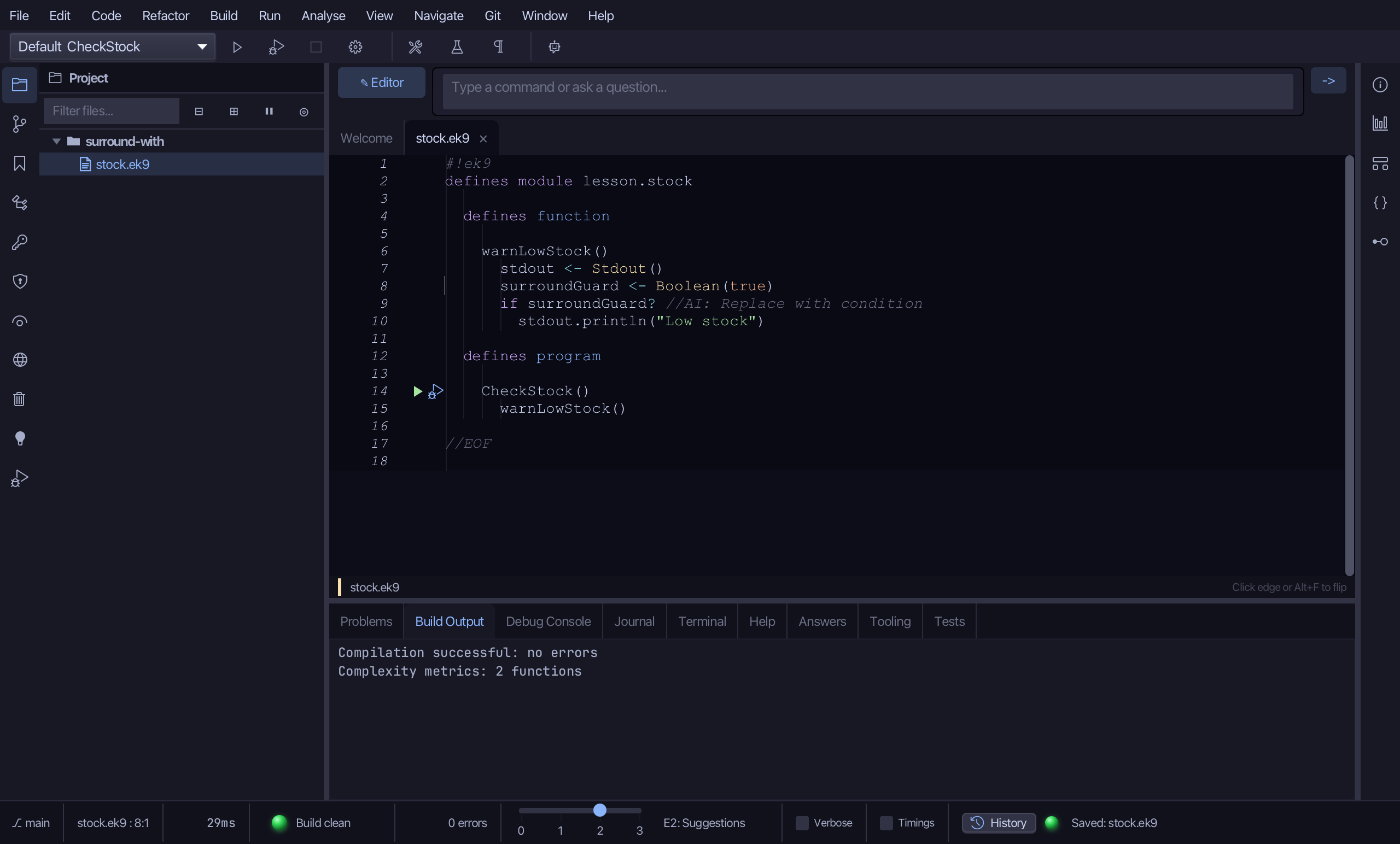
The result
That is Surround With: warnLowStock's one statement is folded under 'if surroundGuard? //AI: Replace with condition' - an opaque placeholder you replace with the real stock check, the statement itself re-indented +2 spaces so EK9's brace-free layout is never mis-typed by hand. The same submenu offers if … else, try/catch, try/catch/finally, for range and while - each wraps the selection the same way, with its own placeholder (a loop guard, an exception handler) when you give it no condition. It is on the right-click menu wherever the caret is inside a function, method or program body; AI assistants use the ek9_surround_with tool.
Where this lesson comes from
- For AI assistants - the MCP tool
ek9_surround_with.