The Journal: one run
The Journal records every change to a value while a program runs, so a failure can be read backwards to where it went wrong. This lesson records one run of Orders, a small program that fails late. Read Orders.ek9 first. To play it in the IDE: Help > Lessons > Debugging and the Journal…, or ek9 -ide -lesson journal-one-run.
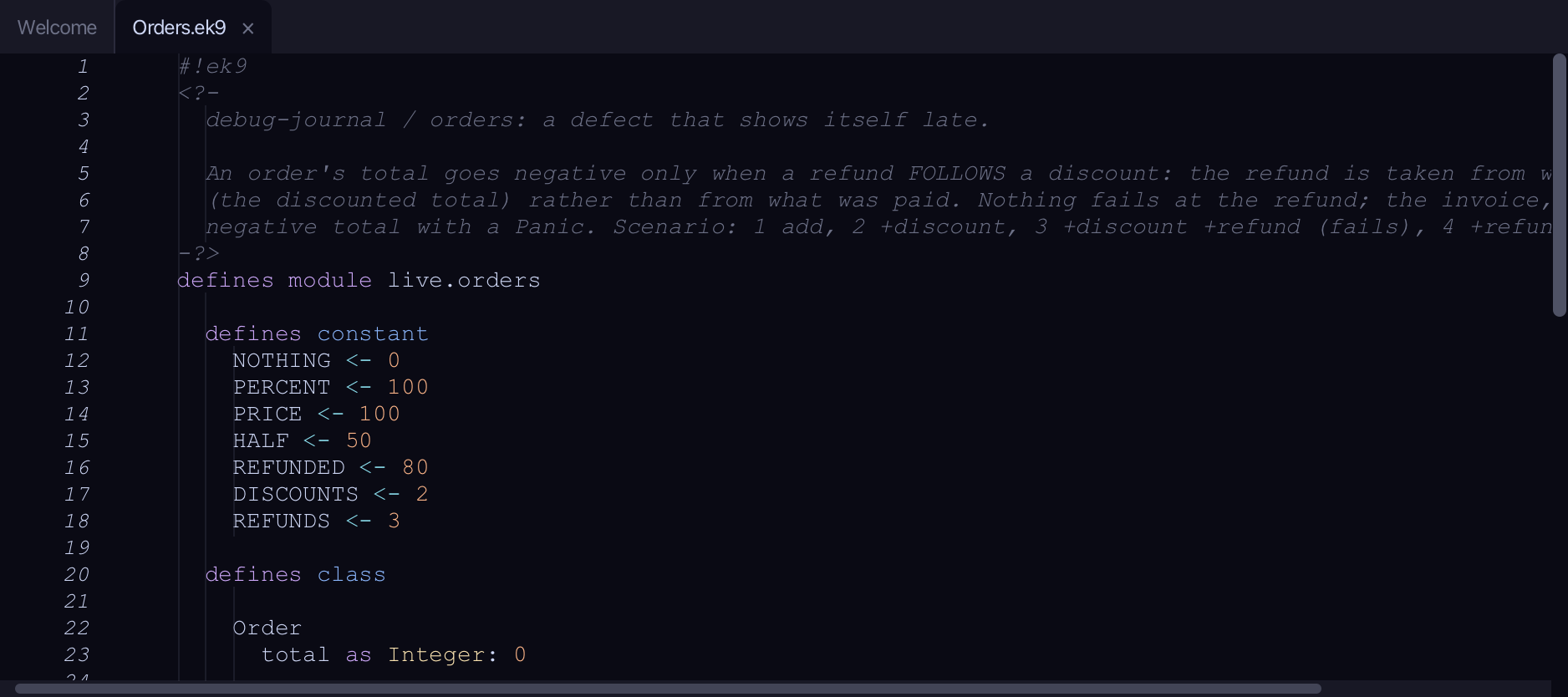
Start from
The code the lesson starts from: copy it into a file of your own and follow the steps.
Orders.ek9
#!ek9
<?-
  debug-journal / orders: a defect that shows itself late.

  An order's total goes negative only when a refund FOLLOWS a discount: the refund is taken from what is left to pay
  (the discounted total) rather than from what was paid. Nothing fails at the refund; the invoice, later, refuses a
  negative total with a Panic. Scenario: 1 add, 2 +discount, 3 +discount +refund (fails), 4 +refund (passes).
-?>
defines module live.orders

  defines constant
    NOTHING <- 0
    PERCENT <- 100
    PRICE <- 100
    HALF <- 50
    REFUNDED <- 80
    DISCOUNTS <- 2
    REFUNDS <- 3

  defines class

    Order
      total as Integer: 0

      add()
        -> amount as Integer
        total += amount

      discount()
        -> percent as Integer
        saving <- total * percent / PERCENT
        total -= saving

      invoice()
        <- rtn as String?
        require total >= NOTHING
        rtn: `invoice for ${total}`

      refund()
        -> amount as Integer
        total -= amount

      default operator ?

  defines program

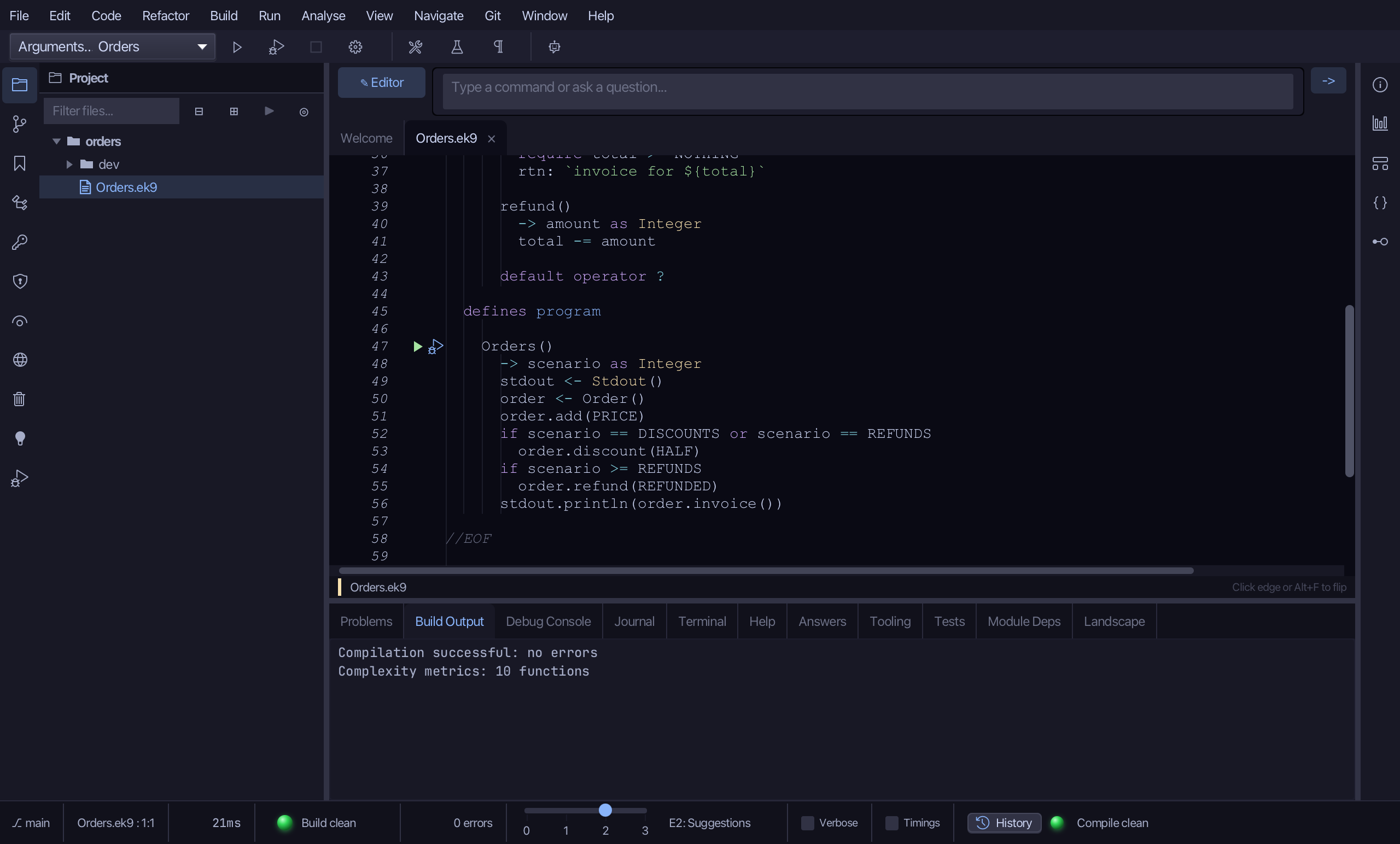
    Orders()
      -> scenario as Integer
      stdout <- Stdout()
      order <- Order()
      order.add(PRICE)
      if scenario == DISCOUNTS or scenario == REFUNDS
        order.discount(HALF)
      if scenario >= REFUNDS
        order.refund(REFUNDED)
      stdout.println(order.invoice())

//EOF
dev/orders_tests.ek9
#!ek9
<?-
  debug-journal / orders: the tests, for trying coverage in the IDE (-t, the coverage toggle Alt+Cmd+F6).

  They cover adding, a discount alone and a refund alone - each passes. The defect path (a refund AFTER a discount,
  which the invoice refuses with a Panic) and the Orders program itself are deliberately left untested, so coverage
  shows what the tests do not reach.
-?>
defines module live.orders.tests

  references
    live.orders::HALF
    live.orders::Order
    live.orders::PRICE
    live.orders::REFUNDED

  defines constant
    FULL_PRICE <- "invoice for 100"
    HALF_PRICE <- "invoice for 50"
    PRICE_LESS_REFUND <- "invoice for 20"

  defines program

    @Test
    AddOnly()
      order <- Order()
      order.add(PRICE)
      assert order.invoice() == FULL_PRICE

    @Test
    HalfDiscount()
      order <- Order()
      order.add(PRICE)
      order.discount(HALF)
      assert order.invoice() == HALF_PRICE

    @Test
    RefundWithoutDiscount()
      order <- Order()
      order.add(PRICE)
      order.refund(REFUNDED)
      assert order.invoice() == PRICE_LESS_REFUND

//EOF
Step 1: A program that fails late
Orders runs an order through scenario 1, 2, 3 or 4. Scenario 3 - a discount, then a refund - fails late: the invoice refuses a negative total with a Panic, long after the change that made it negative. Nothing fails where the mistake is.
Step 2: Record a run
Choose Run > New Journal Investigation…
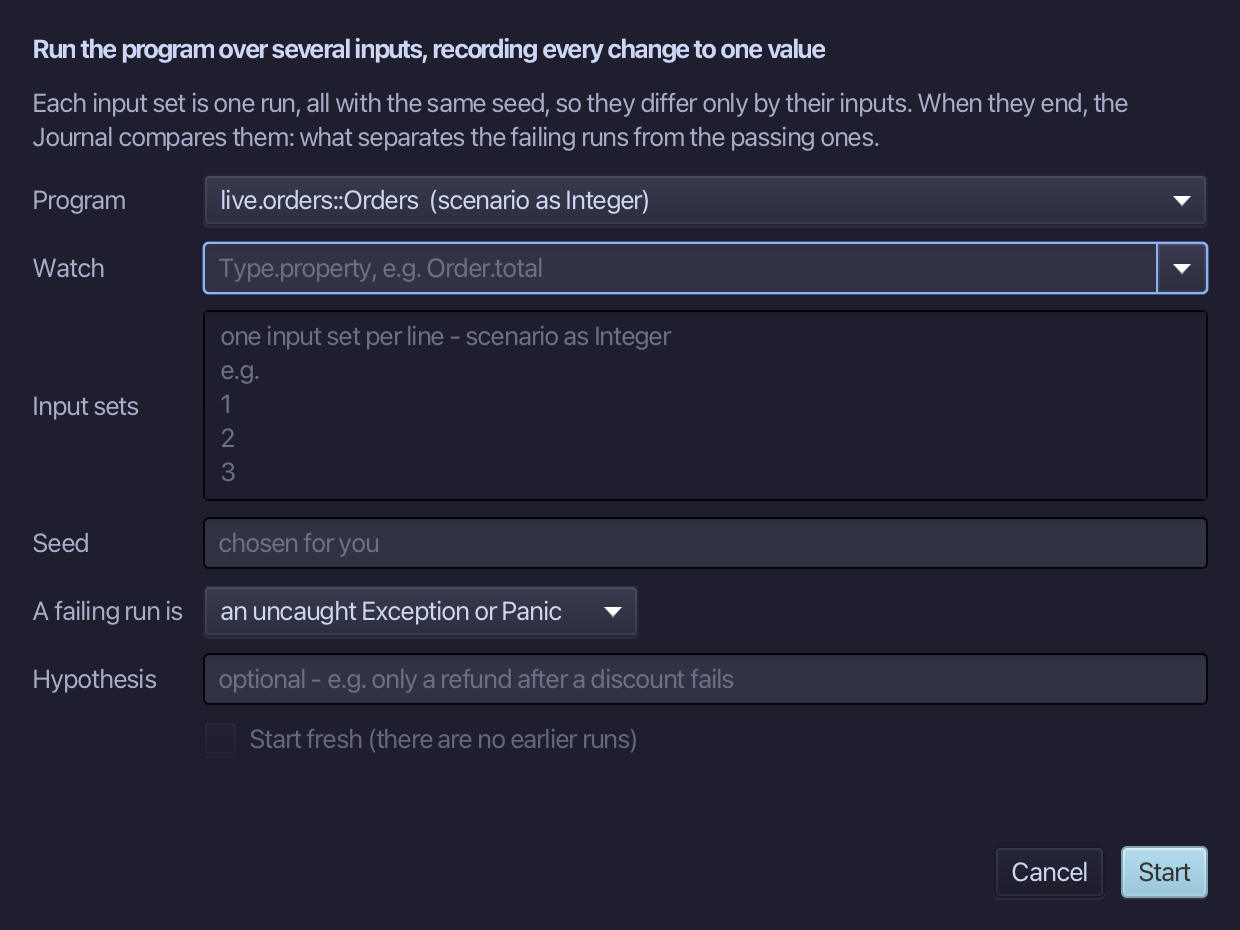
Watch Order.total, and give one input set - 3, the failing scenario: one line is one run. The hypothesis - what you think went wrong - is optional; this lesson gives one. Choose Start.
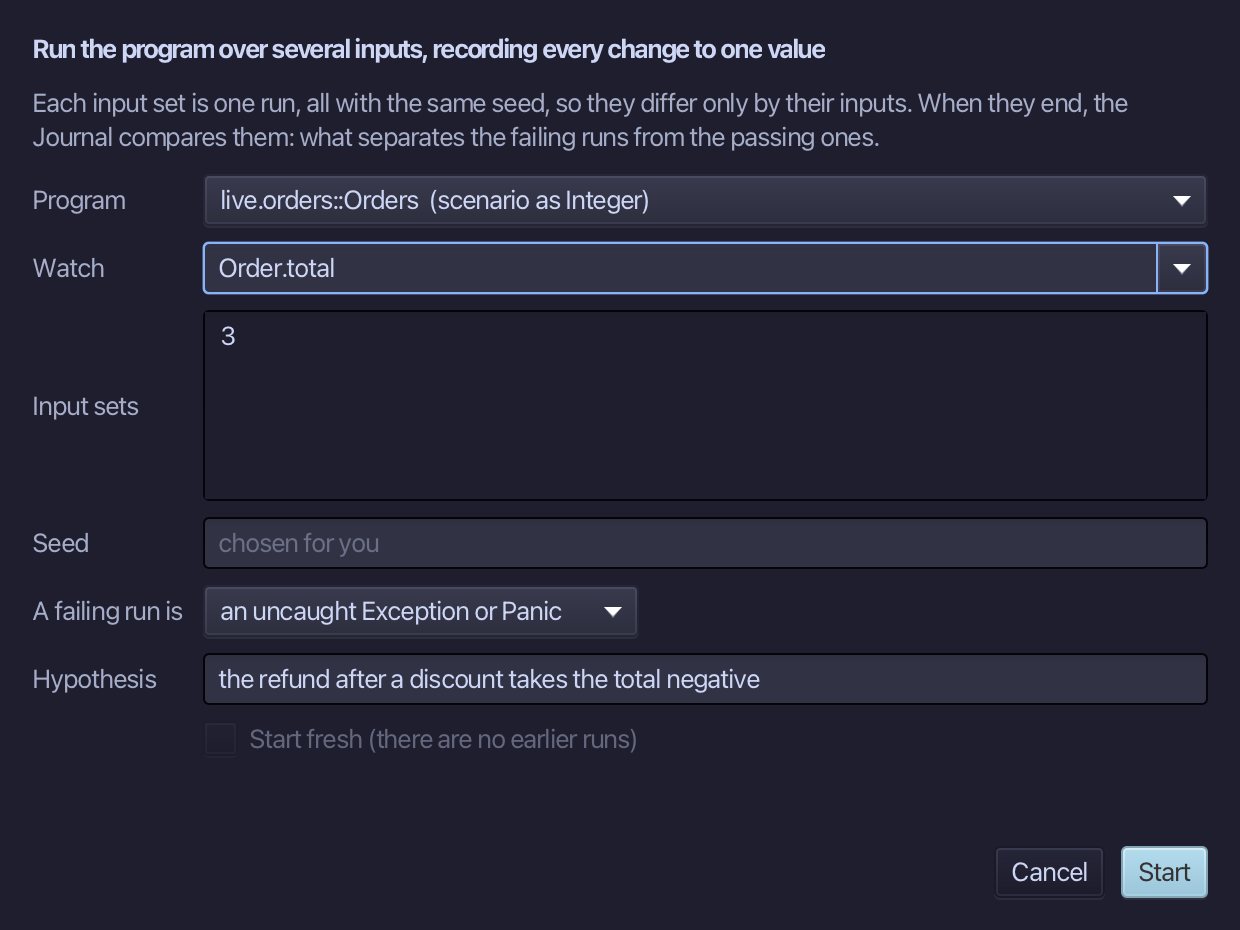
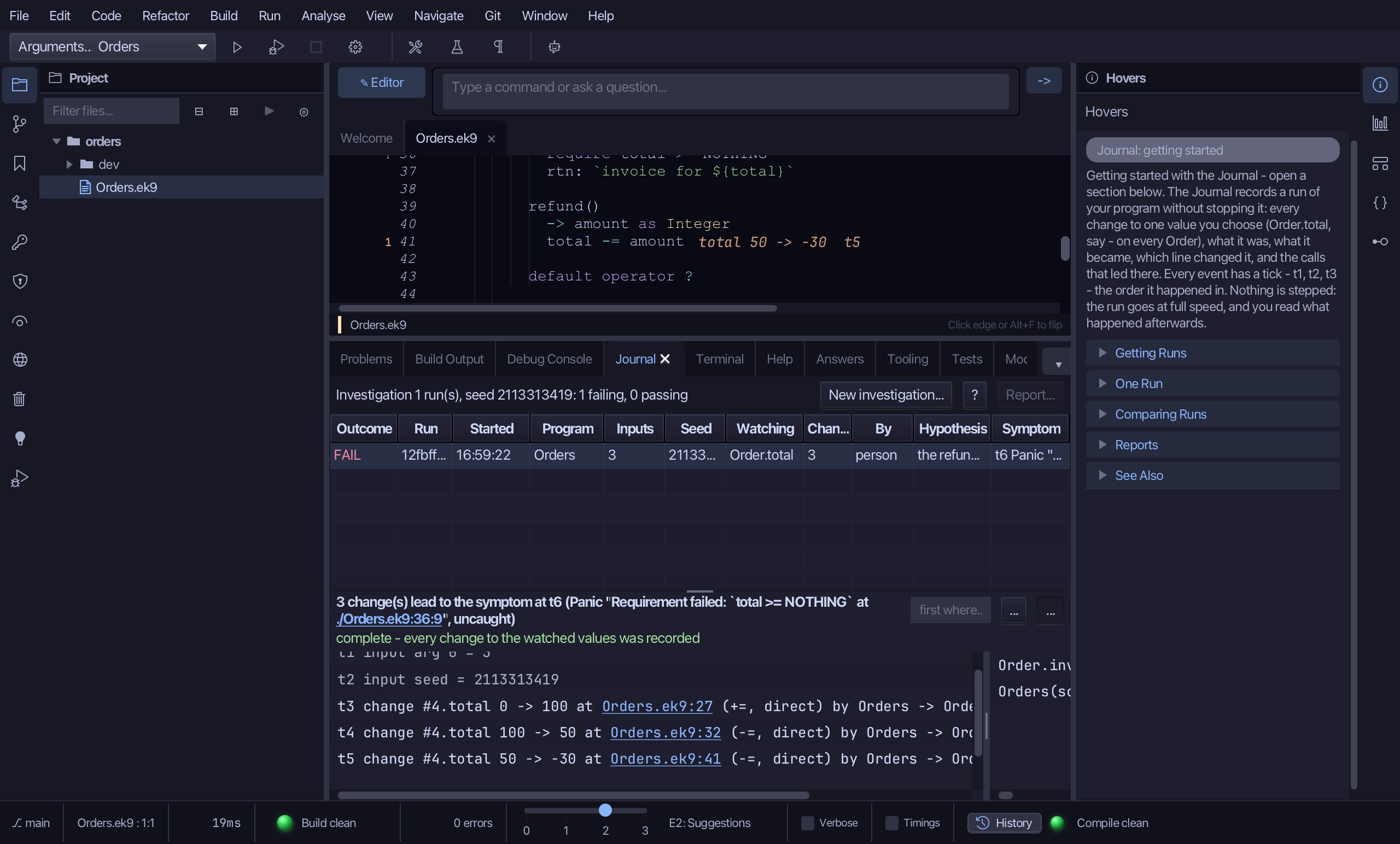
The program runs while the Journal records every change to Order.total. It ends with the Panic, and the run shows in the Journal tab as FAIL.
Step 3: The story
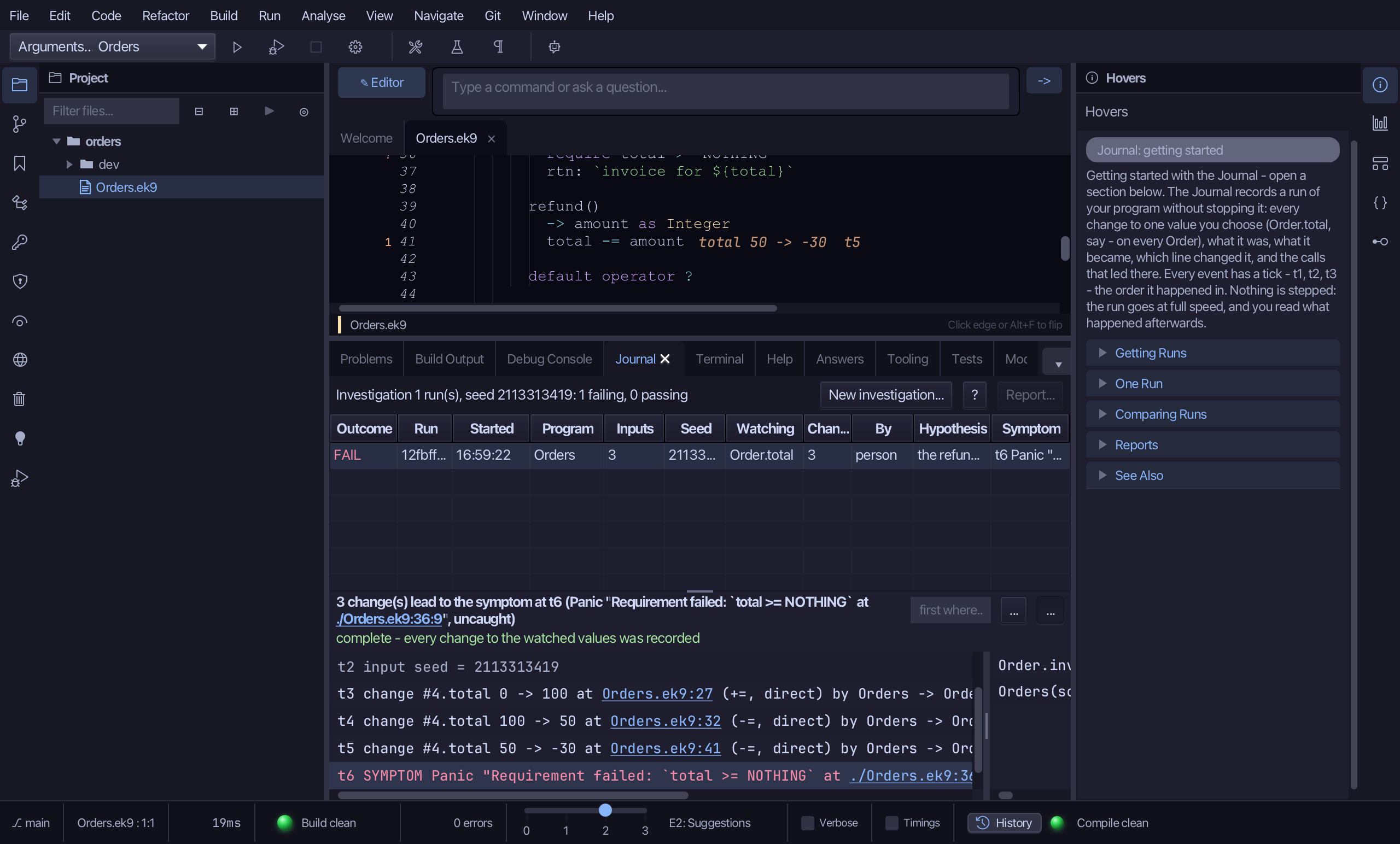
A failed run opens at its story: the run's inputs, then the changes to Order.total that led to the failure, oldest first, each with its tick - t1, t2, ... - the order they happened in. Read it from the bottom: the symptom, then the change just before it.
Step 4: Where it went wrong
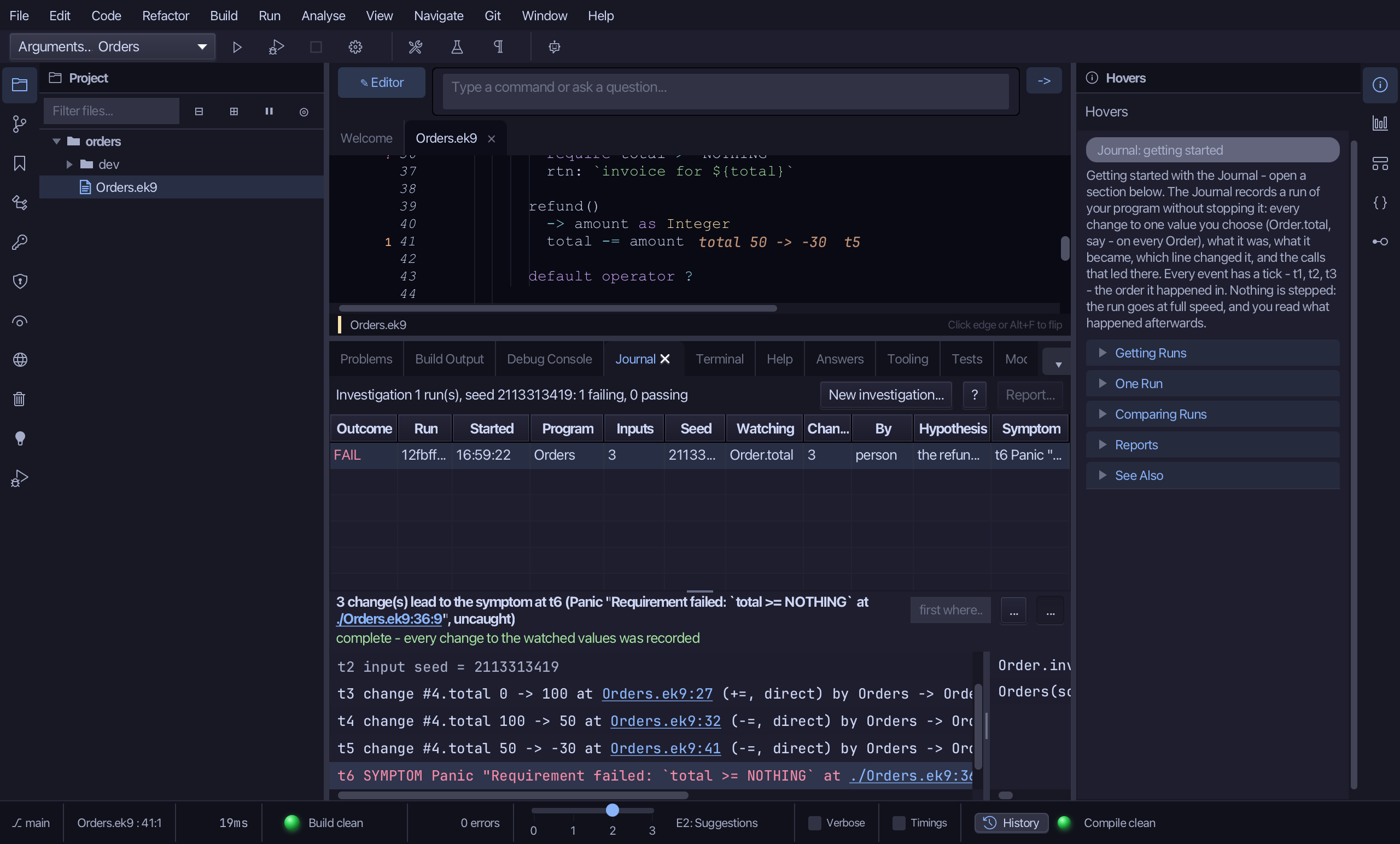
Click Orders.ek9:41 in the story - the refund that took the total from 50 to -30. The editor goes to that line.
Step 5: The marks in the editor
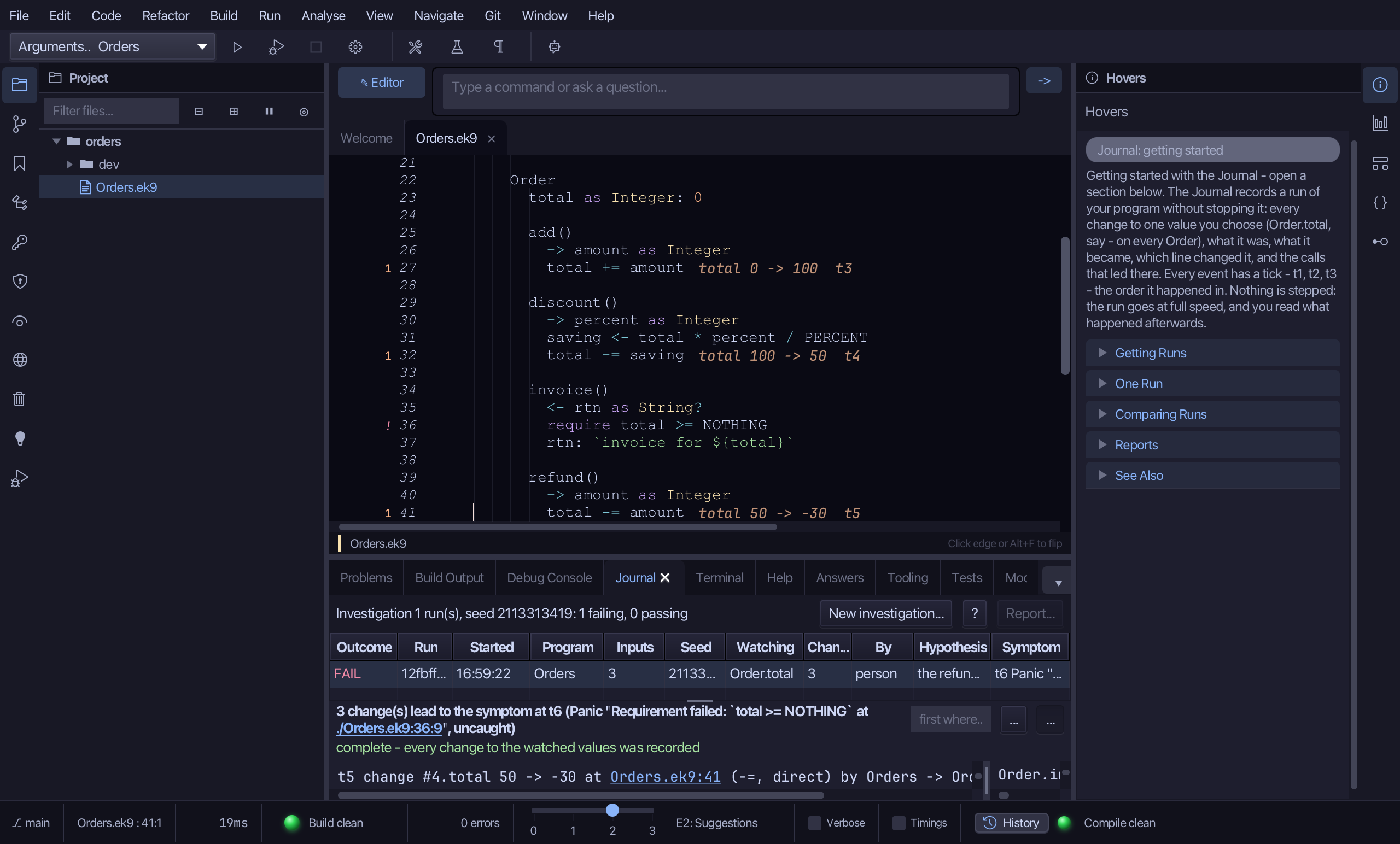
In the editor, each line that changed Order.total shows what it did in this run - total 50 -> -30 and its tick. A count in the margin marks every line that could change it: how often it did in this run (a 0 on one it never reached). The red ! is where it failed.
The result
That is one run read backwards: from where it failed to the change that caused it. Comparing it with runs that passed - what only the failing run did - is the next lesson.
Where this lesson comes from
- For AI assistants - the MCP tool
ek9_debug_inspect.