Promote to Constant
Promote to Constant moves a name <- literal declaration - a property or a local - into the module's defines constant block, keeping the same name, and deletes the original declaration. Here temperature is Weather's own field, but 20 is the same for every Weather there will ever be: state that does not need to live on the object at all. To play it in the IDE: Help > Lessons > Refactoring…, or ek9 -ide -lesson promote-to-constant.
Start from
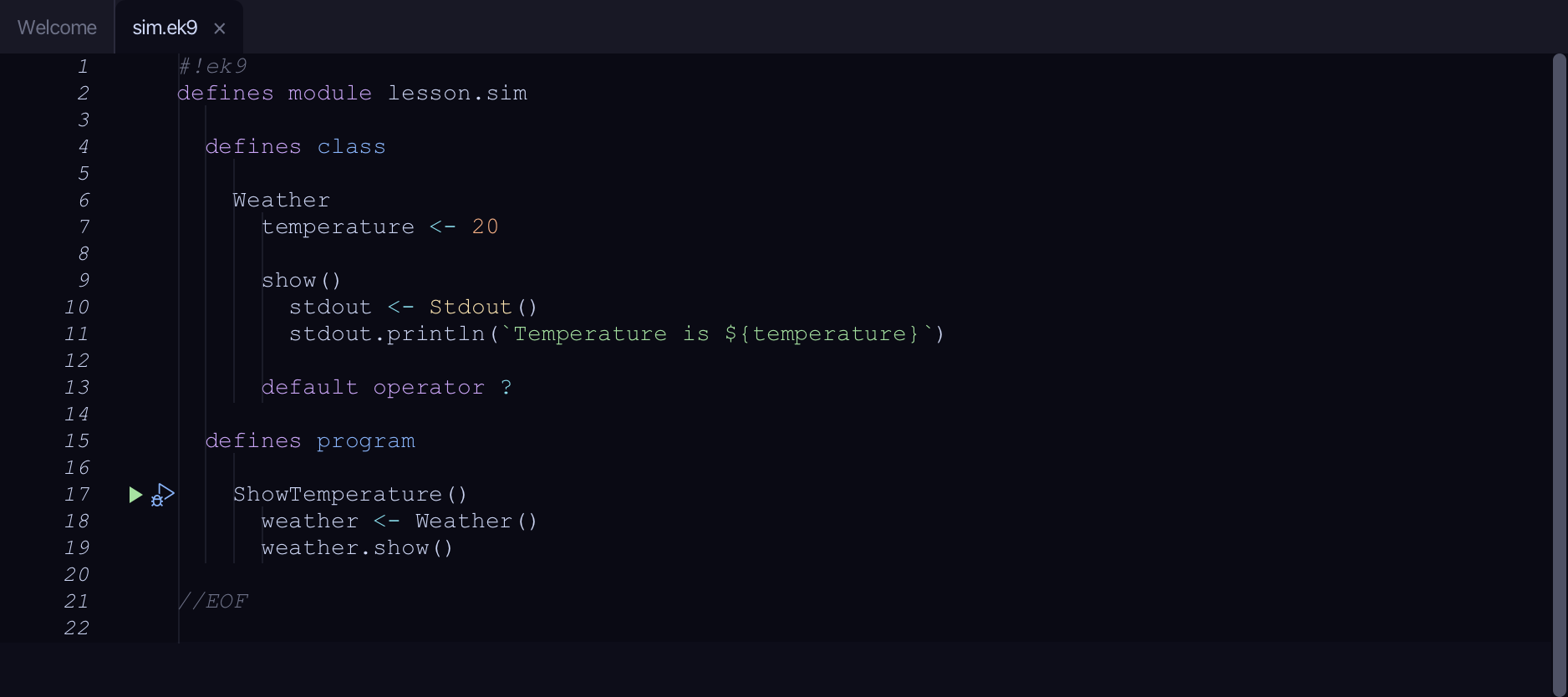
The code the lesson starts from: copy it into a file of your own and follow the steps.
#!ek9
defines module lesson.sim

  defines class

    Weather
      temperature <- 20

      show()
        stdout <- Stdout()
        stdout.println(`Temperature is ${temperature}`)

      default operator ?

  defines program

    ShowTemperature()
      weather <- Weather()
      weather.show()

//EOF
Step 1: Where it is
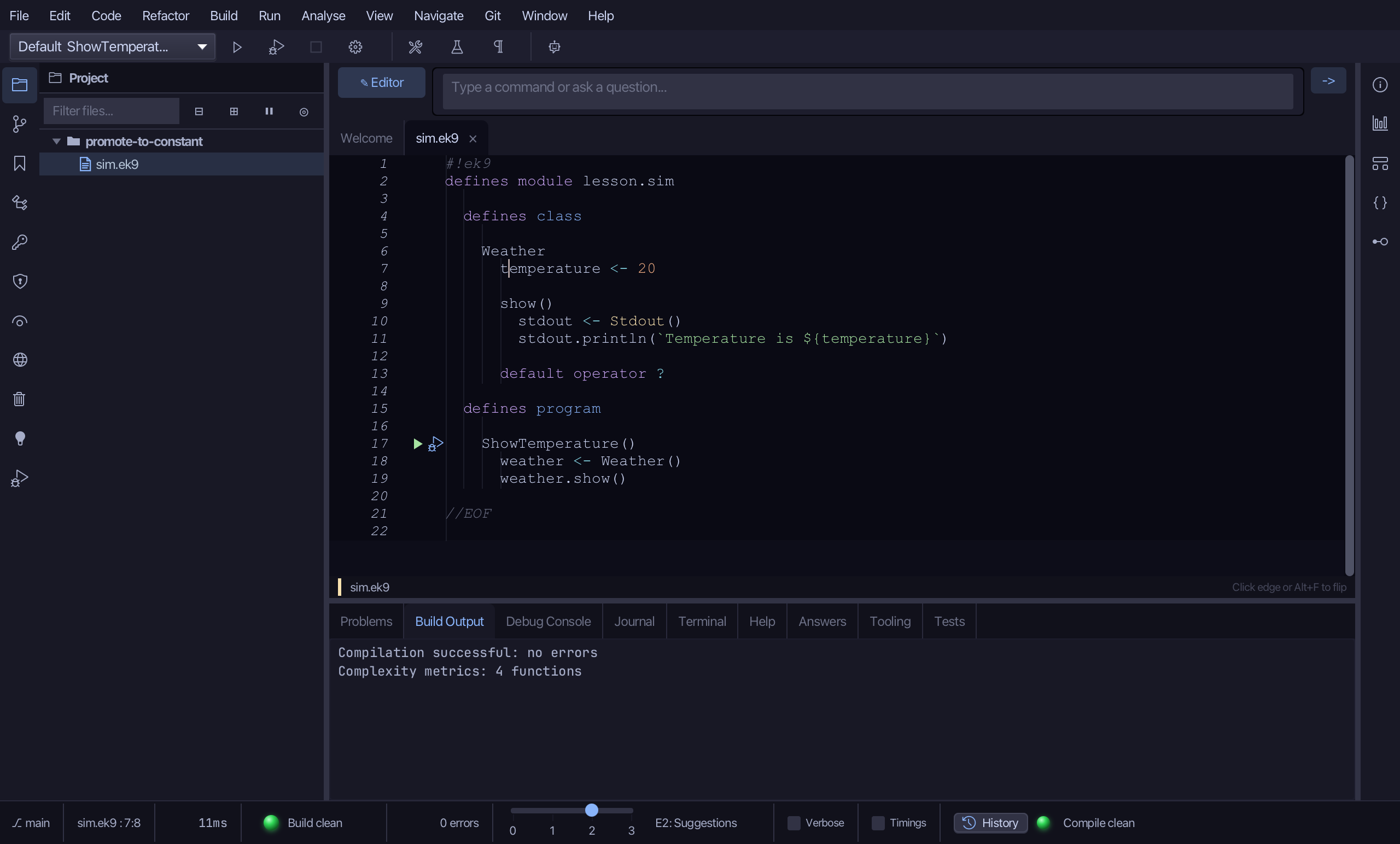
Put the caret on temperature <- 20, on line 7.
Step 2: Promote to Constant
Right-click it - or choose Refactor > Refactor This… - and choose Promote to Constant…
Step 3: Preview and apply
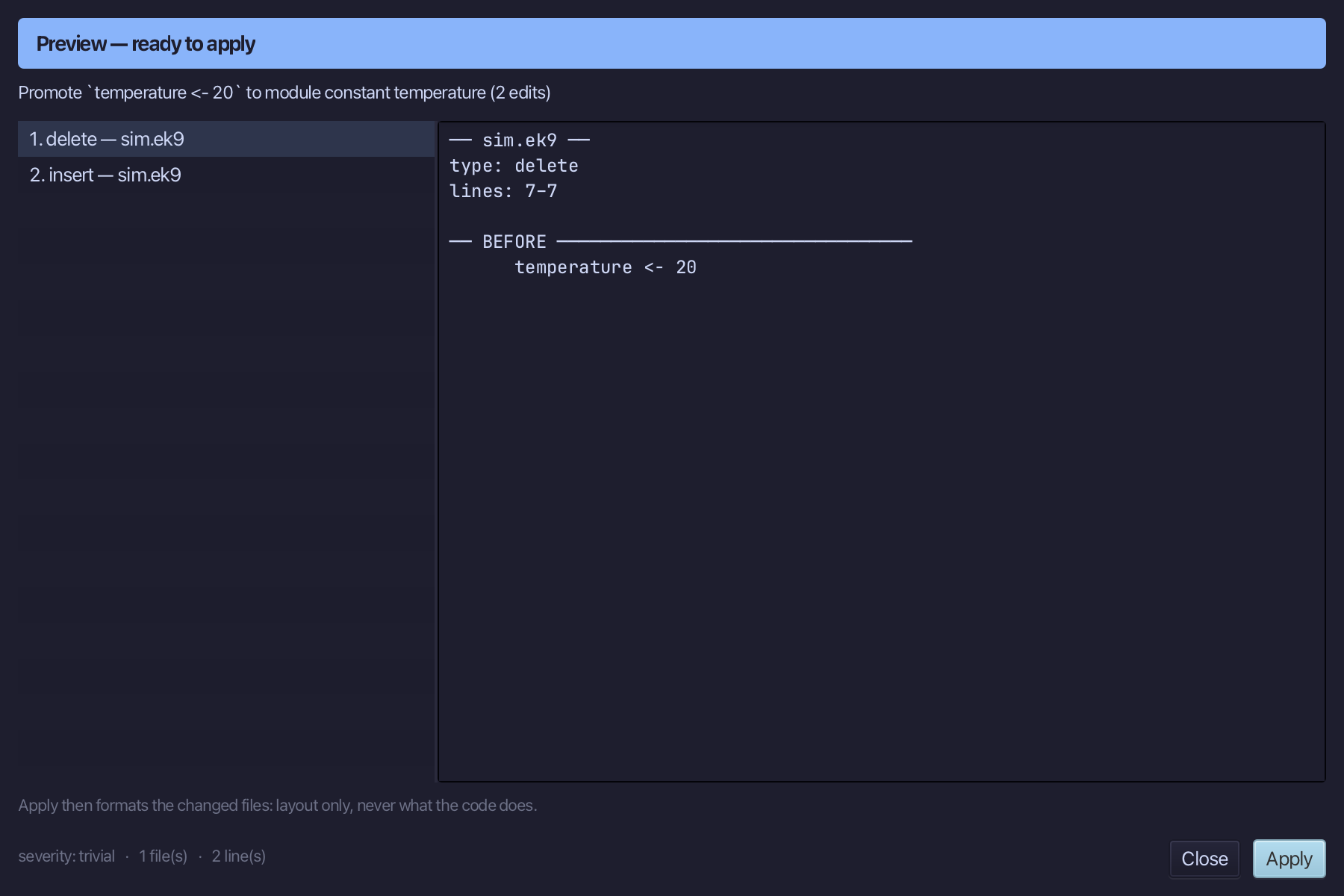
The preview shows every change the refactoring makes; then the IDE formats each file it changed. Choose Apply.
The result
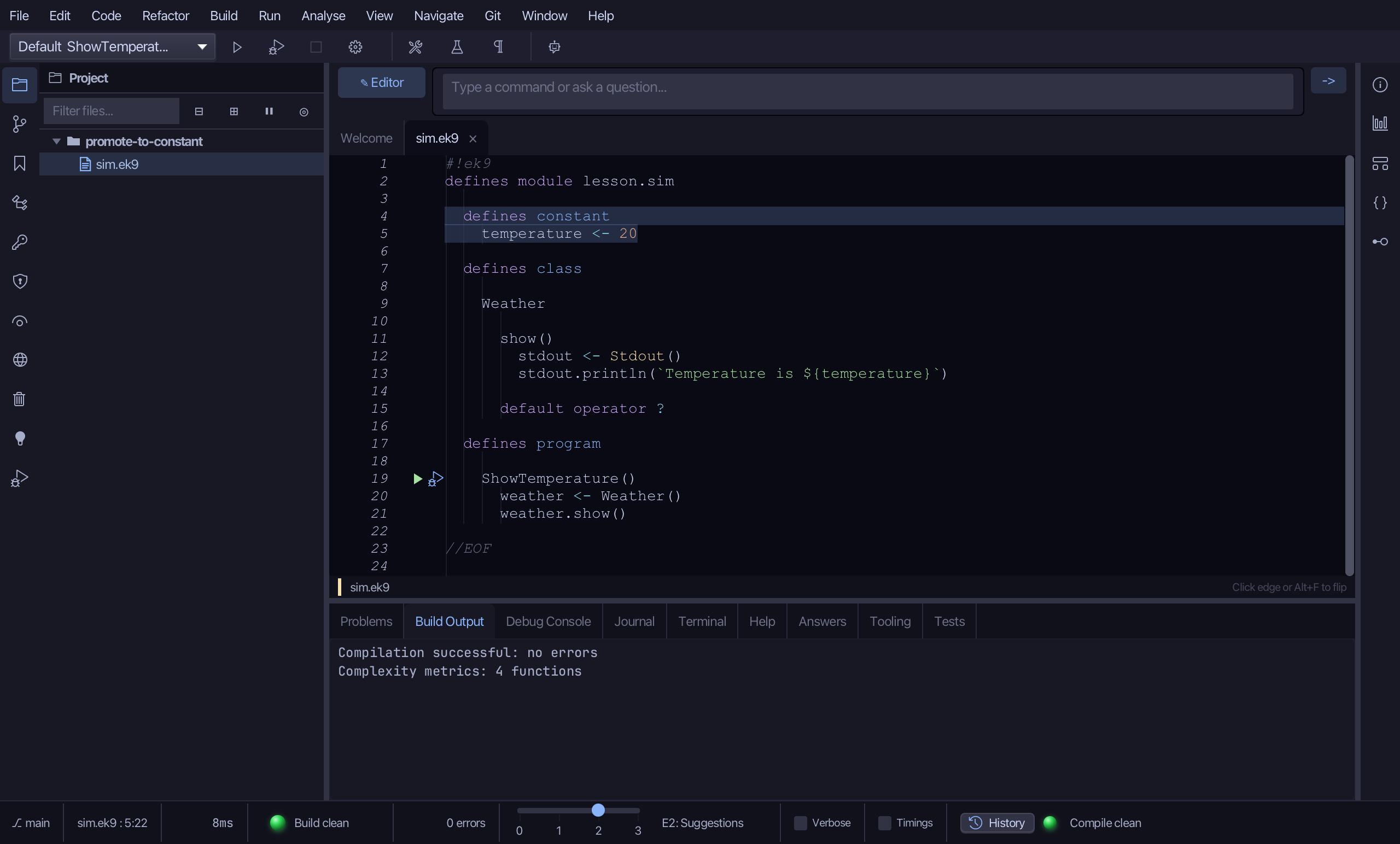
That is Promote to Constant: temperature is gone from Weather's own fields and lives in the module's defines constant block instead; show() still reads temperature - unqualified, it now resolves to the constant - so nothing else about Weather had to change. A value that DOES vary between instances, or an initialiser that is a call or an interpolated string rather than a bare literal, surfaces as a conflict in the preview instead of a silent wrong move; renaming it afterwards is Rename Symbol's job (there is no name parameter here). It is on the right-click menu wherever the caret is on a name <- literal declaration; AI assistants use the ek9_promote_to_constant tool.
Where this lesson comes from
- Answers -
ek9 -qand the IDE's Answers tab: 140. - For AI assistants - the MCP tool
ek9_promote_to_constant.