Pull Up
Pull Up promotes a method or operator from a subclass into its superclass, where every subclass can use it - with no dialog: the superclass comes from the subclass's 'extends' clause. Here describe() is declared on Circle, but has nothing to do with being a circle - Square, right beside it, could use it just as well. To play it in the IDE: Help > Lessons > Refactoring…, or ek9 -ide -lesson pull-up.
Start from
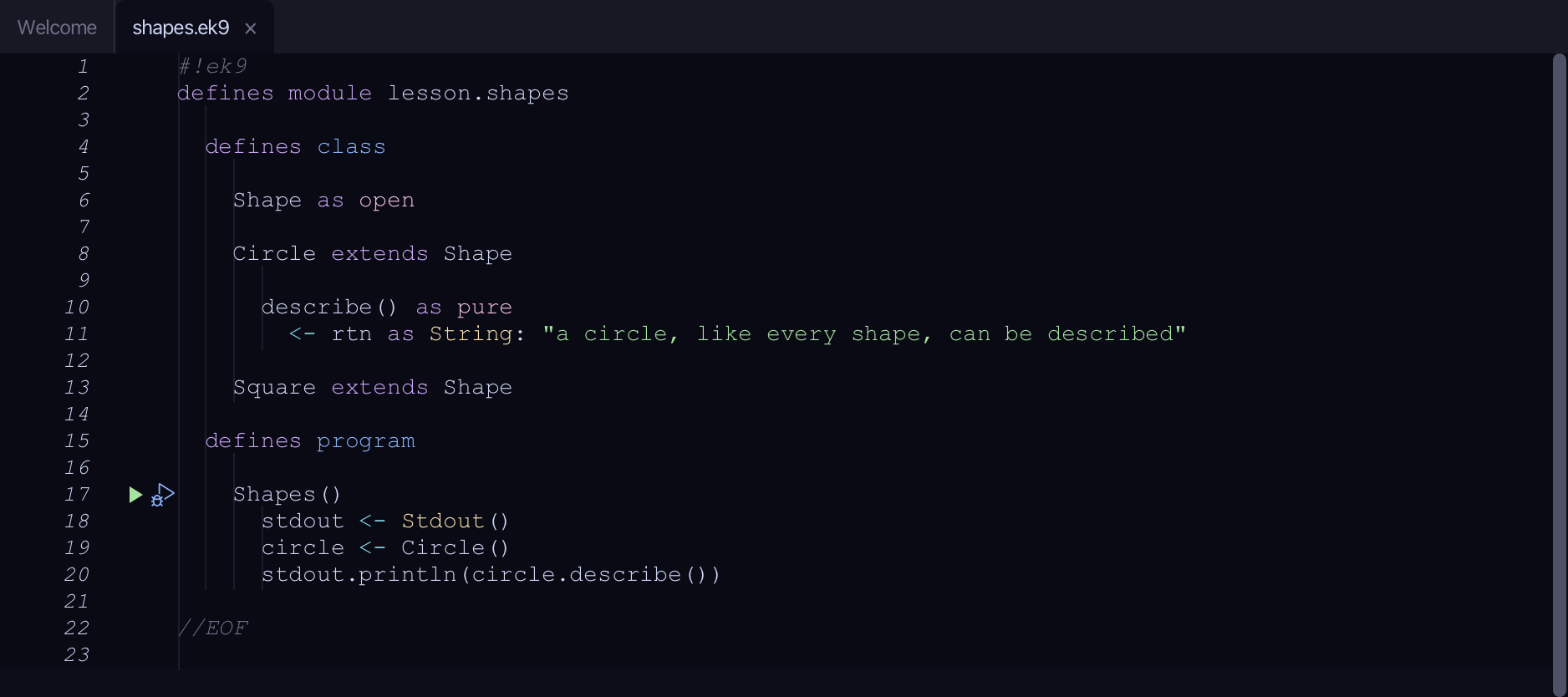
The code the lesson starts from: copy it into a file of your own and follow the steps.
#!ek9
defines module lesson.shapes

  defines class

    Shape as open

    Circle extends Shape

      describe() as pure
        <- rtn as String: "a circle, like every shape, can be described"

    Square extends Shape

  defines program

    Shapes()
      stdout <- Stdout()
      circle <- Circle()
      stdout.println(circle.describe())

//EOF
Step 1: Where it is
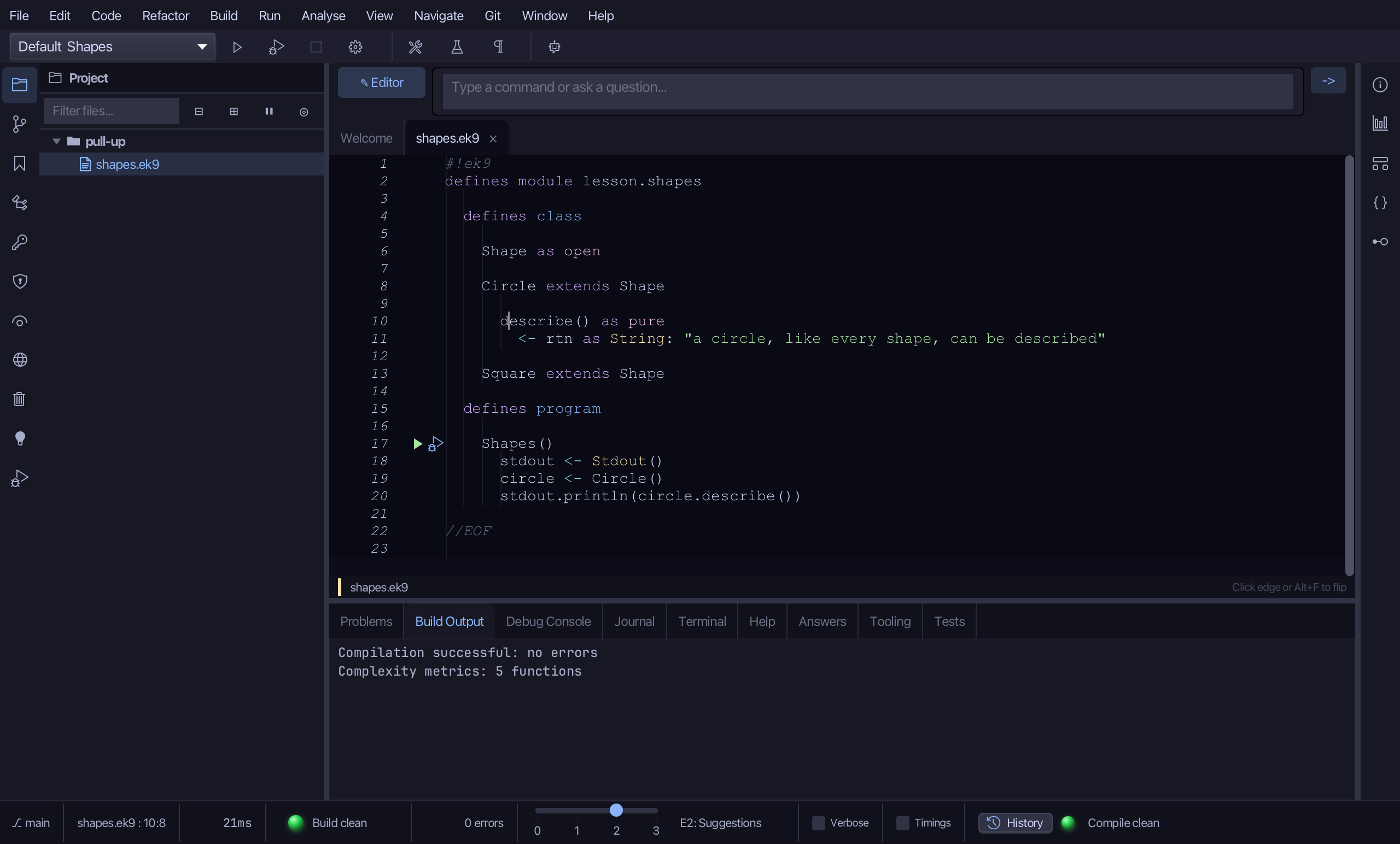
Put the caret on describe, on line 10.
Step 2: Pull Up
Right-click it - or choose Refactor > Refactor This… - and choose Pull 'describe' Up to Shape…
Step 3: Preview and apply
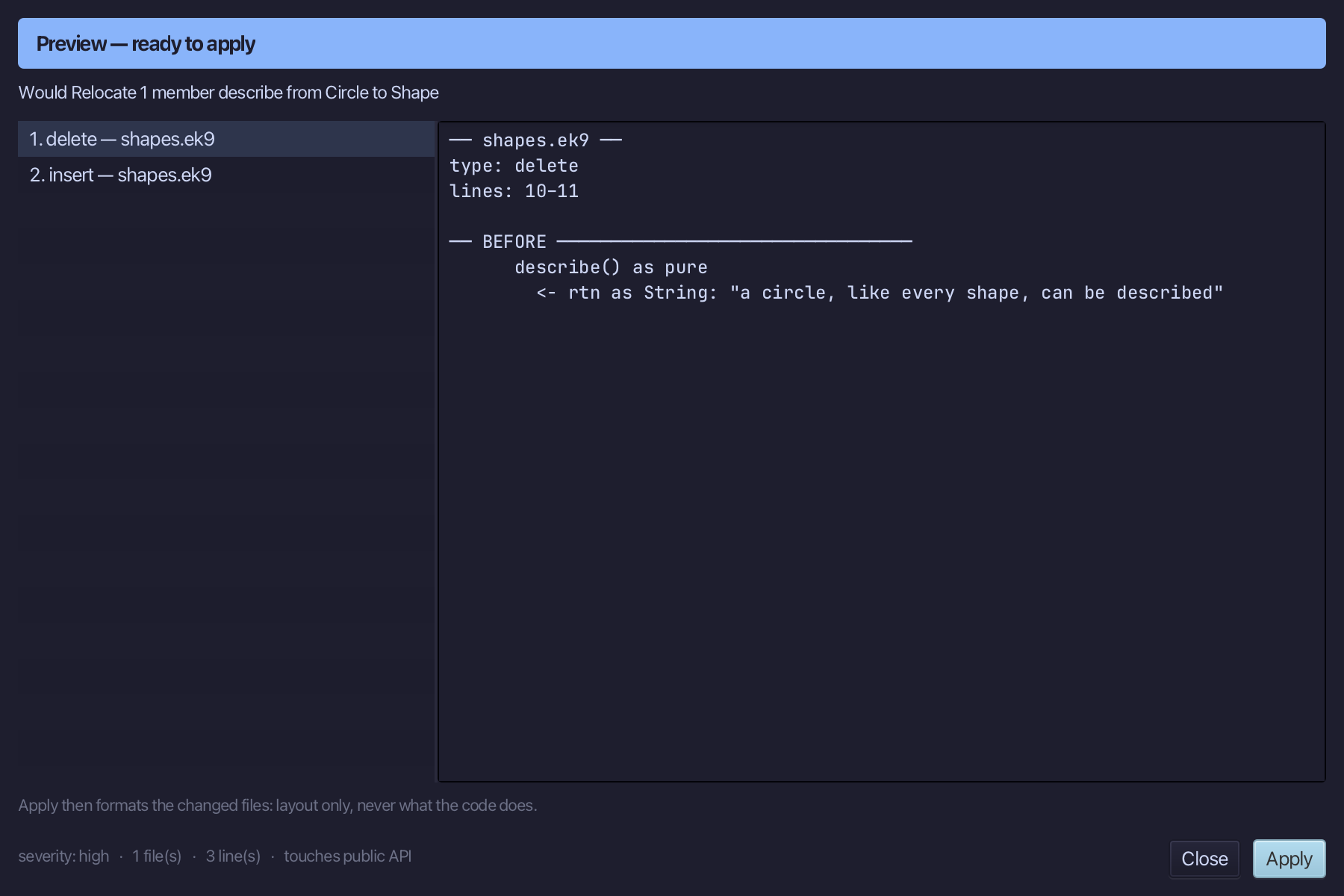
The preview shows every change the refactoring makes; then the IDE formats each file it changed. Choose Apply.
The result
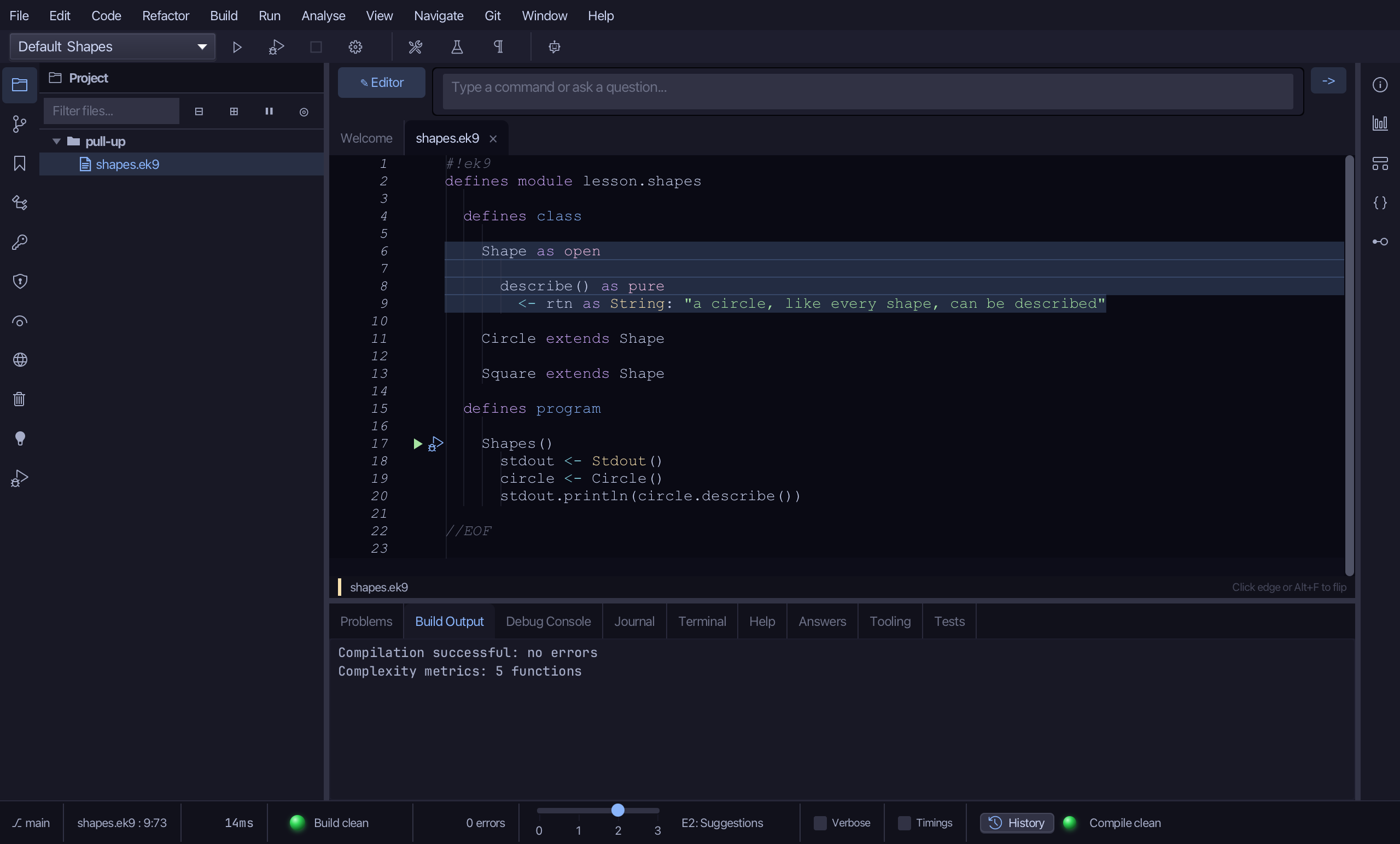
That is Pull Up: describe() is gone from Circle and lives on Shape itself, so Square could call it too. A member that uses state only the subclass has, or a name already on the superclass, surfaces in the preview instead of a silent wrong move. It is on the right-click menu wherever the caret is on a subclass's own method or operator; AI assistants use the ek9_pull_up tool.
Where this lesson comes from
- For AI assistants - the MCP tool
ek9_pull_up.