Chapter 9: a list, a dict and JSON
A collection holds other values, and chapter 9 asks the question beginners trip over: is an EMPTY collection missing? It is not - an empty List is set, with nothing in it - while a Dict that lacks a key answers with an UNSET value, never a made-up zero. This small program shows each in turn, with the answer printed beside the question. The IDE makes the program's shell; you type the three sections. To play it in the IDE: Help > Lessons > Getting Started with EK9…, or ek9 -ide -lesson book-list-and-dict.
What you'll build
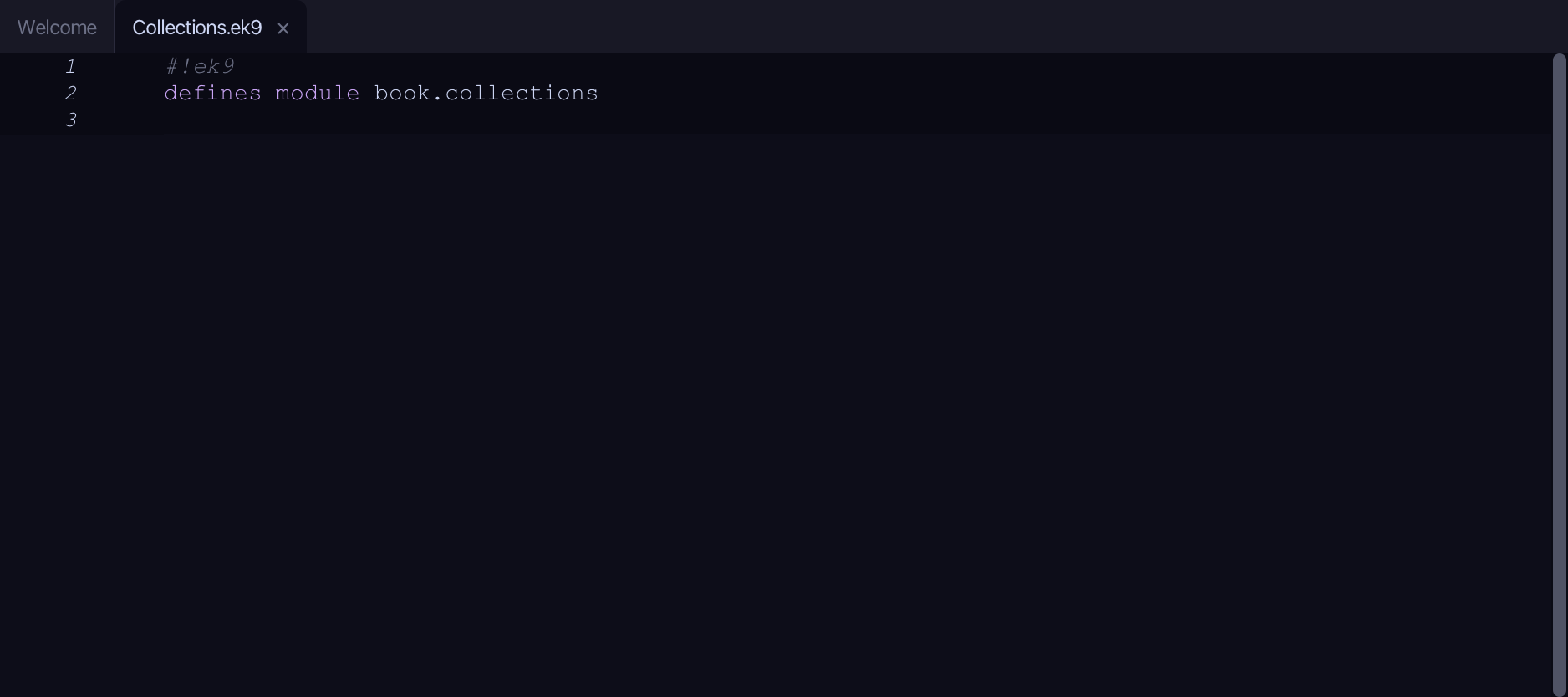
The lesson builds this program from a file holding only its module line - the finished file, as the book prints it.
#!ek9
defines module book.collections

  defines program
    Show()
      stdout <- Stdout()

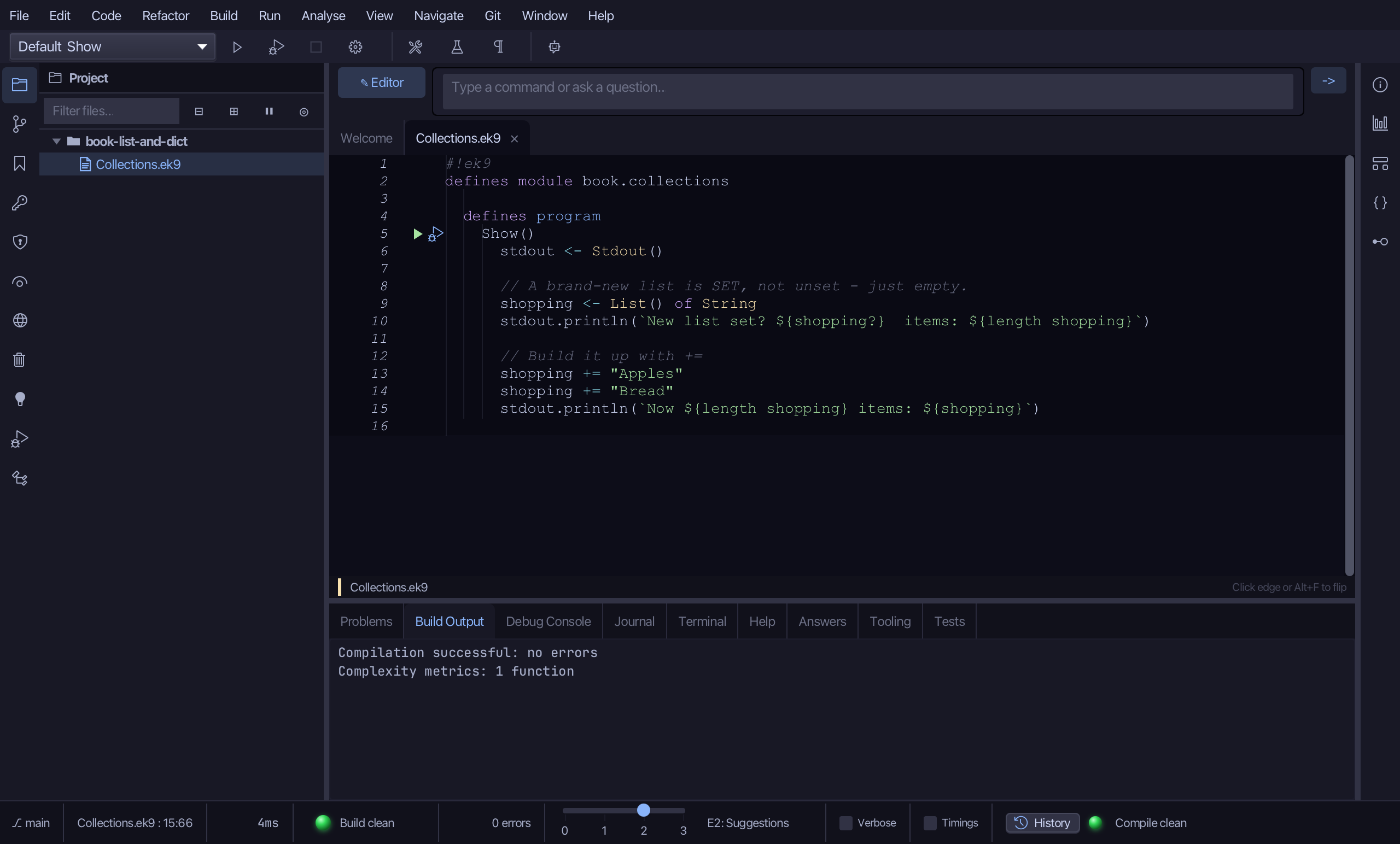
      // A brand-new list is SET, not unset - just empty.
      shopping <- List() of String
      stdout.println(`New list set? ${shopping?}  items: ${length shopping}`)

      // Build it up with +=
      shopping += "Apples"
      shopping += "Bread"
      stdout.println(`Now ${length shopping} items: ${shopping}`)

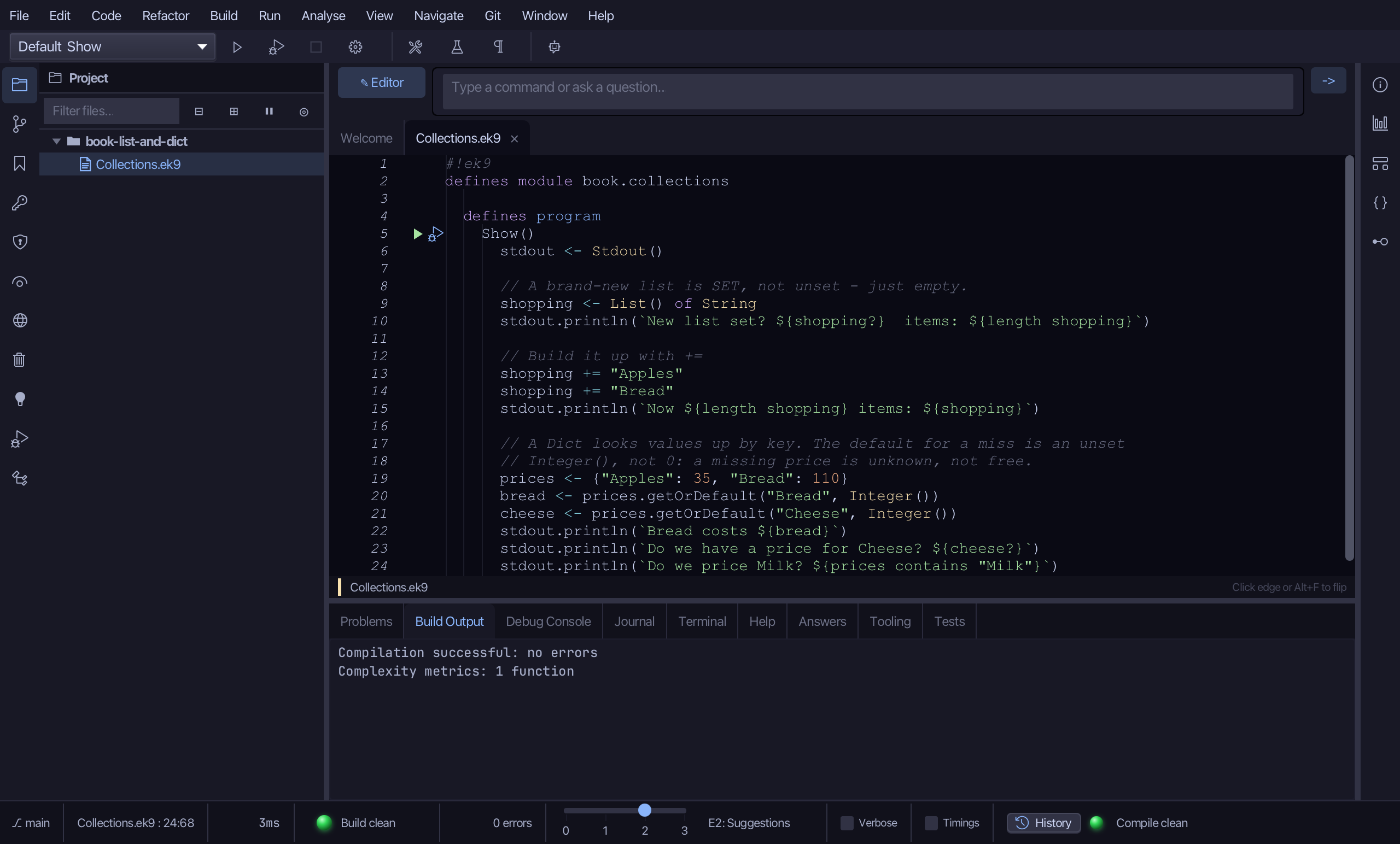
      // A Dict looks values up by key. The default for a miss is an unset
      // Integer(), not 0: a missing price is unknown, not free.
      prices <- {"Apples": 35, "Bread": 110}
      bread <- prices.getOrDefault("Bread", Integer())
      cheese <- prices.getOrDefault("Cheese", Integer())
      stdout.println(`Bread costs ${bread}`)
      stdout.println(`Do we have a price for Cheese? ${cheese?}`)
      stdout.println(`Do we price Milk? ${prices contains "Milk"}`)

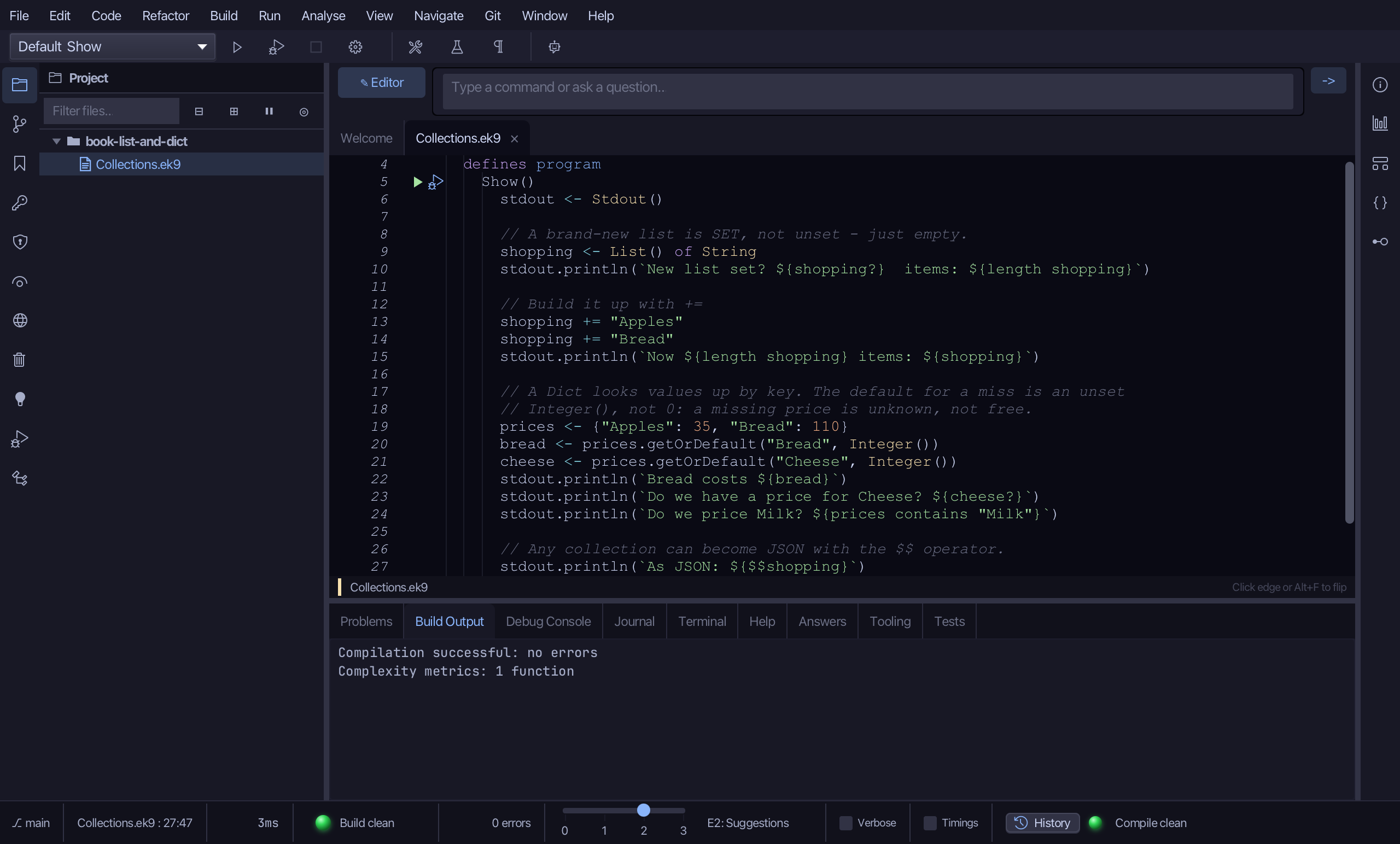
      // Any collection can become JSON with the $$ operator.
      stdout.println(`As JSON: ${$$shopping}`)
Step 1: The program, and a list
Choose Code > New Construct > Program…
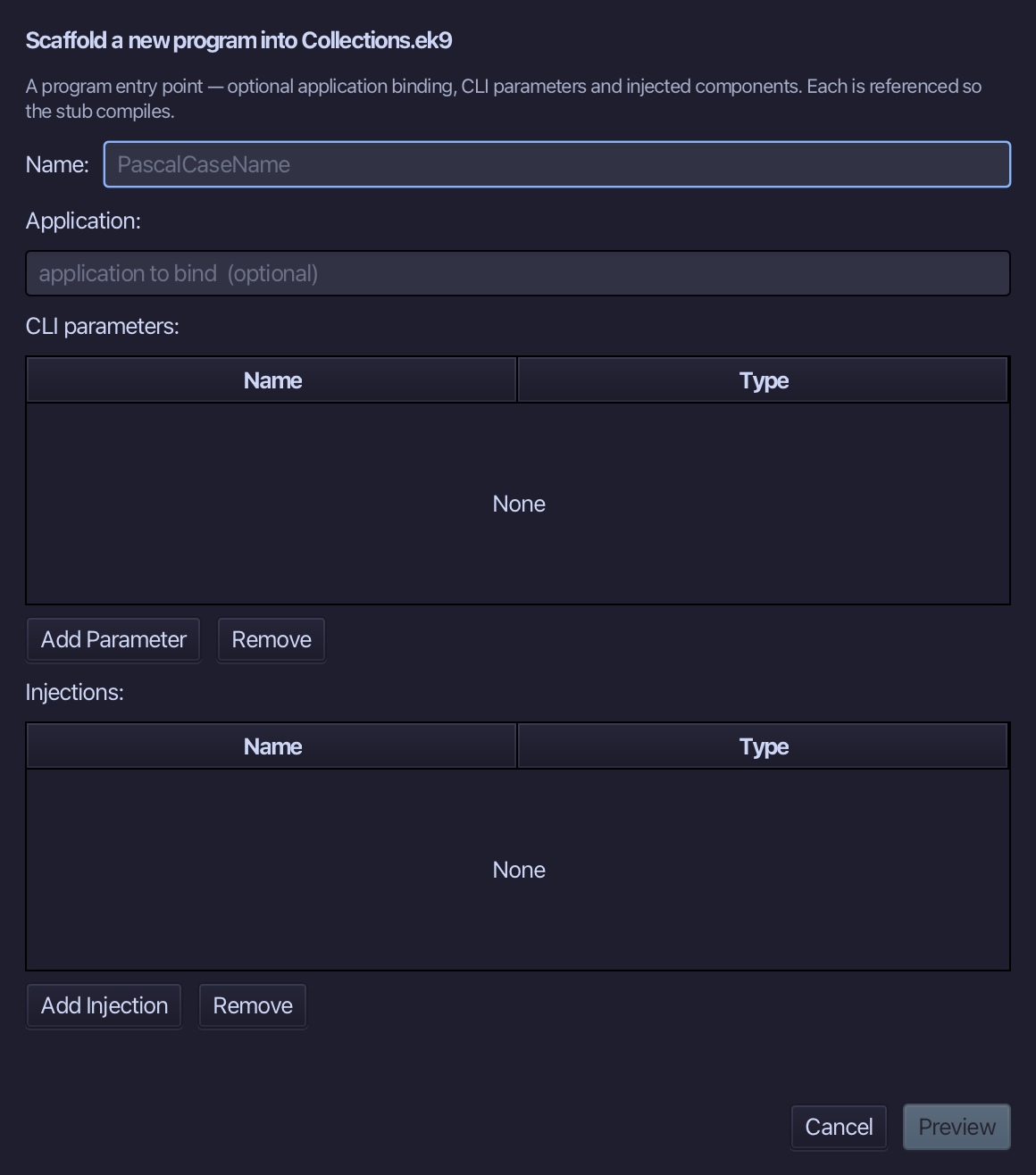
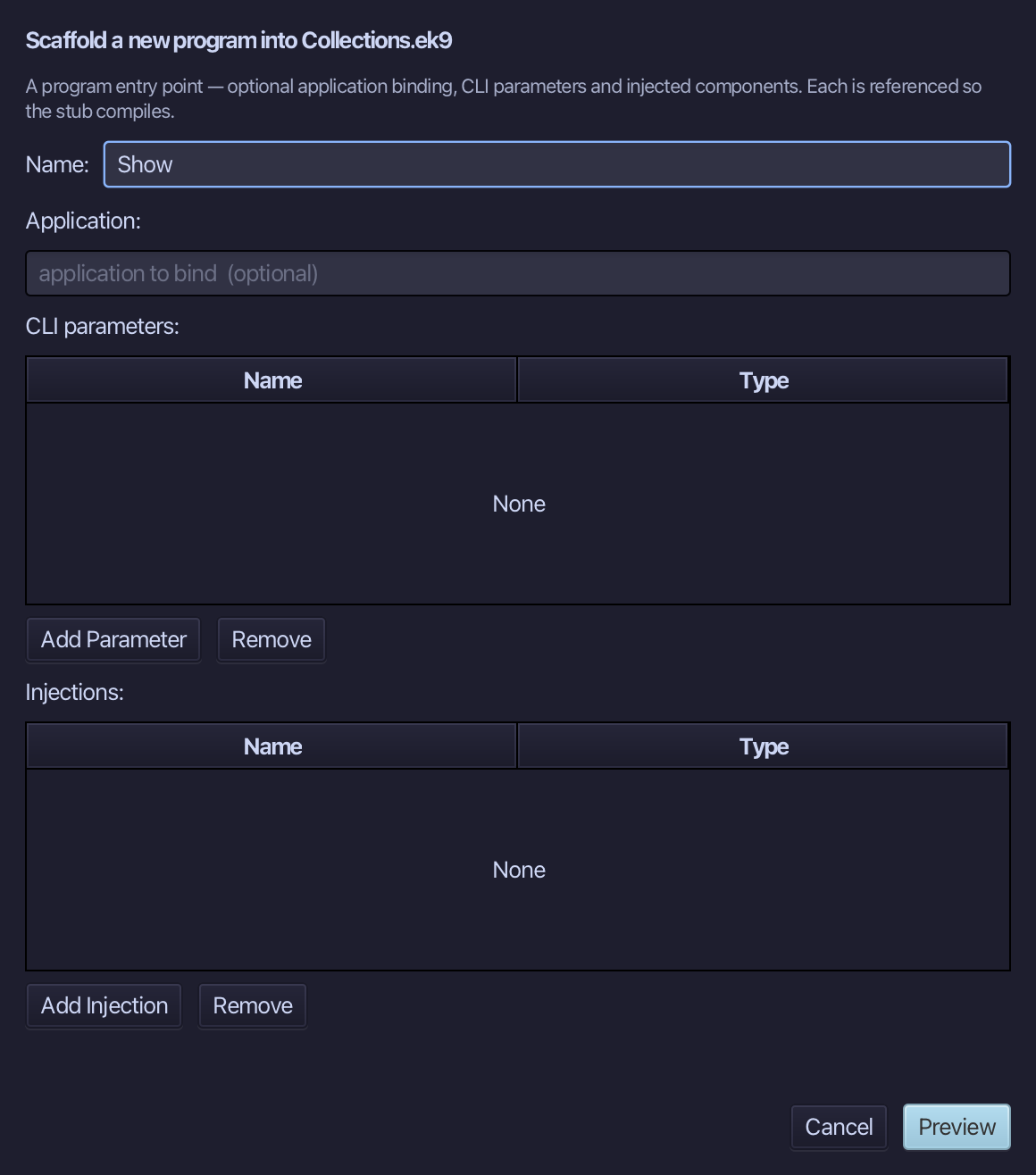
Show is the program's name - no application to bind, no parameters, nothing injected. Type Show and choose Preview.
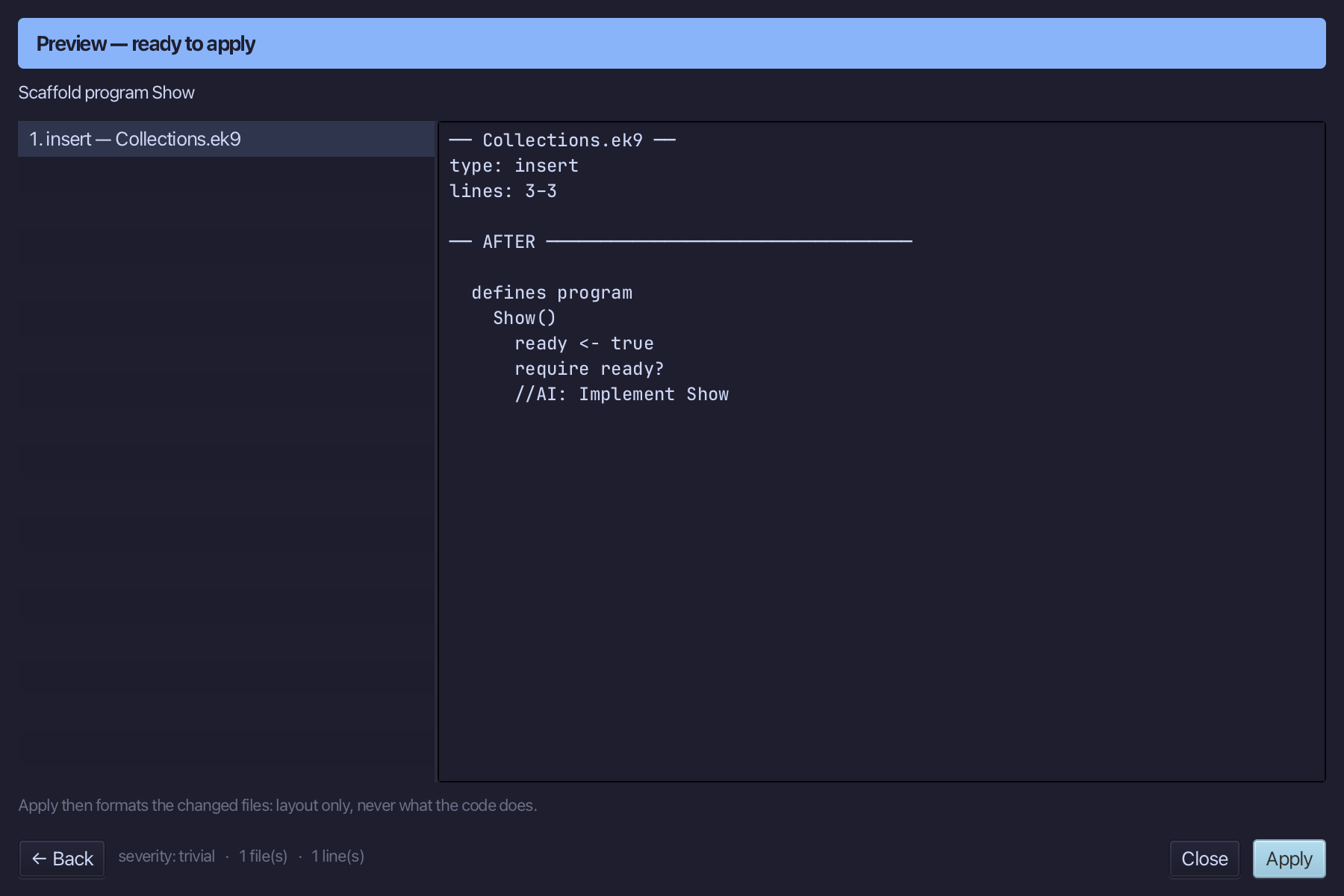
The preview shows Show about to be written. Choose Apply.
Select the stub, from ready <- true down to its //AI line, and type the first section: a Stdout, a brand-new List of String that is set but empty, then two items added with +=. Saves when typed.
Step 2: A Dict, and a miss
Select the last println and type the Dict section after it: prices with two entries, and getOrDefault asked for a key that is there and one that is not. The default is an unset Integer(), not 0.
Step 3: A collection as JSON
Select the last println and type the closing line: the $$ operator turns any collection into JSON.
Step 4: Run it
Choose Run > Run Program…
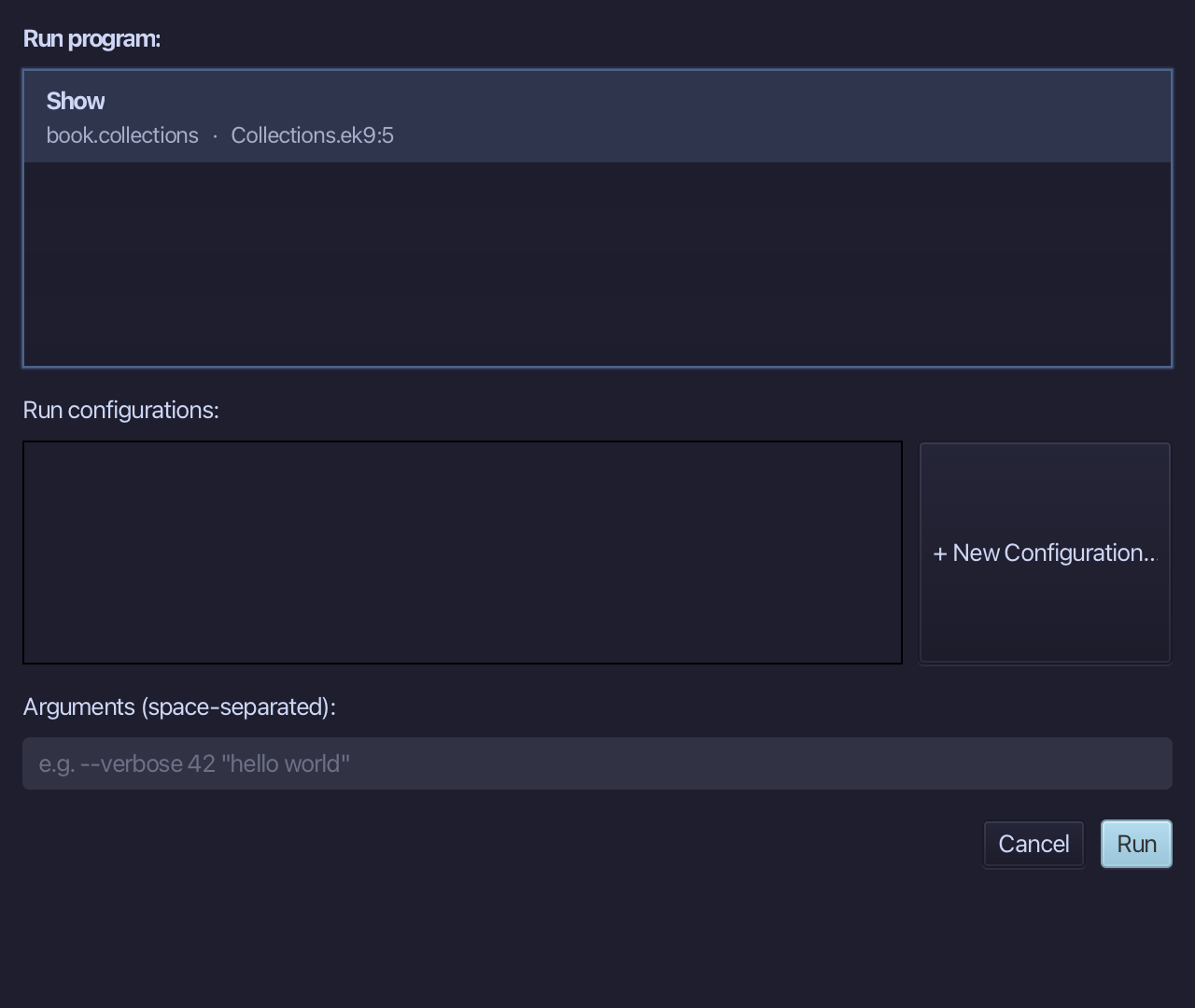
The project's only program is already chosen. Choose Run.
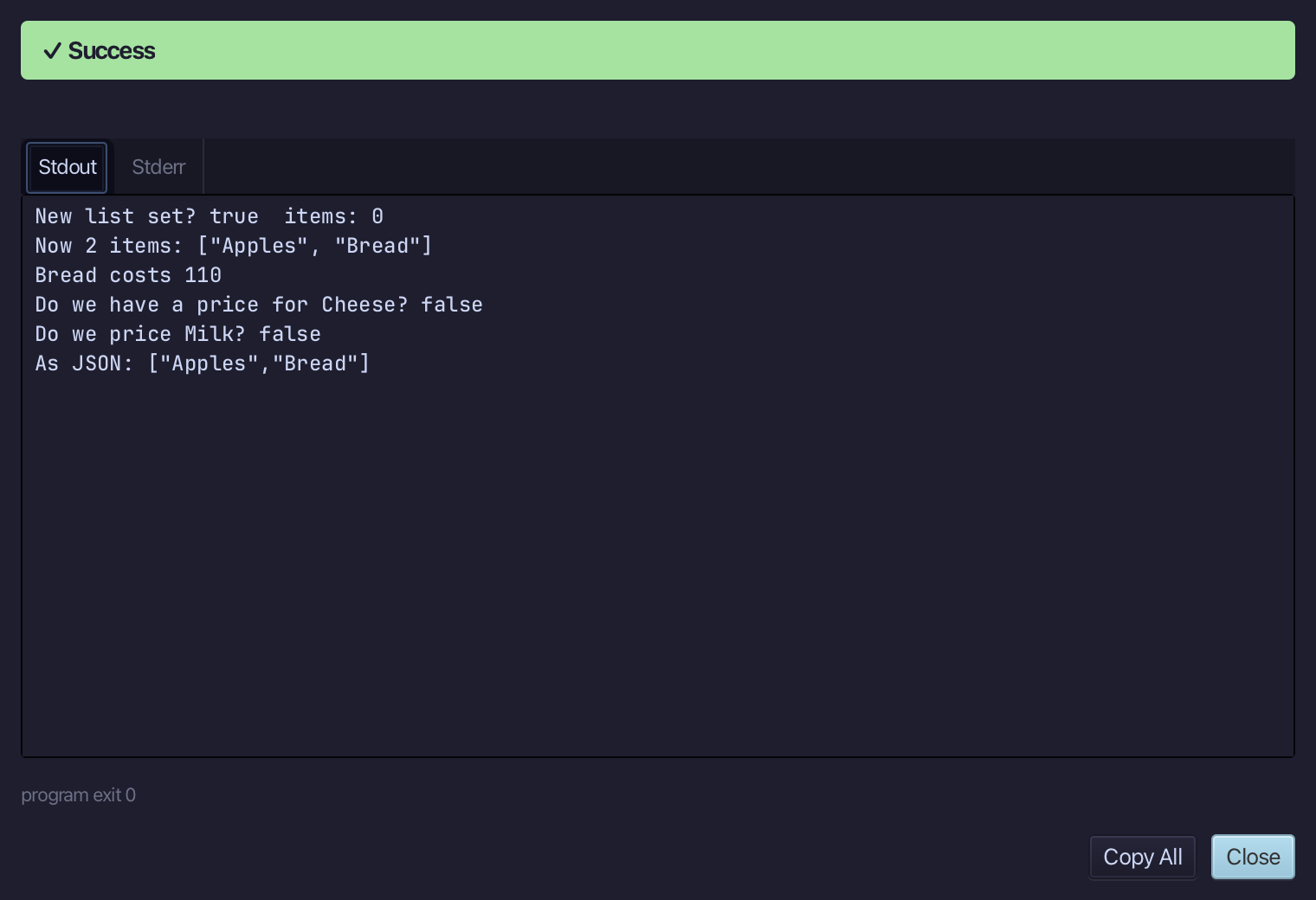
New list set? true items: 0, then the two items, Bread costs 110, and Cheese has no price - the miss is unset, not free. Choose Close.
Step 5: Ask: /q 1019
Type /q 1019 into the input bar above the editor and choose -> to send it - a direct lookup, by the question's own number, into the Answers tab.
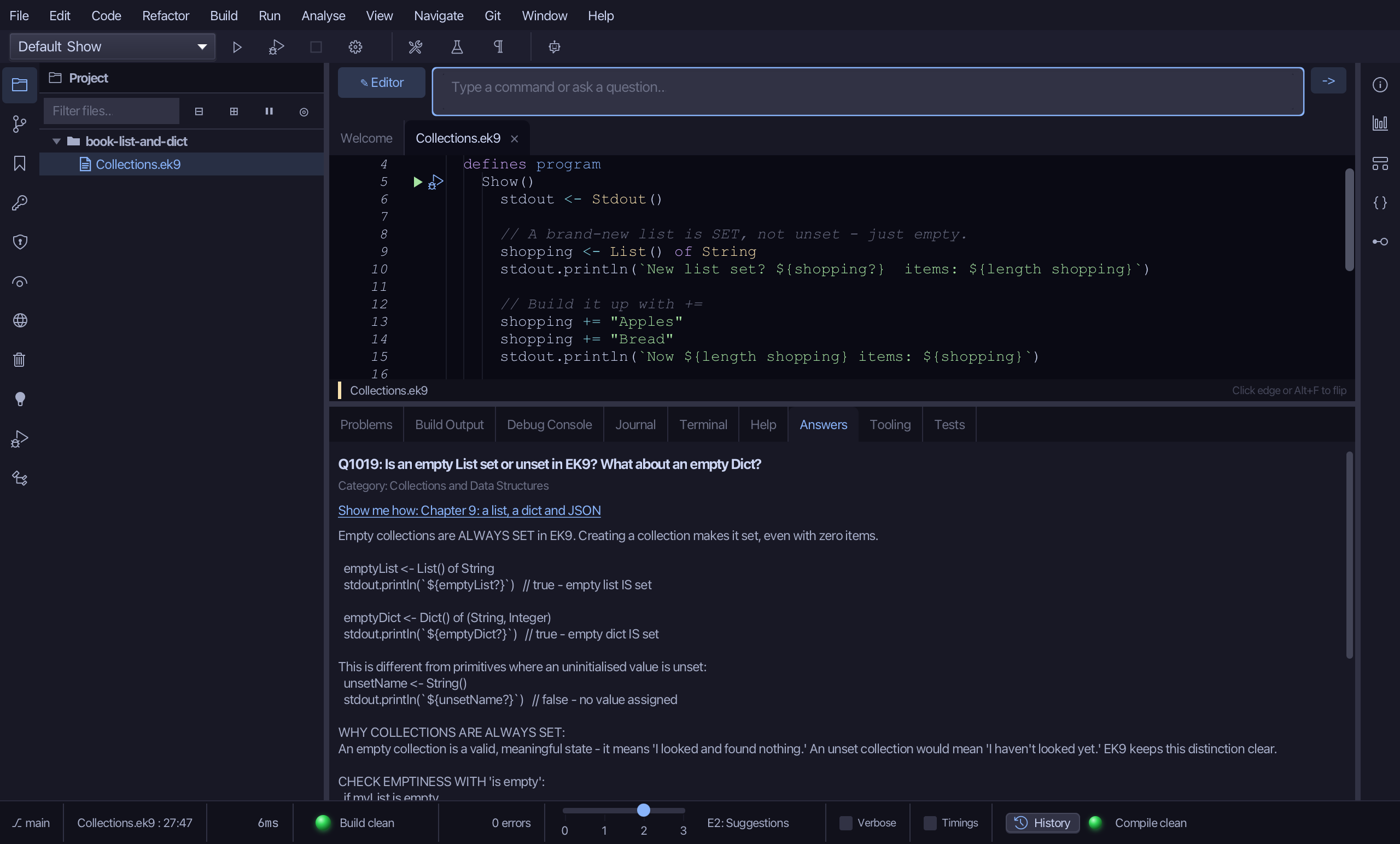
The Answers tab shows Q1019: an empty List is SET - it exists and can be used - while only an explicit unSet() or an invalid constructor argument makes a collection unset. The same holds for an empty Dict.
The result
Collections.ek9 now reads exactly as chapter 9 of Getting Started with EK9 shows it: an empty list that is set, a Dict whose missing key comes back unset rather than as a made-up zero, and a collection printed as JSON. The IDE's tool made the program; the three sections were typed, one at a time, and run together. /q 1019 then answered the empty-list question from the Q&A corpus.
Where this lesson comes from
- Answers -
ek9 -qand the IDE's Answers tab: 1019. - For AI assistants - the MCP tool
ek9_add_program,ek9_ask.
In the EK9 reference: Collection Types