Inline Candidates
The Inline Candidates window finds locals whose name adds little over their initialiser - the inverse of Unused Code, and a self-audit against naming slop. Here reportLine declares two such locals: heading, a trivial literal used once, and total, which calls addTax() once. To play it in the IDE: Help > Lessons > Refactoring…, or ek9 -ide -lesson inline-candidates.
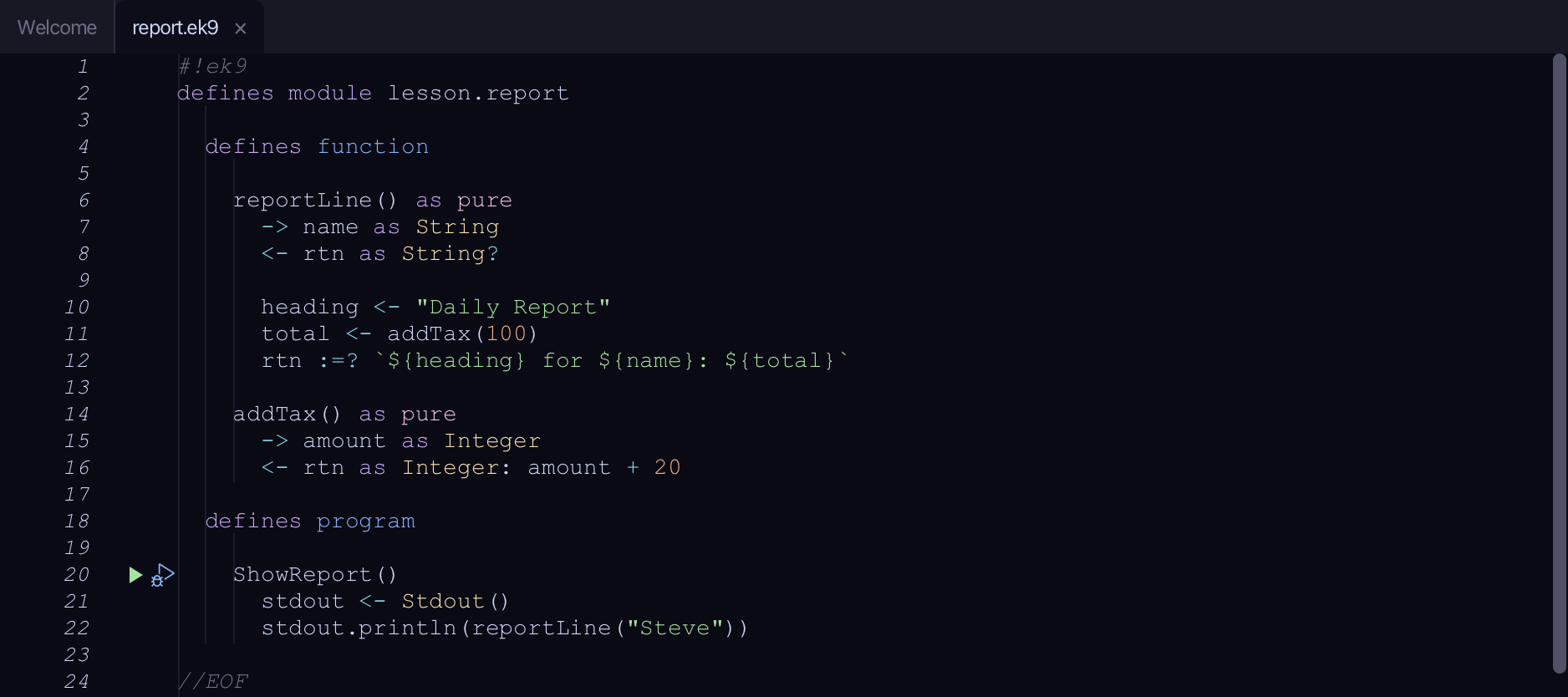
Start from
The code the lesson starts from: copy it into a file of your own and follow the steps.
#!ek9
defines module lesson.report

  defines function

    reportLine() as pure
      -> name as String
      <- rtn as String?

      heading <- "Daily Report"
      total <- addTax(100)
      rtn :=? `${heading} for ${name}: ${total}`

    addTax() as pure
      -> amount as Integer
      <- rtn as Integer: amount + 20

  defines program

    ShowReport()
      stdout <- Stdout()
      stdout.println(reportLine("Steve"))

//EOF
Step 1: Open the window
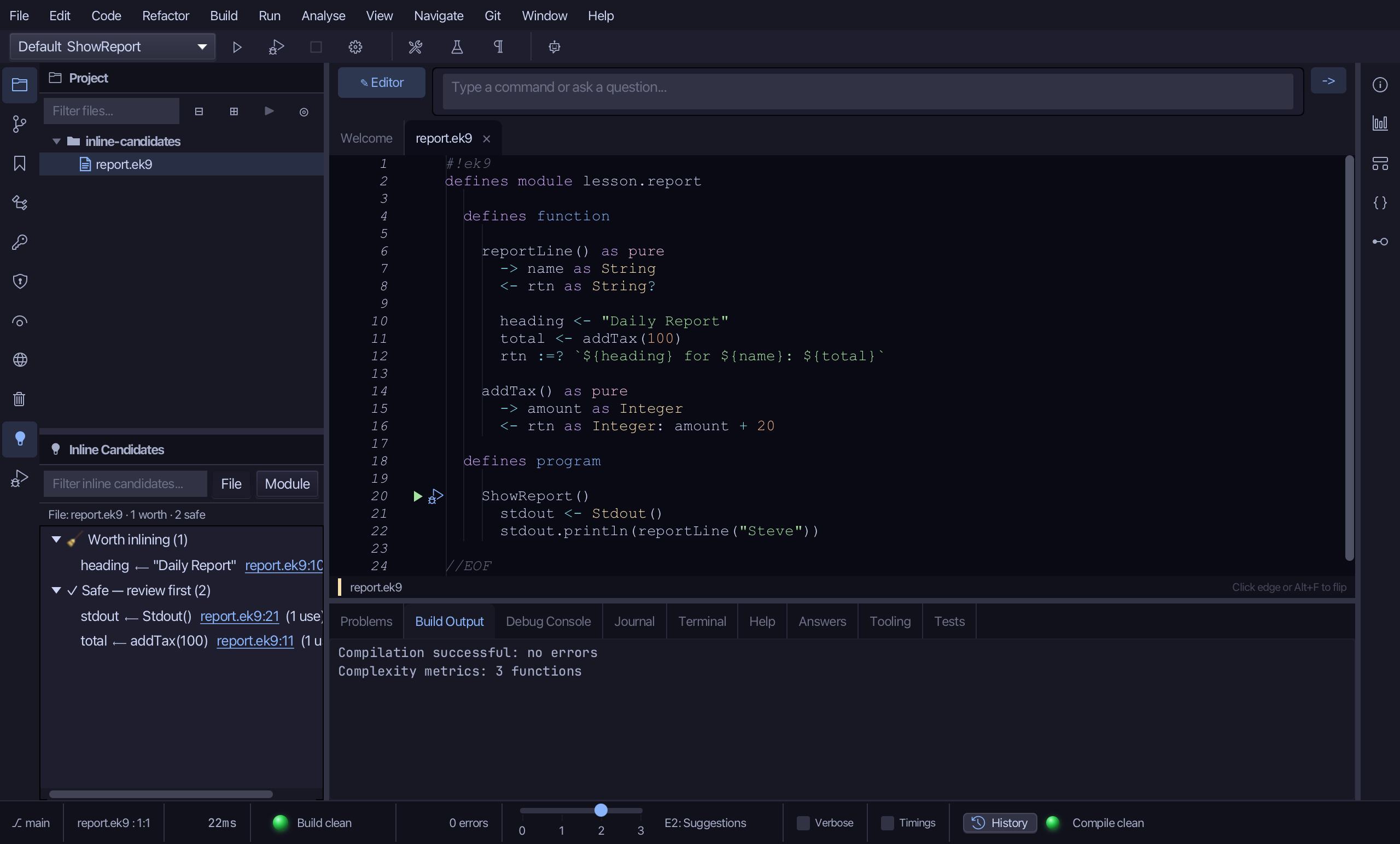
Choose View > Tool Windows > Inline Candidates.
Step 2: The findings
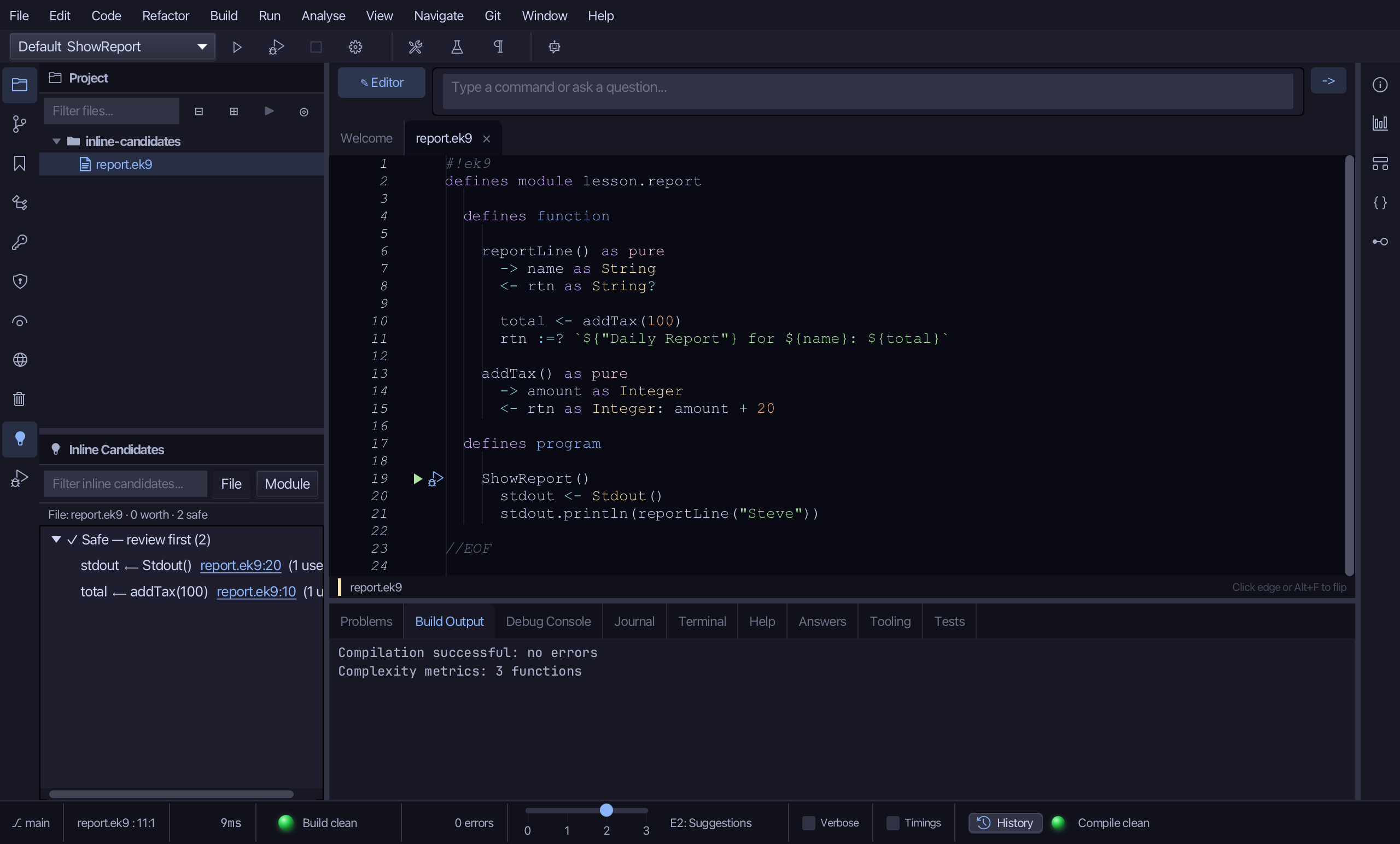
heading is listed under 🧹 Worth inlining - a trivial literal, used exactly once: a redundant name. total is listed under ✓ Safe - review first - its initialiser calls addTax(), so inlining it is mechanical, but the call it stands for may still be worth a name.
Step 3: Inline one
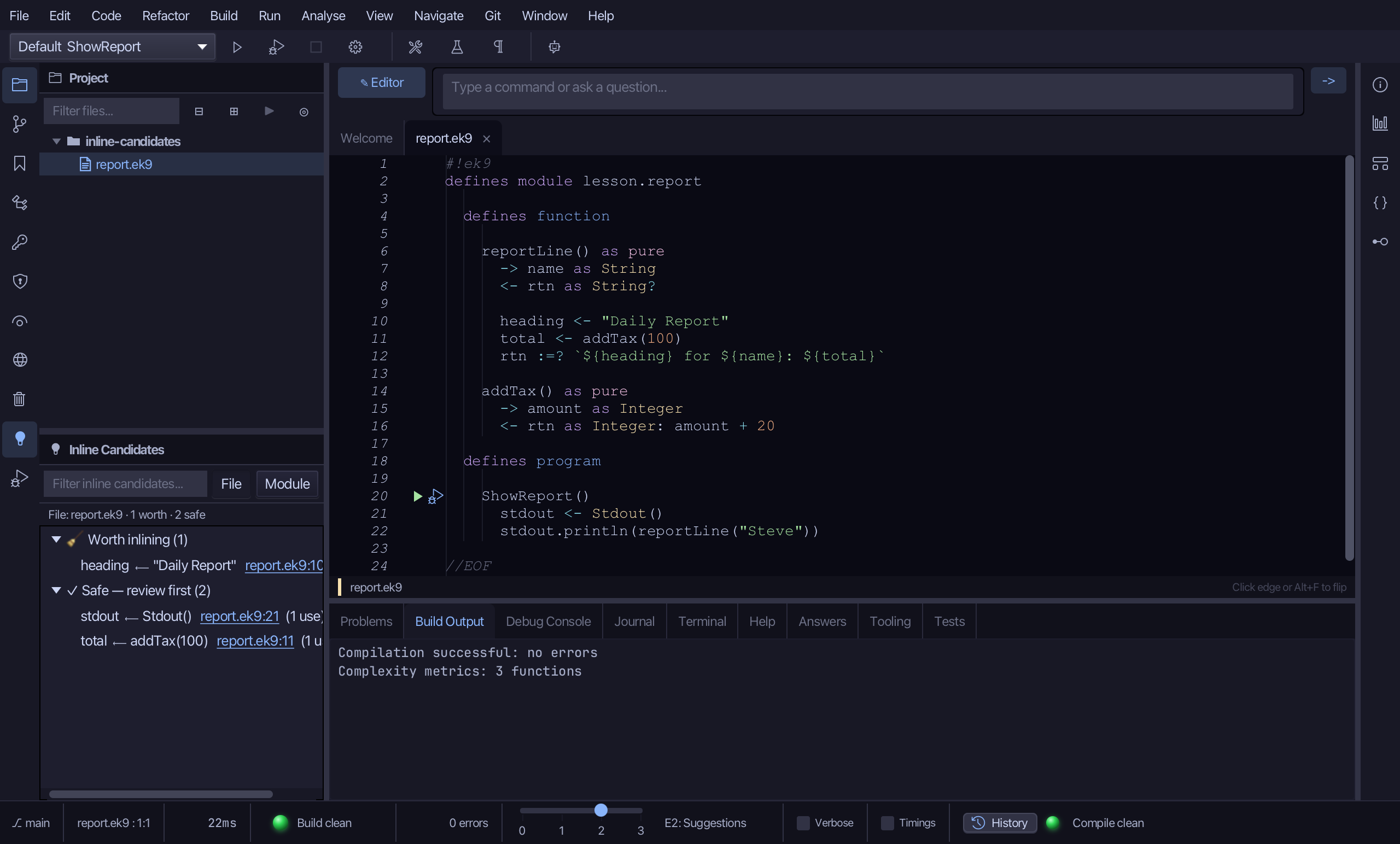
Right-click heading and choose Inline variable…
Step 4: Preview and apply
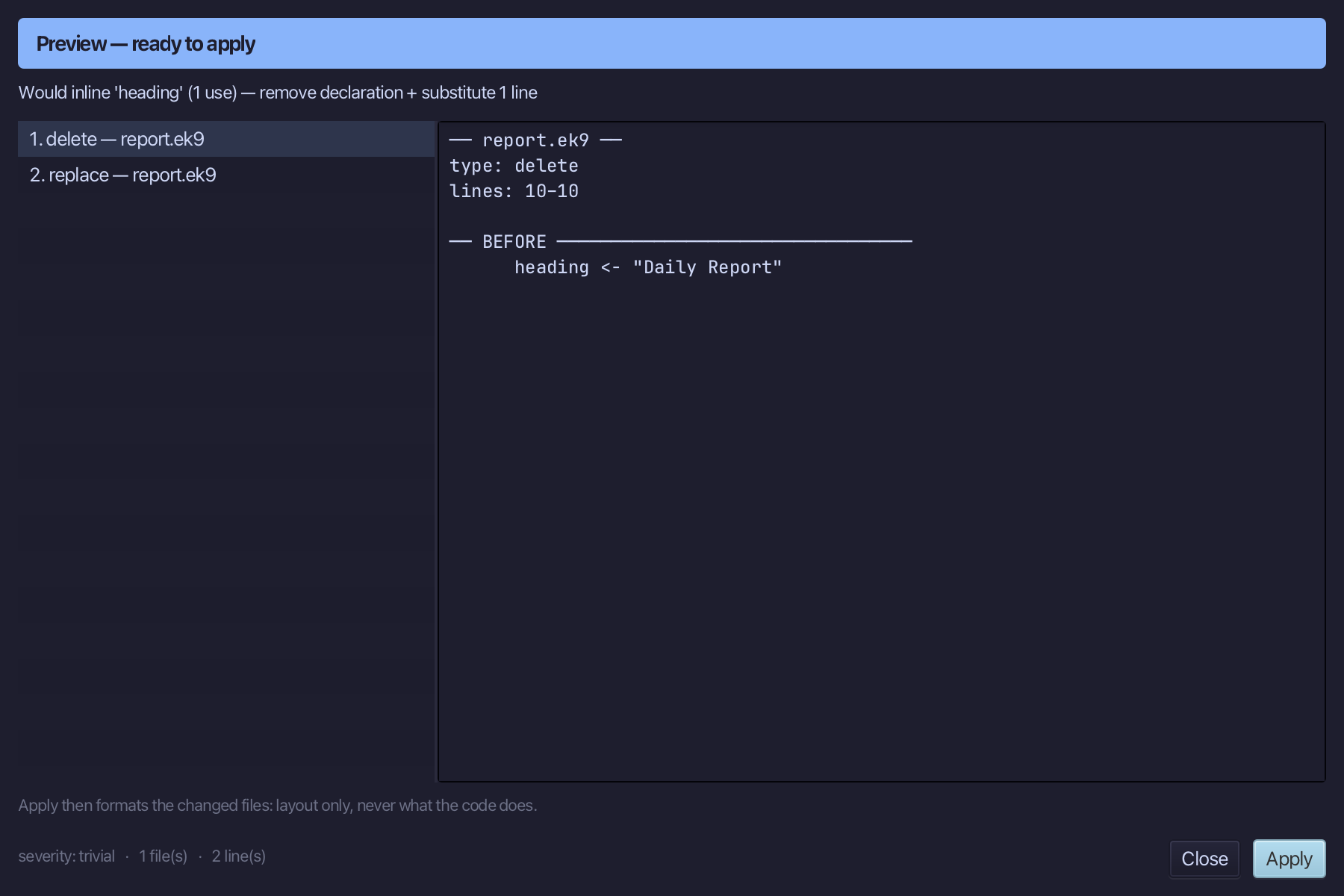
The preview shows heading's value moved to where it was used, and the declaration gone. Choose Apply.
The result
That is the Inline Candidates window: heading is gone from reportLine, its literal "Daily Report" now written where heading was used, in the string rtn is given. total is left under Safe - review first: its initialiser calls addTax(), so inlining it is mechanical but the name addTax(100) stands for may still be worth keeping; inline it the same way if you decide it is not. The window defaults to the active file (cheap) - a Module toggle scans the whole module instead, for a heavier sweep. Double-clicking a finding opens its declaration without inlining it. View > Tool Windows > Inline Candidates (Cmd+0, Ctrl+0 elsewhere) opens it; AI assistants use the ek9_find_inline_candidates tool to list findings and ek9_inline_variable to act on one.
Where this lesson comes from
- For AI assistants - the MCP tool
ek9_find_inline_candidates,ek9_inline_variable.