Chapter 9: collections, asked about
Chapter 9 meets EK9's two core collections: the List, an ordered sequence, and the Dict, a set of key to value pairs. Basket shops from a List against a Dict of prices - getOrDefault's own unset Money() tells a missing price apart from a free one, so the total stays honest and what is not stocked is reported rather than lost. The IDE's own tools make the program's whole structure, so what is left to type is the lookup and the totalling itself - then two ways to ask the IDE about collections: /q 129 in the input bar, over the SAME getOrDefault pattern, and Analyse ▸ Effective API, read once on the List and once on the Dict. To play it in the IDE: Help > Lessons > Writing code…, or ek9 -ide -lesson book-collections.
What you'll build
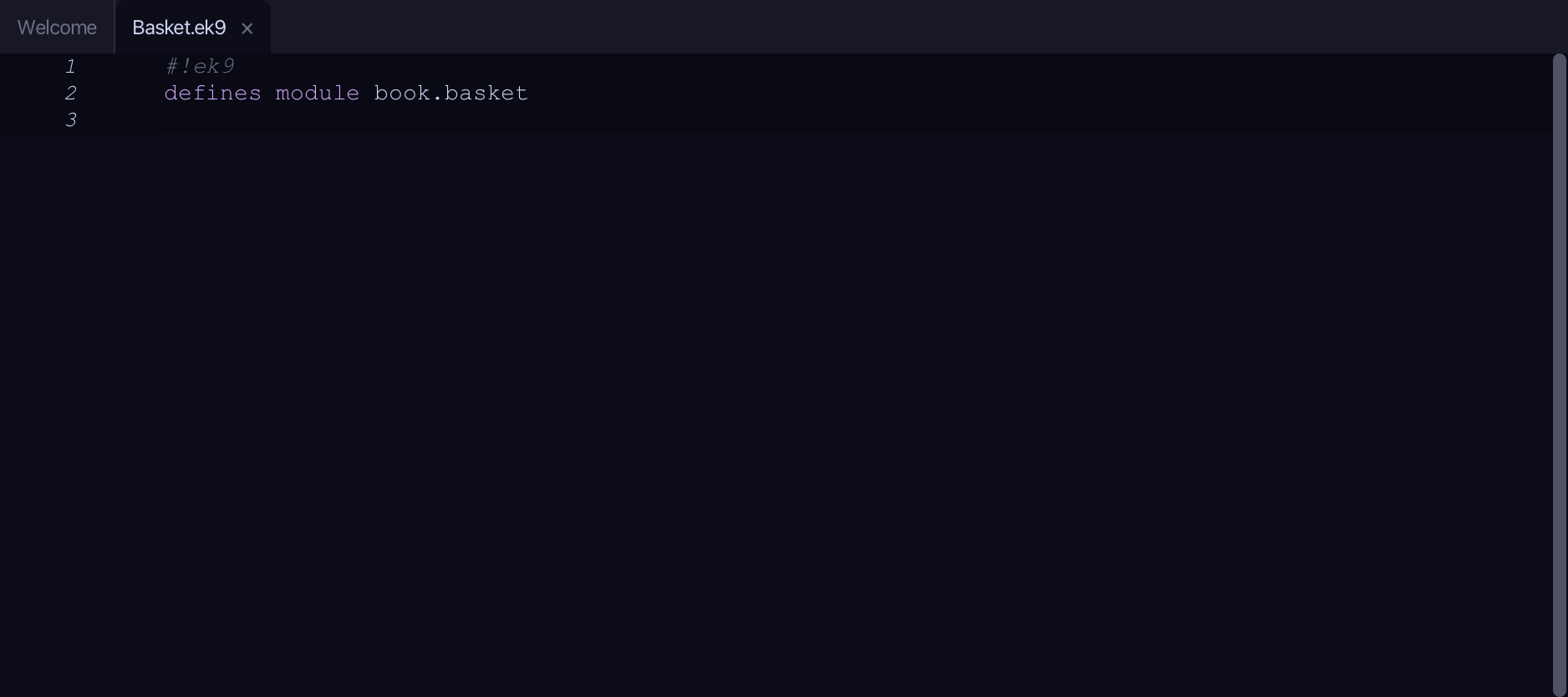
The lesson builds this program from a file holding only its module line - the finished file, as the book prints it.
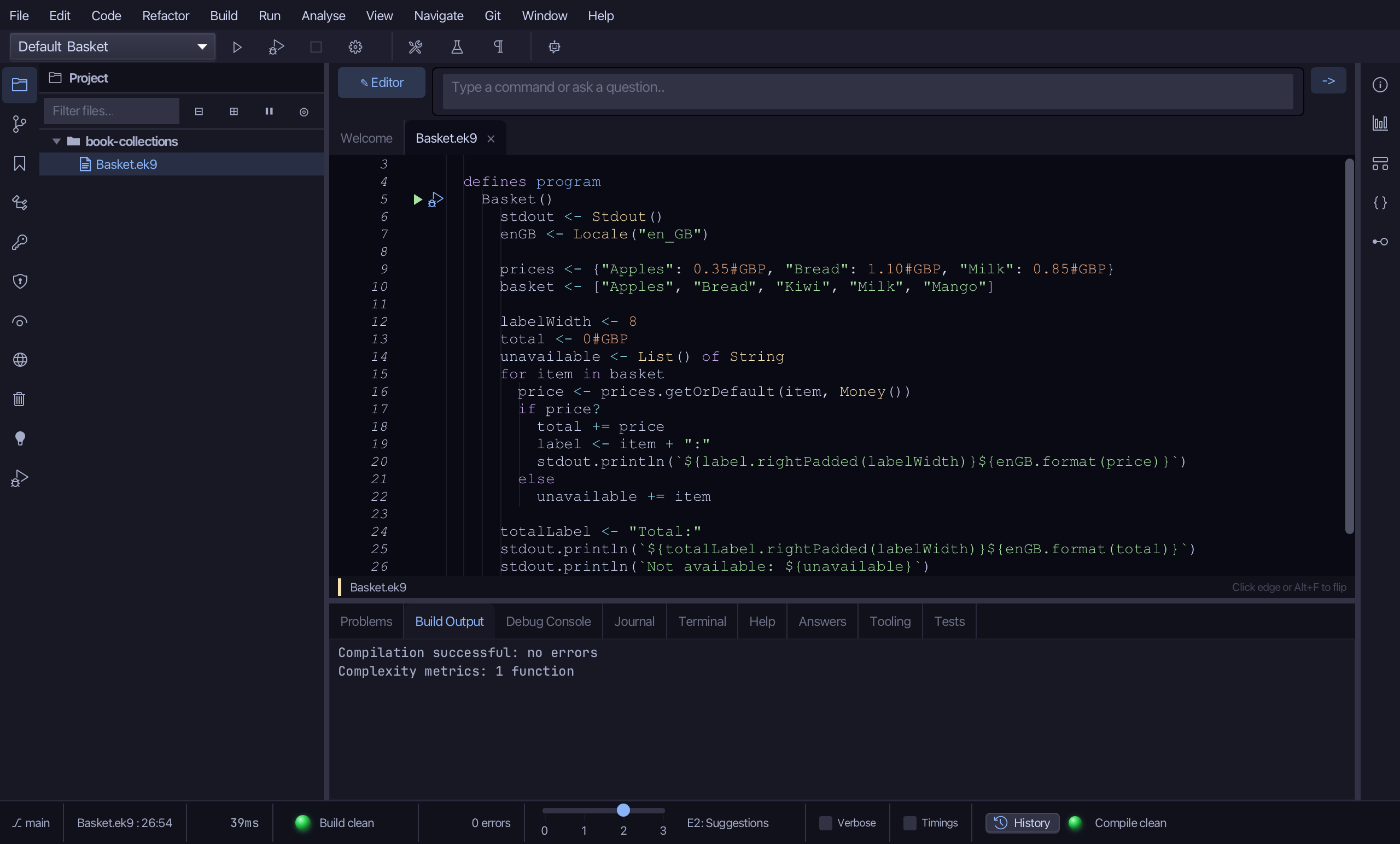
#!ek9
defines module book.basket

  defines program
    Basket()
      stdout <- Stdout()
      enGB <- Locale("en_GB")

      prices <- {"Apples": 0.35#GBP, "Bread": 1.10#GBP, "Milk": 0.85#GBP}
      basket <- ["Apples", "Bread", "Kiwi", "Milk", "Mango"]

      labelWidth <- 8
      total <- 0#GBP
      unavailable <- List() of String
      for item in basket
        price <- prices.getOrDefault(item, Money())
        if price?
          total += price
          label <- item + ":"
          stdout.println(`${label.rightPadded(labelWidth)}${enGB.format(price)}`)
        else
          unavailable += item

      totalLabel <- "Total:"
      stdout.println(`${totalLabel.rightPadded(labelWidth)}${enGB.format(total)}`)
      stdout.println(`Not available: ${unavailable}`)
Step 1: The program
Choose Code > New Construct > Program…
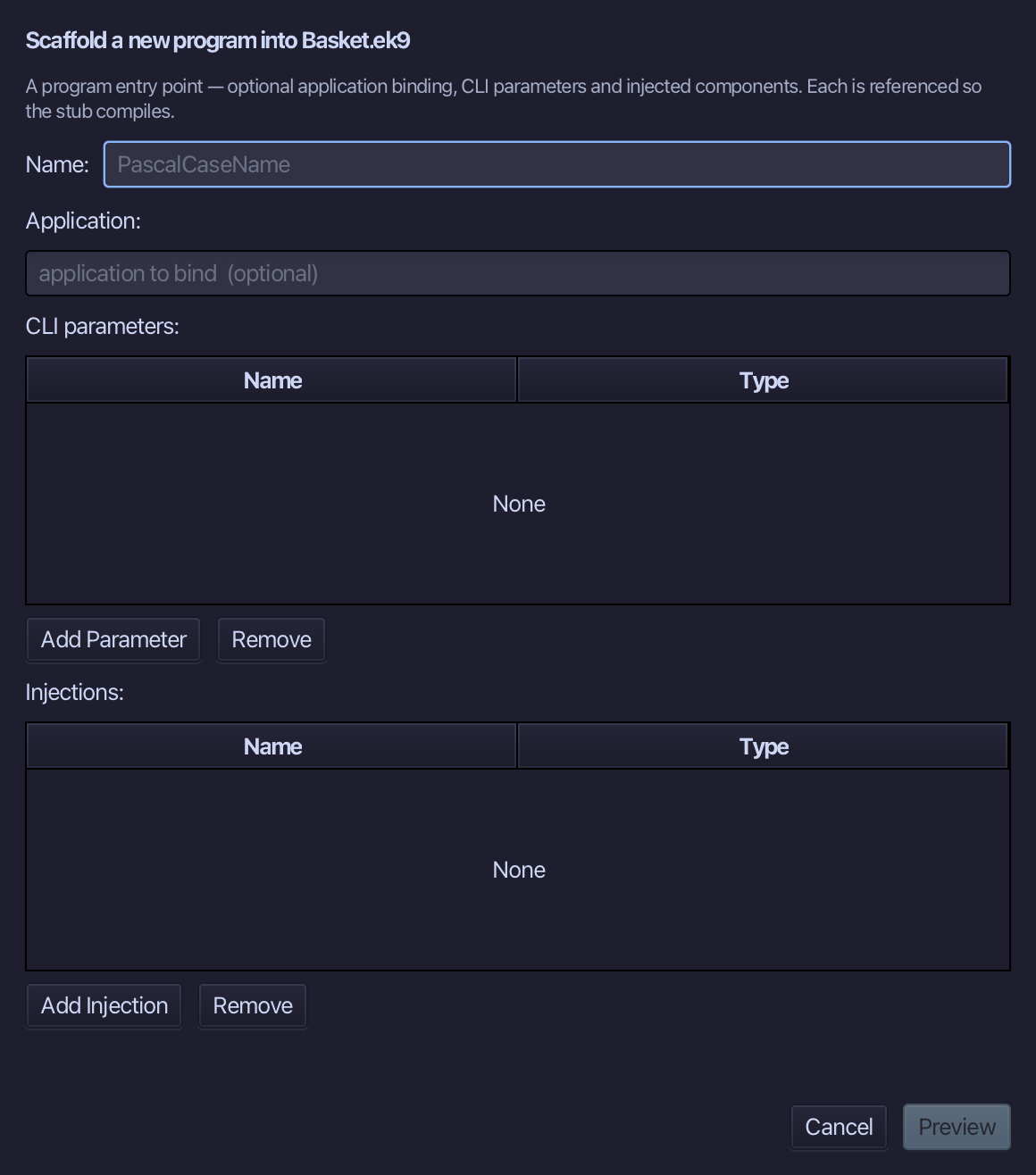
Basket is the program's name - no application to bind, no parameters, nothing injected. Type Basket and choose Preview.
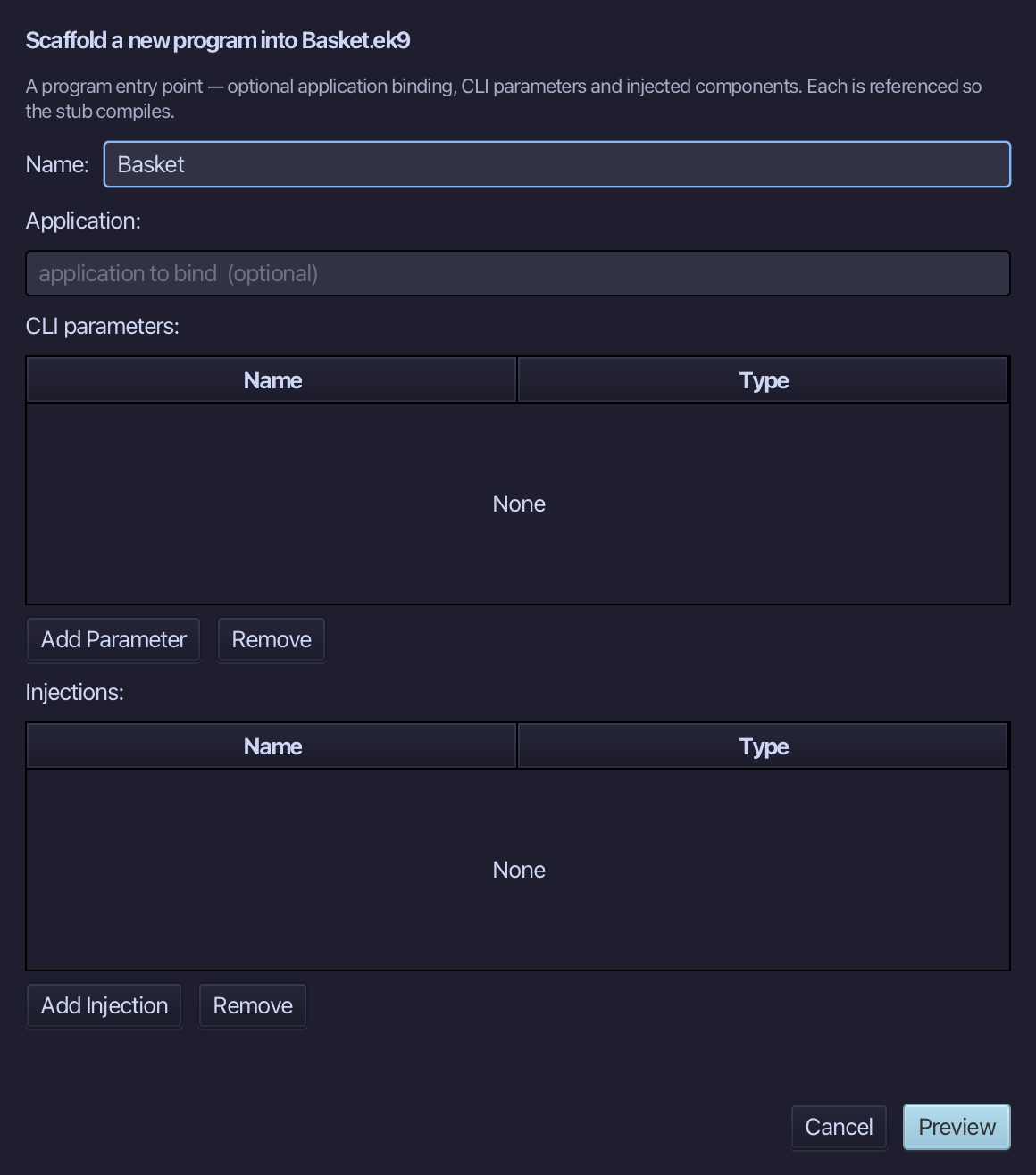
The preview shows Basket about to be written. Choose Apply.
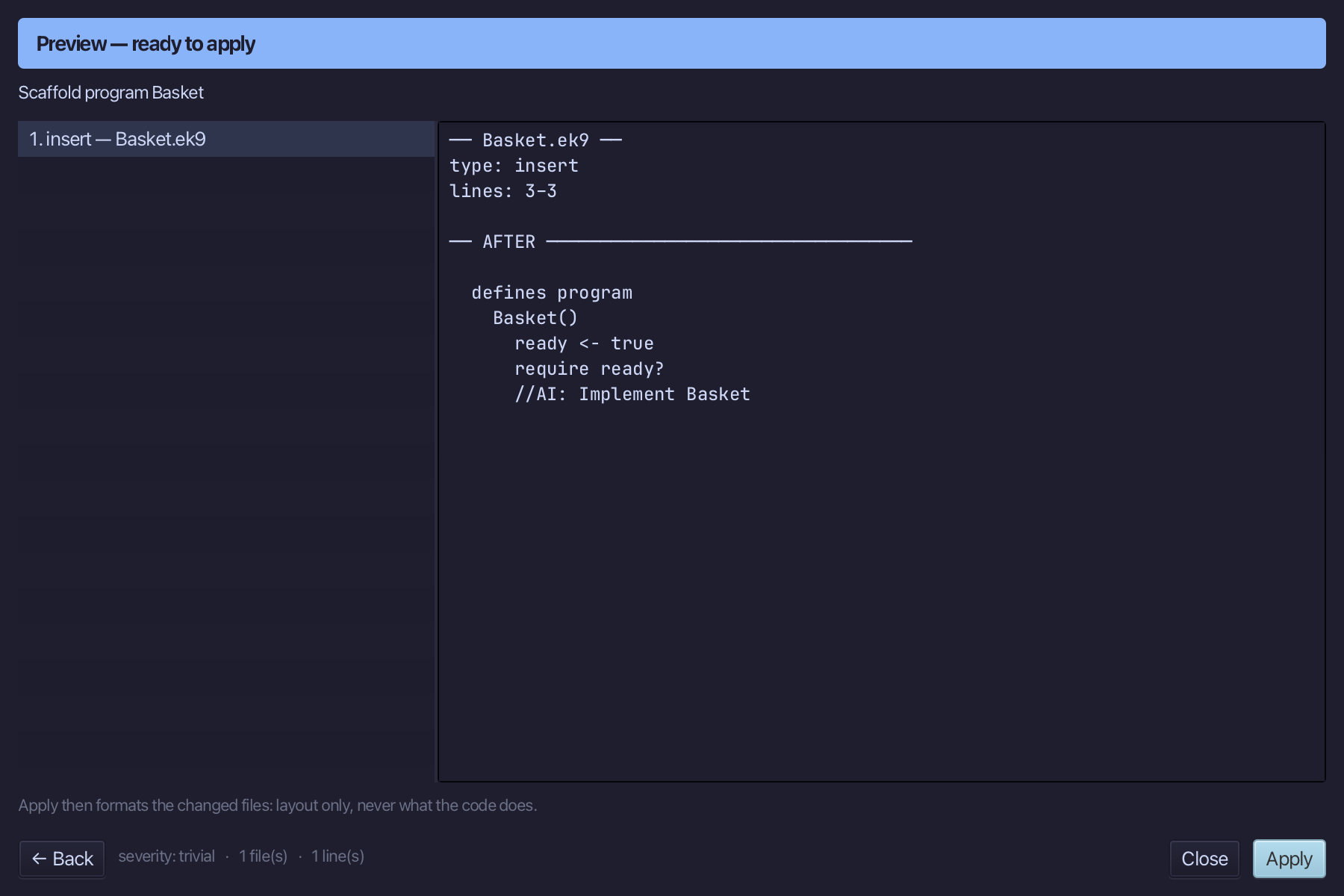
Select the stub, from ready <- true down to its //AI line, and type Basket's whole job: a Stdout and a Locale, the prices Dict and the shopping List, then the loop that prices each item against the Dict - adding what is set to the total, collecting what is not - and the two lines that print the total and what was unavailable. Saves when typed.
Step 2: Ask: /q 129
Type /q 129 into the input bar above the editor and choose -> to send it - a direct lookup, by the question's own number, into the Answers tab.
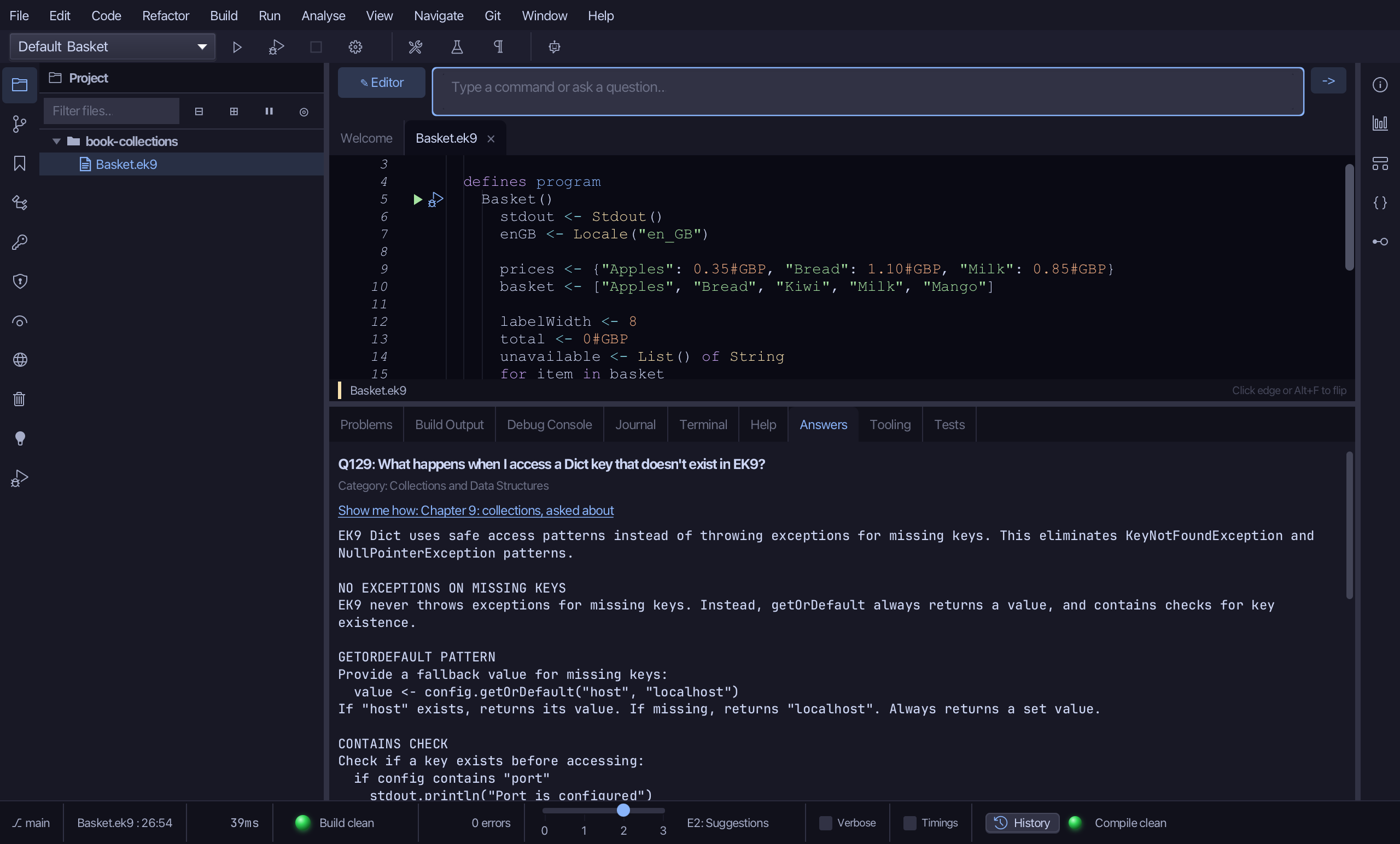
The Answers tab shows Q129: what happens when a Dict key is missing - getOrDefault always returns a value, never an exception, and contains checks existence first when that is what is needed. Typical Errors, collapsed beneath it, is six ways the wrong method name (get, containsKey) is reached for instead.
Step 3: Read Effective API: List
Select basket, on the line that declares it, then choose Analyse ▸ Effective API: cursor-anchored, the same way chapter 7 read a Dimension and chapter 11 read a Result before them.
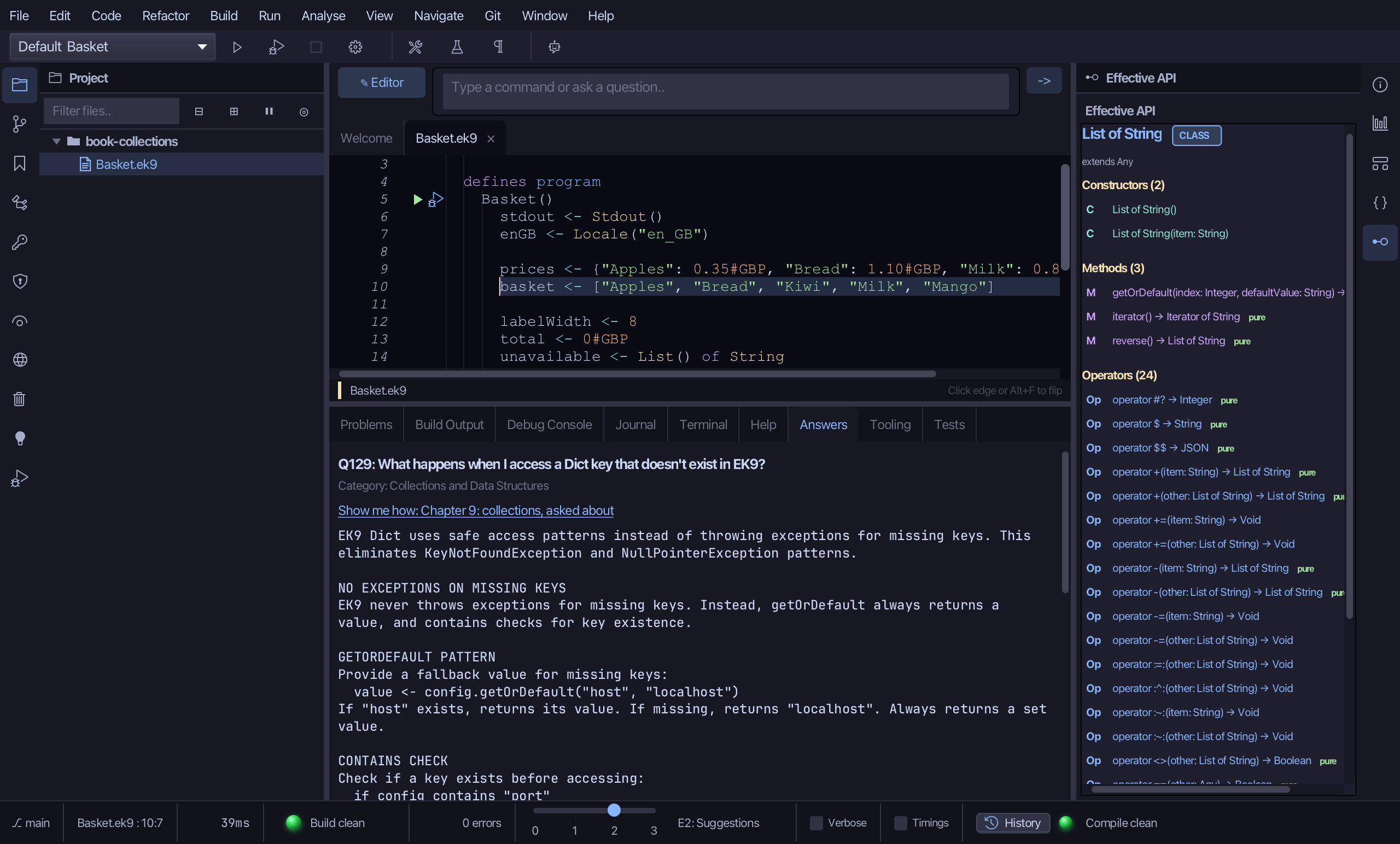
The pane draws List of String's own surface: its Constructors (List() and List(item)), Methods and Operators, each counted - += among them, the operator the for loop uses to collect what the shop does not stock into unavailable, another List of String.
Step 4: Read Effective API: Dict
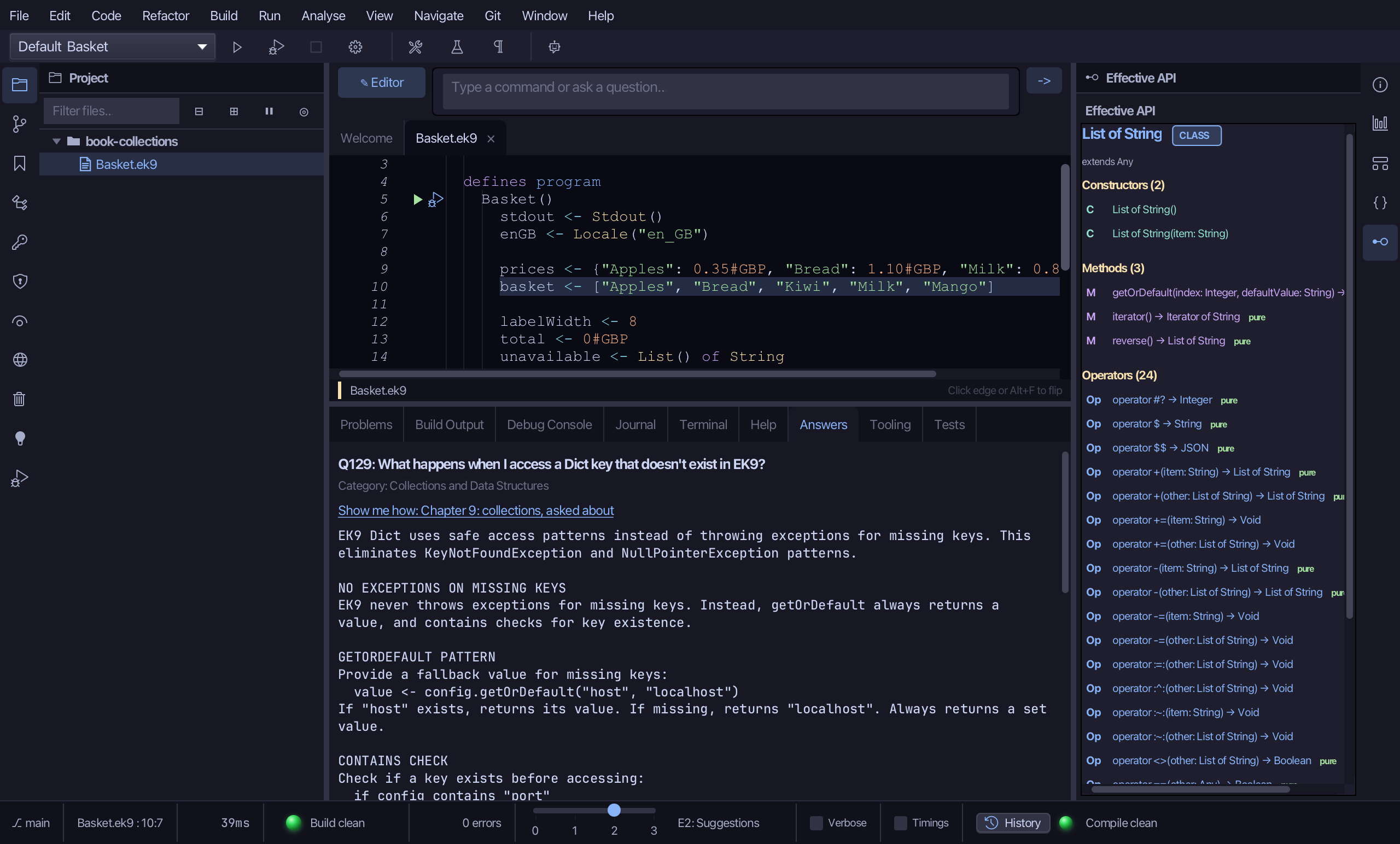
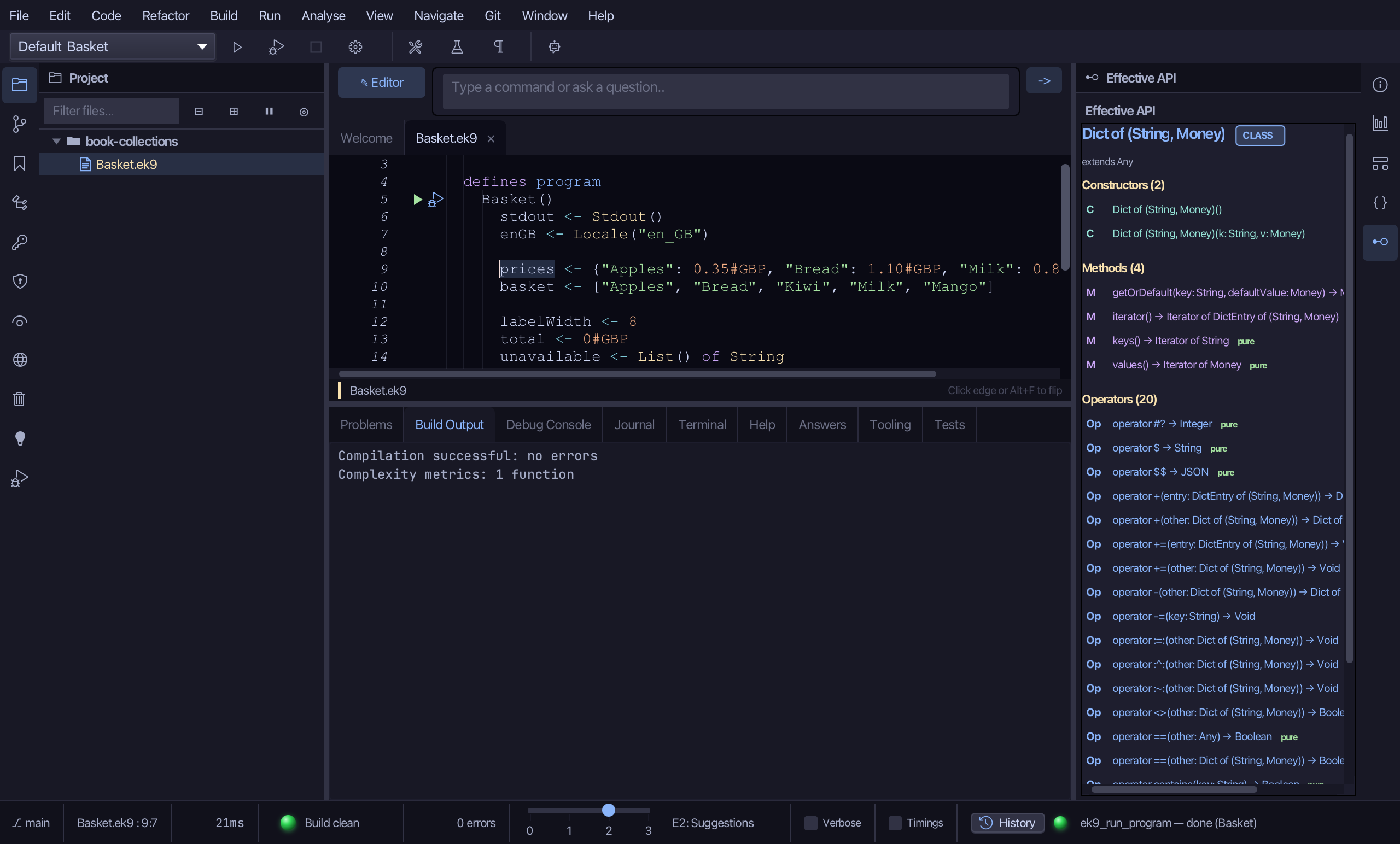
Select prices, on the line that declares it, then choose Analyse ▸ Effective API again - the same pane, a different type.
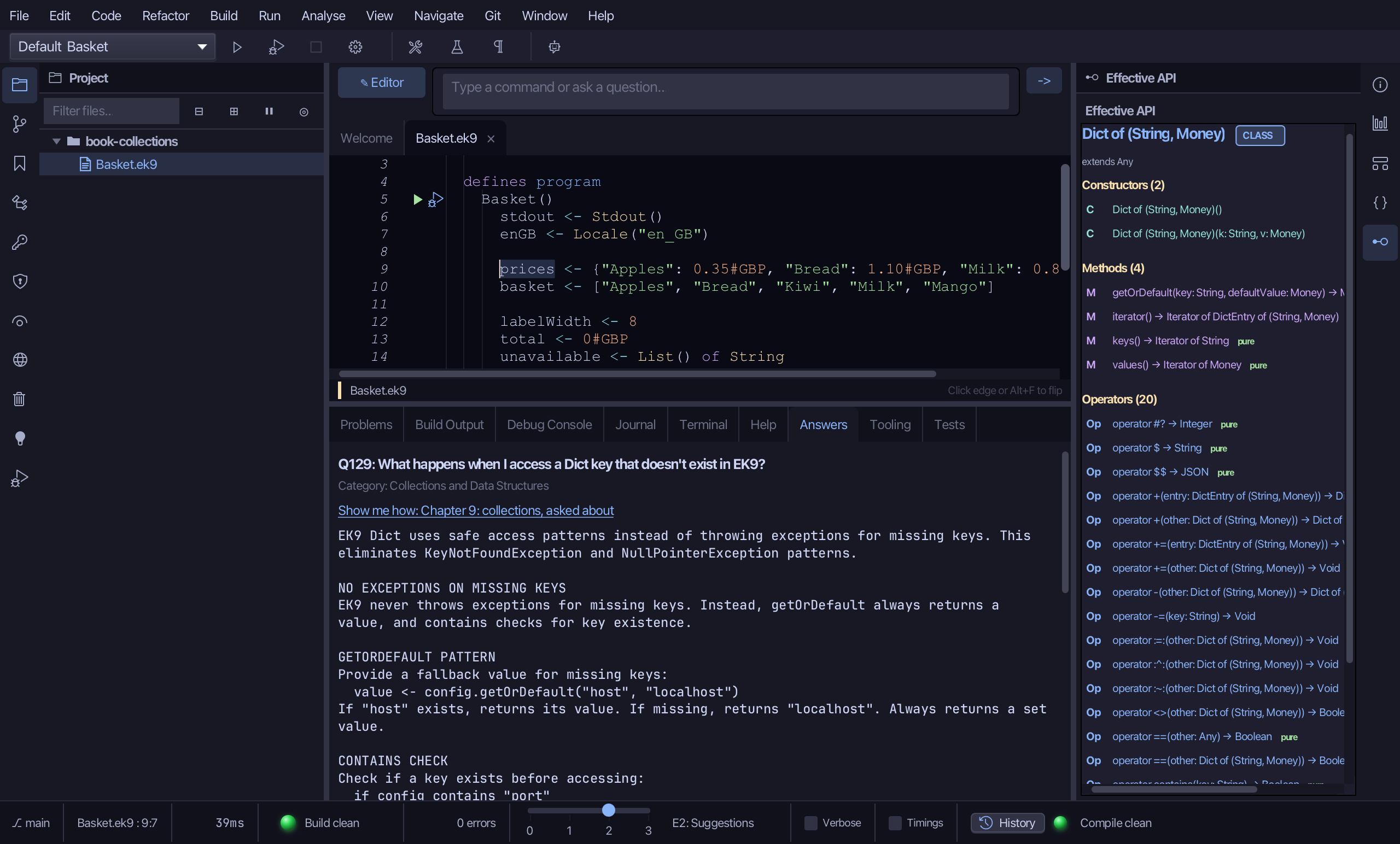
Dict of (String, Money)'s own surface looks different from List's: Dict() and Dict(k, v) to make one, getOrDefault, keys() and values() among its Methods, and contains among its Operators - the lookup Basket uses, and the check for a key before reading it.
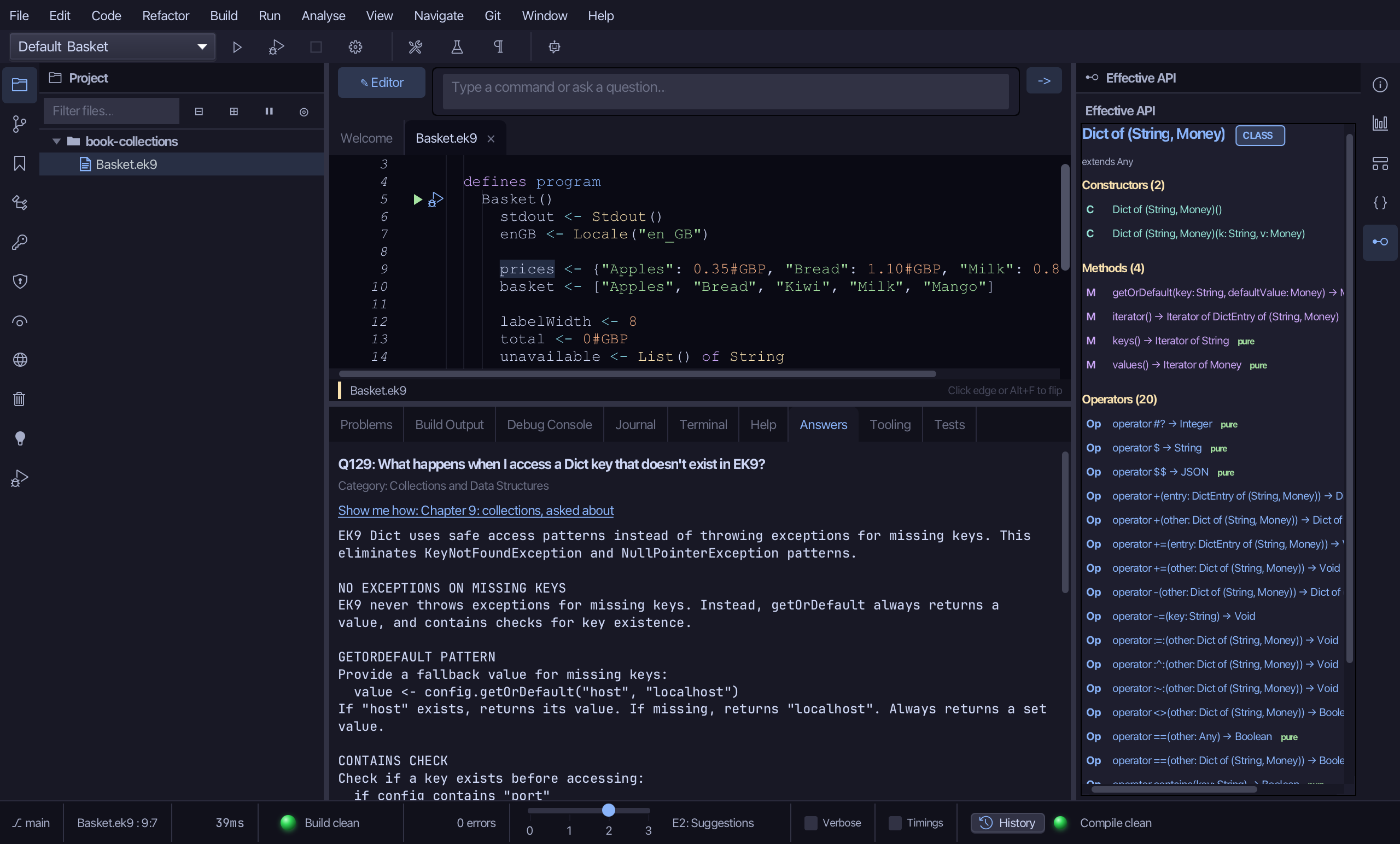
Step 5: Run it
Choose Run > Run Program…
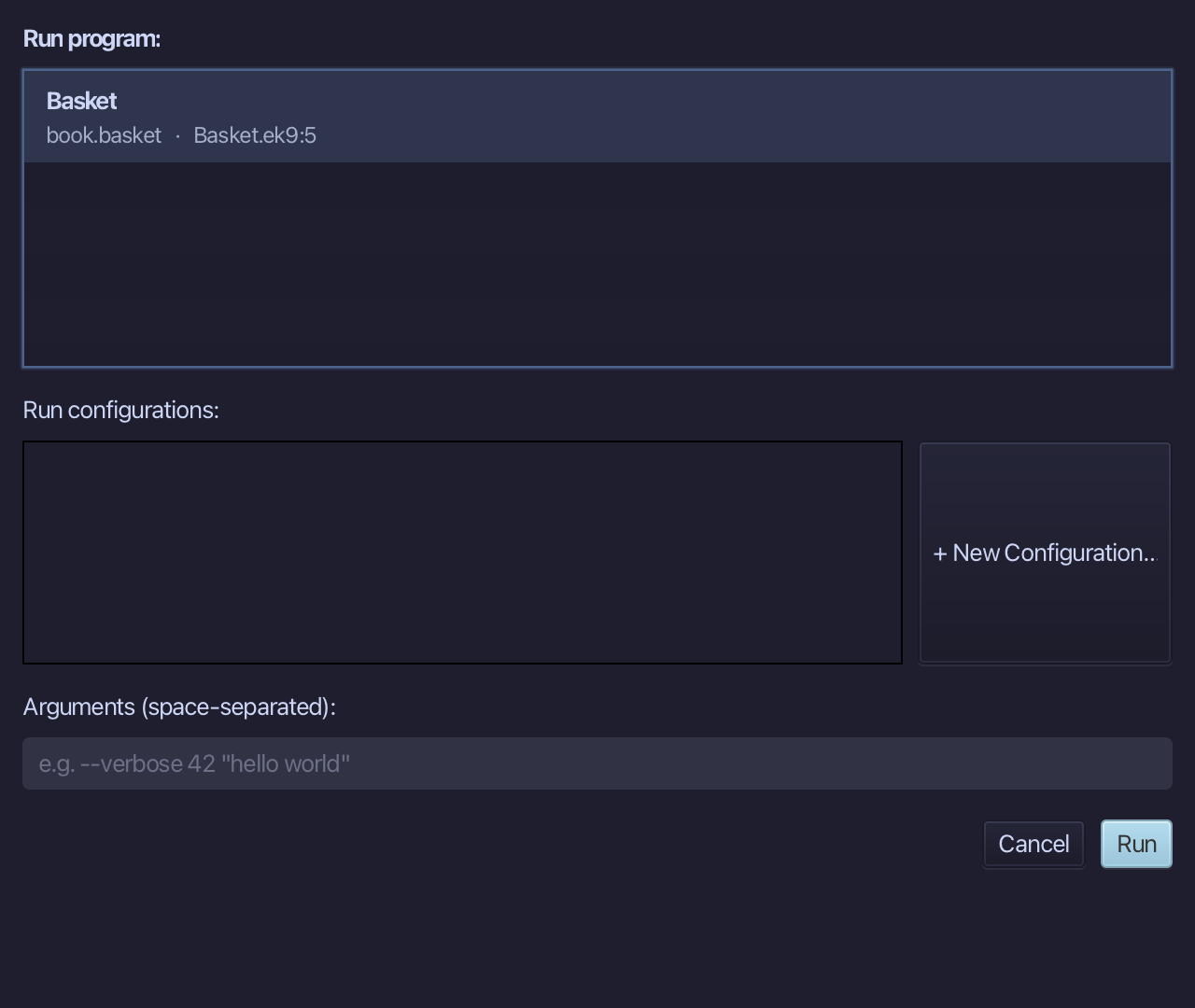
The project's only program is already chosen. Choose Run.
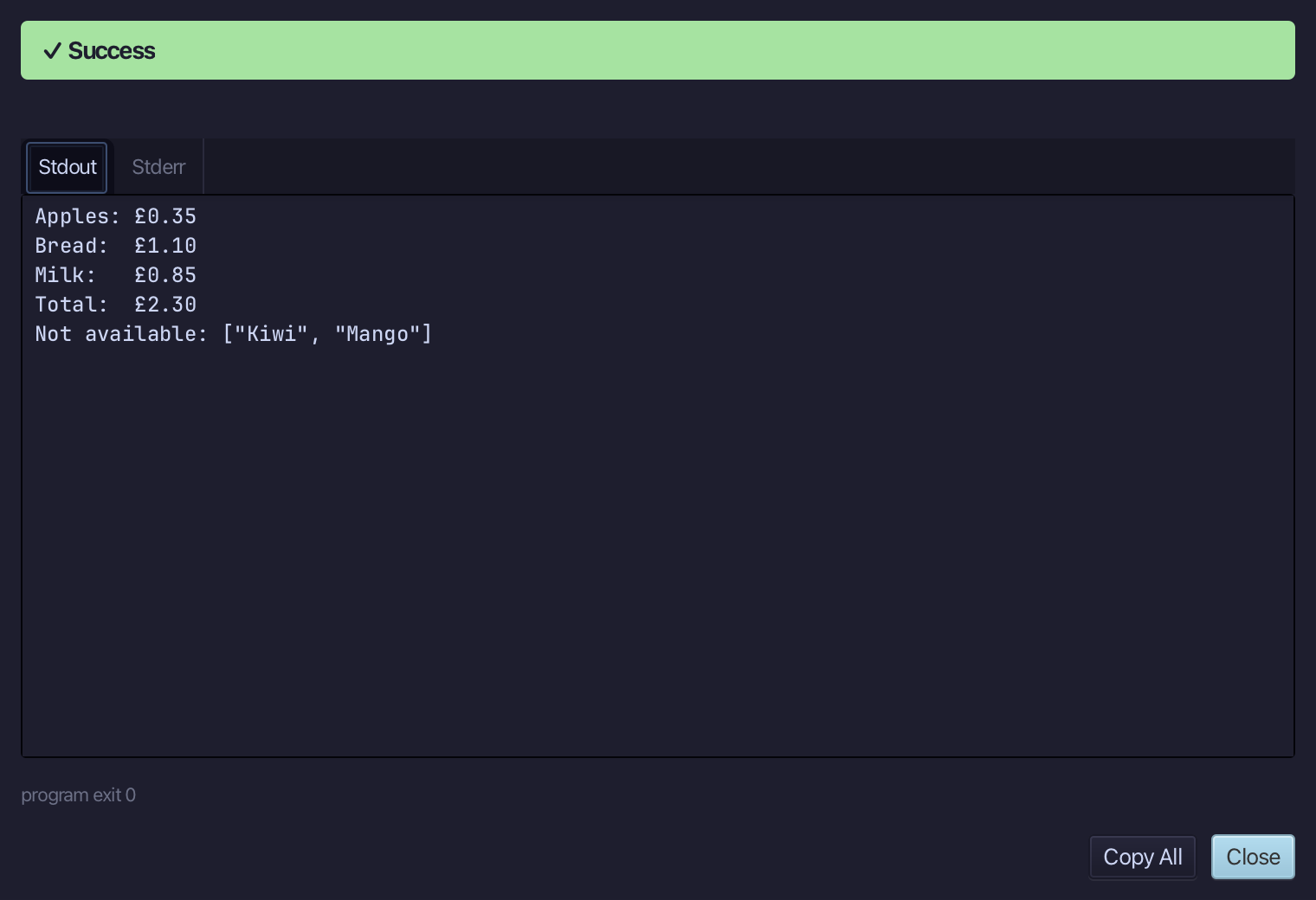
Apples: £0.35, Bread: £1.10 and Milk: £0.85, Total: £2.30 - then Not available: ["Kiwi", "Mango"], the two the shop does not stock. Choose Close.
The result
Basket.ek9 now reads exactly as chapter 9 of Getting Started with EK9 shows it: prices looked up with getOrDefault's own unset Money() default, so what the shop does not stock is told apart from what costs nothing. /q 129 then answered the same getOrDefault question from the Q&A corpus, and Analyse ▸ Effective API read a List's and a Dict's own surface in turn, before the program ran.
Where this lesson comes from
- Answers -
ek9 -qand the IDE's Answers tab: 129. - For AI assistants - the MCP tool
ek9_add_program,ek9_ask,ek9_query_effective_api.