Replace: symbols
Replace in Symbols mode does not edit text: it renames the symbol Find found, everywhere it is used, through the same compile-checked preview Rename Symbol uses. Here it is the running total ShowTotal keeps in its own local, named total. To play it in the IDE: Help > Lessons > Finding…, or ek9 -ide -lesson replace-symbols.
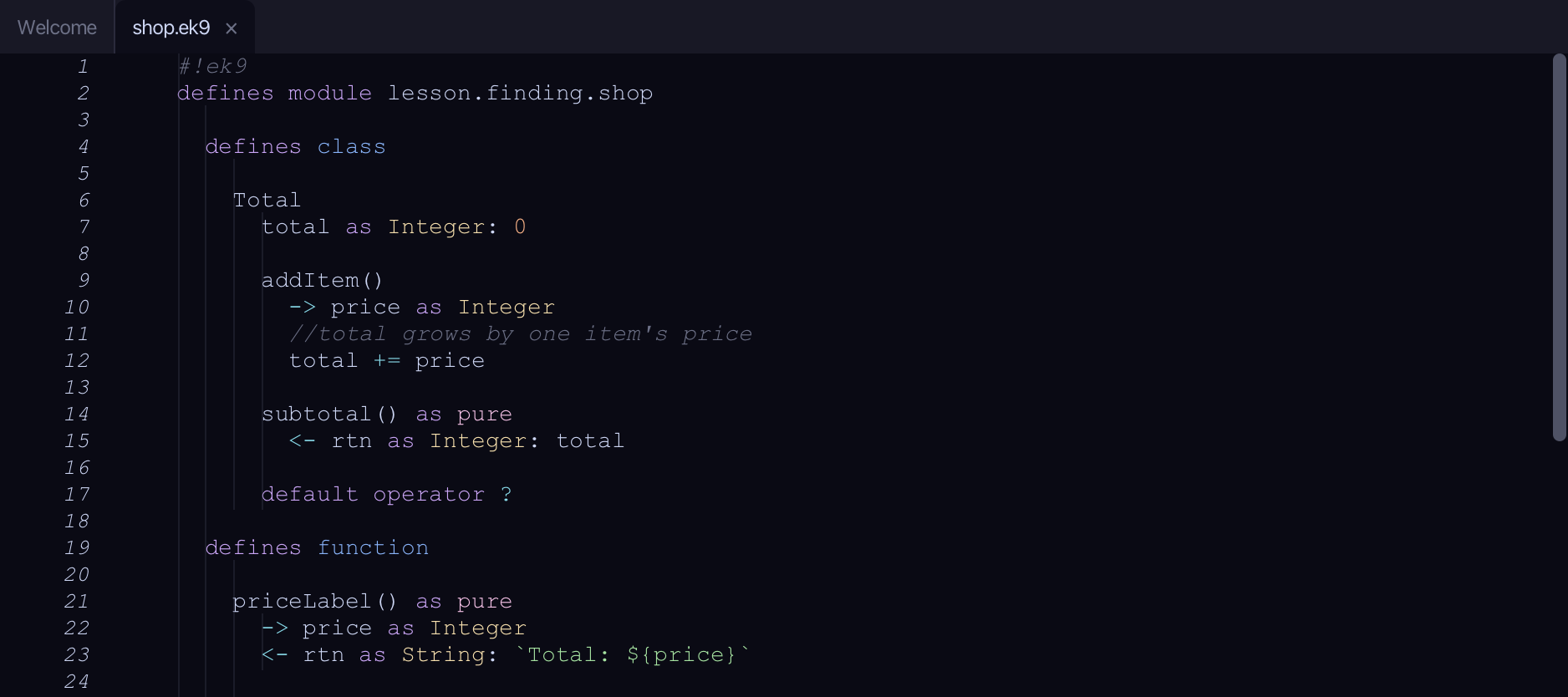
Start from
The code the lesson starts from: copy it into a file of your own and follow the steps.
shop.ek9
#!ek9
defines module lesson.finding.shop

  defines class

    Total
      total as Integer: 0

      addItem()
        -> price as Integer
        //total grows by one item's price
        total += price

      subtotal() as pure
        <- rtn as Integer: total

      default operator ?

  defines function

    priceLabel() as pure
      -> price as Integer
      <- rtn as String: `Total: ${price}`

    doubled() as pure
      -> price as Integer
      <- rtn as Integer: price * 2

  defines program

    ShowTotal()
      stdout <- Stdout()
      total <- Total()
      total.addItem(5)
      total.addItem(10)
      stdout.println(priceLabel(total.subtotal()))
      stdout.println("The running total is shown above")

//EOF
receipt.ek9
#!ek9
defines module lesson.finding.shop

  defines function

    receiptFooter() as pure
      -> grandTotal as Integer
      <- rtn as String: `Grand total: ${grandTotal}`

  defines program

    ShowReceipt()
      stdout <- Stdout()
      total <- Total()
      total.addItem(20)
      stdout.println(receiptFooter(total.subtotal()))

//EOF
till.ek9
#!ek9
defines module lesson.finding.till

  defines program

    ShowTill()
      stdout <- Stdout()
      total <- 0
      total += 15
      stdout.println(`Till total: ${total}`)

//EOF
Step 1: Find the local
Choose Edit > Replace…
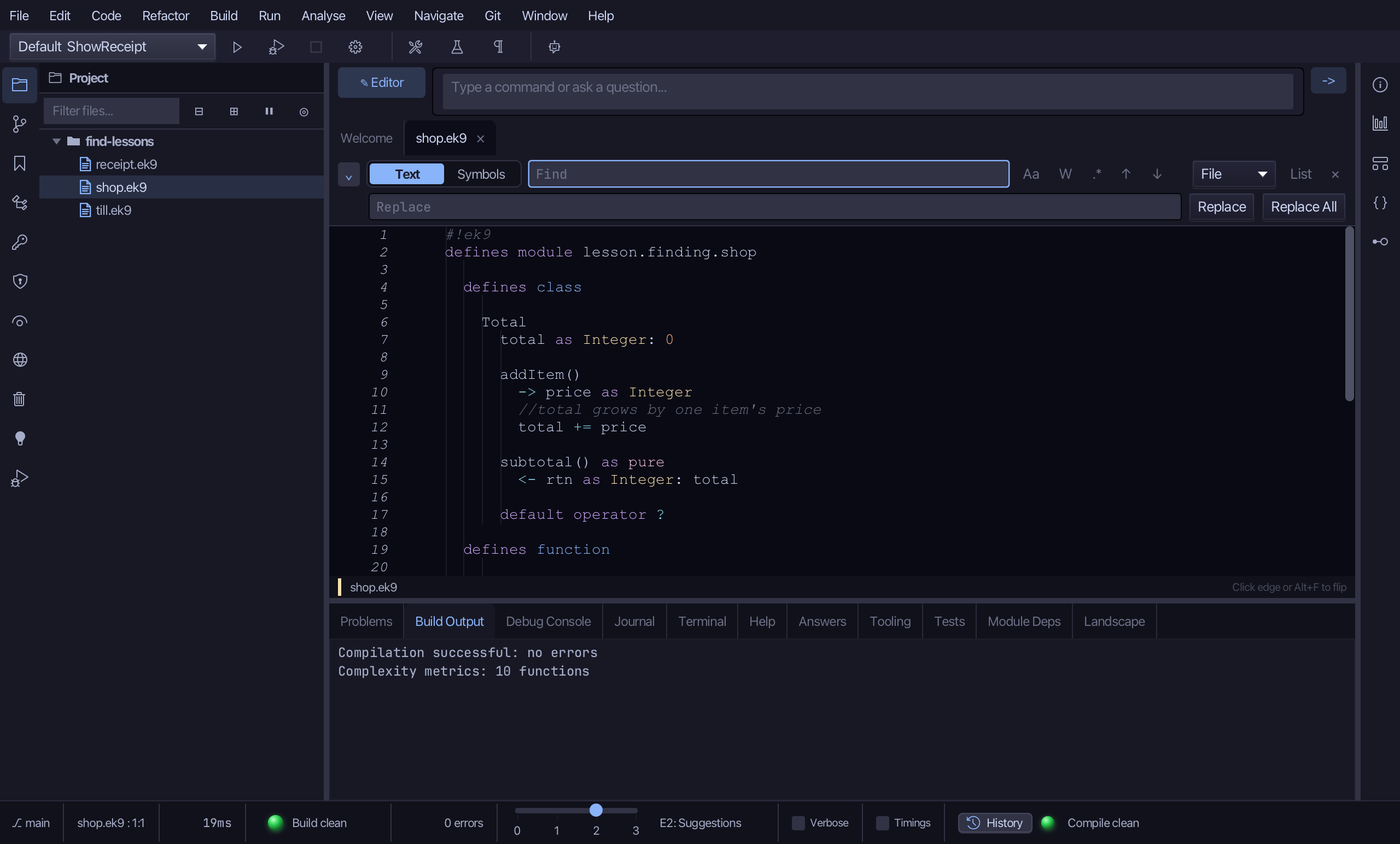
Choose Symbols.
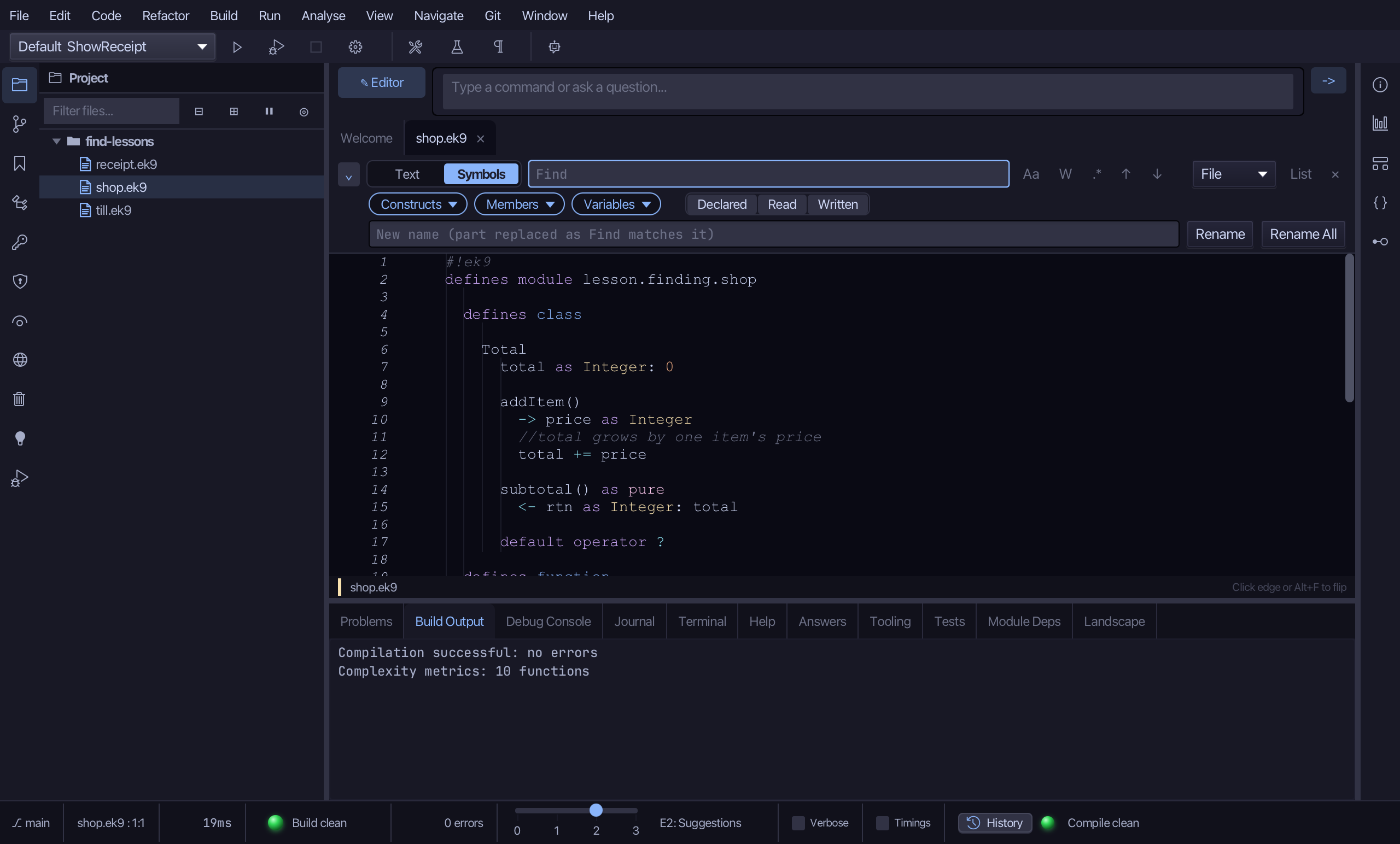
Type total.
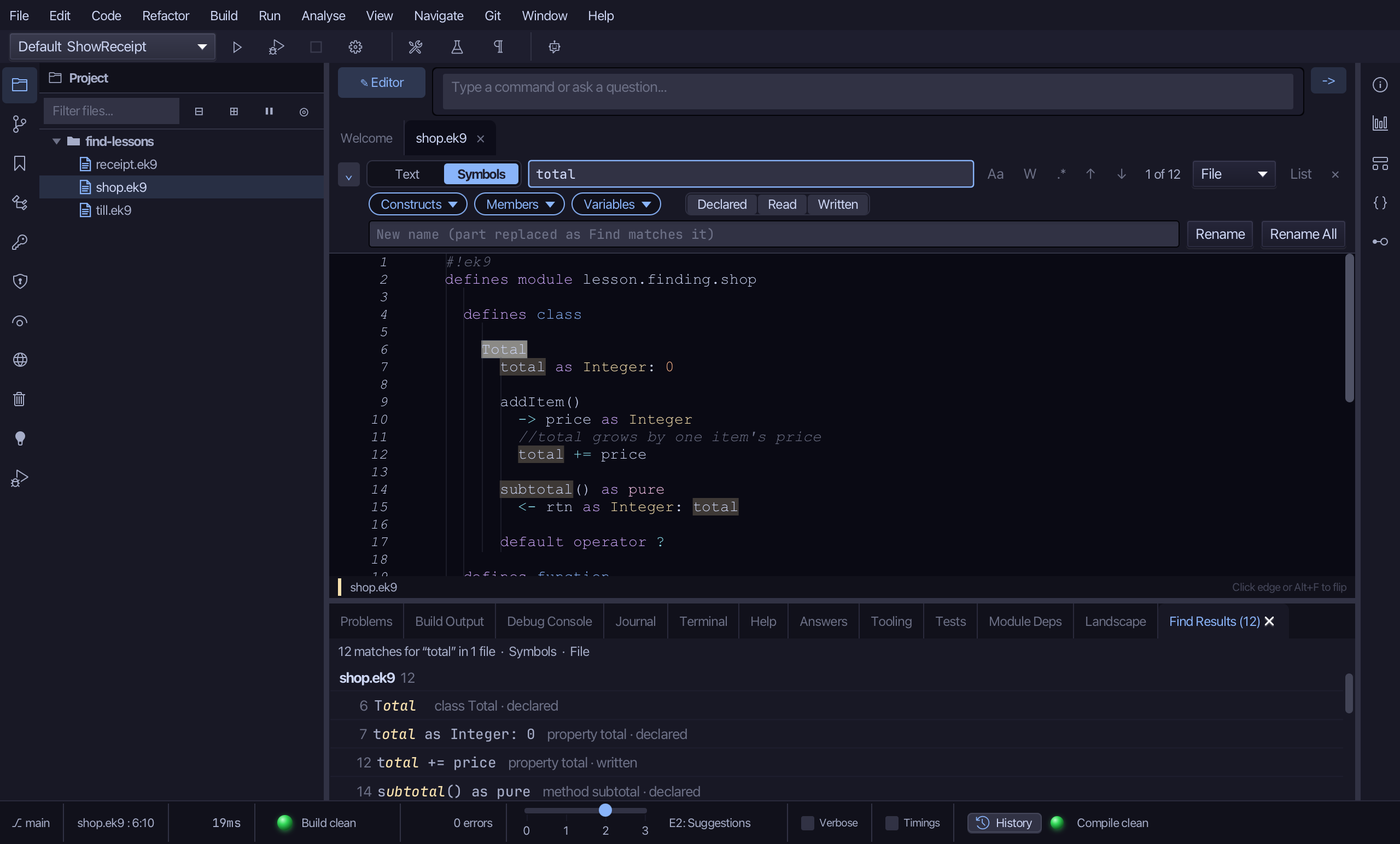
Turn off the Constructs chip, then the Members chip, leaving only Variables - just the local remains: 4 places.
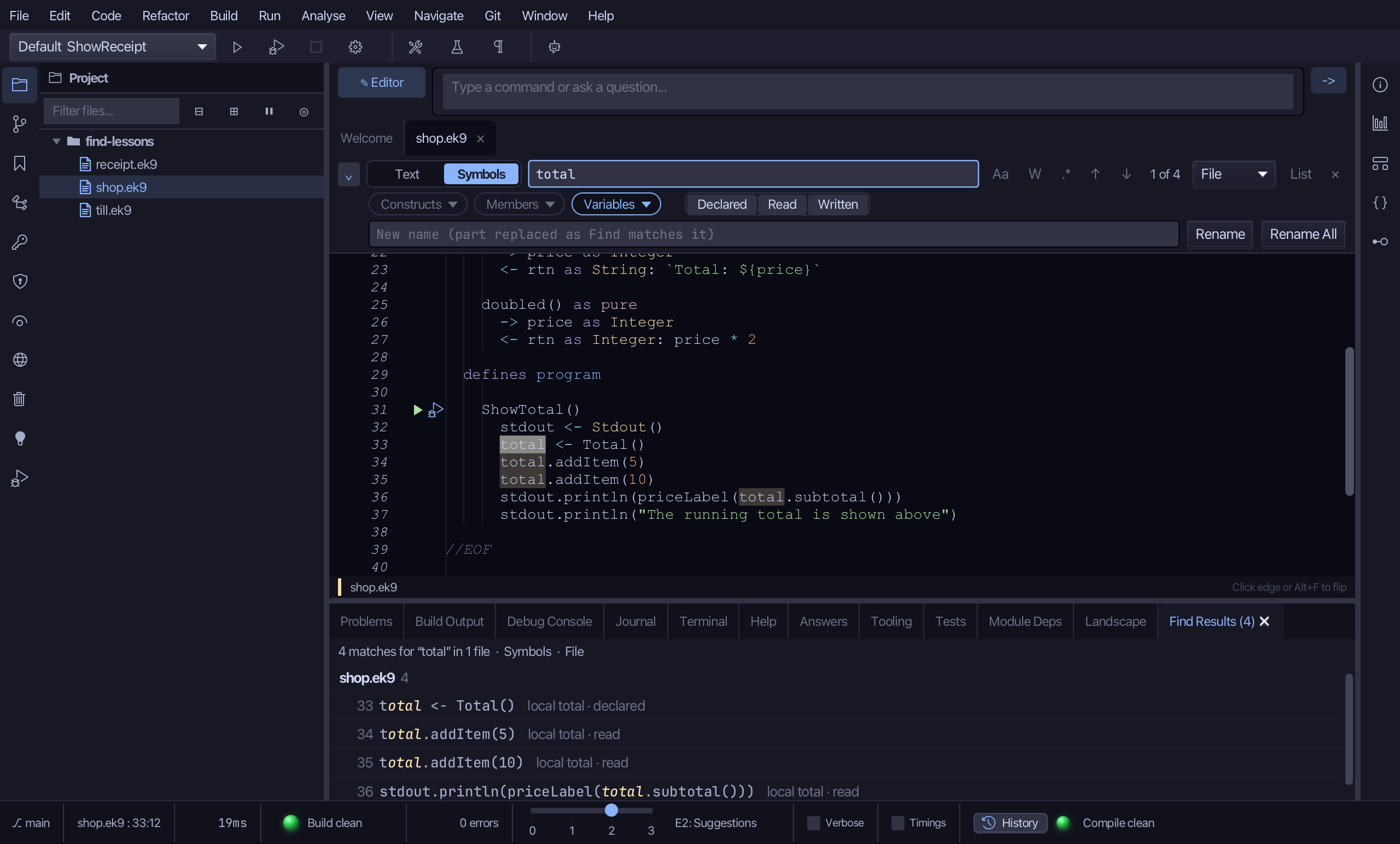
Step 2: Rename it
Type runningTotal into the new-name field.
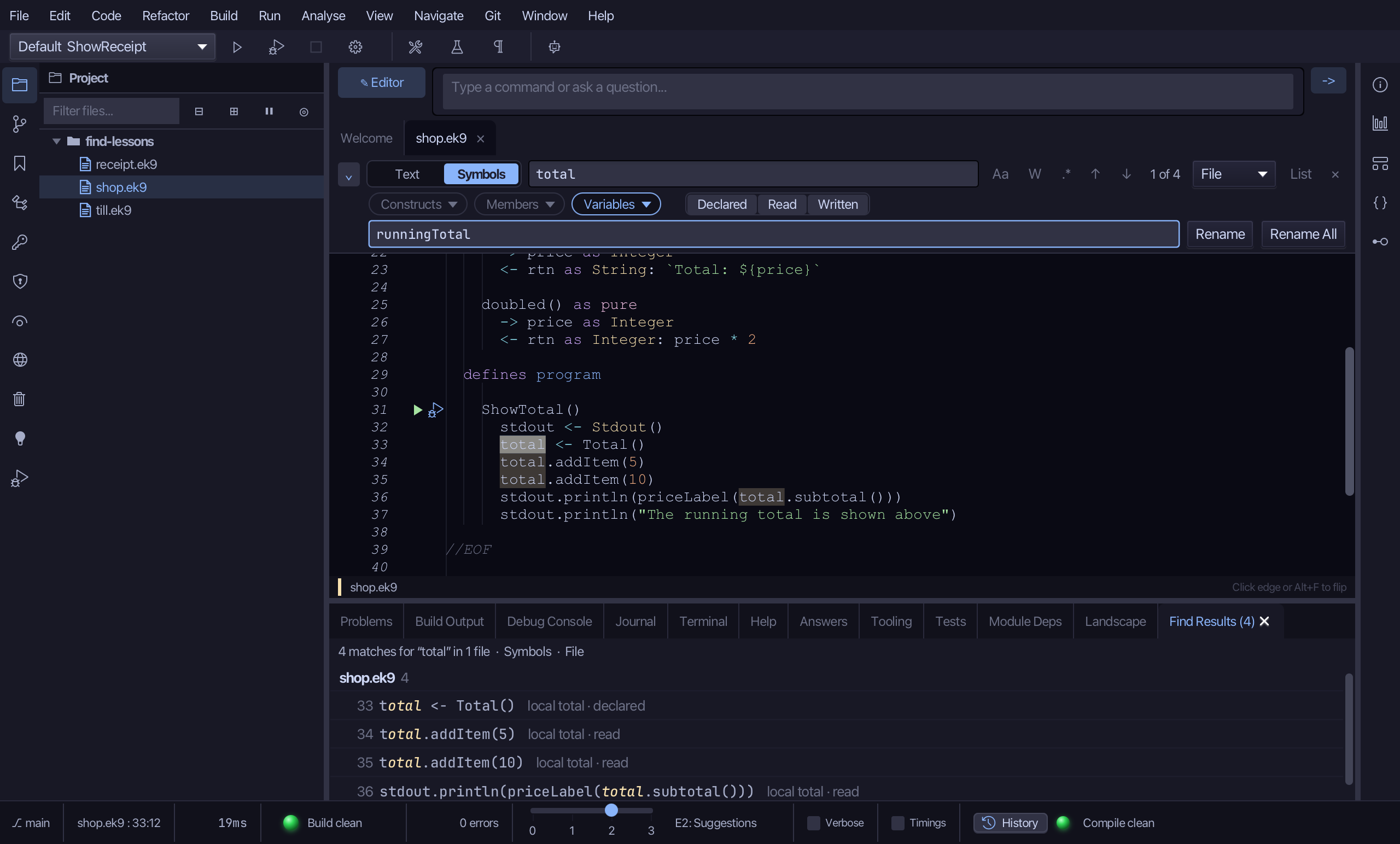
Choose Rename. Even though only one match is selected, the whole symbol is renamed - all 4 places, not just that one.
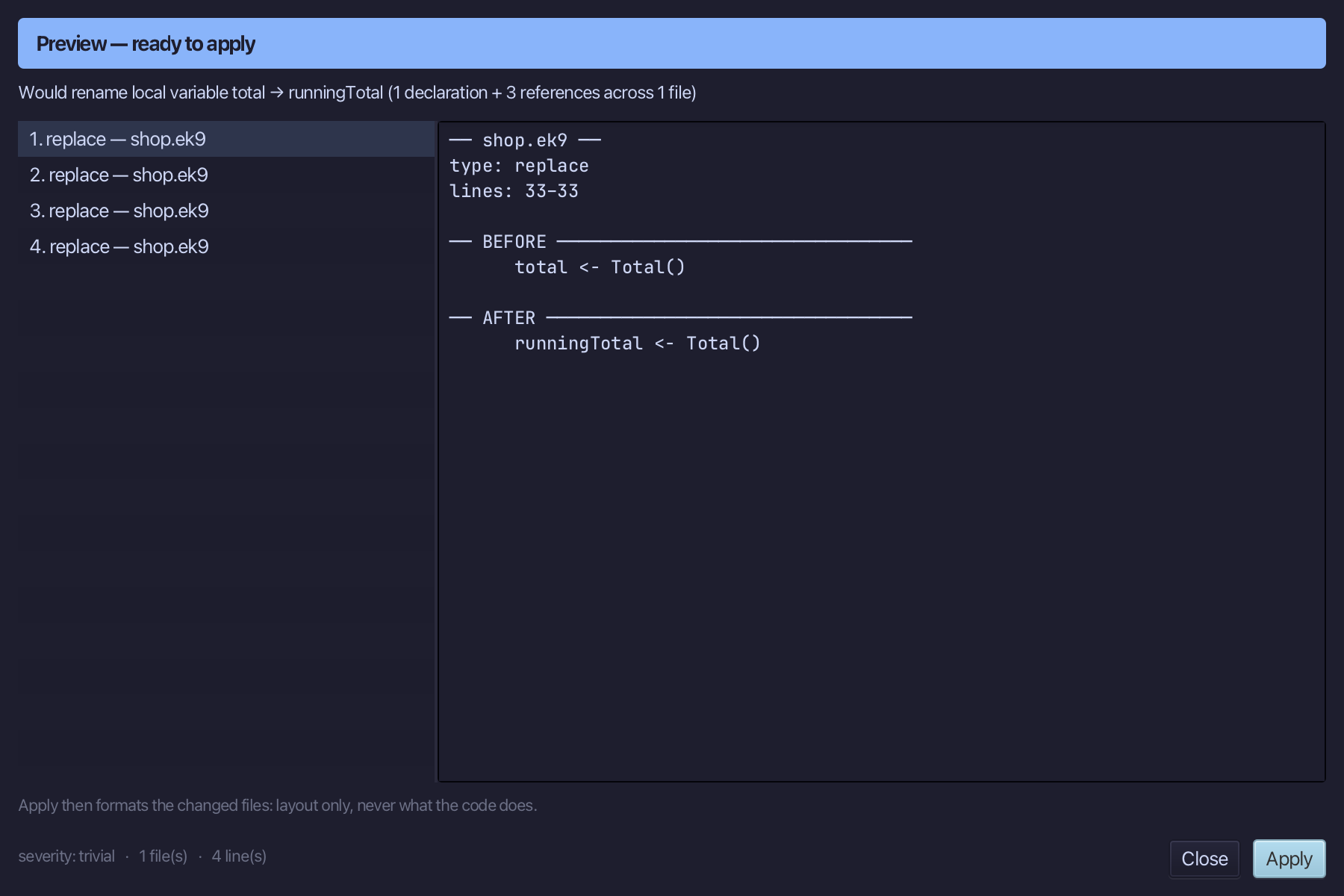
Step 3: Preview and apply
The preview shows every place total becomes runningTotal. Choose Apply.
The result
That is Replace in Symbols mode: every one of the local's 4 places changed together, in one compile-checked preview - never just the match you clicked, the way Text mode's Replace only touches the text at hand. AI assistants use the same ek9_rename_symbol tool.
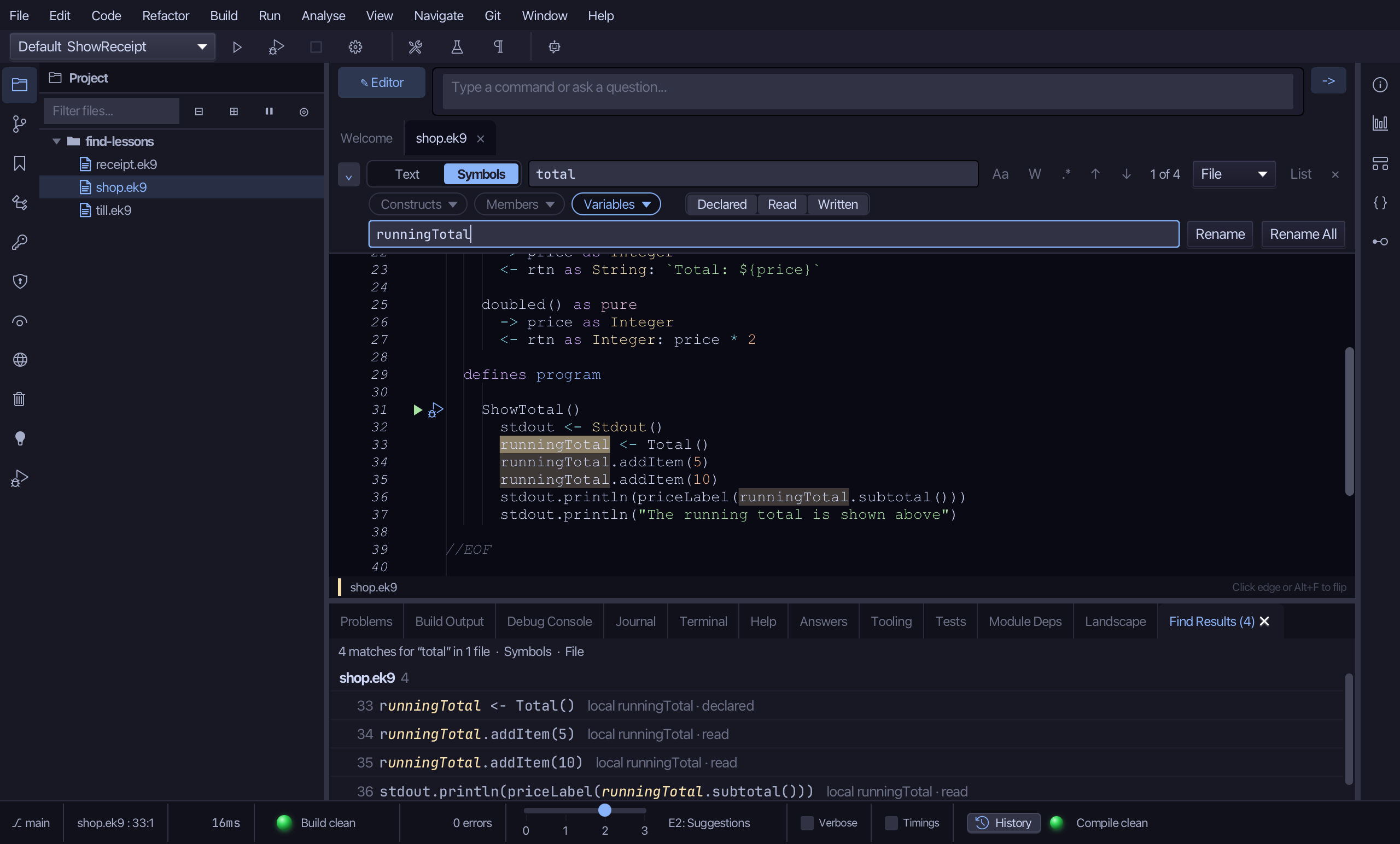
Where this lesson comes from
- For AI assistants - the MCP tool
ek9_rename_symbol.