Sync References
Sync References does what Organize References does - delete unused entries - and also adds the entry for any cross-module symbol the file uses but has not declared, in one pass. Here garden.ek9 references both prune and water from shed.ek9, but only ever calls water. To play it in the IDE: Help > Lessons > Refactoring…, or ek9 -ide -lesson sync-references.
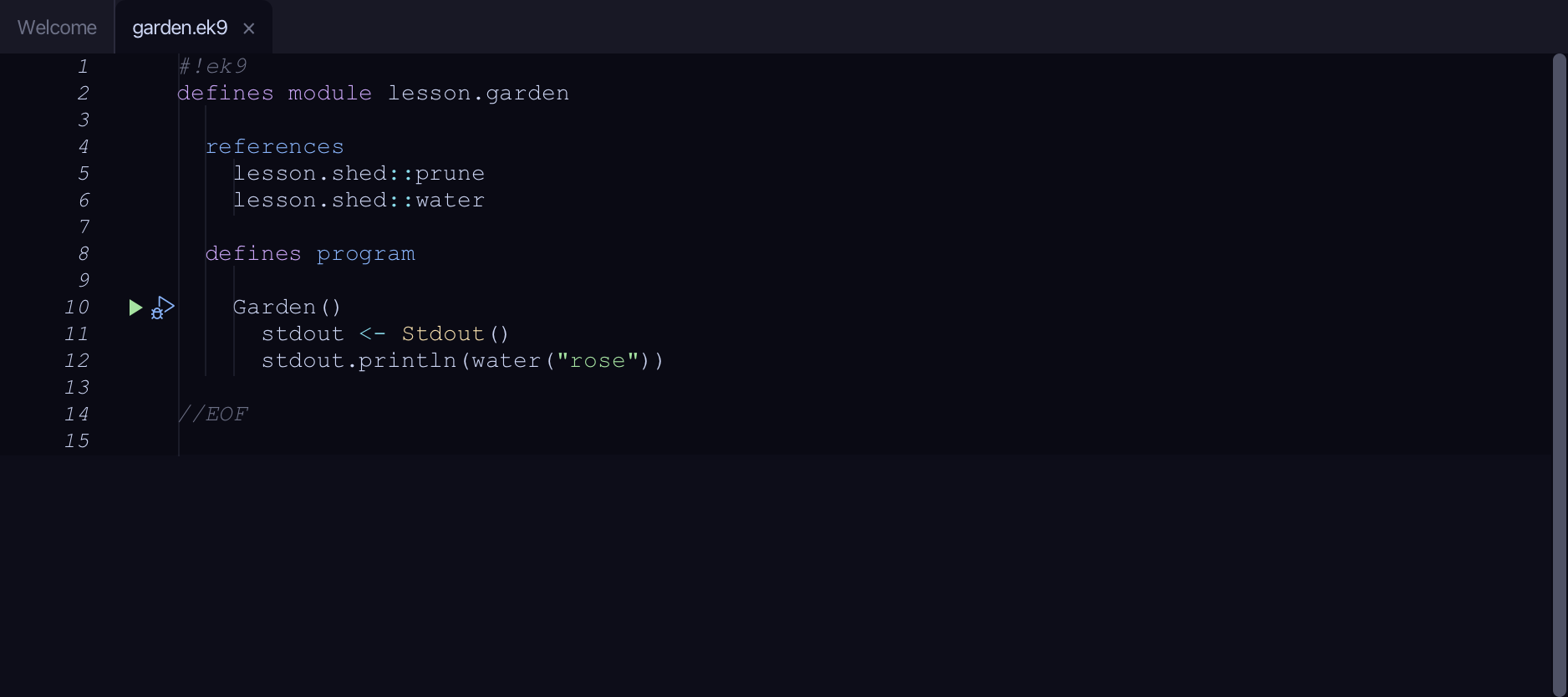
Start from
The code the lesson starts from: copy it into a file of your own and follow the steps.
garden.ek9
#!ek9
defines module lesson.garden

  references
    lesson.shed::prune
    lesson.shed::water

  defines program

    Garden()
      stdout <- Stdout()
      stdout.println(water("rose"))

//EOF
shed.ek9
#!ek9
defines module lesson.shed

  defines function

    water() as pure
      -> plant as String
      <- rtn as String: `${plant} watered`

    prune() as pure
      -> plant as String
      <- rtn as String: `${plant} pruned`

//EOF
Step 1: Where it is
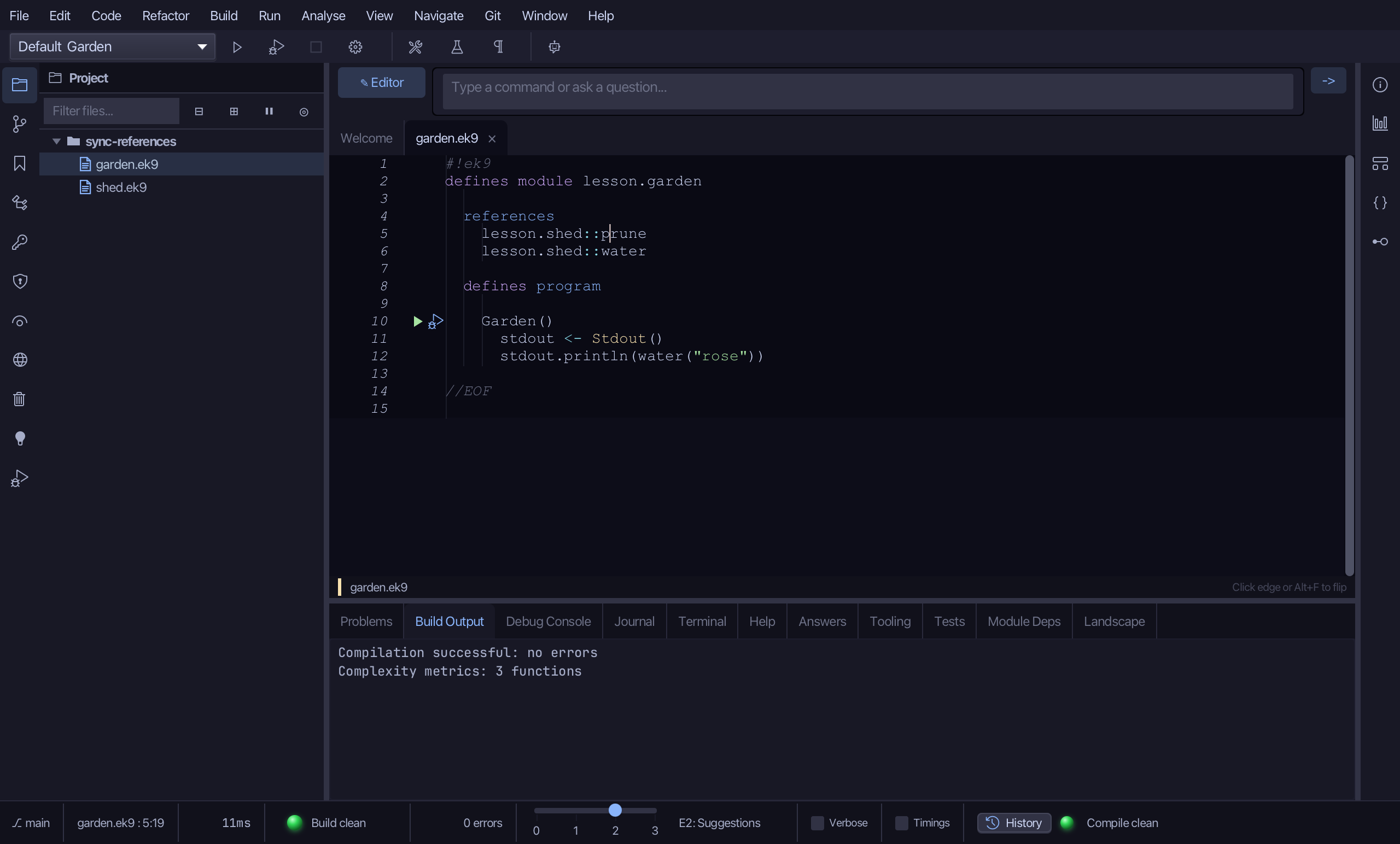
Put the caret on prune, on line 5.
Step 2: Sync References
Right-click it - or choose Refactor > Refactor This… - and choose Sync References.
Step 3: Preview and apply
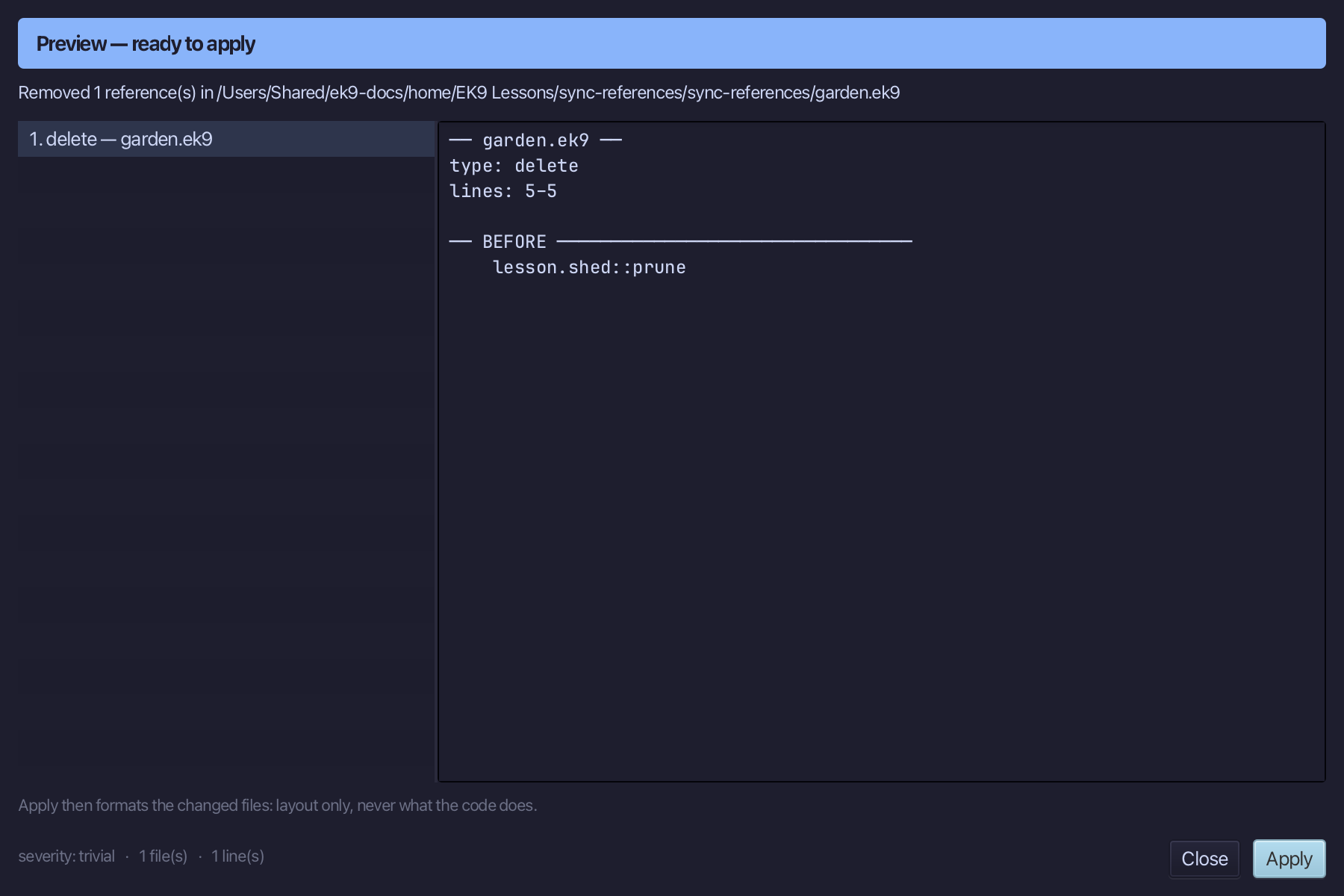
The preview shows every change the refactoring makes; then the IDE formats each file it changed. Choose Apply.
The result
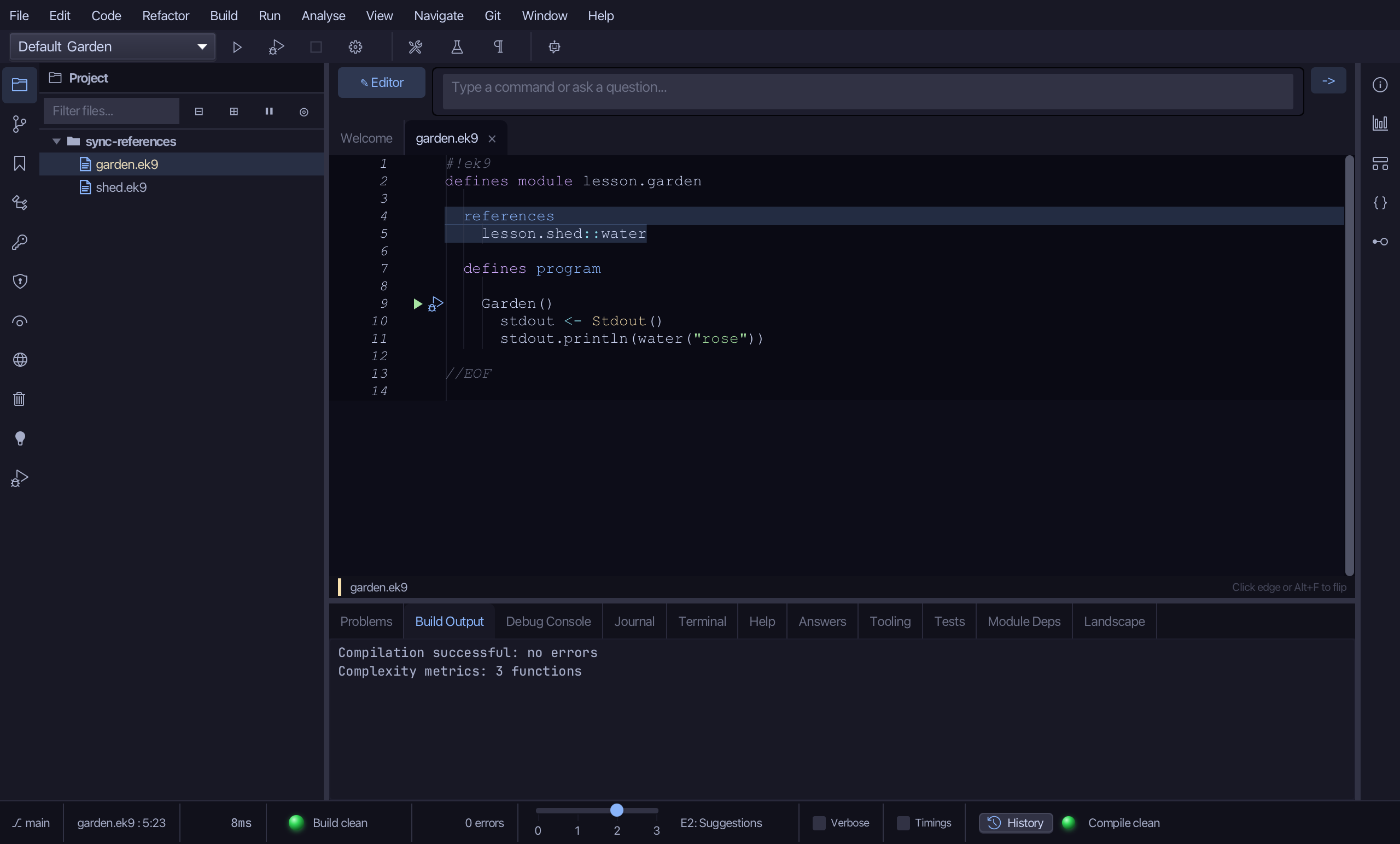
That is Sync References: prune is gone from the references block, and water is untouched - the same result Organize References gives here, because nothing was missing to add. On a file that calls a symbol it has not yet referenced, Sync adds the module::Name entry instead of leaving the error; two names resolving from different modules surfaces as a conflict to fully-qualify, rather than a guess. It is on the Code menu and the right-click menu, never gated on having anything to remove - a file with no references block at all is exactly where it does most work; AI assistants use the ek9_sync_references tool.
Where this lesson comes from
- For AI assistants - the MCP tool
ek9_sync_references.