Watches
A watch reads a value at every stop, without a breakpoint on it - a class field included, even one EK9 itself keeps private. Counter.bump adds to its own total, once for each pass of a loop; apiKey is read from an environment variable with EnvVars().sensitiveGet(...), never written into the source. A breakpoint is already explained in Breakpoints and stepping - this lesson starts from one. Read it. To play it in the IDE: Help > Lessons > Debugging and the Journal…, or ek9 -ide -lesson watches.
Start from
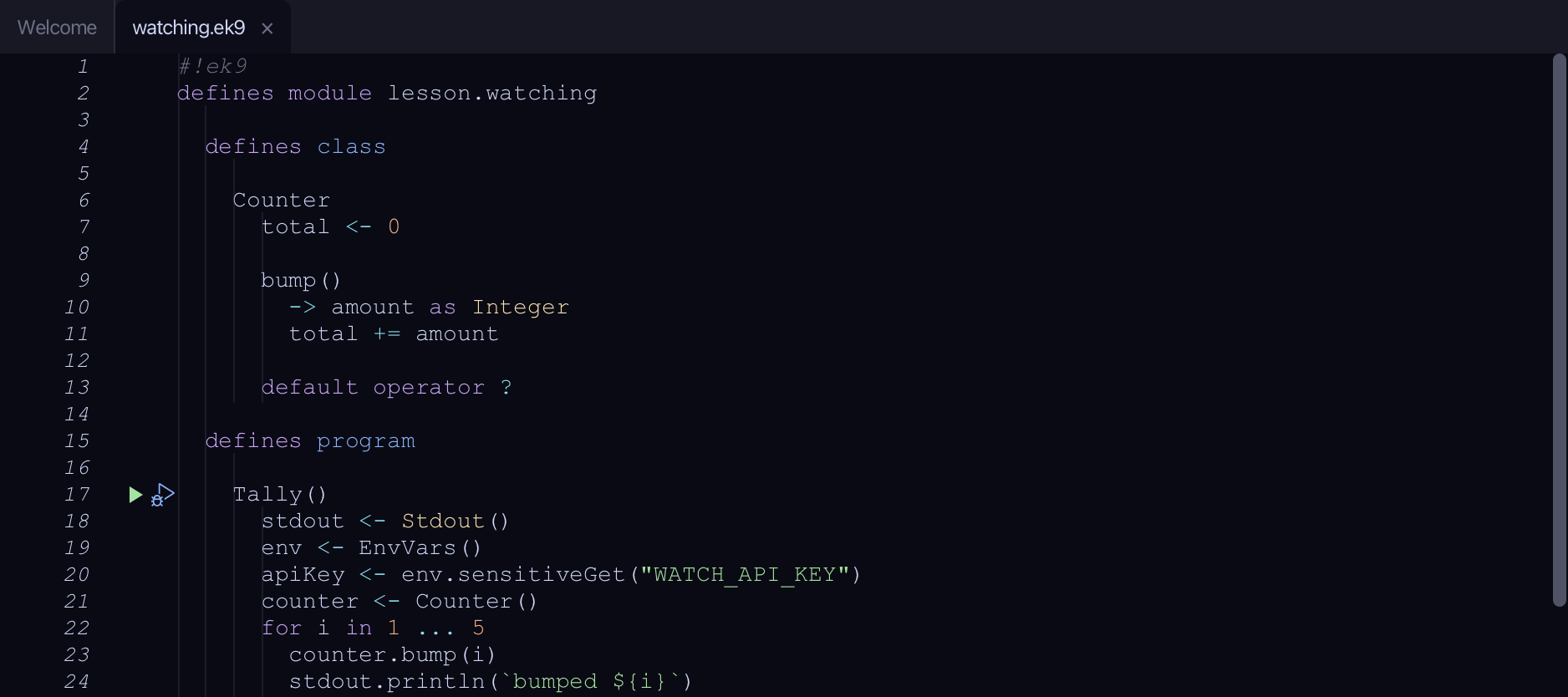
The code the lesson starts from: copy it into a file of your own and follow the steps.
#!ek9
defines module lesson.watching

  defines class

    Counter
      total <- 0

      bump()
        -> amount as Integer
        total += amount

      default operator ?

  defines program

    Tally()
      stdout <- Stdout()
      env <- EnvVars()
      apiKey <- env.sensitiveGet("WATCH_API_KEY")
      counter <- Counter()
      for i in 1 ... 5
        counter.bump(i)
        stdout.println(`bumped ${i}`)
      stdout.println(`key set: ${apiKey?}`)

//EOF
Step 1: Stopped, with a secret ready
Click the breakpoint column beside line 23 (counter.bump(i)) - as in Breakpoints and stepping.
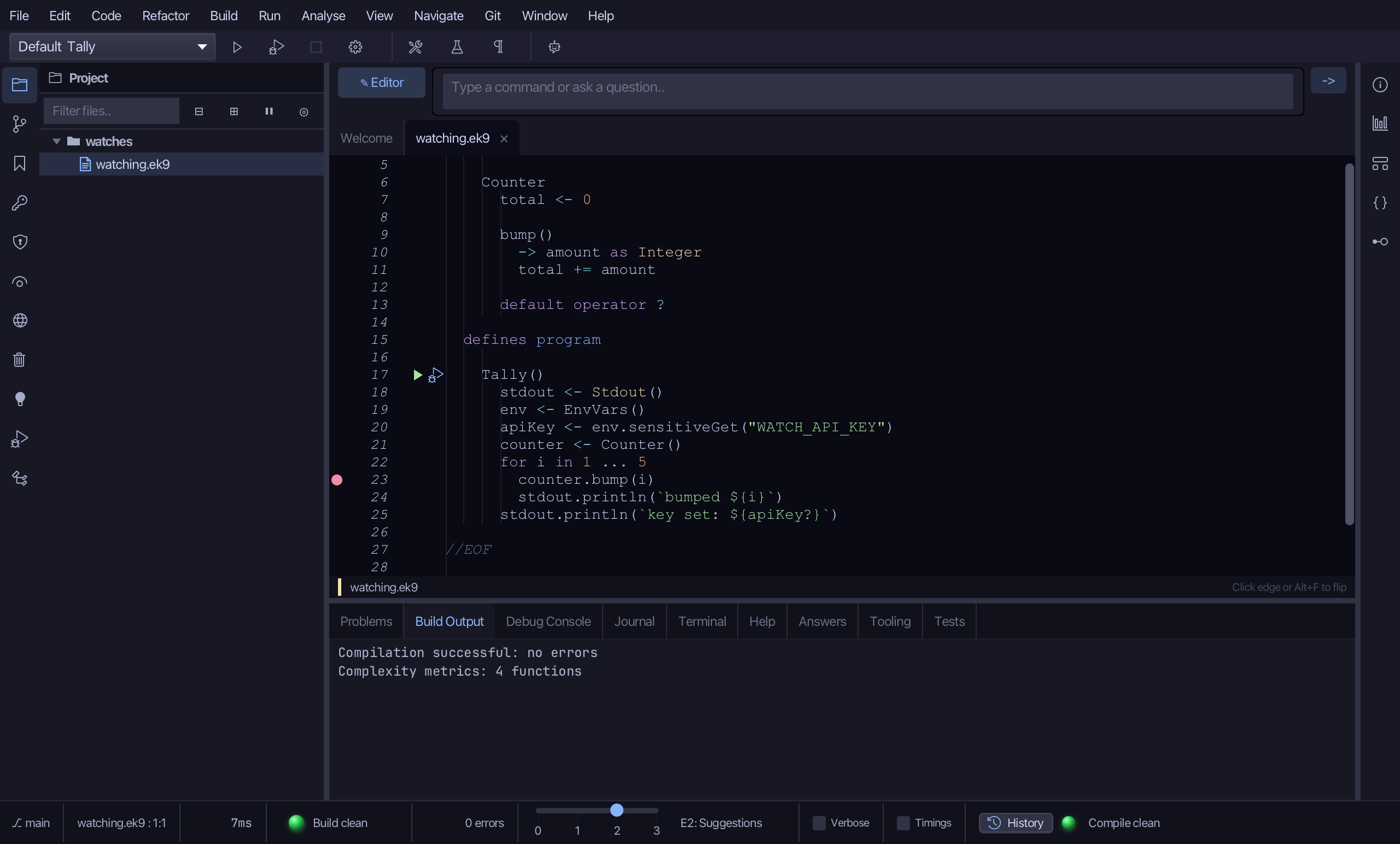
Click the debug (bug) icon beside Tally() - no saved configuration exists for it yet.
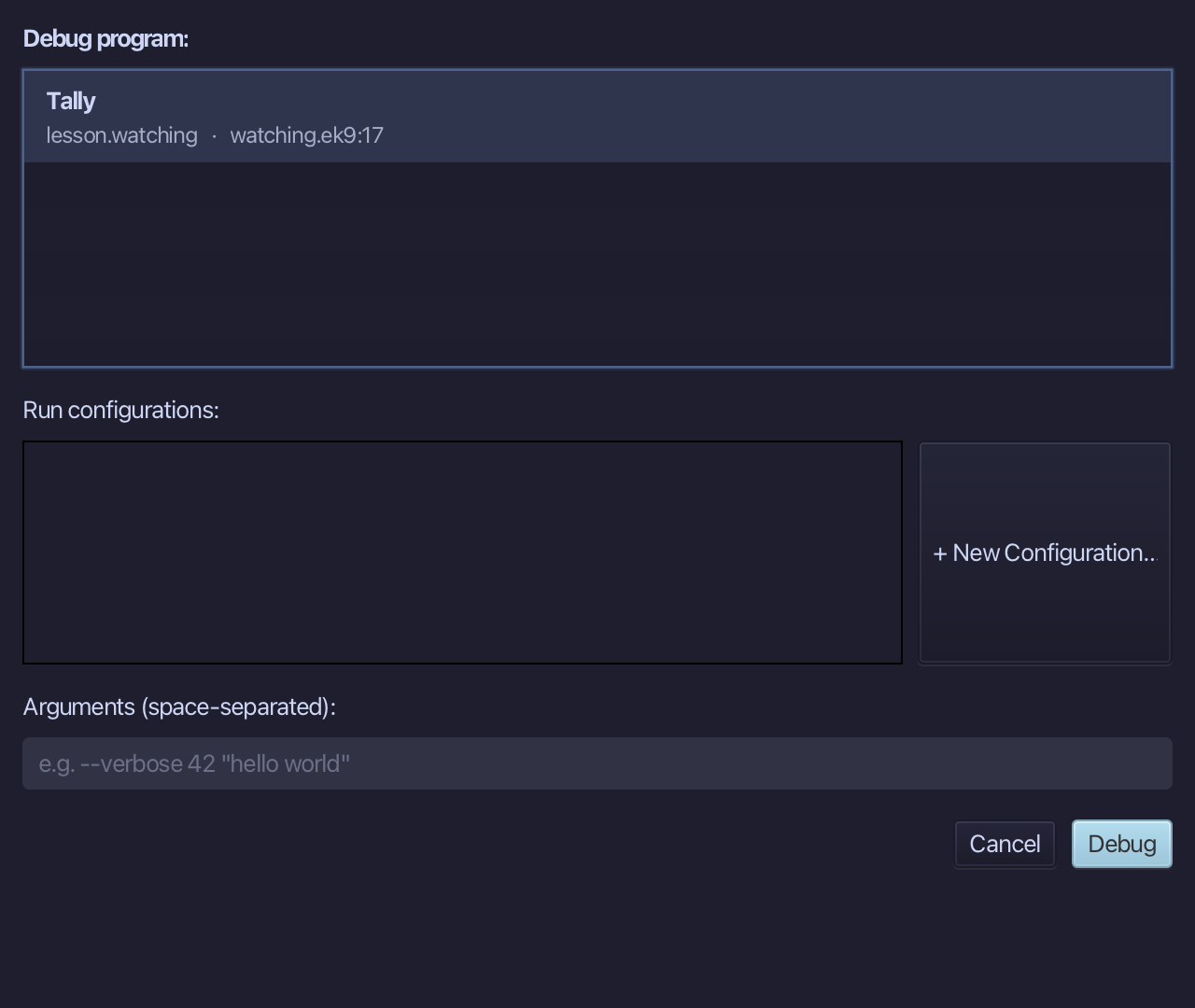
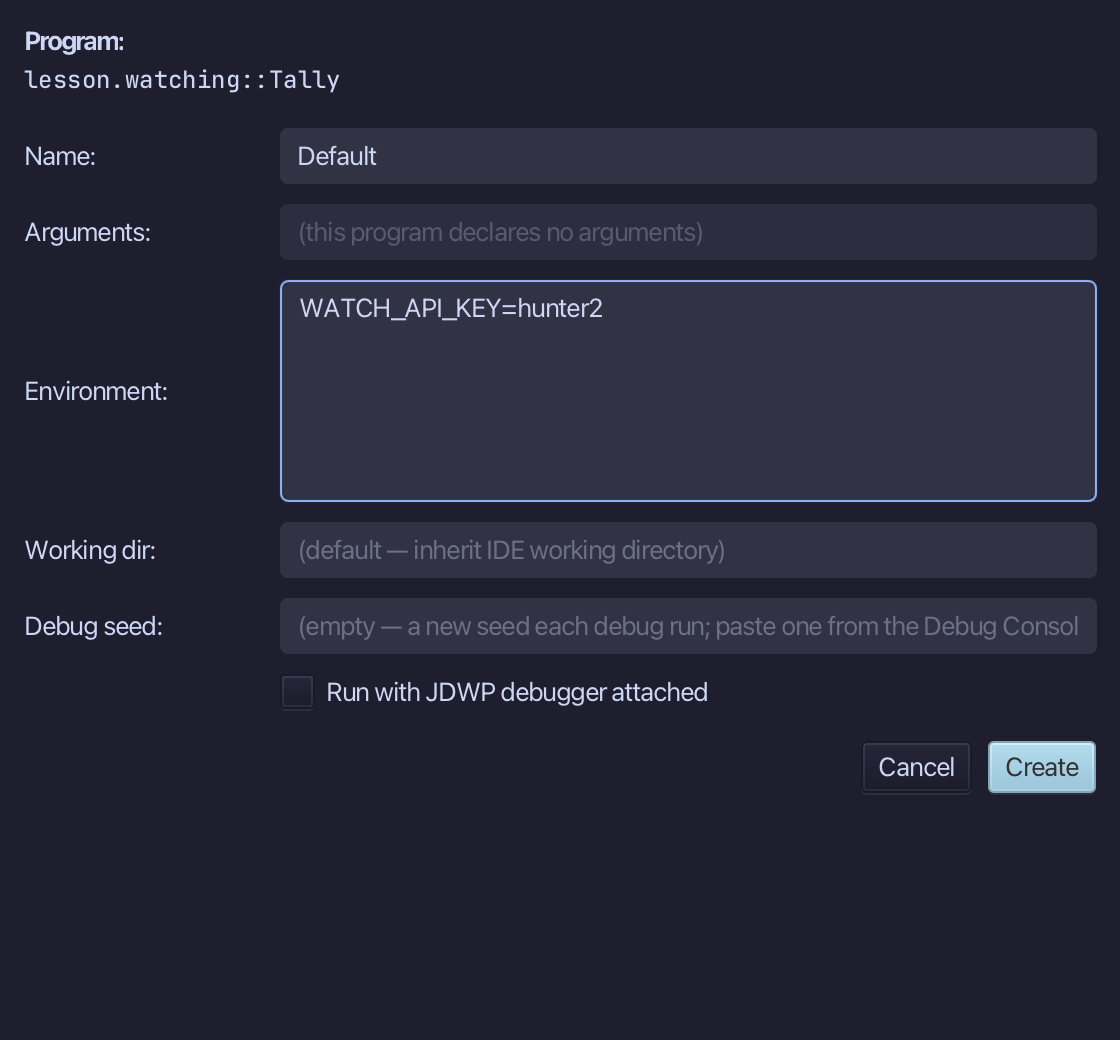
Choose + New Configuration… - this run needs WATCH_API_KEY set, which only a saved configuration can carry.
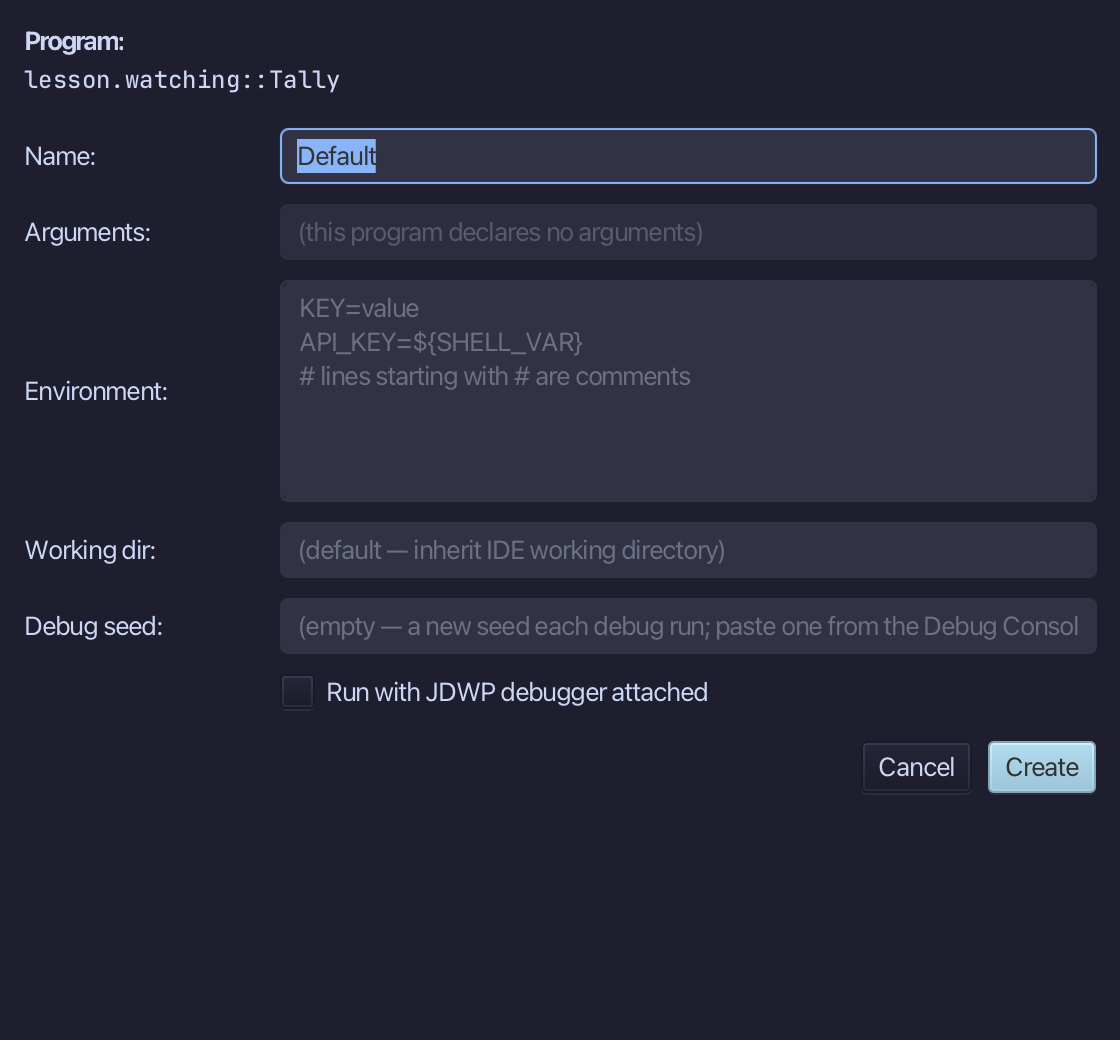
Into Environment type WATCH_API_KEY=hunter2 - apiKey reads with env.sensitiveGet("WATCH_API_KEY"). Choose Create.
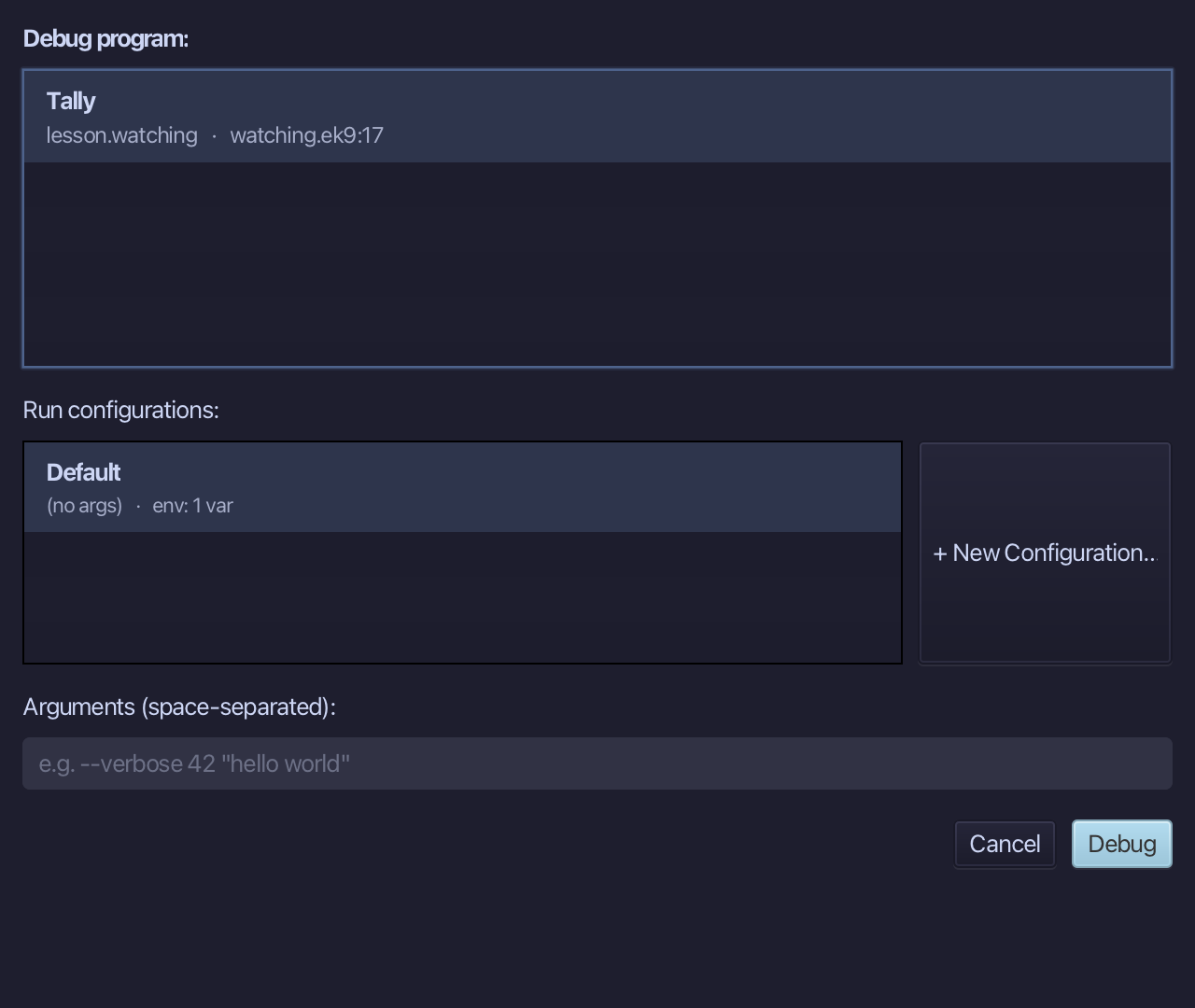
Choose Debug - the new configuration, with its environment variable, is already selected.
Step 2: Add a watch
Into "Add a watch" type counter.total and press Enter - counter.total has no visibility of its own outside Counter, but the debugger reads it anyway.
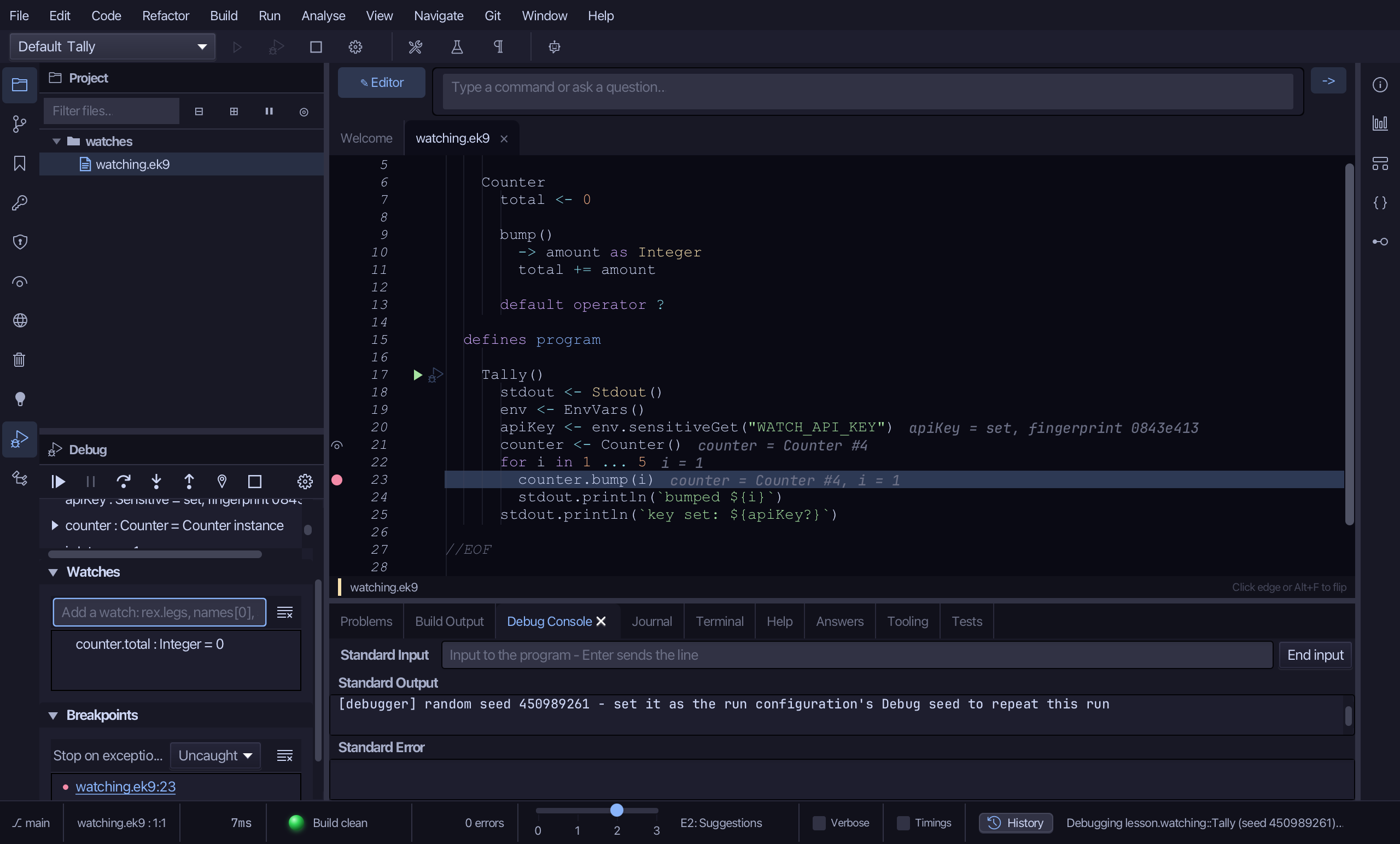
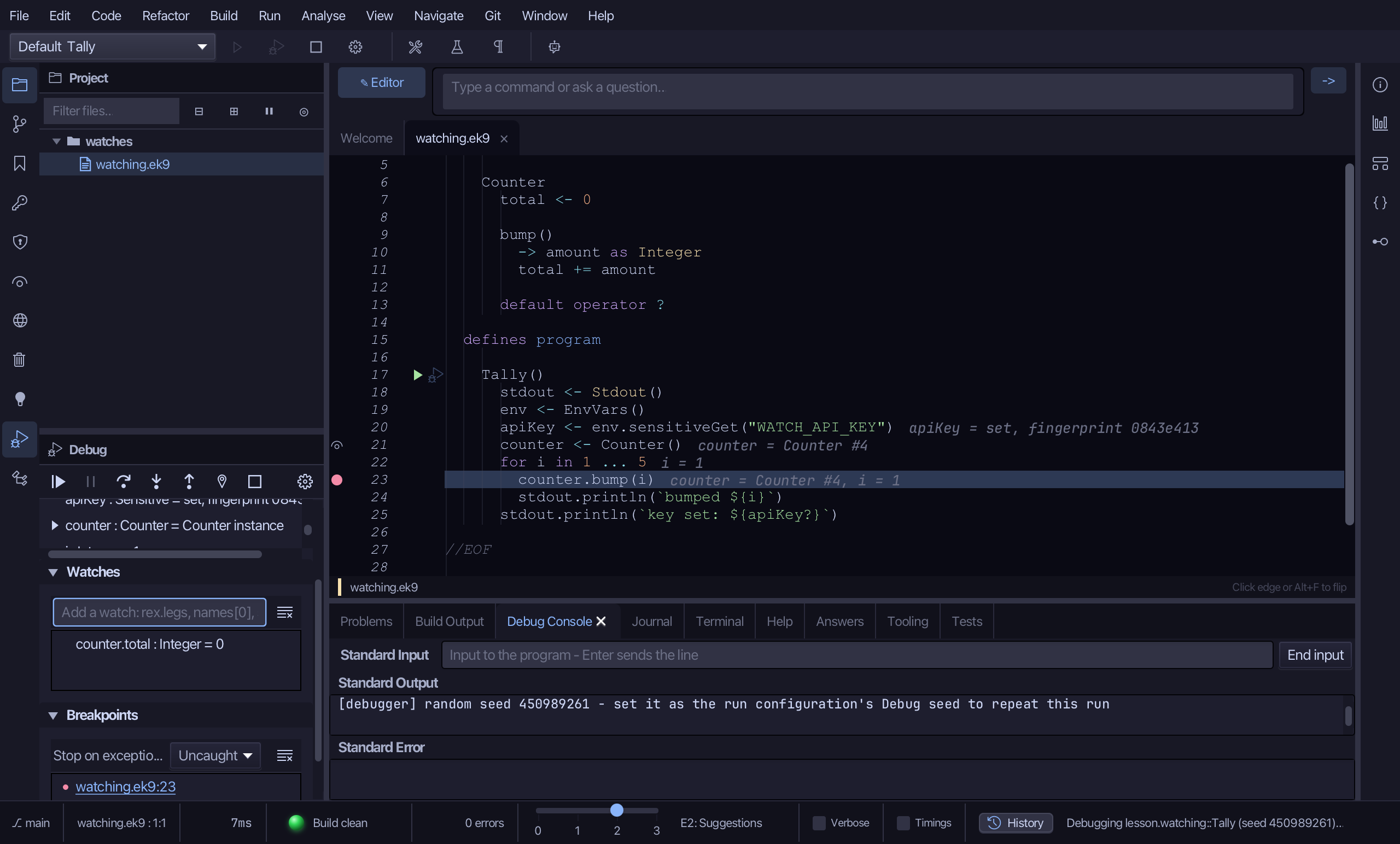
Watches now lists counter.total, 0 - this pass has not bumped it yet.
Step 3: Break when value changes
Click the breakpoint column beside line 23 again, to remove it - so the next stop is only because counter.total itself changes, never because of a line.
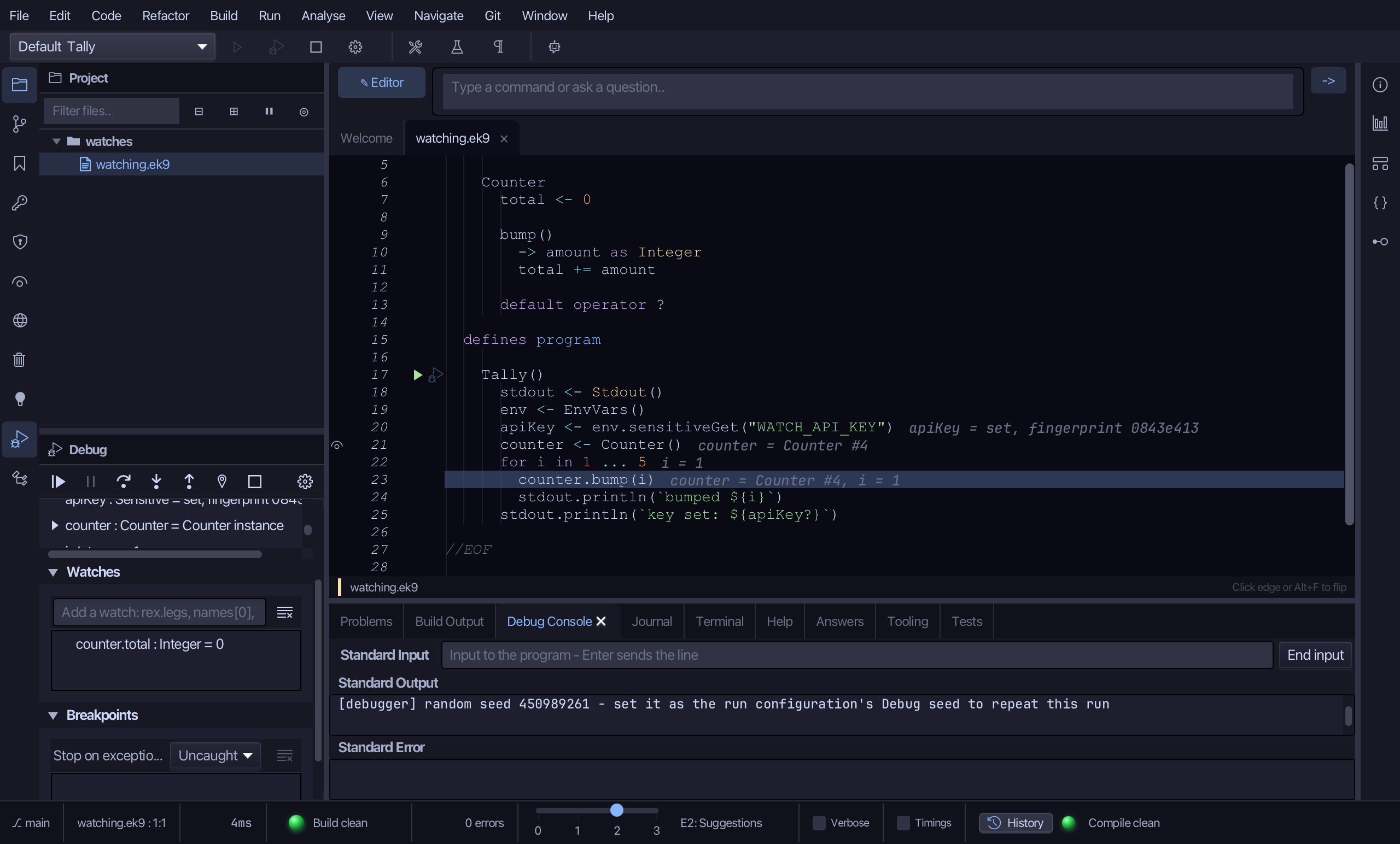
Right-click the counter.total row in Watches and choose "Break when value changes".
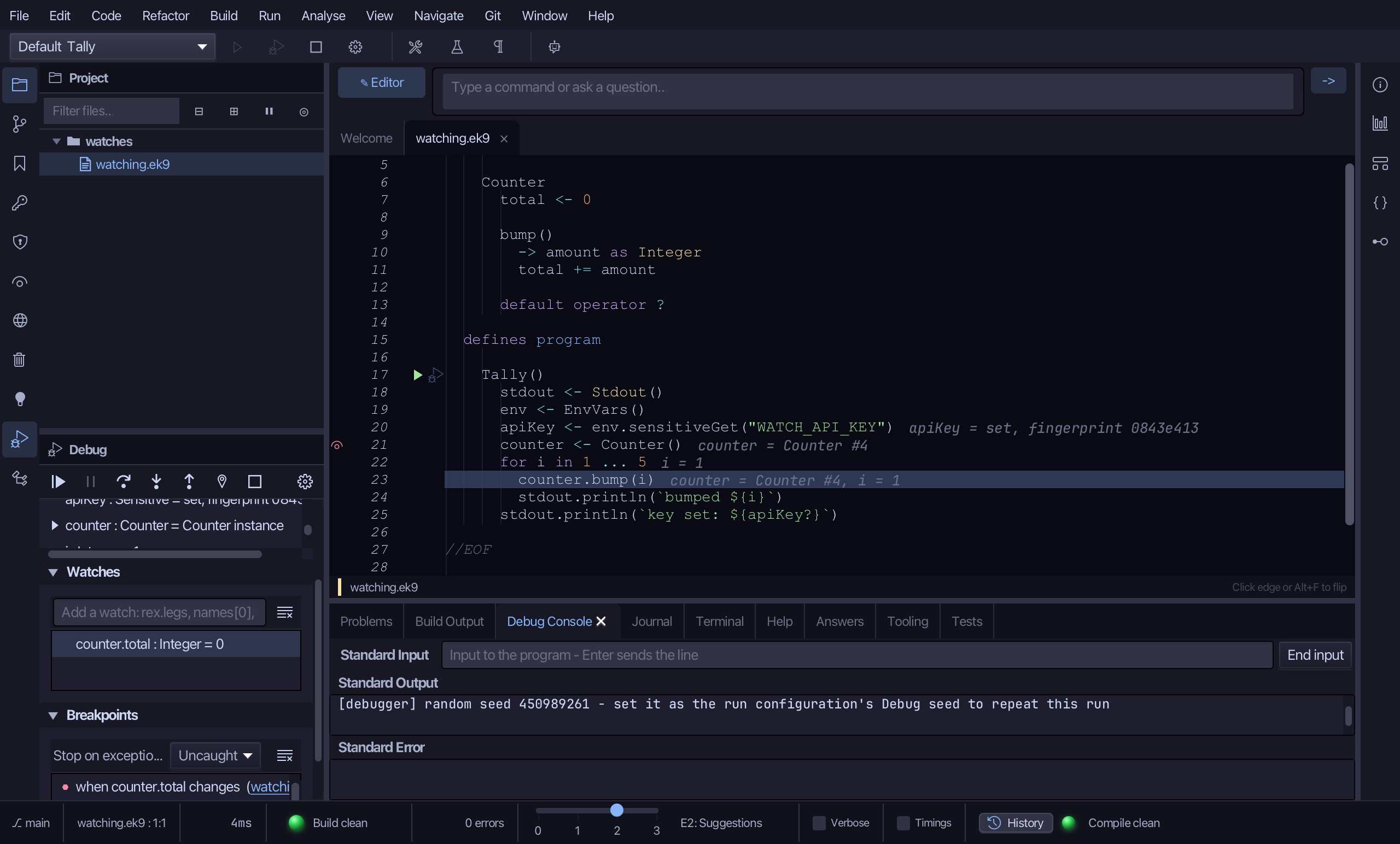
In the Debug window, choose Continue.
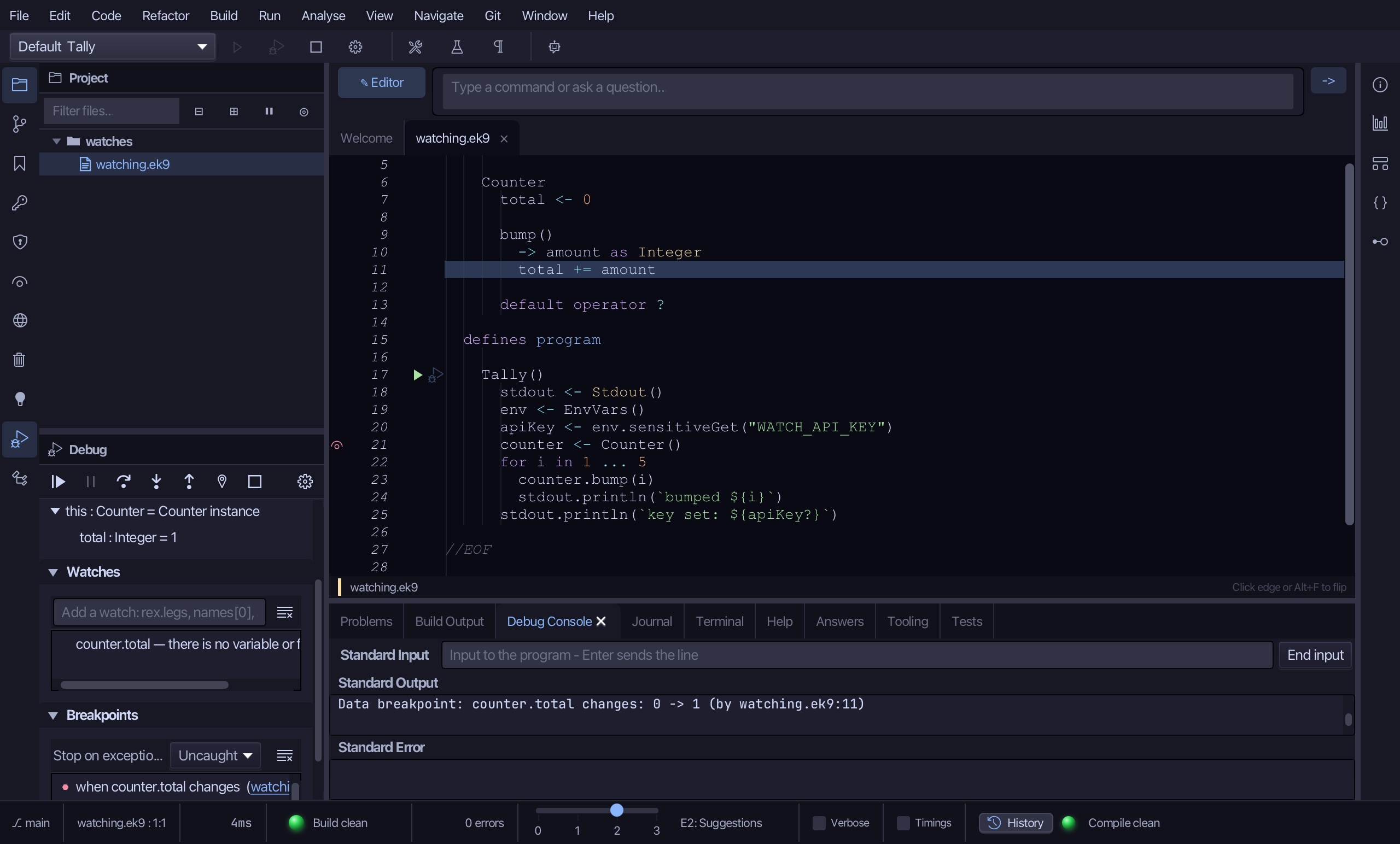
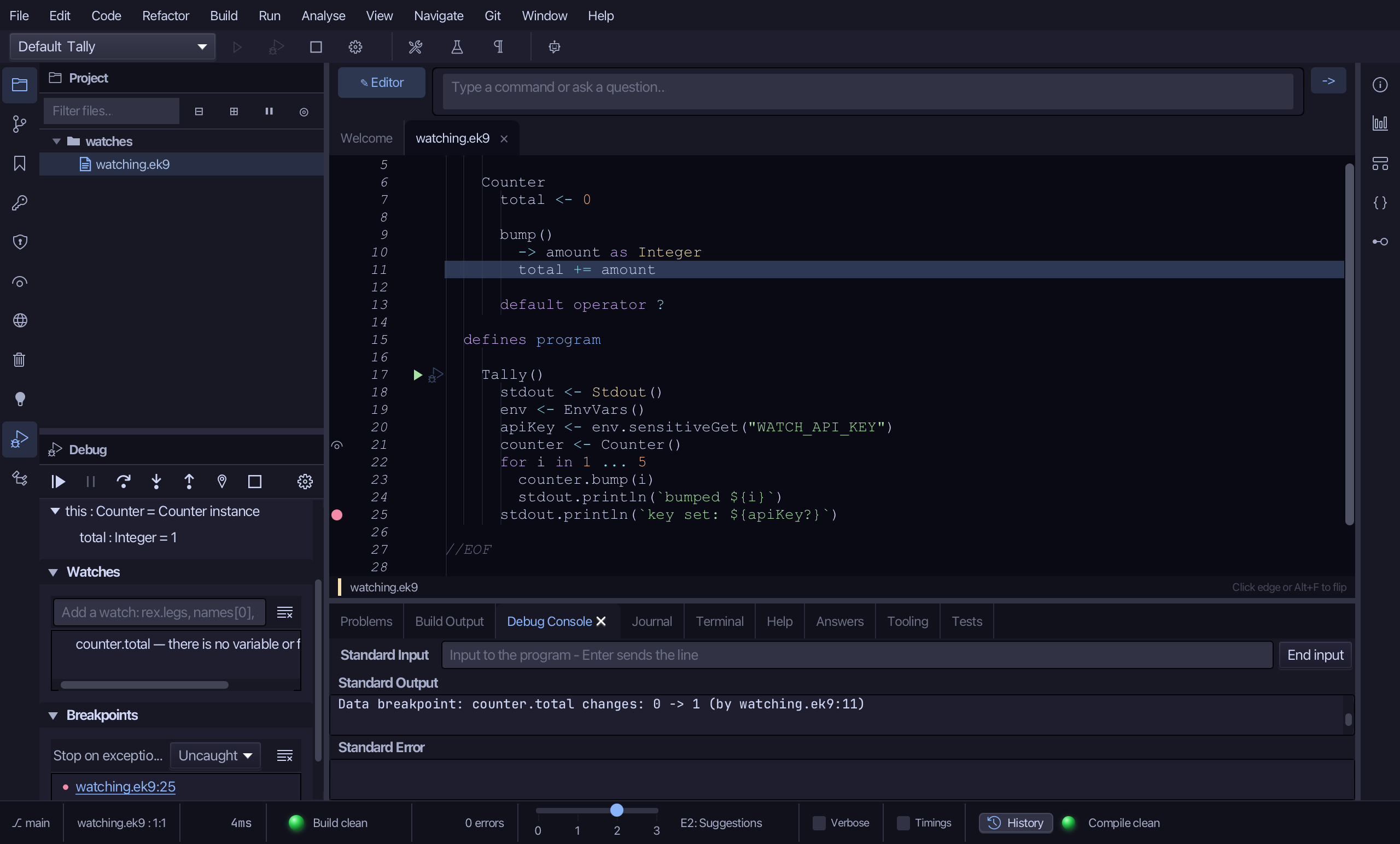
Stopped inside Counter.bump(), not back at the line removed - Frames and the Debug Console agree on where: both name line 11, the statement that actually changed it, by watching.ek9:11. The counter.total watch now reads "there is no variable or field": a watch is read in the frame that is stopped, and inside Counter.bump() there is no counter - only this. It reads again once the run is back in Tally.
Choose "Remove all breakpoints", in the Breakpoints section - clearing the data breakpoint too, so the rest of this run is not interrupted again.
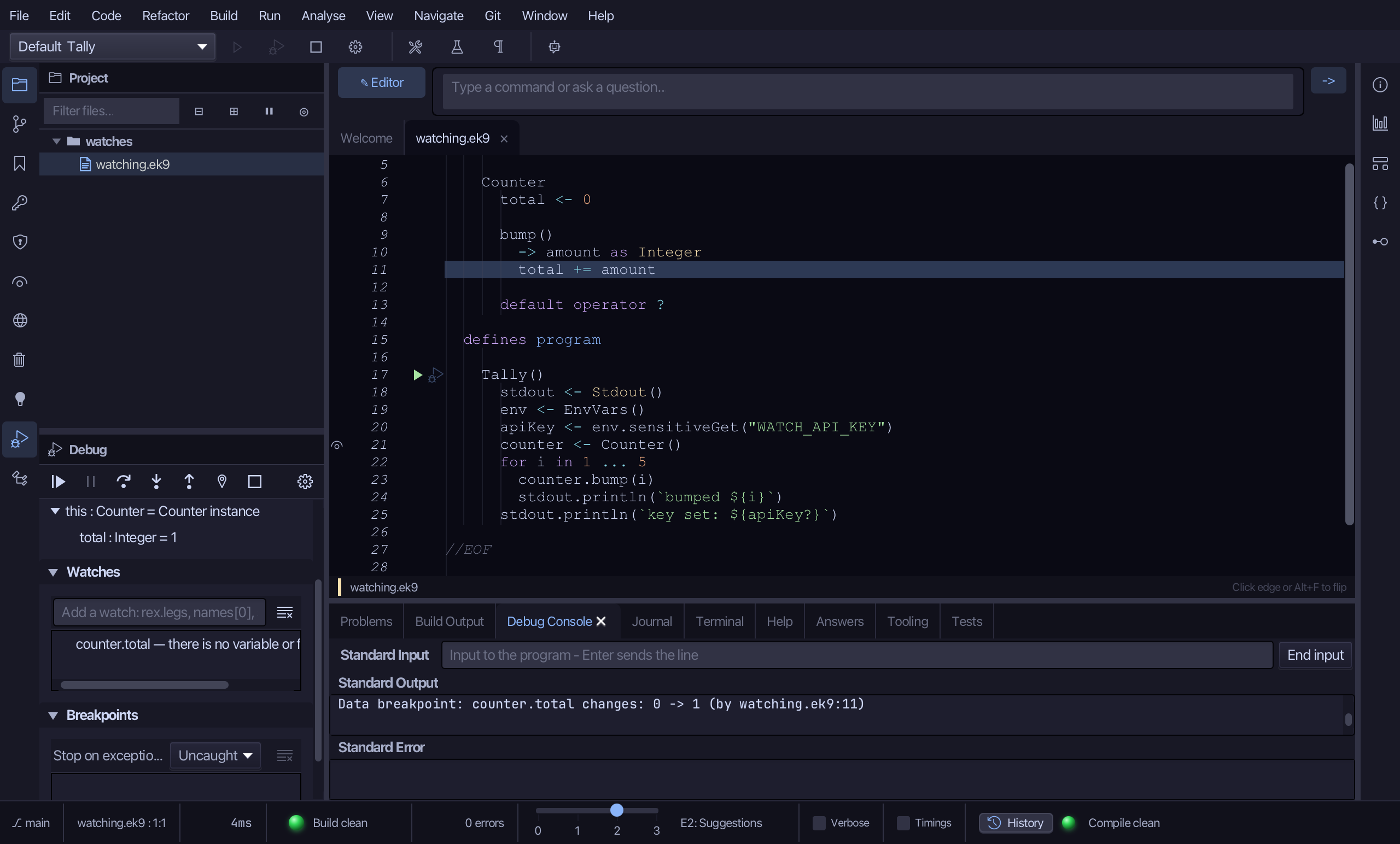
Step 4: Sensitive, masked
Click the breakpoint column beside line 25 (stdout.println(key set: ...)).
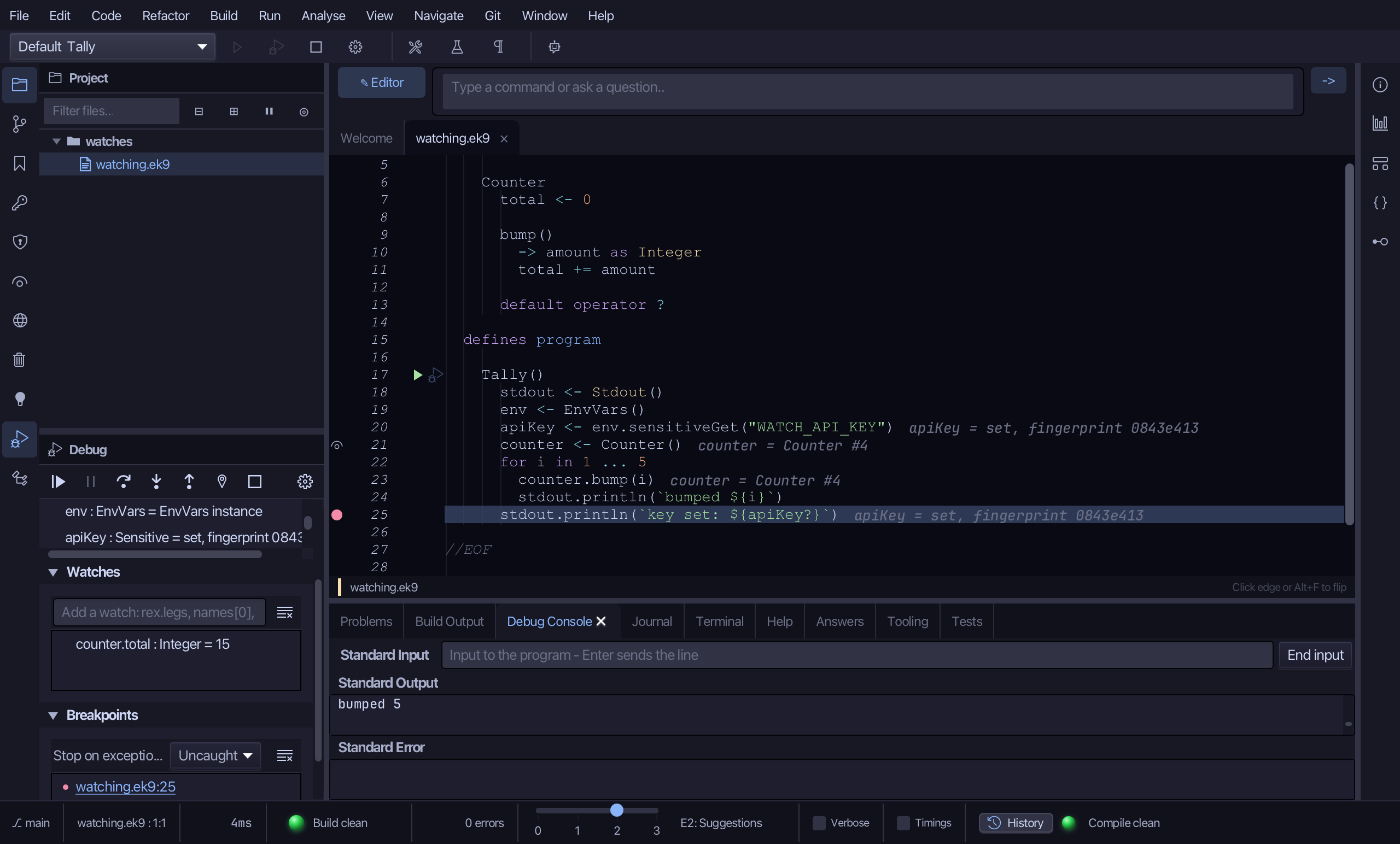
In the Debug window, choose Continue - the rest of the loop runs on, with no breakpoint left to catch it.
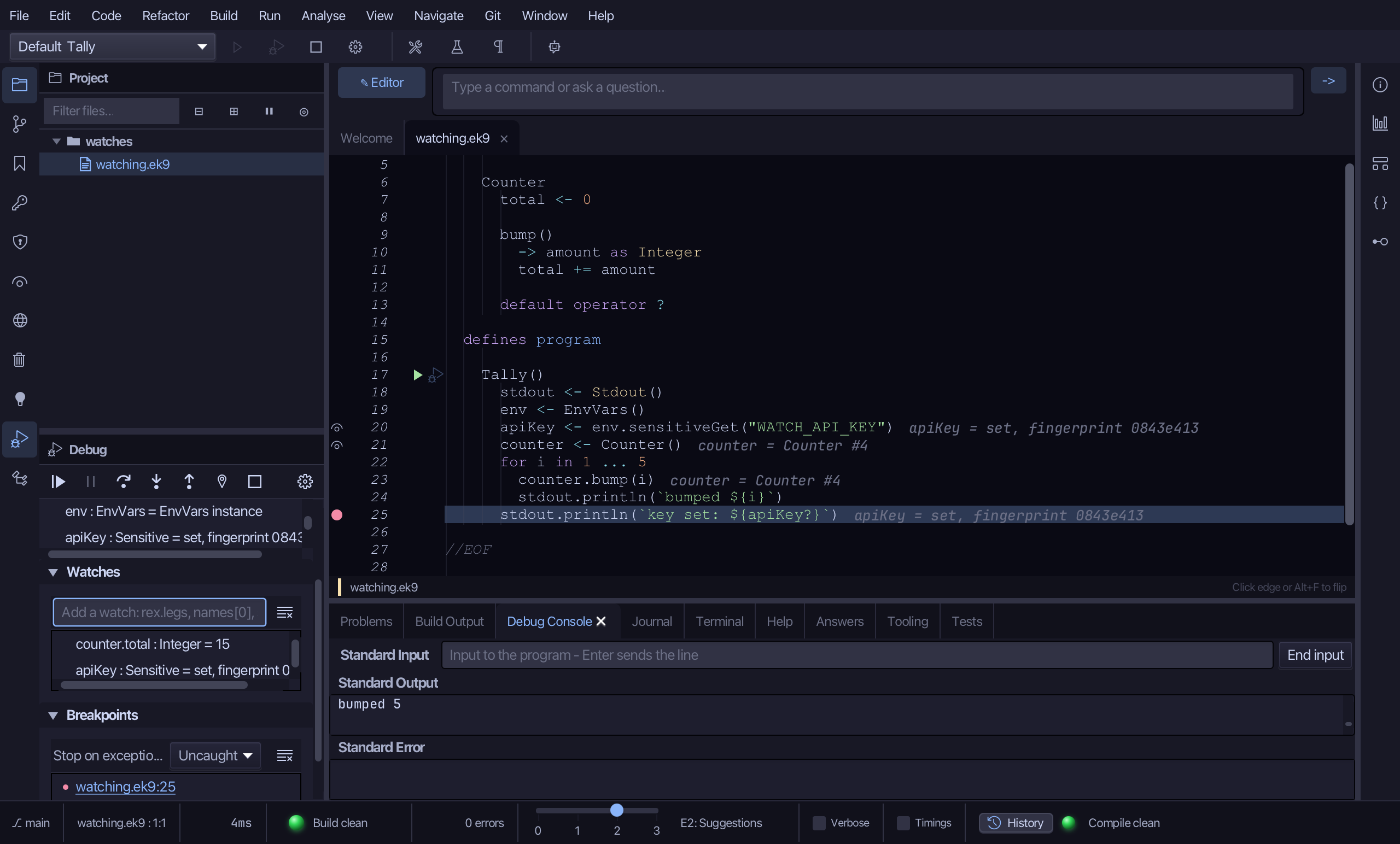
Into "Add a watch" type apiKey and press Enter.
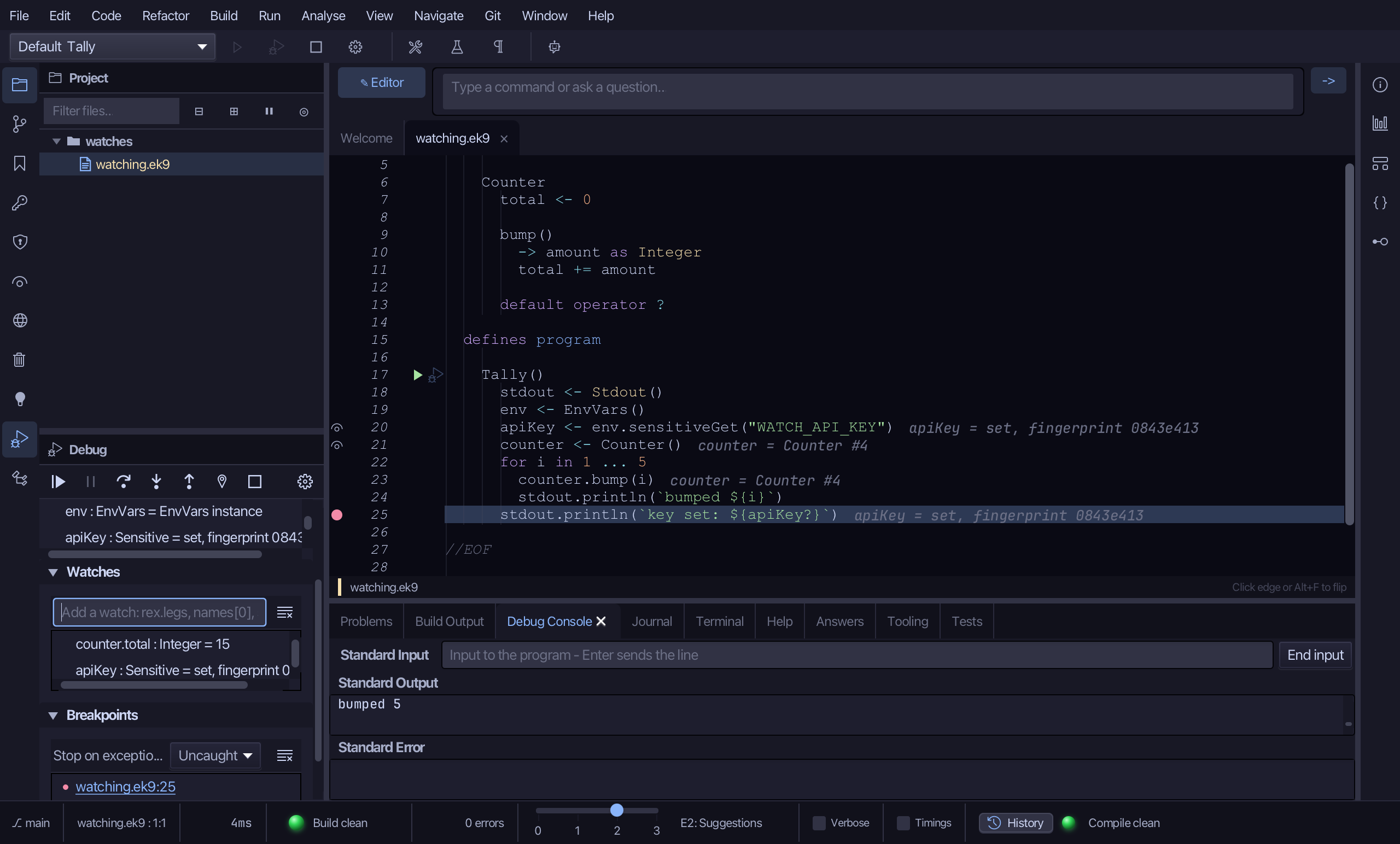
apiKey : Sensitive = set, fingerprint ... - never the raw text set into WATCH_API_KEY, not even here. "Reveal value", on the same row's right-click menu, is a separate, explicit, human-only action - not played in this lesson.
Choose Stop - leaving a run going is never how a session ends.
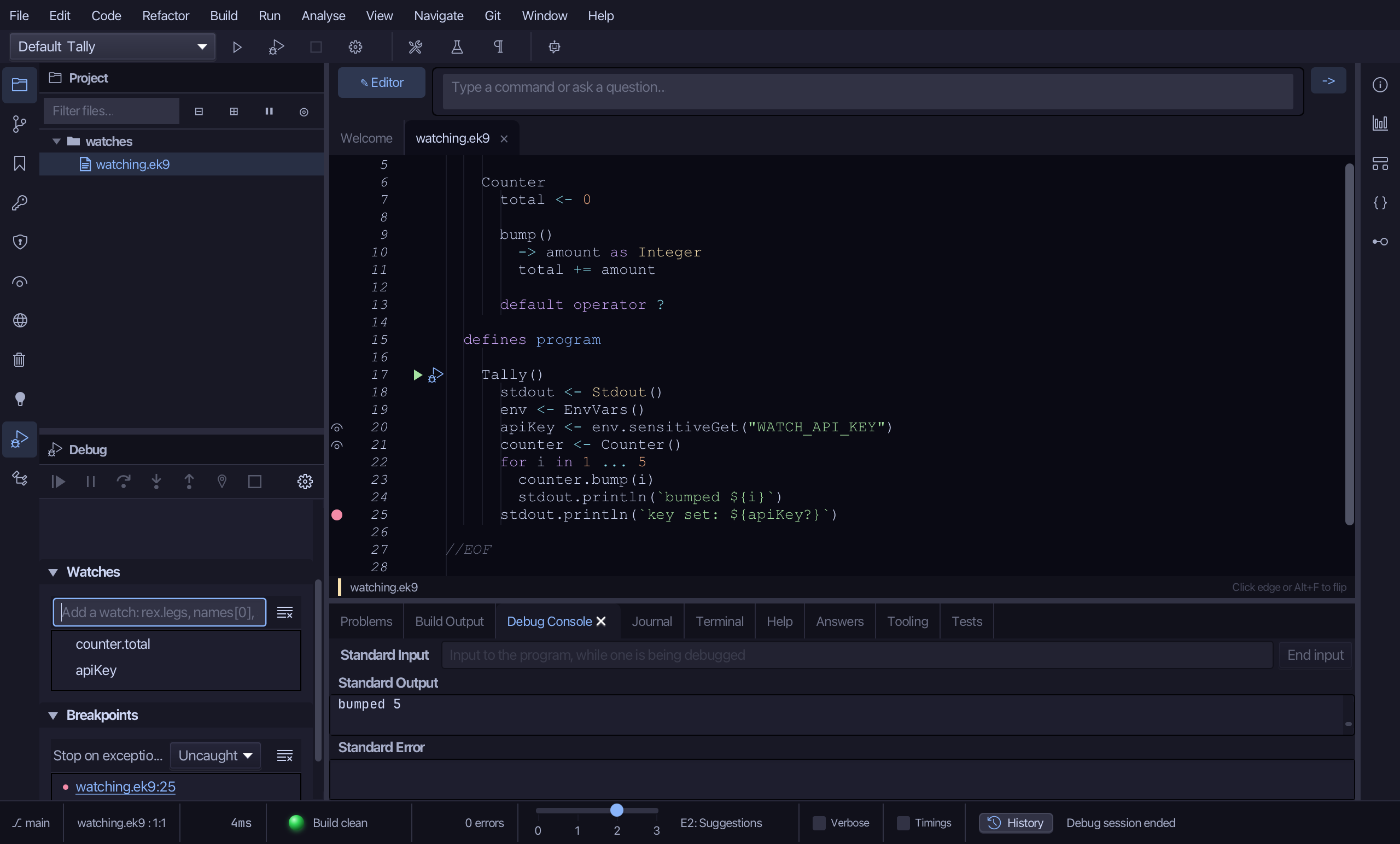
The result
That is a watch, a data breakpoint and a Sensitive value, masked. Add to Watches reads any path at every stop - a field a class keeps private included, since the debugger reads fields, not EK9 code. Break when value changes stops the moment that value is actually changed, wherever that happens to be - here, inside Counter.bump(), never back at the line you set yourself. A Sensitive value never shows its raw text, even in a watch: set or unset, plus a per-session fingerprint - revealing it is a separate, explicit action a person takes, never an AI assistant over MCP. AI assistants read any path the same way, ek9_debug_inspect {action:'evaluate', paths:['counter.total']}, and set the same data breakpoint, ek9_debug_control {action:'setDataBreakpoint', path:'counter.total'}.
Where this lesson comes from
- For AI assistants - the MCP tool
ek9_debug_inspect,ek9_debug_control.