Extract Variable
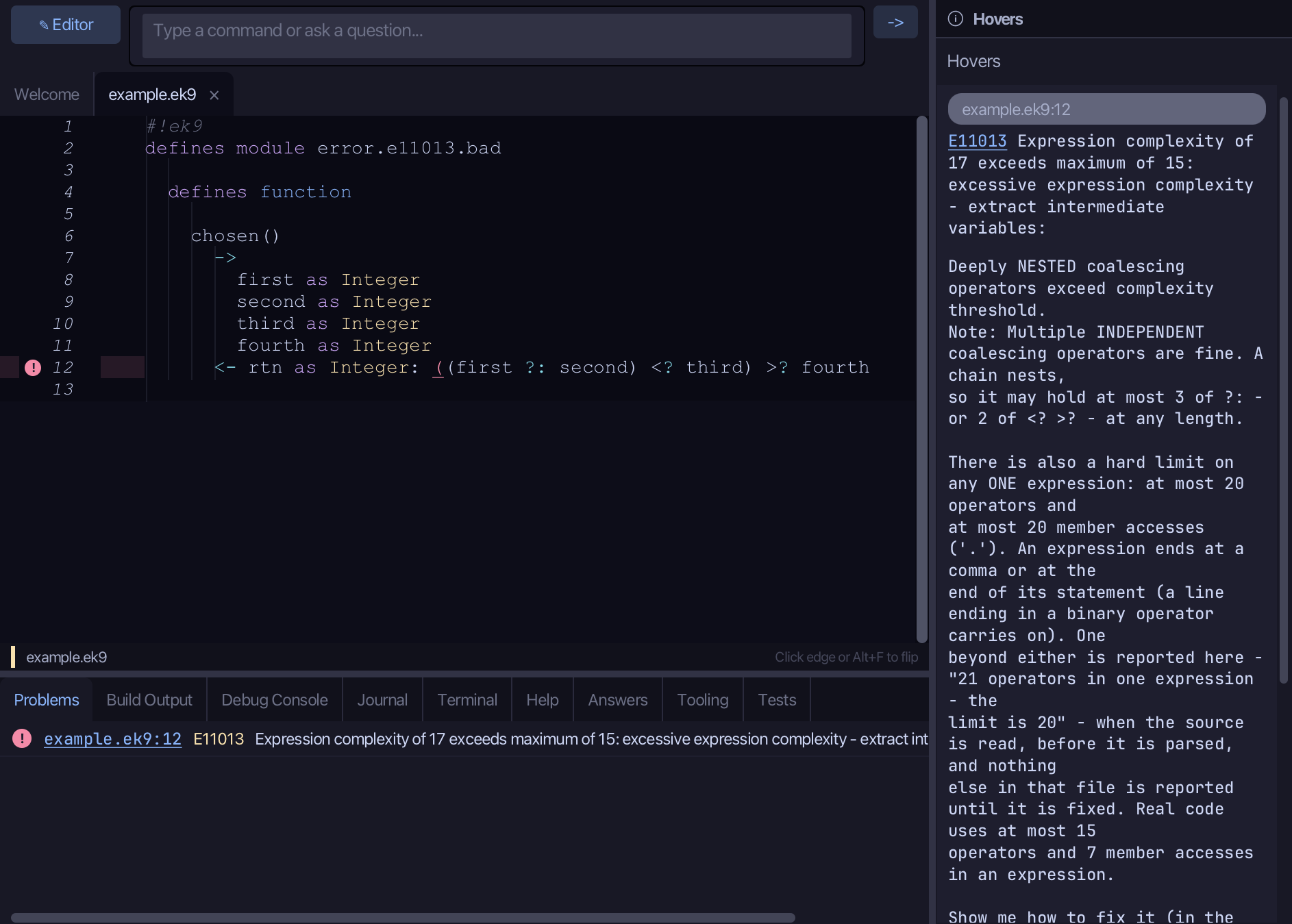
Extract Variable gives part of an expression a name: a local that holds it, and the expression using the name. Here one expression does too much at once to read, so EK9 refuses it - E11013, explained in the Hovers panel. To play it in the IDE: Help > Lessons > Refactoring…, or ek9 -ide -lesson extract-variable.
Start from
The code the lesson starts from: copy it into a file of your own and follow the steps.
Fails with E11013: excessive expression complexity - extract intermediate variables
#!ek9
defines module error.e11013.bad

  defines function

    chosen()
      ->
        first as Integer
        second as Integer
        third as Integer
        fourth as Integer
      <- rtn as Integer: ((first ?: second) <? third) >? fourth
Step 1: The expression
Select (first ?: second) <? third, on line 12.
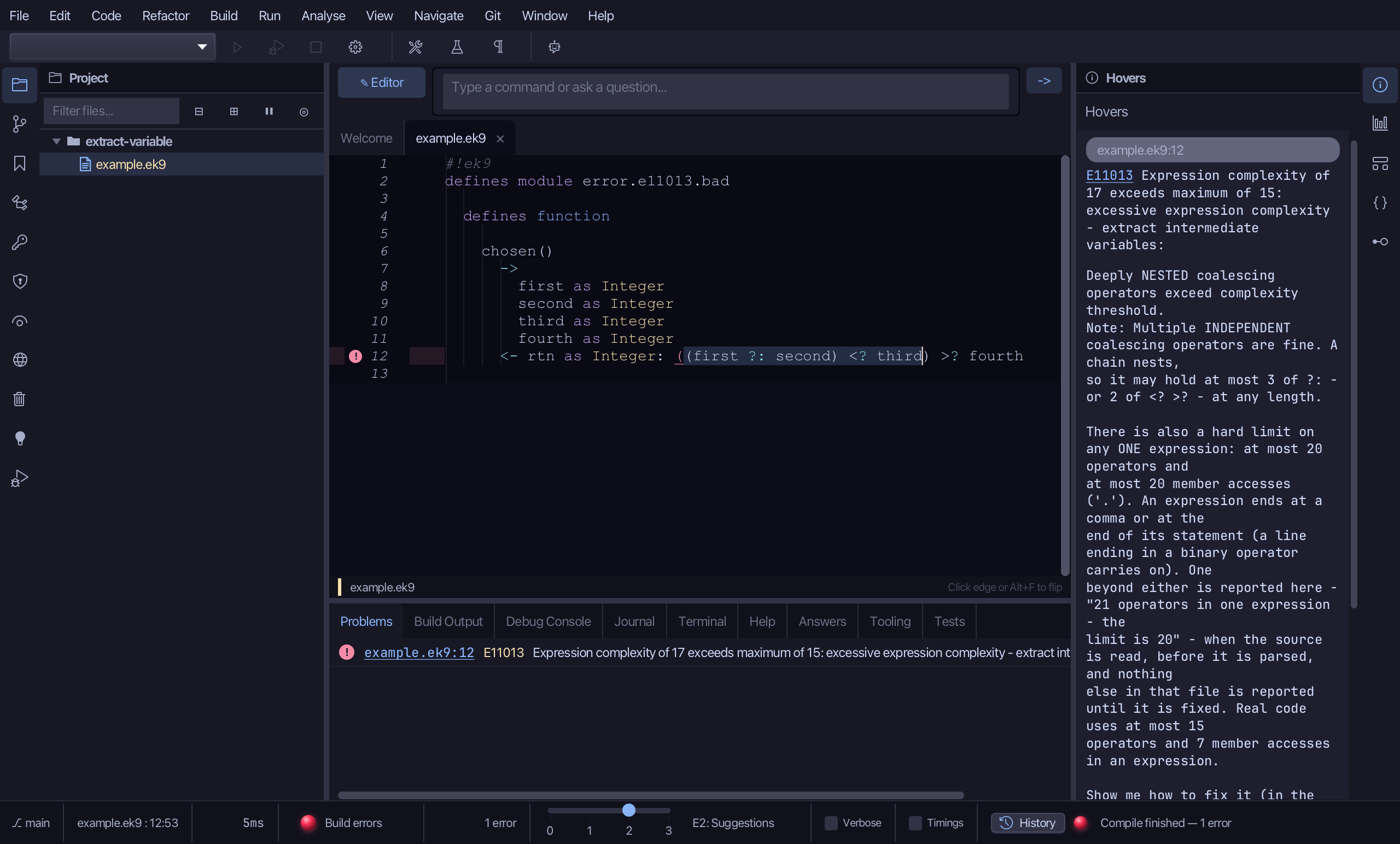
Step 2: Extract Variable
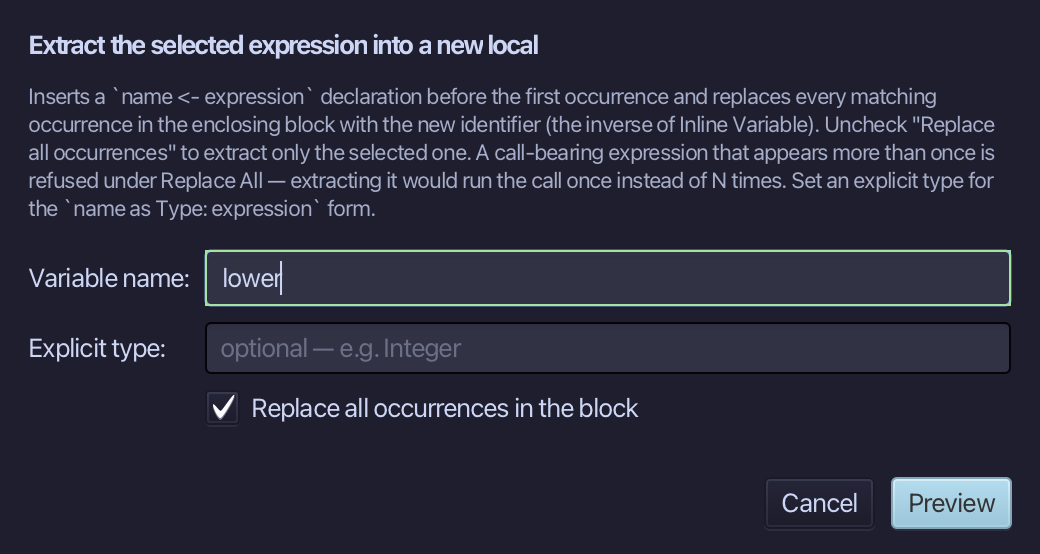
Choose Refactor > Extract Variable…
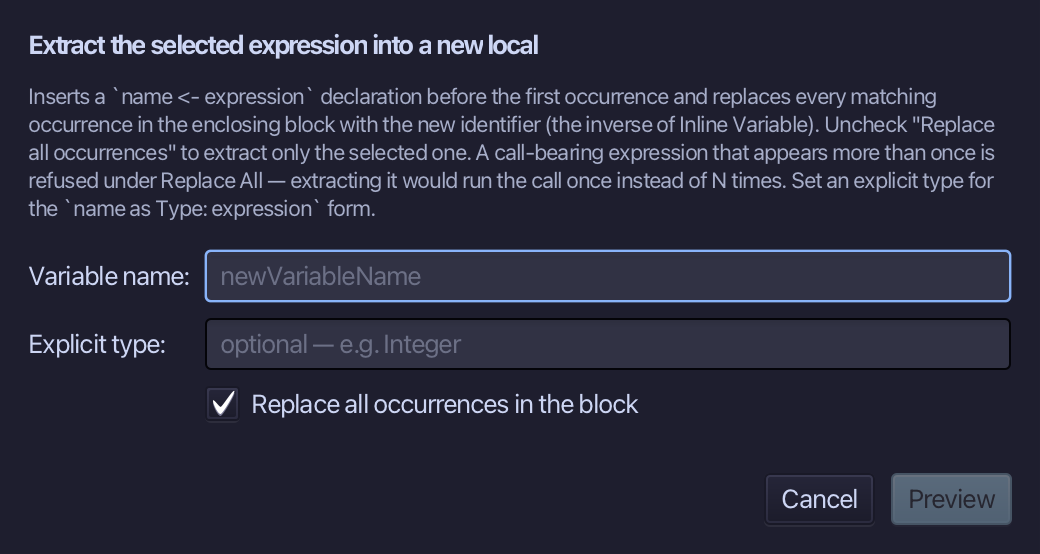
Name it lower - the lower of the first two and the third - and choose Preview.
Step 3: Preview and apply
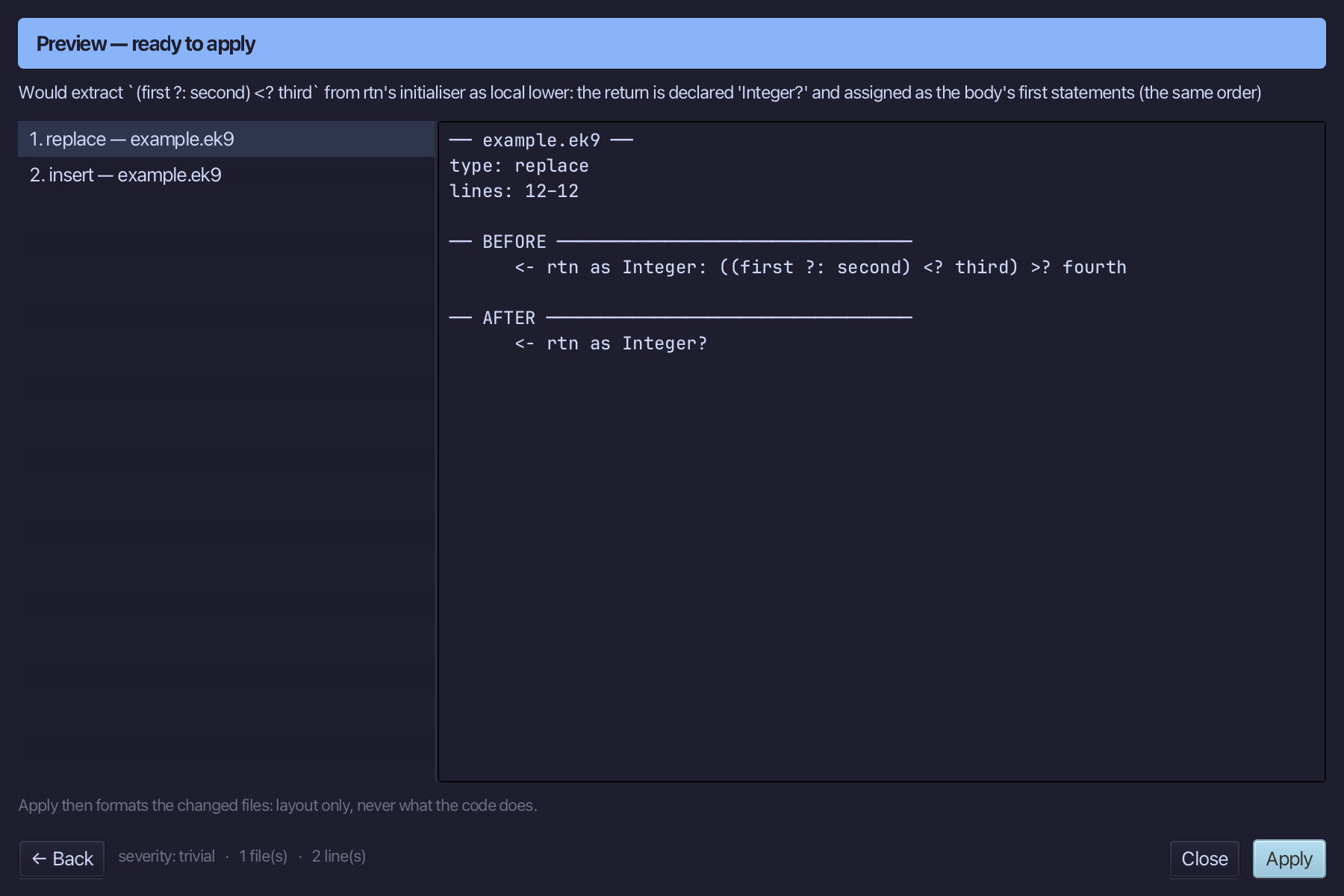
The preview shows every change the refactoring makes; then the IDE formats each file it changed. Choose Apply.
The result
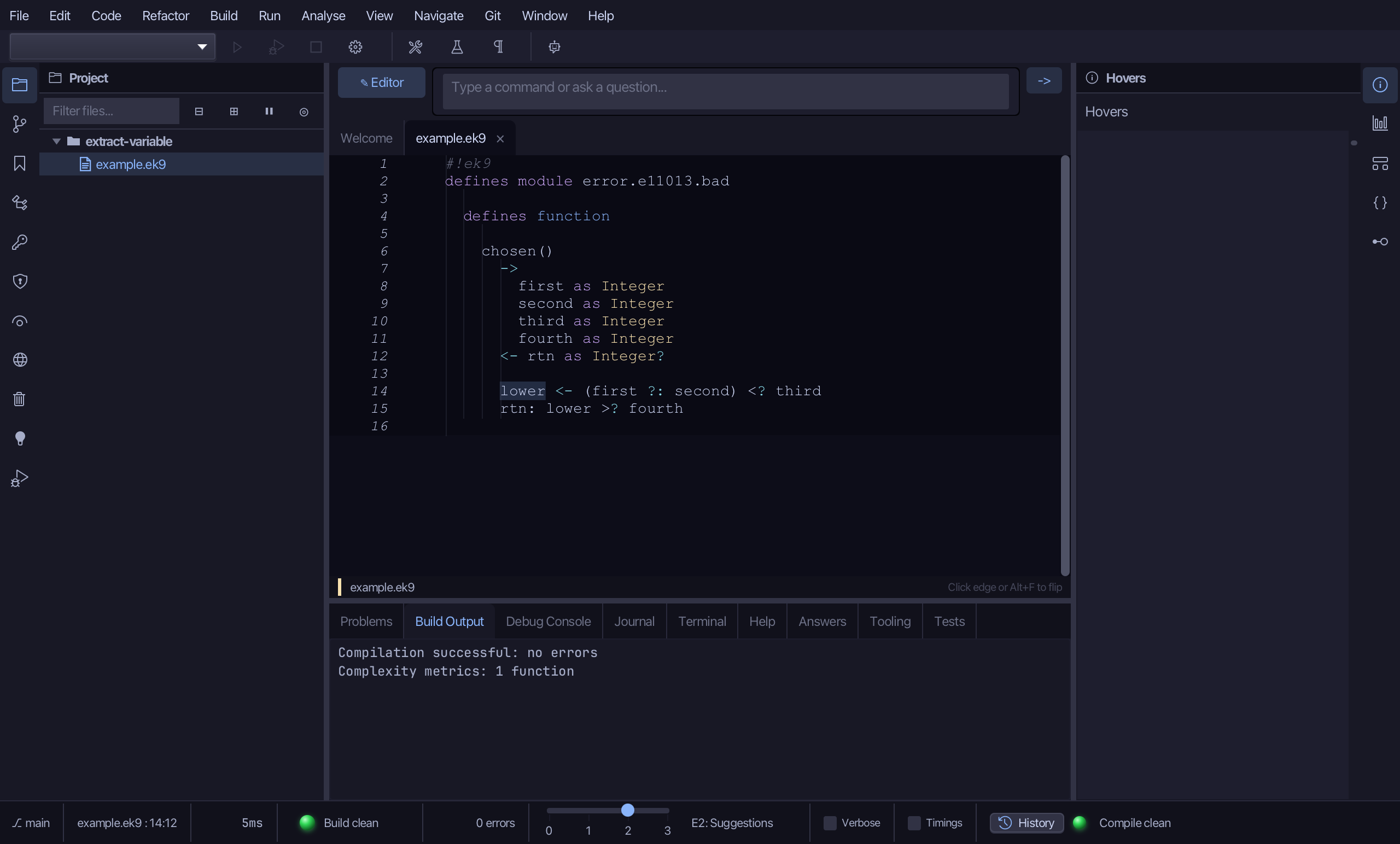
That is Extract Variable: (first ?: second) <? third is lower, and the expression that did too much reads lower >? fourth - the return's value moved into the body to make room for the local. AI assistants use the ek9_extract_variable tool.