Locks and Deadlocks
Ledger is a component with two locks of different types - balanceLock guards a balance, auditLock an audit note - and record() takes the audit lock while it holds the balance lock, so the second is always entered inside the first. Nothing here runs: the Analyse views read what the compiler worked out about the locks. Read ledger.ek9, then start when you are ready. To play it in the IDE: Help > Lessons > Understanding a codebase…, or ek9 -ide -lesson concurrency.
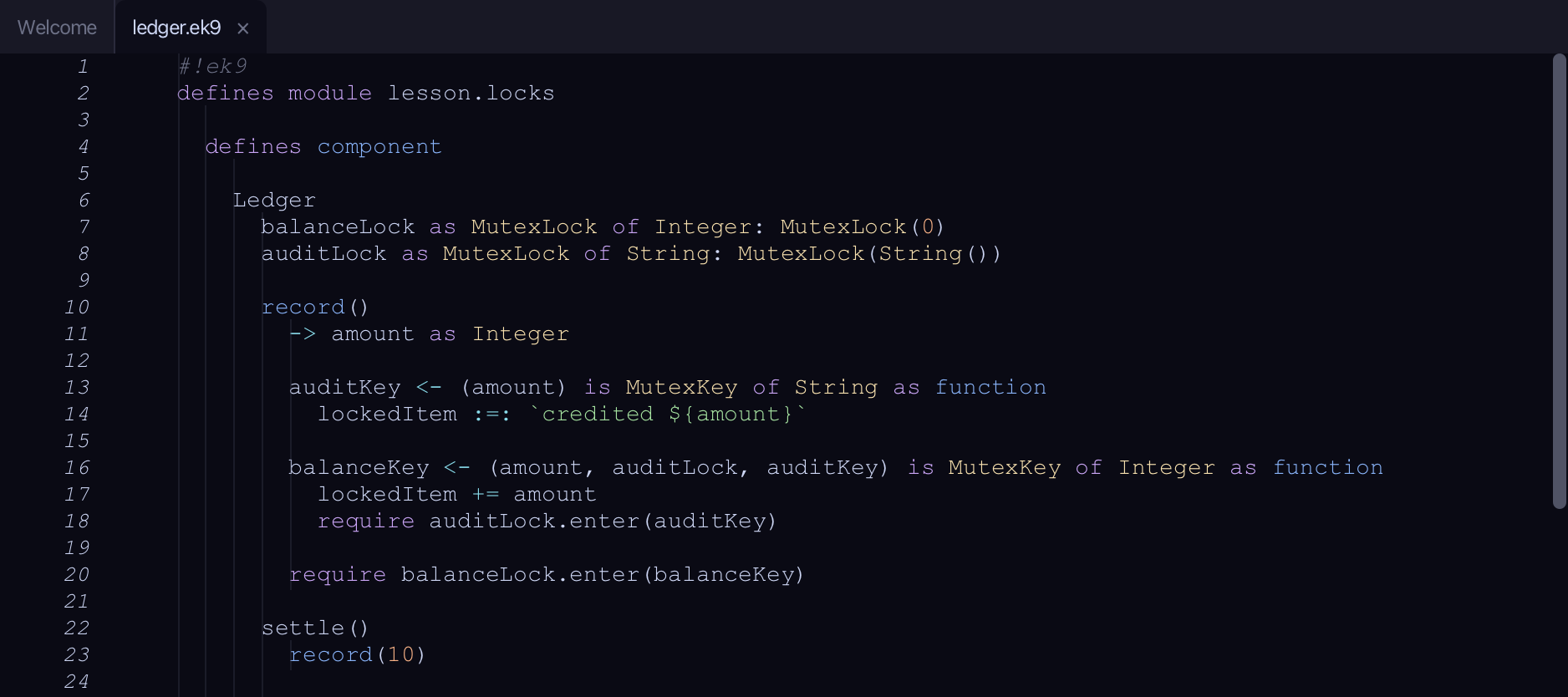
Start from
The code the lesson starts from: copy it into a file of your own and follow the steps.
#!ek9
defines module lesson.locks

  defines component

    Ledger
      balanceLock as MutexLock of Integer: MutexLock(0)
      auditLock as MutexLock of String: MutexLock(String())

      record()
        -> amount as Integer

        auditKey <- (amount) is MutexKey of String as function
          lockedItem :=: `credited ${amount}`

        balanceKey <- (amount, auditLock, auditKey) is MutexKey of Integer as function
          lockedItem += amount
          require auditLock.enter(auditKey)

        require balanceLock.enter(balanceKey)

      settle()
        record(10)

      default operator ?

  defines program

    RunLedger()
      ledger <- Ledger()
      ledger.settle()

//EOF
Step 1: Every lock
Choose Analyse > Lock Catalogue.
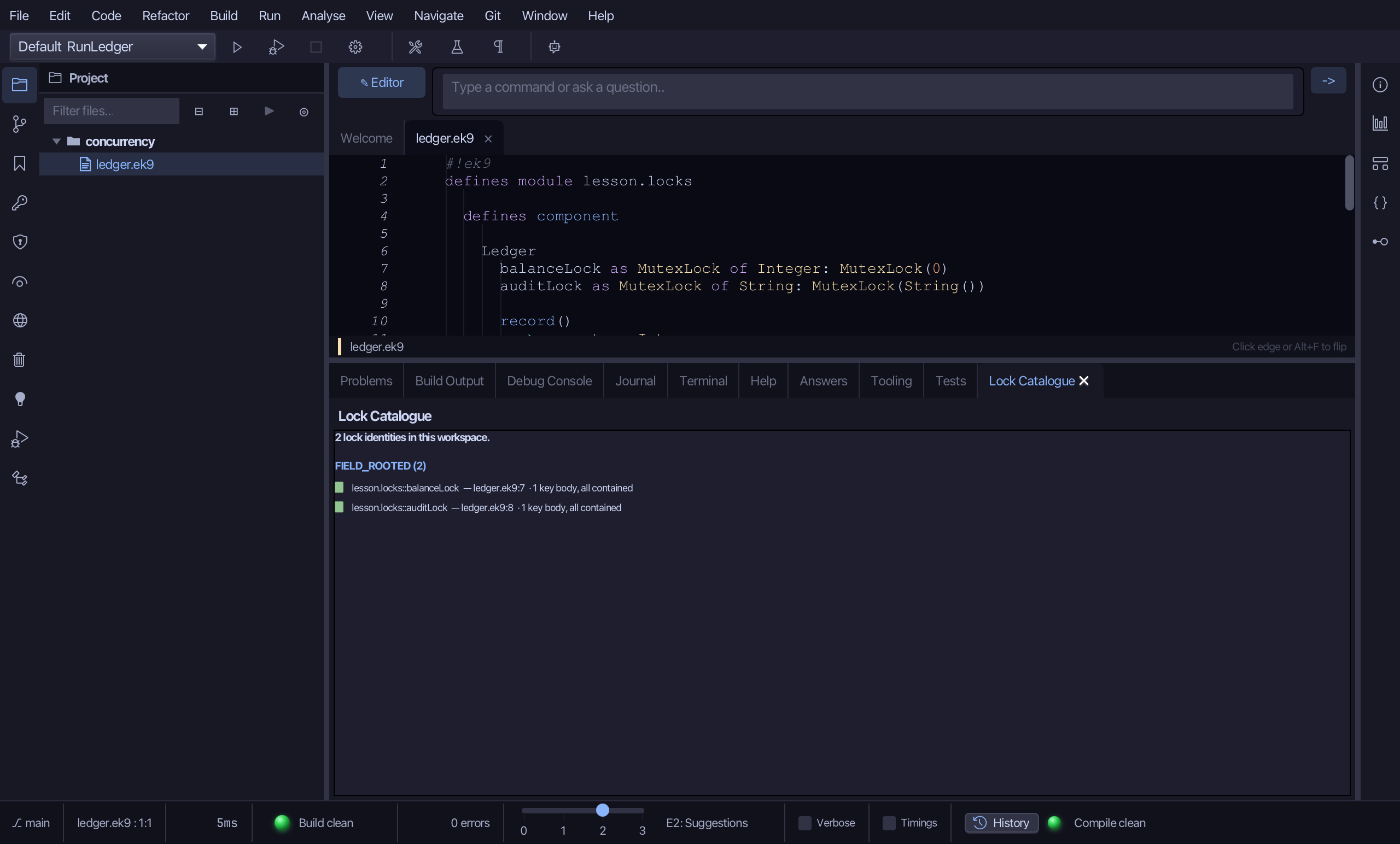
2 lock identities, both FIELD_ROOTED - a lock identity is one lock the compiler can name, and these are named after the fields they live in (the groups would also list ALLOCATION, PARAMETER and CAPTURE locks). Each row says where the lock is declared, ledger.ek9:7 and :8, and what its MutexKey bodies do with the locked value: 1 key body, all contained - the green square - means the value never leaves the lock. A body that let it escape would be red. Click a row to jump to the field.
Step 2: One method's locks
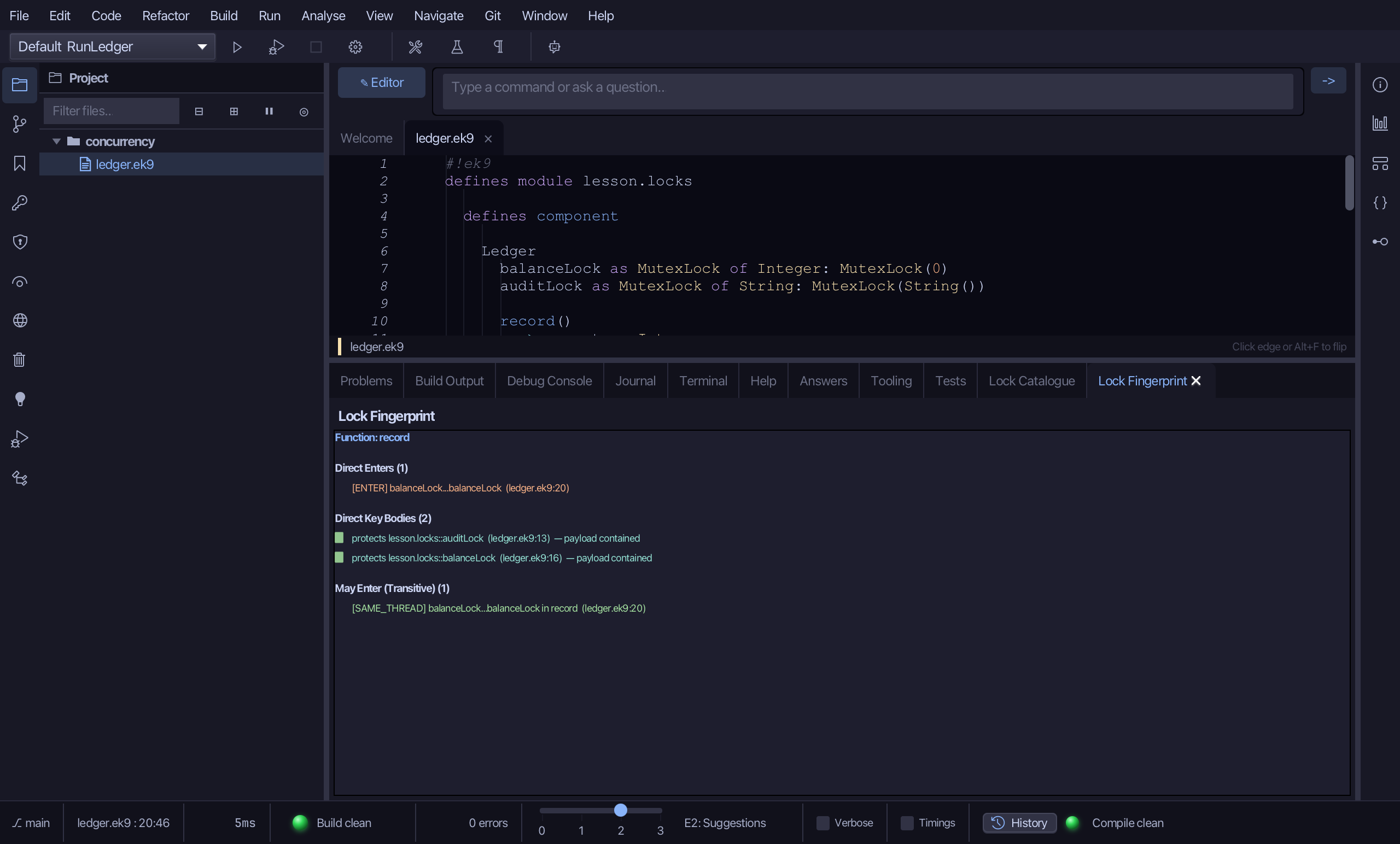
Put the caret inside record(), then choose Analyse > Lock Fingerprint.
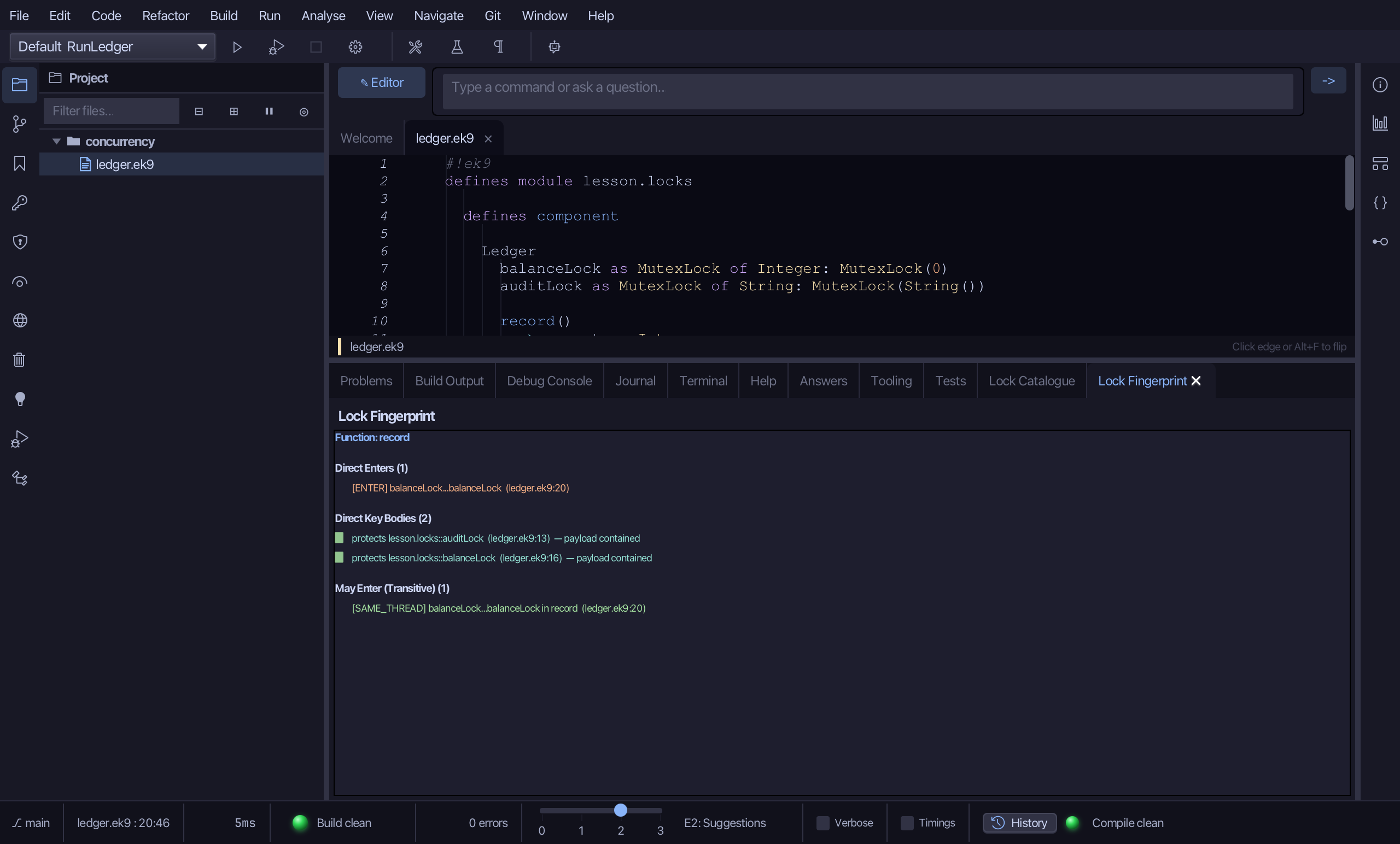
The fingerprint of record(): Direct Enters (1) - the one enter record() itself makes, on balanceLock (ledger.ek9:20); Direct Key Bodies (2) - the two MutexKey bodies it defines, one protecting auditLock and one balanceLock, each with its payload contained; and May Enter (Transitive) (1) - what it can reach through the calls it makes, here the same balanceLock, SAME_THREAD. A path that crossed to another thread would say CROSS_THREAD instead. It is the answer to 'which locks can this method touch?' without reading its callees.
Step 3: Deadlocks, while safe
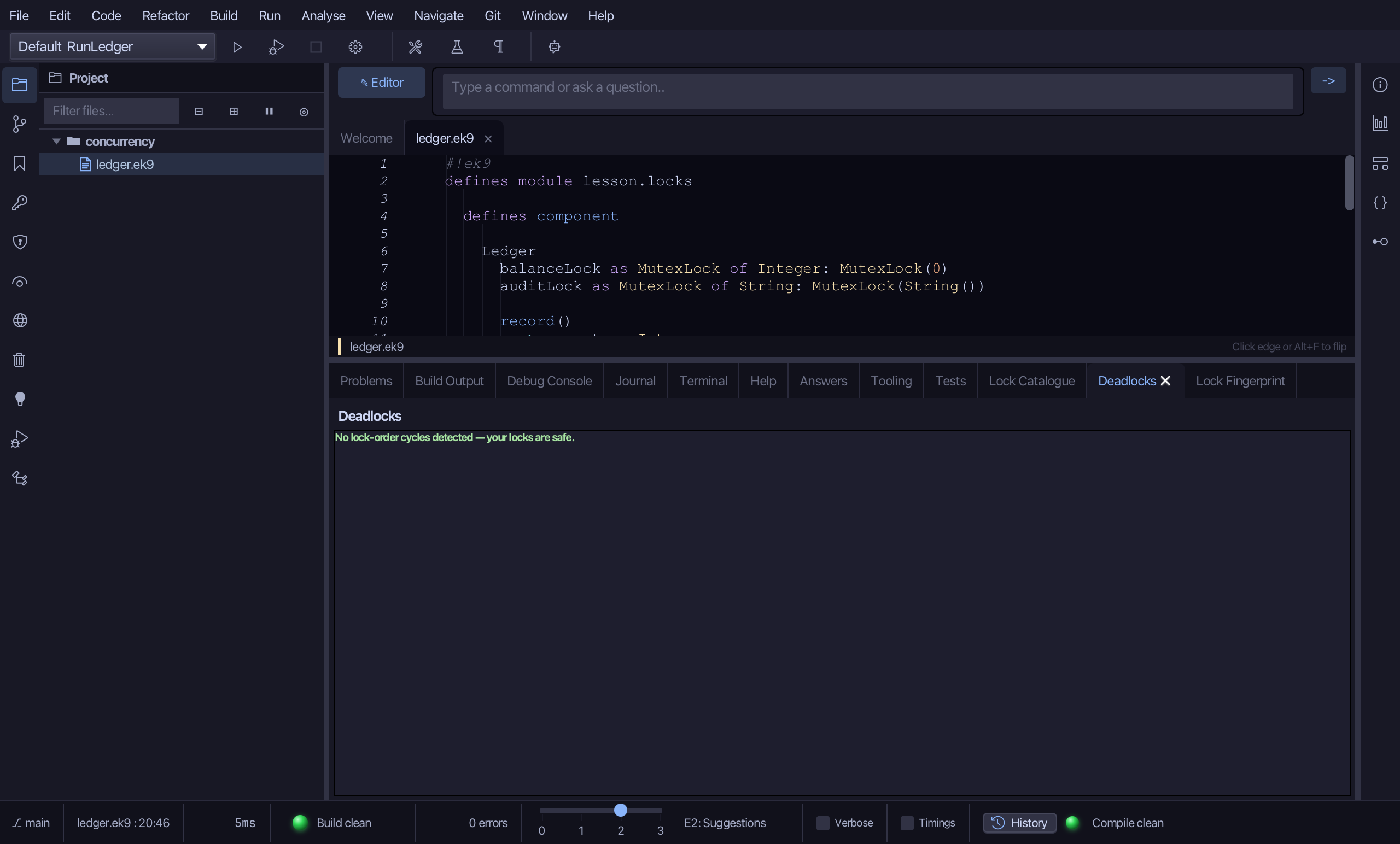
Choose Analyse > Deadlocks.
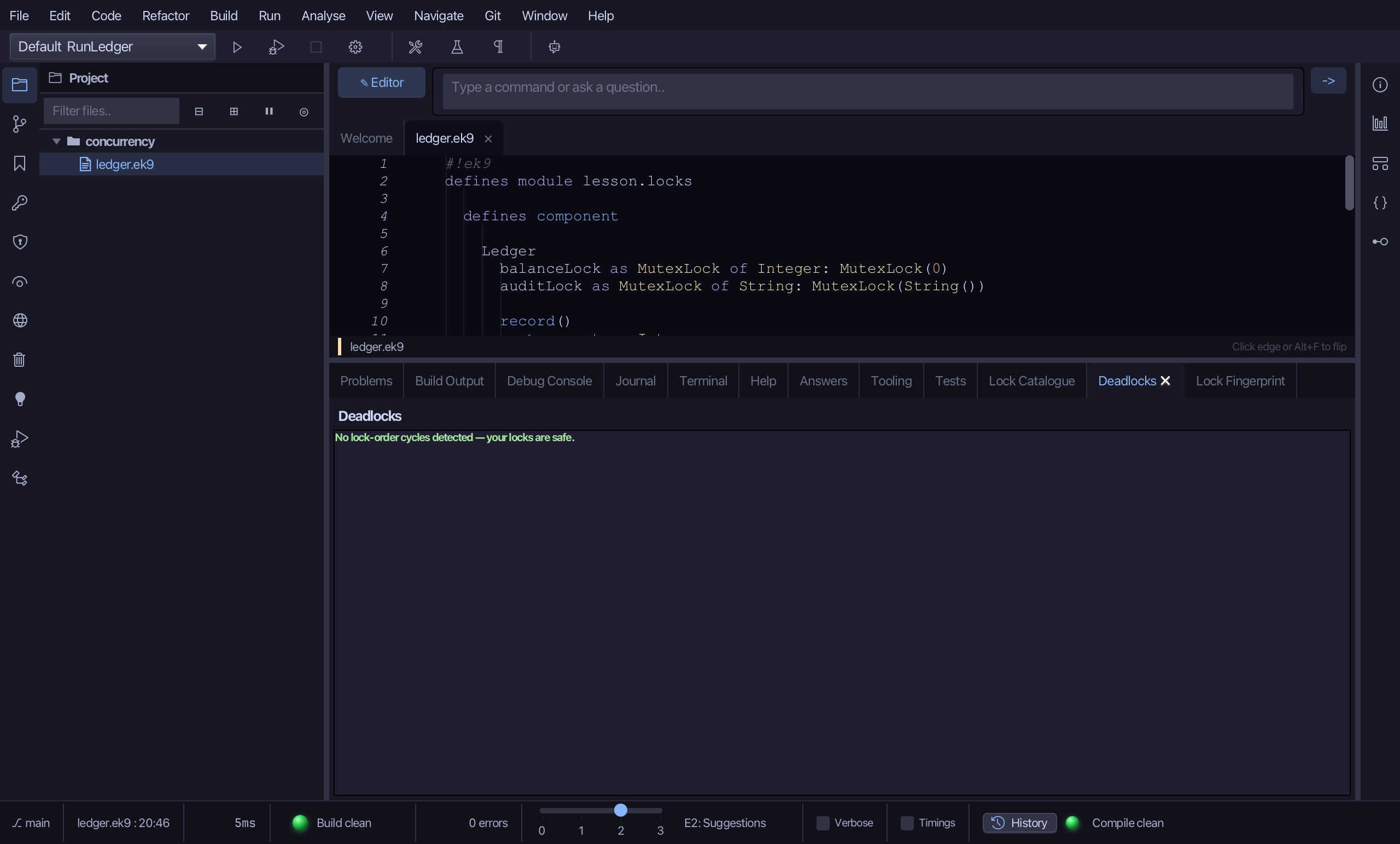
No lock-order cycles detected - your locks are safe, in green. The analysis has seen record() take auditLock inside balanceLock and found nothing that takes them the other way round, so no two threads can each hold one and wait for the other. Nesting one way is fine; it takes two methods that disagree to make a deadlock. Next, make one.
Step 4: A lock-order cycle
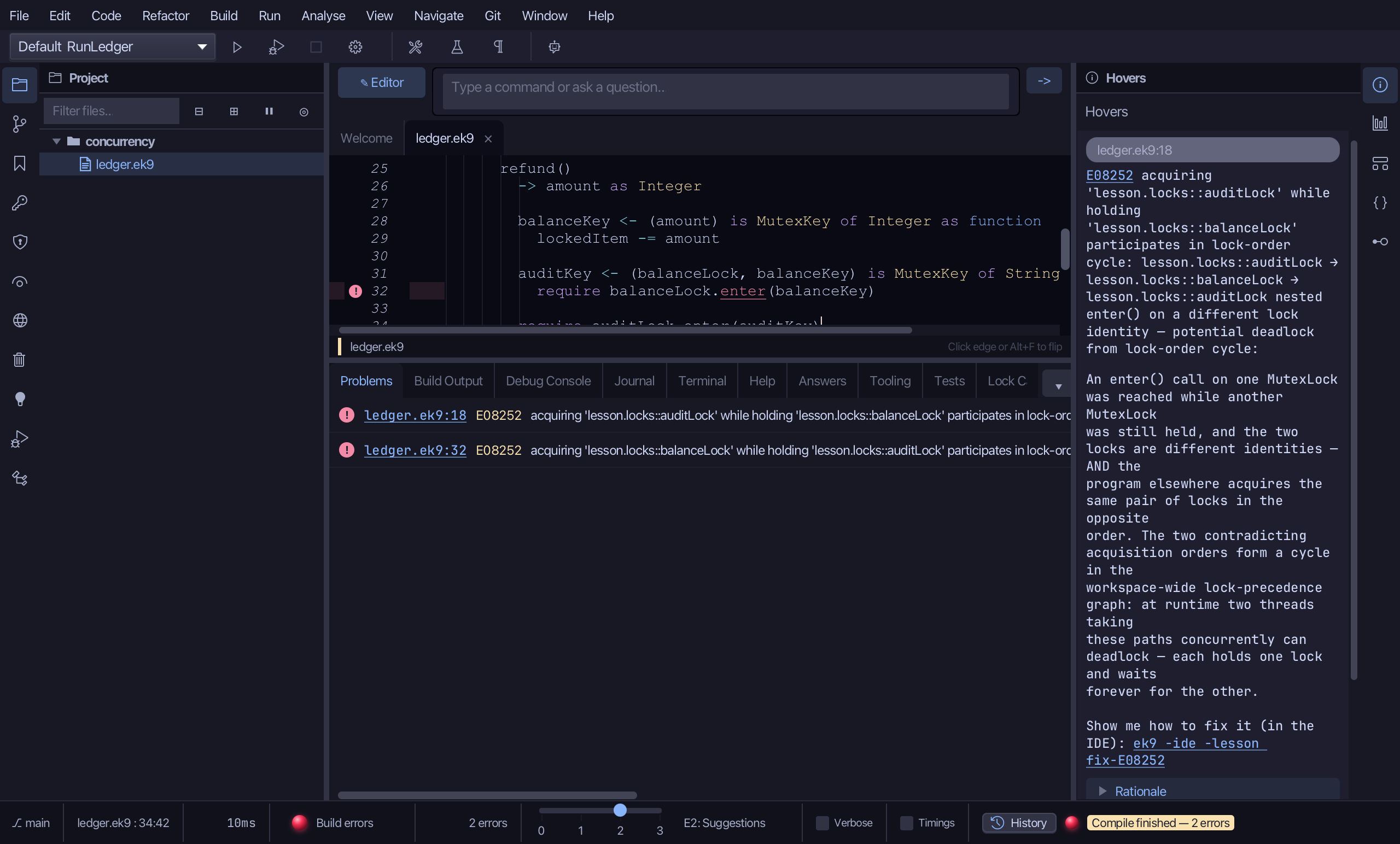
Select the record(10) line in settle(), and below it type a second method, refund(), that takes the locks the OTHER way round: the audit key's body enters the balance lock, and the balance key is held outside it - the mirror of record(). Saves when typed.
Choose Analyse > Deadlocks again.
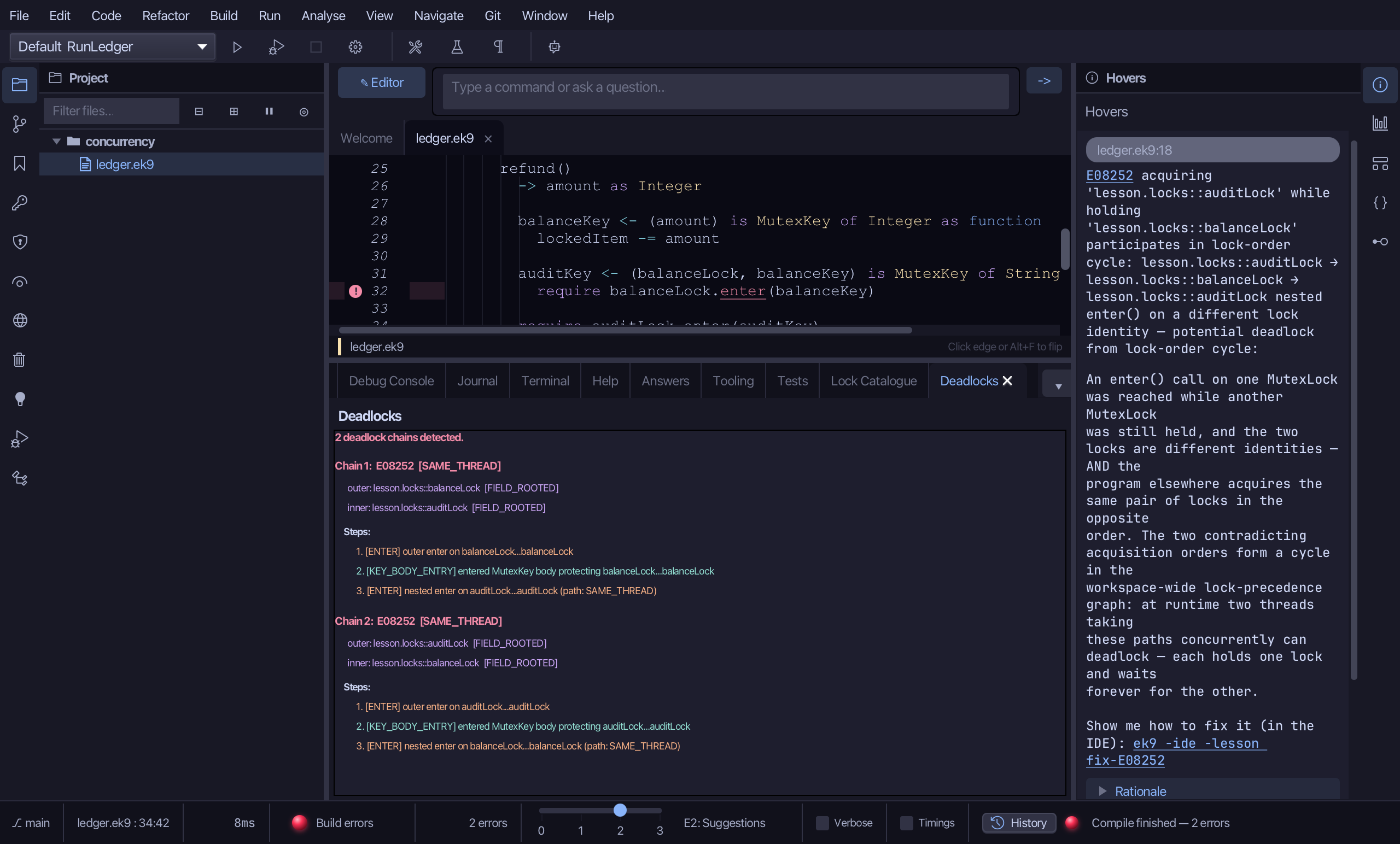
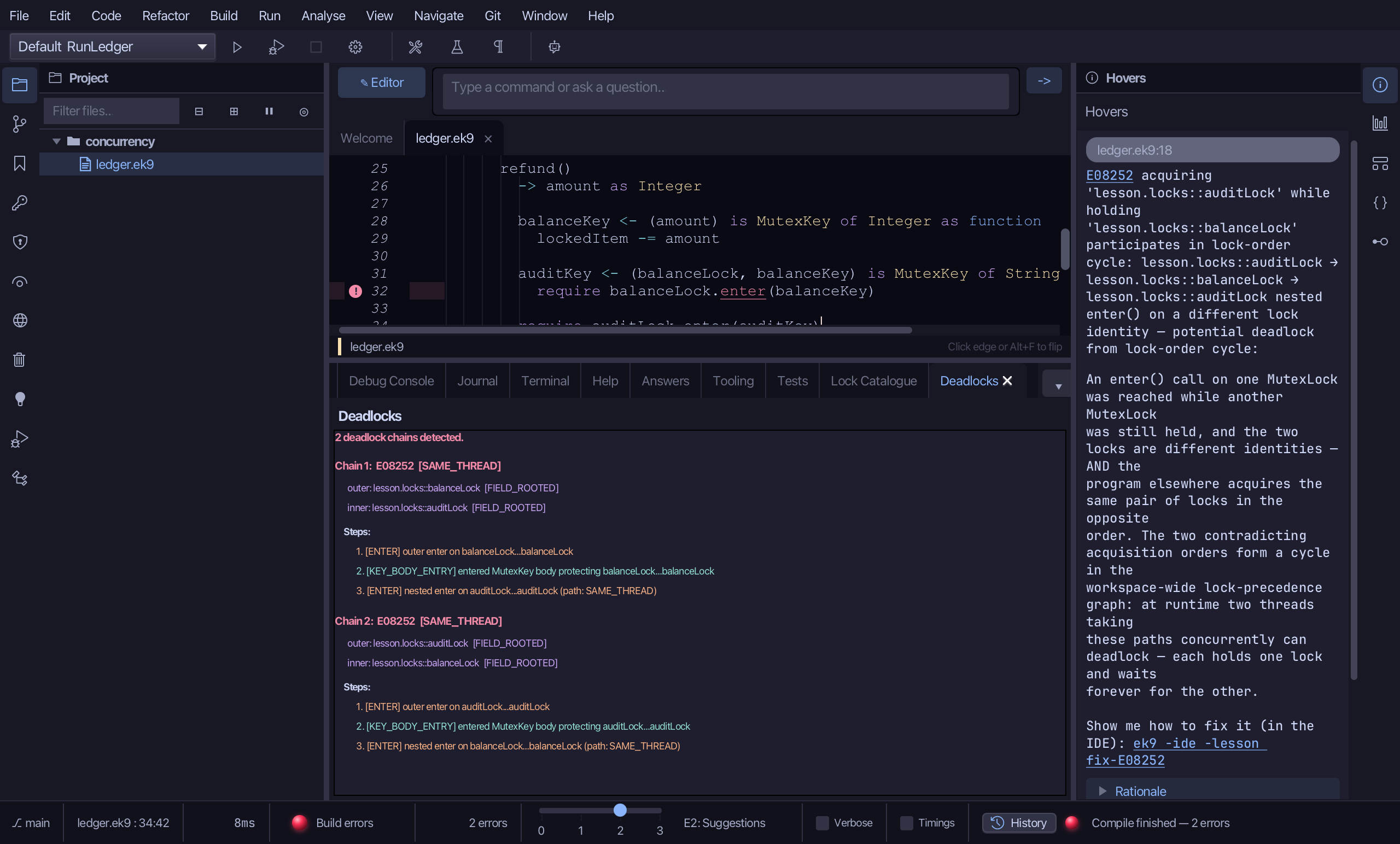
2 deadlock chains detected, in red, one for each way round. Chain 1 is the order record() takes: outer balanceLock, inner auditLock - its steps read an outer enter on balanceLock, the key body that runs while it is held, then the nested enter on auditLock (path SAME_THREAD). Chain 2 is refund(): auditLock outer, balanceLock inner. Each step is a link to the line. The compiler reports it as E08252 on the two nested enters - the red marks in the editor and the Hovers panel - because two threads, one in each method, would each hold one lock and wait for the other forever.
The result
That is the whole lock story, read three ways and then broken on purpose: the Lock Catalogue listed every lock, the Lock Fingerprint one method's locks, and Deadlocks said safe while the two locks were taken in one order - and drew two chains the moment refund() took them in the other. The compiler refuses that program (E08252), and this view is where you see why; delete refund() to be safe again, or play ek9 -ide -lesson fix-E08252 to fix it properly. AI assistants get the same data from ek9_query_lock_analysis, ek9_query_lock_identity and ek9_query_deadlock_chain.
Where this lesson comes from
- Answers -
ek9 -qand the IDE's Answers tab: 158, 1298, 1300. - For AI assistants - the MCP tool
ek9_query_lock_analysis,ek9_query_lock_identity,ek9_query_deadlock_chain.